
はじめに
Claude Code のプロジェクトが沢山できて、以下2つが大変になりました。
- どのディレクトリで何のプロジェクトを進行していたかの記憶
- ターミナル上でそのディレクトリへ移動すること
ccprojects は、Claude Code のプロジェクトをインタラクティブに一覧表示し、Enter でそのディレクトリに移動できる macOS + iTerm2 環境でのみ動作する CLI ツールです。Homebrew でインストールできます。
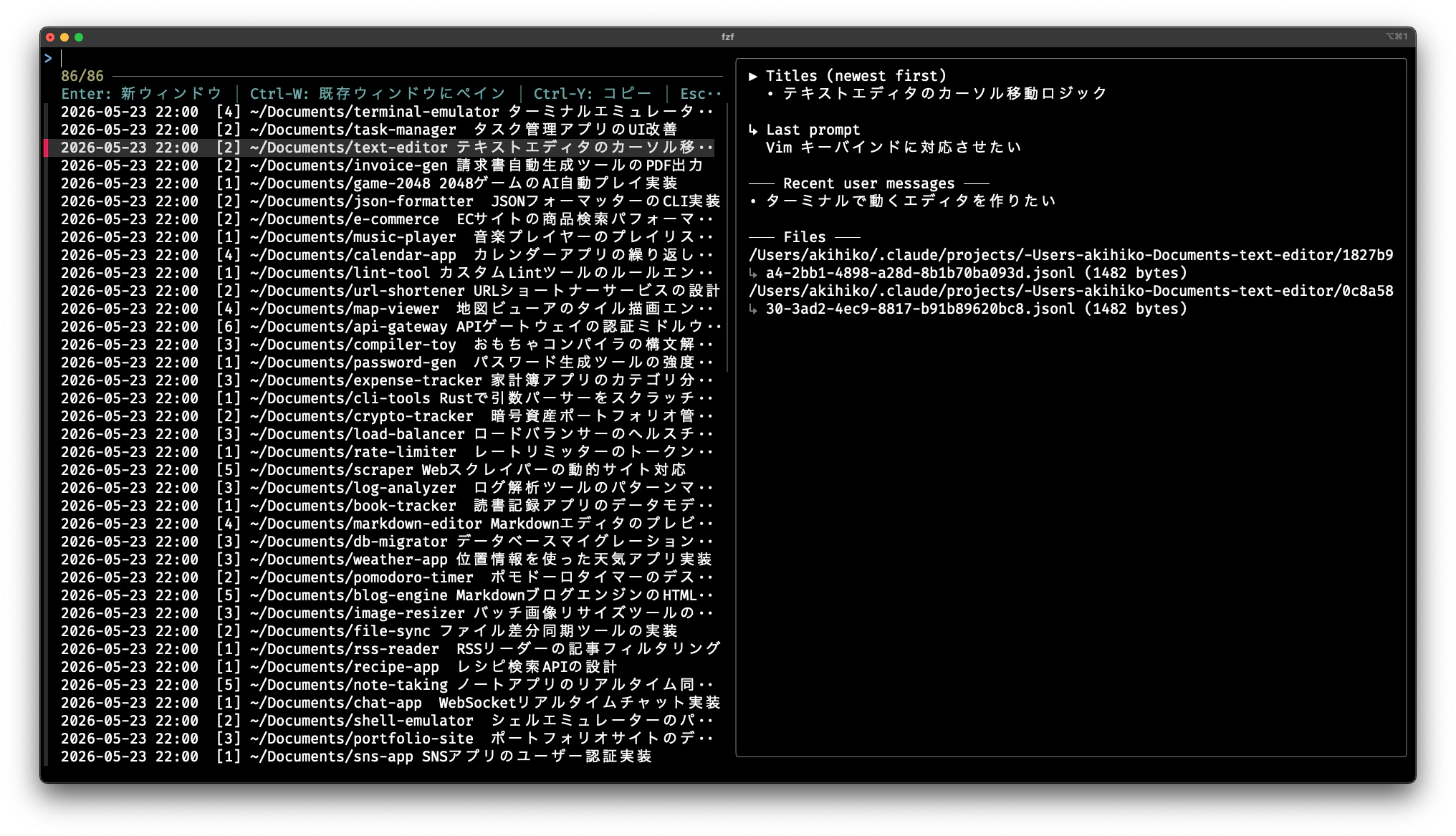
※ スクリーンショットはダミーデータのため、時刻が一律になっています。
左ペインには最終更新日時・セッション数・ディレクトリパス・タイトルが表示され、右ペインには選択中のプロジェクトの詳細(セッションタイトル・最後のプロンプト・関連ファイル)がプレビューされます。
インストール
Homebrew でインストールできます。
brew tap abustoY/ccprojects
brew install ccprojects
動作要件
- macOS
- fzf(
brew install fzfで導入可能) - iTerm2(Enter でのウィンドウ操作に必要)
使い方
ccprojects
実行すると fzf が起動し、プロジェクトが新しい順に一覧表示されます。Enter を押すと iTerm2 の新ウィンドウでそのディレクトリが開きます。
おわりに
同じ課題をお持ちの方はぜひ使ってください。