
はじめに
openflipperというmeshベースのモデラーのインストール方法を説明します。
BSDライセンスなので、ライセンス的にも使いやすいと思います。
環境
Ubuntu 16.0.4

作るもの
対象読者
オープンソースでライセンス的にも使い勝手のよいmesh modelerでよいものを探しているかた。
内容
install
下記URLの手順にしたがってインストールしていきます。
QT
5.9 <= Qt <= 5.1のversionのものが良いとのことだが、下記URLには5.9か、5.12以降しか見つからないため、今回は5.9を用いる。
http://download.qt.io/official_releases/qt/
下記URLより、5.9.8のrunファイルをダウンロード。
http://download.qt.io/official_releases/qt/5.9/
後は、下記qitta記事を参考にインストールをしてください。
https://qiita.com/chlochan/items/53f1276522d03f460a81
other dependencies
sudo apt-get install doxygen doxygen-gui graphviz
sudo apt-get install libeigen3-dev
sudo apt-get install libglew-dev
openflipper
git clone --recursive https://graphics.rwth-aachen.de:9000/OpenFlipper-Free/OpenFlipper-Free.git OpenFlipper-Free
submoduleのOpenFlipper-Free/OpenFlipperをcloneする際に下記のようなエラーが出ます。
fatal: clone of 'https://www.graphics.rwth-aachen.de:9000/OpenFlipper-Free/OpenFlipper' into submodule path 'OpenFlipper' failed
その場合、他のsubmoduleも含め全てgit clone出来ていない可能性がある。そのため、下記コマンドを実行しsubmoduleをダウンロード
git submodule update --init --recursive
make
openflipperのドキュメントに従い、OpenFlipperのソースコードがある階層にて、下記を実施。
mkdir build
cd build
cmake ../OpenFlipper-Free
cmake中にQTが見つからないと出た場合は、CMakeList.txtの頭の方にに下記を追加。
set(QT5_INSTALL_PATH "/home/ユーザー名/qtがある場所/5.9.8/gcc_64/")
cmake中にOpenMeshが見つからないと、下記のようなエラーが出る。
Could NOT find OpenMesh (missing: OPENMESH_CORE_LIBRARY OPENMESH_TOOLS_LIBRARY OPENMESH_INCLUDE_DIR)
その場合は、OpenFlipper-Free/OpenFlipper/libs_requiredのフォルダに移動し、下記コマンドでOpenMeshをダウンロード
git clone https://www.graphics.rwth-aachen.de:9000/OpenMesh/OpenMesh.git
cmakeが無事に通ったら、makeを実行
make -j 4
実行
Build/binフォルダに移動し、下記コマンドでopenflipperを起動
./OpenFlipper
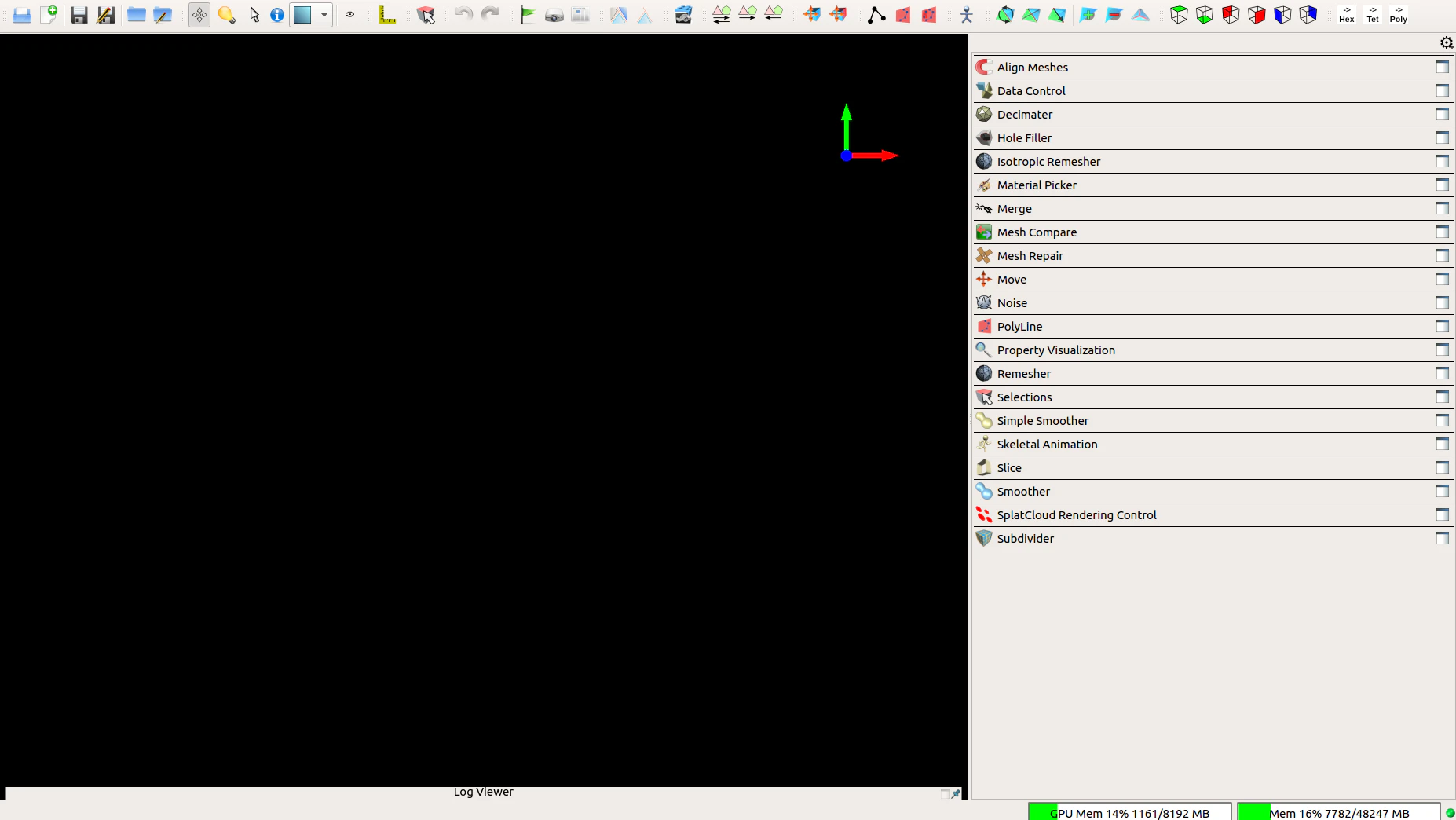
無事に下記画面のように起動すれば、インストール完了です。
参考サイト一覧
https://www.openflipper.org/download/
http://openflipper.org/Documentation/latest/a14859.html