変更元のプログラム
この記事は以下の簡単なGPTプログラムをCLIからWebUIにする。
変更点
-
main関数をchatWithGPT関数に変更し、GPTの結果をstringとして返す - Denoサーバーを追加し、リクエストハンドラーを登録
- リクエストハンドラーで
chatWithGPT関数をコールし、結果をtext/plainでレスポンス
import OpenAI from "@openai/openai";

const endpoint = Deno.env.get("AZURE_OPENAI_ENDPOINT") ?? "";
const deployment_name = Deno.env.get("AZURE_OPENAI_DEPLOYMENT_NAME") ?? "gpt-4.1-mini";
const api_key = Deno.env.get("AZURE_OPENAI_API_KEY") ?? "";

const client = new OpenAI({
    baseURL: endpoint,
    apiKey: api_key
});

// 変更点1. 関数名を目的に沿った名前に変更しstringを返す。
// * 非同期関数からの戻りはPromise型
-async function main() {
+async function chatWithGPT(): Promise<string> {
  const completion = await client.chat.completions.create({
    messages: [
      { role: "developer", content: "レシピ作成アシスタント" },
      { role: "user", content: "おでん" }
    ],
    model: deployment_name,
  });

  // 変更点2. コンソール出力はやめて、文字列としてreturn
- console.log(completion.choices[0].message.content);
+ return completion.choices[0].message.content || "";
}

// 変更点3. WebリクエストハンドラーでGPTを実行し、結果をplaintextでレスポンス。
+async function handler() {
+  const response = new Response(await chatWithGPT(), {
+    headers: { "Content-Type": "text/plain; charset=utf-8" },
+  });
+  return response;
+}
+
// 変更点4. Deno Webサーバーを実行
-main();
+Deno.serve(handler);
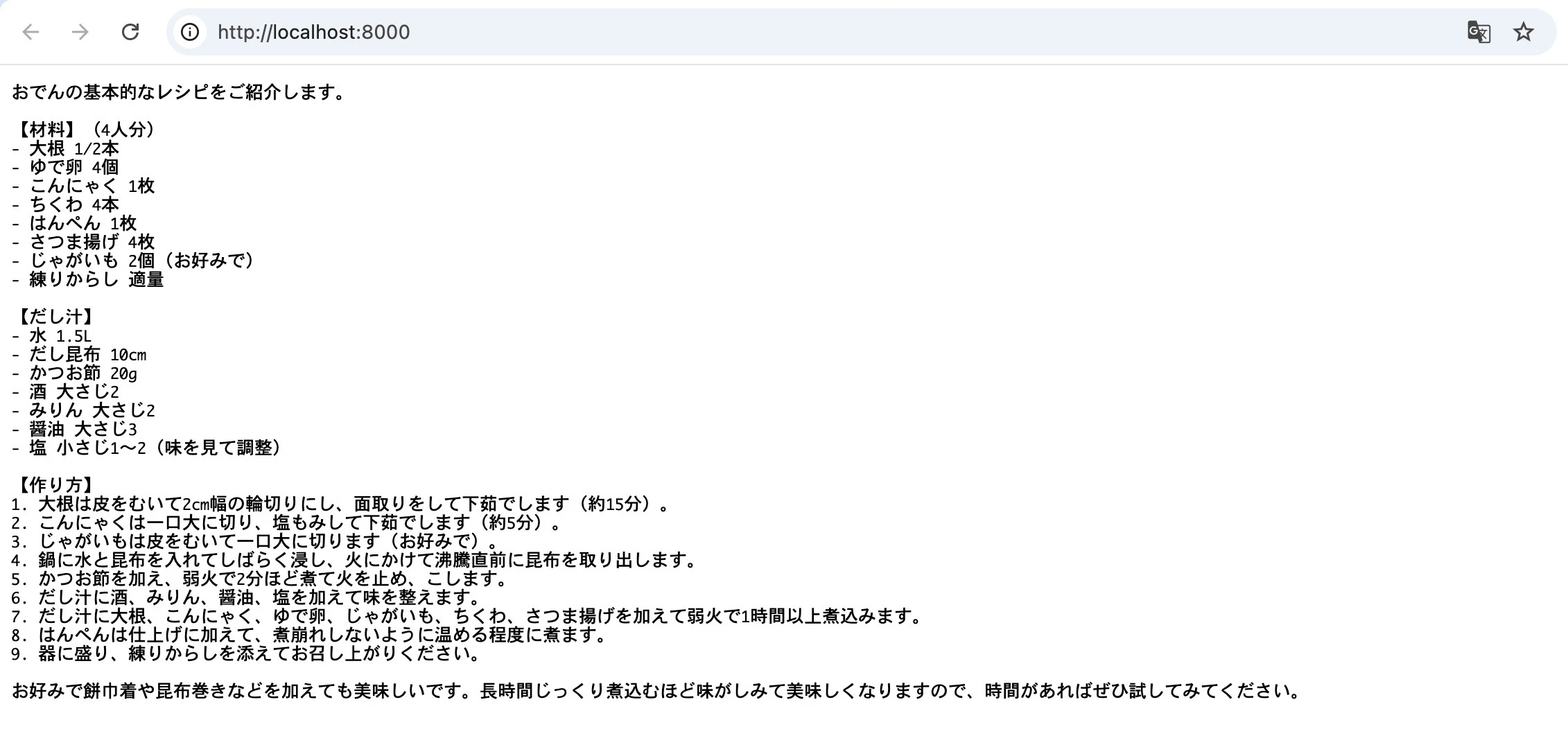
実行結果
少し待ってから結果が表示される。