

Android で Compose の画像を扱うライブラリというと、Coil を使われている方は多いのではないでしょうか。
しかしながら、Coil 単体だと GIF アニメーションが扱えないという話題があり、アドオンの coil-gif を追加することで GIF アニメーションを再生できることができるようになります。
それに加えて、GIF の再生・停止を望んだタイミングで行われるようにコントロールするにはどうすればいいでしょうか? 今回はその方法を解説します。
(※ ここでは Coil バージョン 3.4.0 を前提とします)
導入
ドキュメント通りに進めます:
依存を追加しました:
implementation("io.coil-kt.coil3:coil-gif:3.4.0")
ImageLoader に AnimatedImageDecoder または GifDecoder を追加しておきます:
class MyGifApp : Application(), SingletonImageLoader.Factory {
    override fun newImageLoader(context: PlatformContext): ImageLoader {
        return ImageLoader.Builder(context)
            .components {
                if (Build.VERSION.SDK_INT >= Build.VERSION_CODES.P) {
                    add(AnimatedImageDecoder.Factory())
                } else {
                    add(GifDecoder.Factory())
                }
            }
            .build()
    }
}
ドキュメントによるとこれだけでよさそうです。
再生
Gemini に適当なアニメーション動画を作成してもらって、それを ffmpeg で GIF アニメーションにしてもらいました:

この GIF アニメーションを使います。
@Composable
fun MyGifAnimation(modifier: Modifier = Modifier) {
    AsyncImage(
        model = "https://my.app.example/path/to/my.gif",
        contentDescription = null,
        modifier = modifier,
    )
}
表示だけならなにも既存の AsyncImage に変更は不要です。

これだけで GIF アニメーションが再生されるようになりました:
| Before | After |
|---|---|
 |
 |
Before ではボールはまったく動きませんが、After では動くようになりました。
コントロール
次にプレイバックのコントロールをしたいと思います。
単純に「再生/停止」ボタンを追加して再生状態をコントロールできるようにしたいと思います:
@Composable
fun MyGifAnimationControl(
    onPlayOrPauseClick: () -> Unit,
    modifier: Modifier = Modifier,
) {
    Column(modifier = modifier) {
        MyGifAnimation(
            modifier = Modifier.fillMaxWidth()
        )
        Button(
            onClick = onPlayOrPauseClick,
        ) {
            Text("Play / Pause")
        }
    }
}
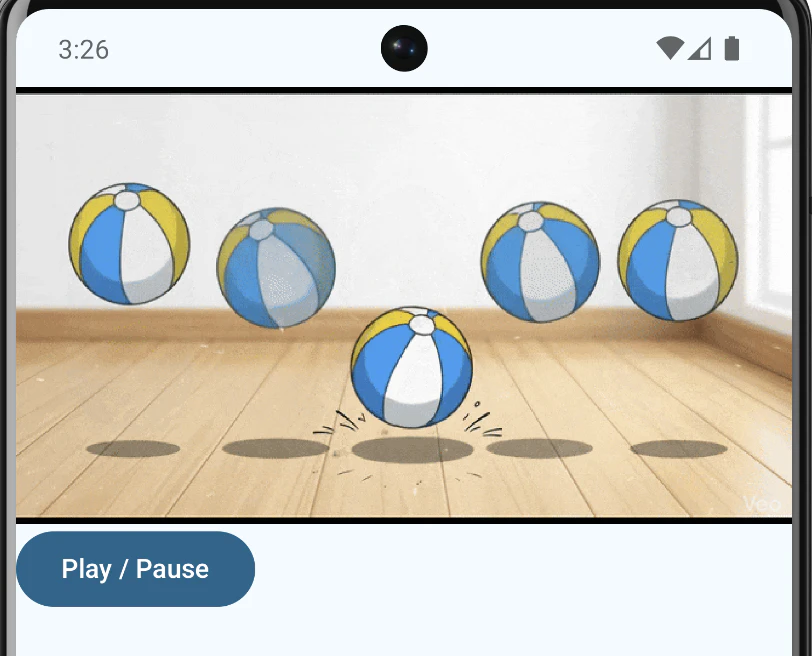
このボタンを押した時のプレイバックのコントロールを実装してみましょう。
まず、MyGifAnimation で再生をコントロールできるように拡張します。
@Composable
fun MyGifAnimation(
    modifier: Modifier = Modifier,
    isPlaying: Boolean = true,
) {
    var animatable by remember { mutableStateOf<Animatable?>(null) }
    LaunchedEffect(isPlaying) {
        animatable?.let {
            if (isPlaying) it.start() else it.stop()
        }
    }
    AsyncImage(
        model = "https://qiita-user-contents.imgix.net/https%3A%2F%2Fqiita-image-store.s3.ap-northeast-1.amazonaws.com%2F0%2F359439%2Fced0910d-8f64-426c-81cc-ea28209c8948.gif?ixlib=rb-4.1.1&auto=format&gif-q=60&q=75&s=4dd7ae007c0c1d0028f9c42c790129d0",
        contentDescription = null,
        modifier = modifier,
        onSuccess = { state ->
            ((state.result.image as? DrawableImage)?.drawable as? Animatable)?.let {
                animatable = it
            }
        }
    )
}
isPlaying を外から与えて、再生状態を制御できるようにします。
ポイントは AsyncImage で onSuccess のコールバックを受け取れるので、ここで得られた成功状態の state から Animatable を得るところです。Animatable を受け取れれば、あとはインターフェースに沿って再生を play / stop でコントロール可能です。
こうなると、MyGifAnimationControl を少し変えればコントロールの完成です:
@Composable
fun MyGifAnimationControl(
    modifier: Modifier = Modifier,
) {
    var isPlaying by remember { mutableStateOf(true) }

    Column(modifier = modifier) {
        MyGifAnimation(
            modifier = Modifier.fillMaxWidth(),
            isPlaying = isPlaying,
        )
        Button(
            onClick = {
                isPlaying = !isPlaying
            },
        ) {
            Text(if (isPlaying) "Pause" else "Play")
        }
    }
}
最終的にはこうなりました:

Pause ボタンで一時停止し、Play ボタンで再生できるようになりました。
ただし、再生再開時には始めのフレームからとなってしまうので、
フレーム単位でのプレイバックのコントロールを求めるには別の手段が必要となりそうです。
あくまで動画を使うまでもない簡易的な手段と捉えるのがよさそうですね。
以上です!