
概要
Databricks の Serverless クラスターから Workspace ファイルを参照する方法について検証した結果を共有します。下記のディレクトリ構成を前提に、load_config ノートブックから setting.json を参照できるかを確認しました。
root/
  jobs/
    load_config.py
  config/
    setting.json
事前準備
Serverless クラスターのアタッチ
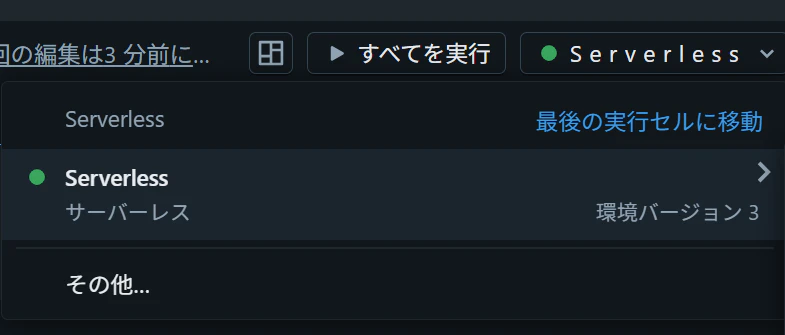
ワークスペースファイル(setting.json)の作成
config フォルダを作成し、その配下に setting.json を作成して下記の内容を記述します。
[
  {
    "key": "table_1",
    "args": {
      "full_table_name": "samples.tpch.nation"
    }
  },
  {
    "key": "table_2",
    "args": {
      "full_table_name": "samples.tpch.region"
    }
  },
  {
    "key": "table_3",
    "args": {
      "full_table_name": "samples.tpch.customer"
    }
  }
]

実行するノートブックの作成
jobs フォルダを作成し、その配下に load_config ノートブックを作成します。まず、現在のディレクトリを確認します。
%sh
pwd
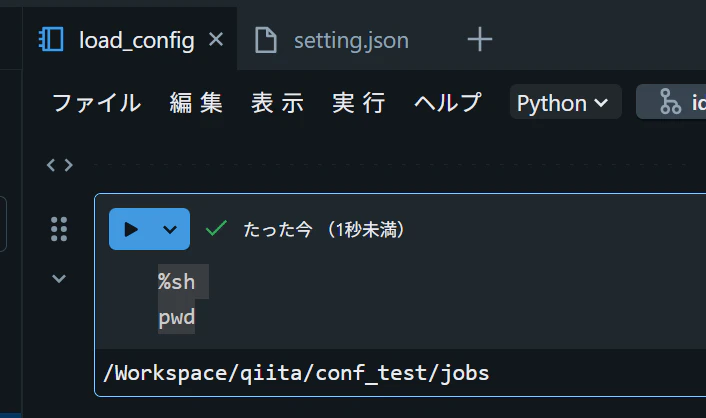
続いて、ディレクトリおよびファイルのパスを変数にセットします。
from pathlib import Path
import json

print(Path.cwd())
root_dir = Path.cwd().parent
print(root_dir)
config_path = root_dir / "config" / "setting.json"
config_path_str = str(config_path)
print(config_path_str)

検証
1. Python の標準ライブラリからのアクセス
アクセス可能
with open(config_path, "r", encoding="utf-8") as f:
    config = json.load(f)
print(type(config))
print(config)

2. dbutils からのアクセス
アクセス可能
dbutils.fs.ls("file:" + config_path_str)
config = json.loads(dbutils.fs.head("file:" + config_path_str))
print(type(config))
print(config)

3. Spark DataFrame からのアクセス
アクセス不可
df = spark.read.json(config_path_str)
display(df)

df = spark.read.json("file:" + config_path_str)
display(df)

検証結果のまとめ
| # | アクセス方法 | 結果 |
|---|---|---|
| 1 | Python 標準ライブラリ(open) |
可能 |
| 2 | dbutils.fs |
可能 |
| 3 | Spark DataFrame(spark.read) |
不可 |