

はじめに
Chrome144以降で、新しい HTML要素を使用できるようになったので、その機能をざっくり調べました。
geolocation要素とは?
簡単に説明すると、これまでの「JavaScriptで命令を出して位置情報を取得する」方法から、「HTMLタグを置くだけで、ユーザーの意思に基づいた安全な位置情報取得ができる」 というものです。
以前までのやり方
従来のAPInavigator.geolocation.getCurrentPositionでは、権限の状態チェックやエラーハンドリングなど、お決まりのコードを書く必要がありました。
以下、AIにnavigator.geolocation.getCurrentPositionを使ったコードを書いてもらいました。
<button id="loc-btn">現在の場所を確認する</button>
<div id="output">ここに結果を表示します</div>

<script>
  const btn = document.getElementById('loc-btn');
  const out = document.getElementById('output');

  btn.addEventListener('click', () => {
    // 1. ブラウザのサポートチェック
    if (!navigator.geolocation) {
      out.textContent = "お使いのブラウザは対応していません";
      return;
    }

    out.textContent = "取得中...";

    // 2. 位置情報の要求(ここでブラウザの許可プロンプトが出る)
    navigator.geolocation.getCurrentPosition(
      (pos) => {
        // 成功時
        const { latitude, longitude } = pos.coords;
        out.textContent = `緯度: ${latitude}, 経度: ${longitude}`;
      },
      (err) => {
        // 3. エラー処理(拒否された場合など)を細かく書く必要がある
        if (err.code === 1) {
          out.textContent = "位置情報の許可が拒否されました。設定から変更してください。";
        } else {
          out.textContent = "位置情報の取得に失敗しました。";
        }
      }
    );
  });
</script>
位置情報を取得するまでにちょっとした行数が必要になっているのが分かります。
geolocationを使ったコード
<geolocation
  id="geo-el"
  accuracymode="precise"
  onlocation="onLocationSuccess(event)">
  <button>位置情報を取得(非対応ブラウザ用)</button>
</geolocation>

<div id="output">ここに結果を表示します</div>

<script>
  function onLocationSuccess(event) {
    const out = document.getElementById('output');

    // 要素の .position プロパティから直接データが取れる
    if (event.target.position) {
      const { latitude, longitude } = event.target.position.coords;
      out.textContent = `緯度: ${latitude}, 経度: ${longitude}`;
    } else if (event.target.error) {
      // エラー処理もシンプルに
      out.textContent = `エラー: ${event.target.error.message}`;
    }
  }
</script>
JavaScriptの行数もすくなくなり、シンプルな書き方になっています。
実際の動きはこちらの公式が用意したデモで確認できます。
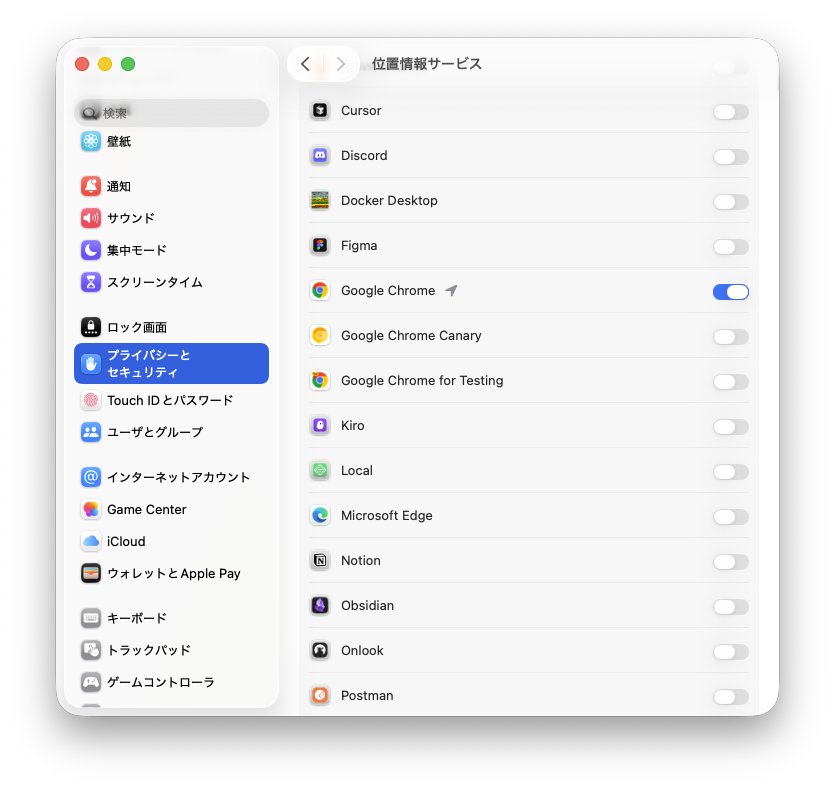
デモを試す場合はChrome144以降でかつ、PCのプライバシーとセキュリティから位置情報サービスをオンにする必要があります
geolocatoinの属性
タグに直接記述して、動作をカスタマイズする設定項目です。
| 属性名 | 指定できる値 | 機能 |
|---|---|---|
| accuracymode | "precise" / "approximate" | 精度モード: "precise"はGPS等を使用する高精度モード、"approximate"はネットワーク情報等を使用する低電力・低精度モード。 |
| autolocate | 属性のみ | 自動位置特定: すでに権限が付与されている場合、ページ読み込み時にユーザーのクリックを待たず自動で取得を開始する。 |
| watch | 属性のみ | 監視モード: ユーザーの移動に合わせて、位置情報が更新されるたびに繰り返しイベントを発火させる。 |
| onlocation | 関数名 | イベントハンドラ: 位置情報が取得できた際、またはエラーが発生した際に呼び出す関数を指定する。 |
参考