0
0

Delete article

Deleted articles cannot be recovered.

Draft of this article would be also deleted.

Are you sure you want to delete this article?

LM Studio + A5M2

0
Last updated at Posted at 2025-10-26

A5M2 のAIアシスタントをLM Studioに接続

設定としては、A5M2の「設定」-「オプション」-「AIアシスタント」タブで以下の感じで設定
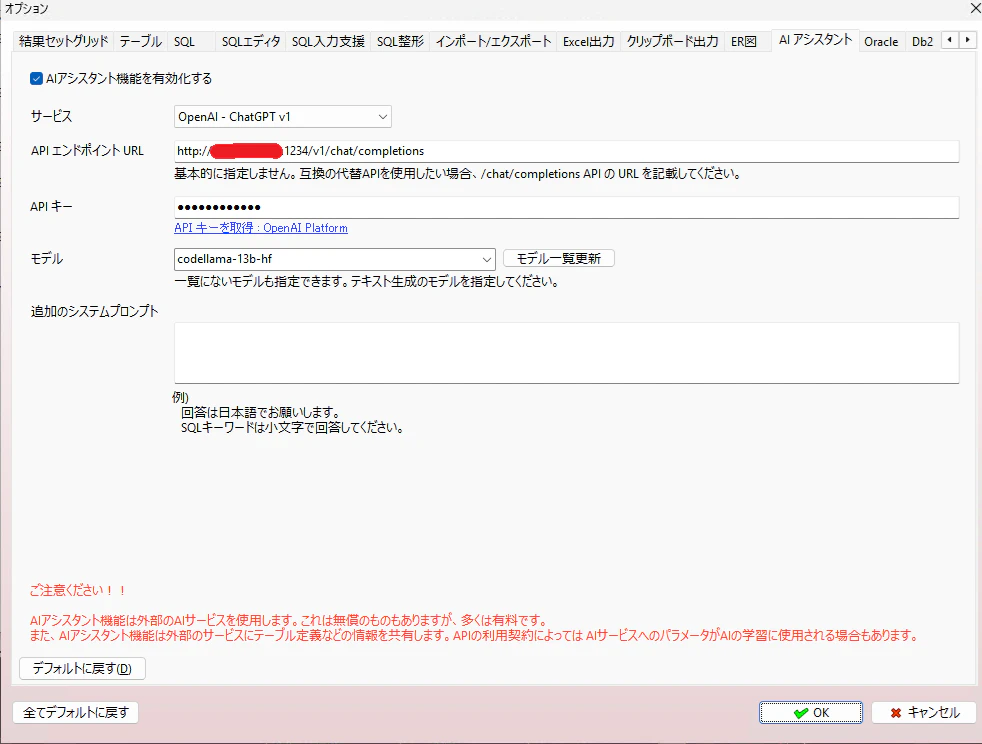
image.png

サービス:OpenAI - ChatGPT v1 を選択
APIエンドポイント:http://x.x.x.x:1234/v1/chat/completions
APIキー:sk-lm-studio(なんでもOK)
モデル名:codellama-13b-hf (今回はこれにしてみた)

SQLを選んで以下の感じで依頼してみる
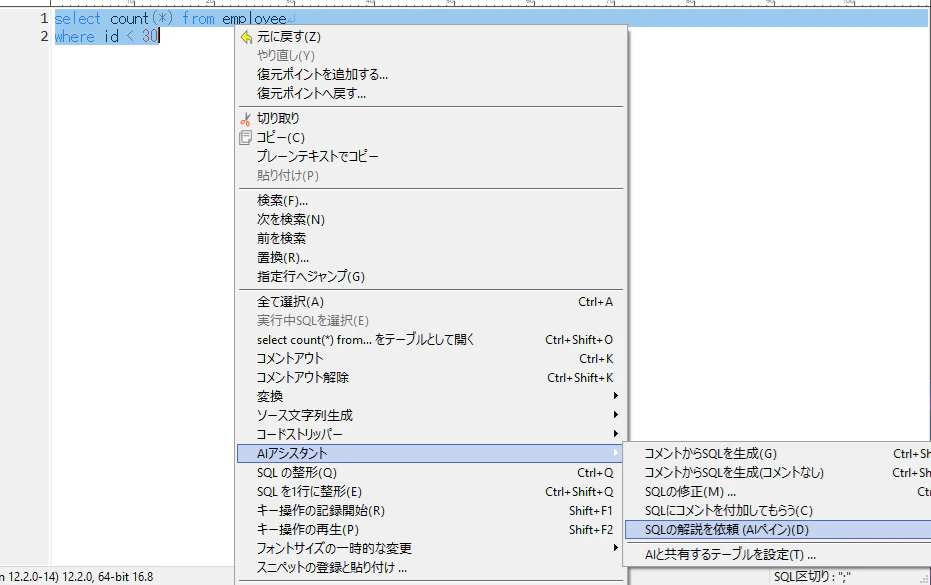
image.png

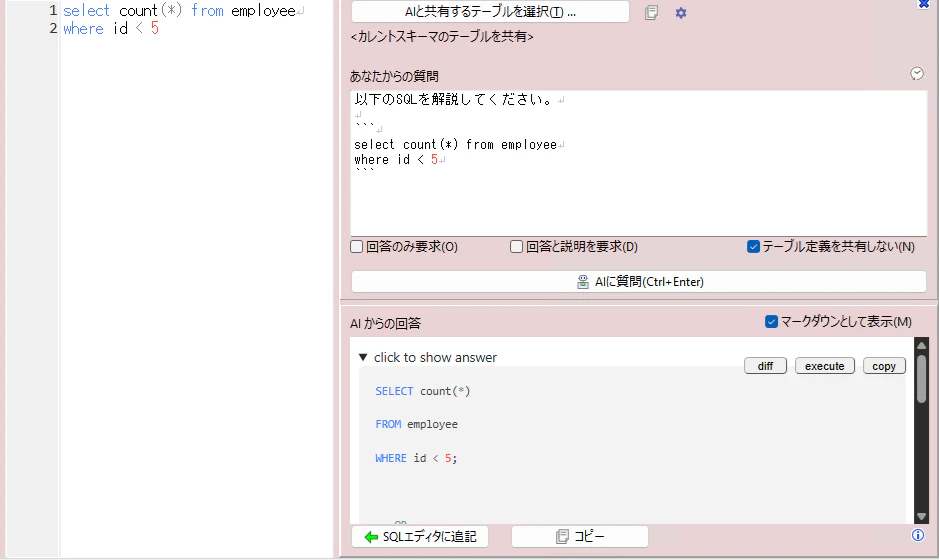
なんか帰ってきた

image.png

ちなみに

テーブルが沢山ある環境で、「テーブル定義を共有しない」のチェックをつけないと、最大トークン数がオーバしてしまうので、共有するテーブルを選択するなどしないと使えなさそうです。。。

0
0
1

Register as a new user and use Qiita more conveniently

  1. You get articles that match your needs
  2. You can efficiently read back useful information
  3. You can use dark theme
What you can do with signing up
0
0

Delete article

Deleted articles cannot be recovered.

Draft of this article would be also deleted.

Are you sure you want to delete this article?