記事概要
CSSのFlexboxについて、まとめる。
Flexboxとは
- Flexible Box Layout Moduleの略
- 複雑なレイアウトも簡単に組める書き方
- 親要素に
display: flex;を付与することで、子要素の並び順や要素同士の幅を詳細に決める調整方法
要素変更
displayプロパティ
要素の種類(ブロックレベル要素、インライン要素)を変更する
| 指定方法 | 装飾結果 |
|---|---|
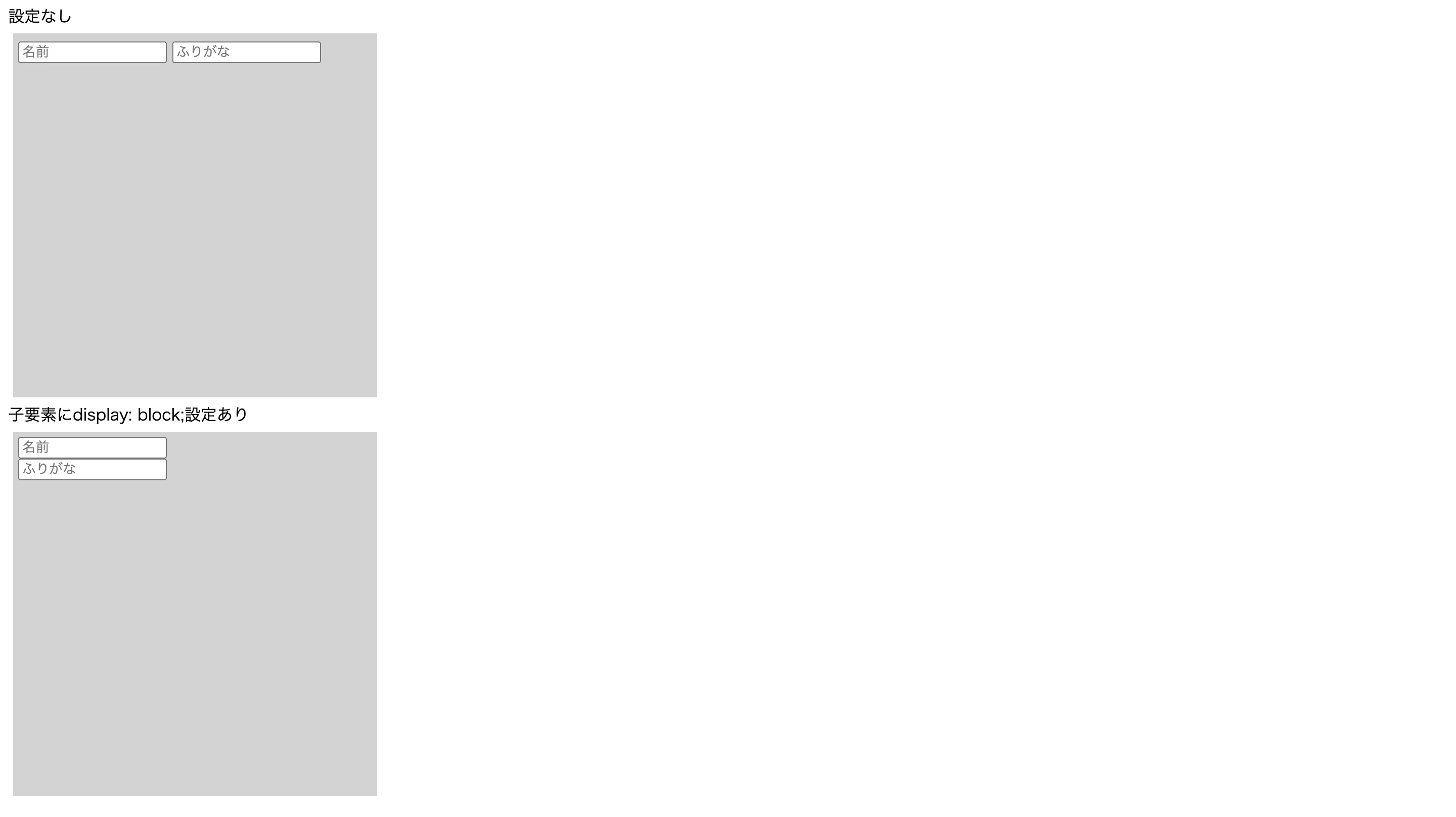
| block | 指定された要素はブロックレベル要素として表示される インライン要素を縦に並べられる |
| inline | 指定された要素はインライン要素として表示される |
| inline-block; | 指定された要素はインライン要素とブロックレベル要素の特性を併せ持つ |
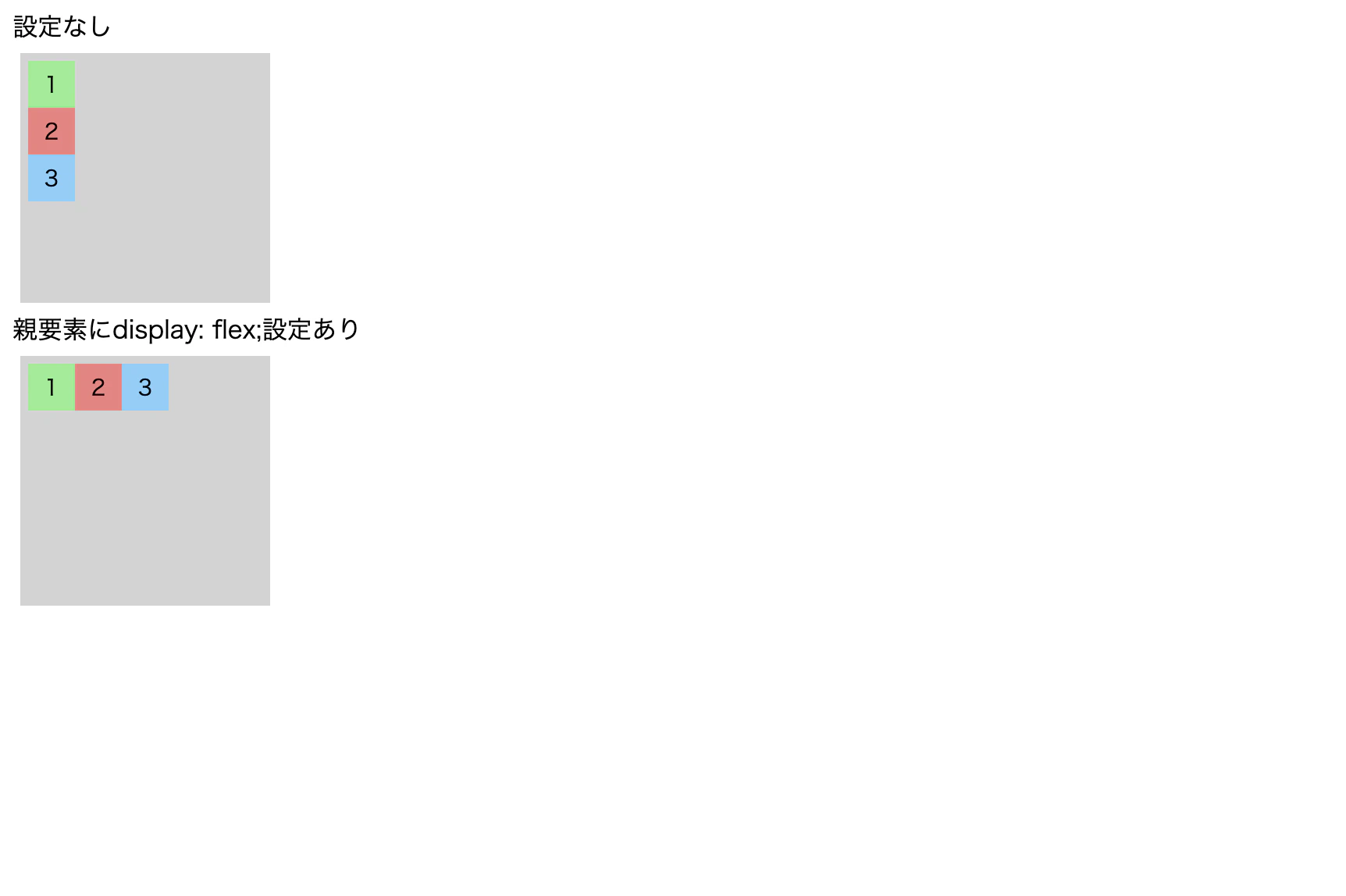
| flex | 指定された要素の子要素は横並びになる |
| grid | 指定された要素の子要素はタイル型レイアウトになる1 |
| none | 指定された要素は非表示になる |
.hoge {
  display: block;
}
.hoge {
  display: flex;
}
配置
justify-contentプロパティ
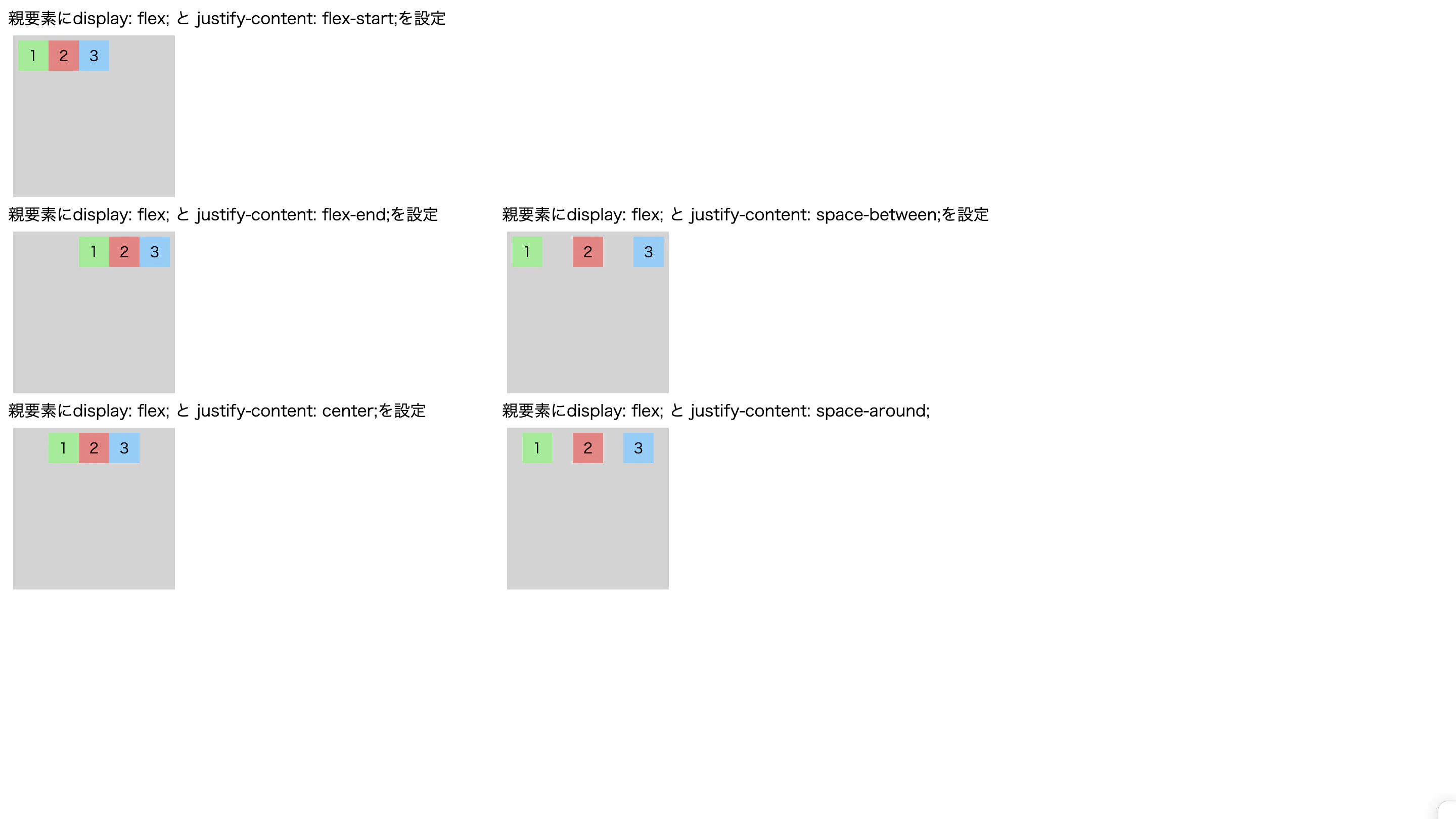
display: flex;と併せて設定し、子要素における主軸方向(横並び)の配置を調整する
/* 左寄せ(初期値と同じ) */
.justify-content-1{
  display: flex;
  justify-content: flex-start;
}

/* 右寄せ */
.justify-content-2{
  display: flex;
  justify-content: flex-end;
}

/* 中央寄せ */
.justify-content-3{
  display: flex;
  justify-content: center;
}

/* 両端が左右に寄り、等間隔 */
.justify-content-4{
  display: flex;
  justify-content: space-between;
}

/* 両端が左右に寄り、等間隔。両端の余白:要素間余白=1:2 */
.justify-content-5{
  display: flex;
  justify-content: space-around;
}
align-contentプロパティ
display: flex;と併せて設定し、子要素が複数行になった場合の垂直方向(縦並び)の配置を調整する
/* 上揃え */
.align-content-1{
  display: flex;
  flex-wrap: wrap;
  align-content: flex-start;
}

/* 下揃え */
.align-content-2{
  display: flex;
  flex-wrap: wrap;
  align-content: flex-end;
}

/* 中央揃え */
.align-content-3{
  display: flex;
  flex-wrap: wrap;
  align-content: center;
}

/* 両端が上下に寄り、等間隔 */
.align-content-4{
  display: flex;
  flex-wrap: wrap;
  align-content: space-between;
}

/* 両端が上下に寄り、等間隔。両端の余白:要素間余白=1:2 */
.align-content-5{
  display: flex;
  flex-wrap: wrap;
  align-content: space-around;
}

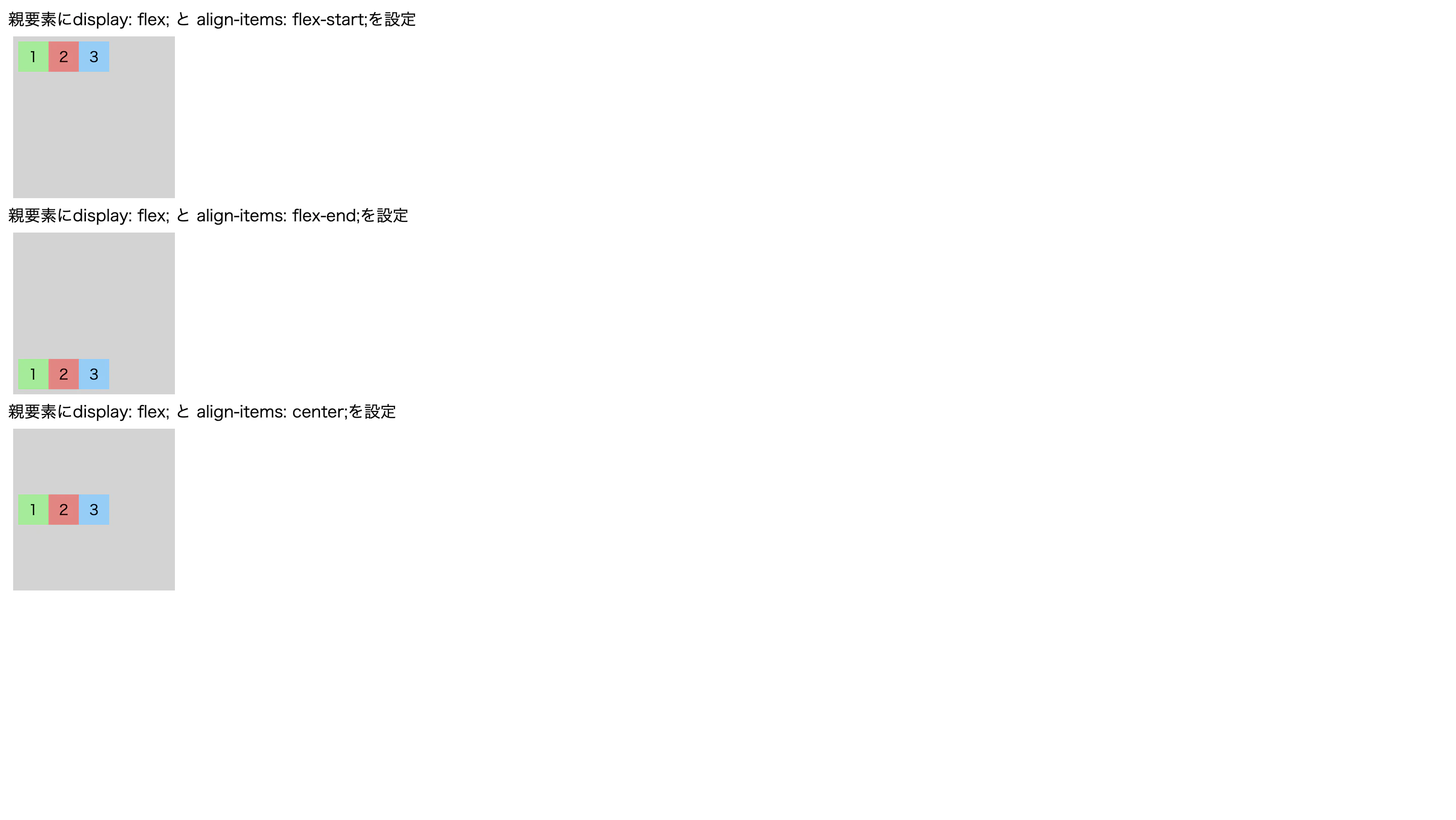
align-itemsプロパティ
display: flex;と併せて設定し、子要素における垂直方向(縦並び)の配置を調整する
/* 上揃え(初期値と同じ) */
.align-items-1{
  display: flex;
  align-items: flex-start;
}

/* 下揃え */
.align-items-2{
  display: flex;
  align-items: flex-end;
}

/* 中央揃え */
.align-items-3{
  display: flex;
  align-items: center;
}
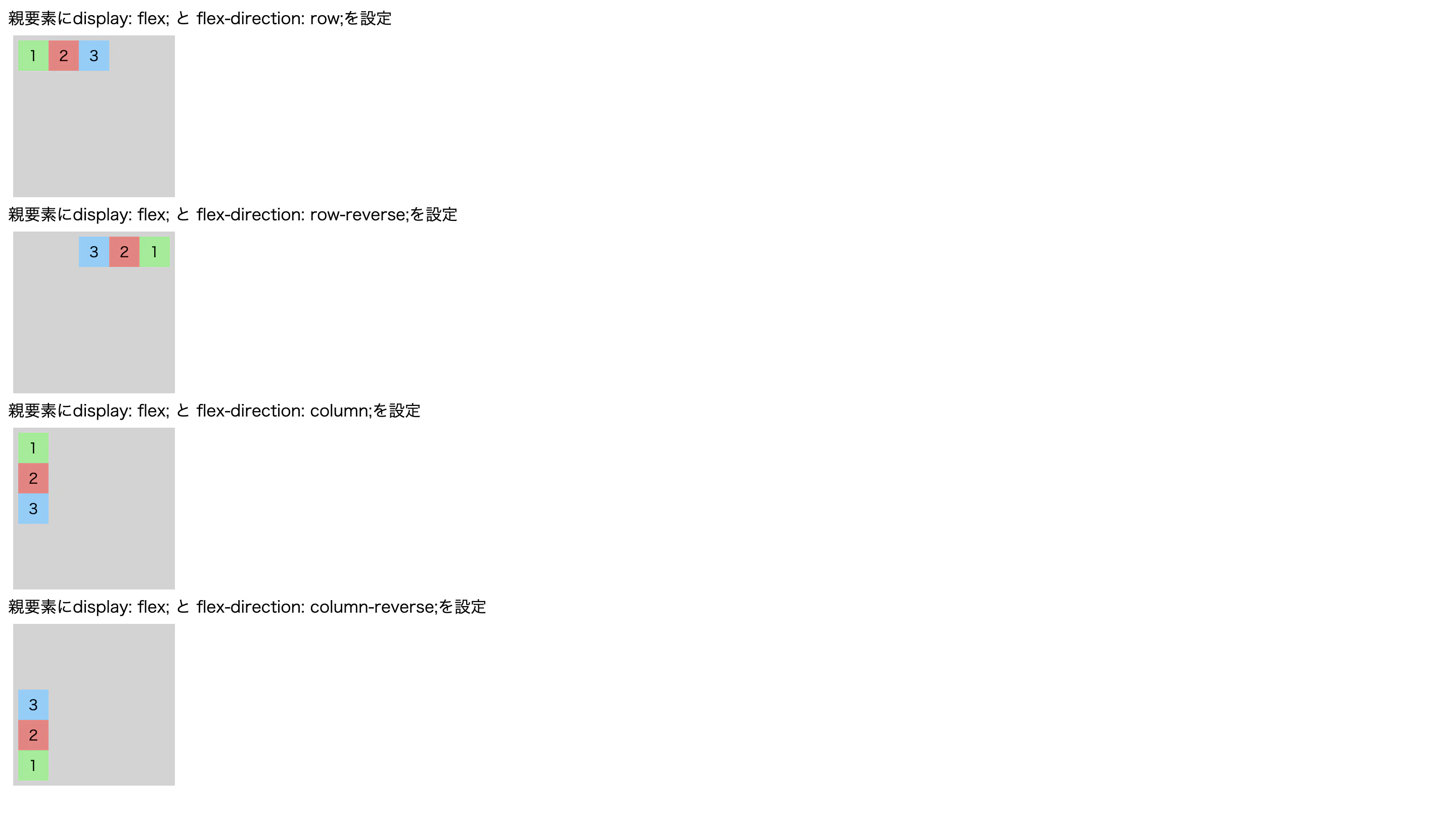
flex-directionプロパティ
display: flex;と併せて設定し、子要素の主軸方向や並び順を変更する
/* 左から右に並べる(初期値と同じ) */
.flex-direction-1{
  display: flex;
  flex-direction: row;
}

/* 右から左に並べる(並び順を変更) */
.flex-direction-2{
  display: flex;
  flex-direction: row-reverse;
}

/* 上から下に並べる(軸の方向を変更) */
.flex-direction-3{
  display: flex;
  flex-direction: column;
}

/* 下から上に並べる(軸の方向と並び順を変更) */
.flex-direction-4{
  display: flex;
  flex-direction: column-reverse;
}
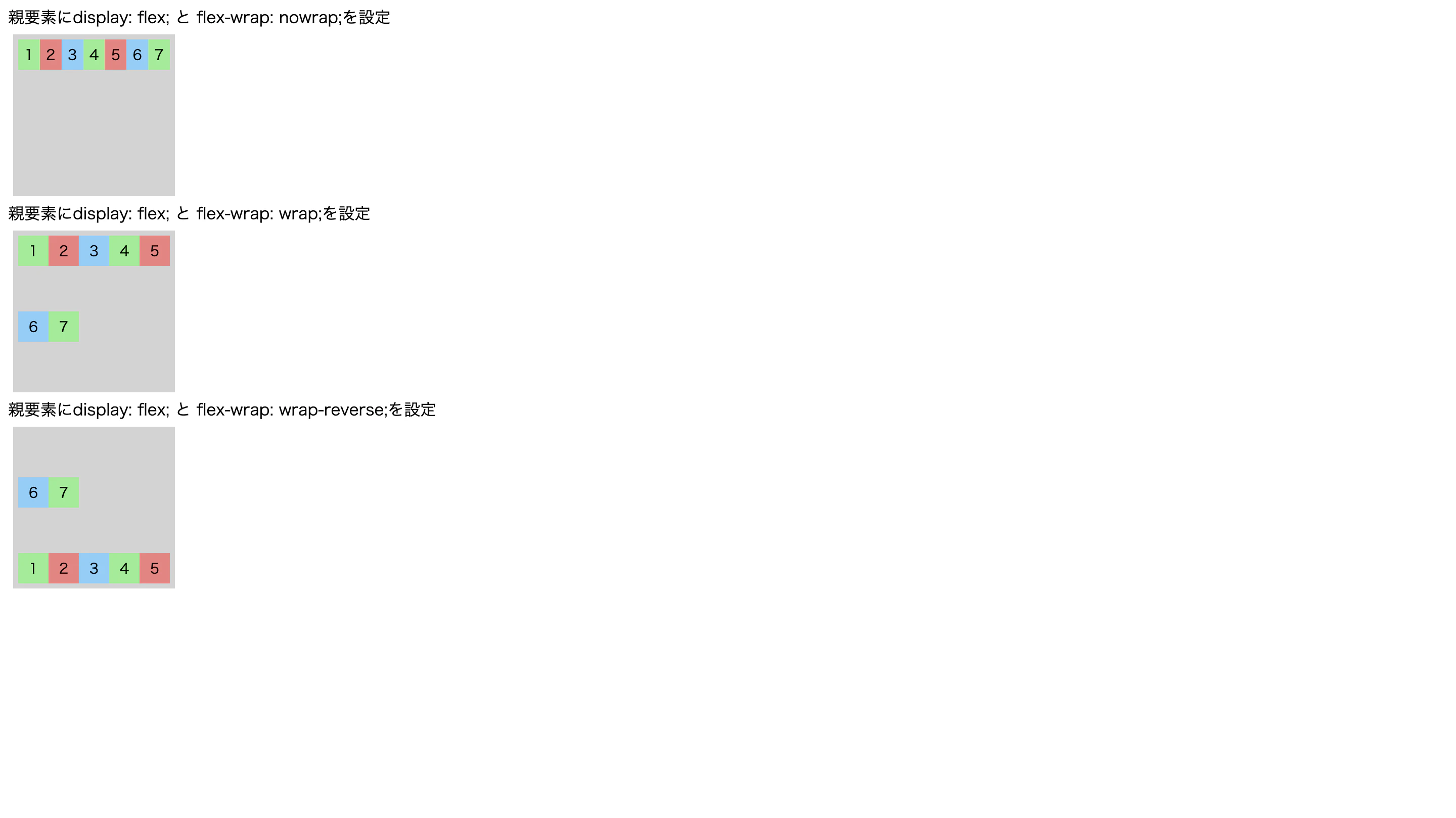
flex-wrapプロパティ
display: flex;と併せて設定し、子要素の並べ方を指定する
/* 子要素を折り返さず、1行に並べる */
.flex-wrap-1 {
  display: flex;
  flex-wrap: nowrap;
}

/* 子要素を折り返し、複数行で上から下に並べる */
.flex-wrap-2 {
  display: flex;
  flex-wrap: wrap;
}

/* 子要素を折り返し、複数行で下から上に並べる */
.flex-wrap-3 {
  display: flex;
  flex-wrap: wrap-reverse;
}