
Most AI tutorials stop at "here's a chatbot that answers questions." That's fine for demos. It's useless for real work.
An actual autonomous workflow means the AI decides what to do next, calls the right tools, handles errors, loops through steps, and delivers a result without you holding its hand through every decision. That's what this guide builds.
By the end, you'll have a working Node.js AI agent that accepts a goal, reasons through the steps to achieve it, calls external APIs as tools, handles failures gracefully, and knows when it's done.
No fluff. Just architecture, code, and explanations of why each piece works the way it does.
What Makes an Agent Different from a Chatbot
This distinction matters before you write a single line of code.
A chatbot takes input, generates output, done. One call in, one response out.
An agent does three things a chatbot doesn't:
Autonomy: It decides what action to take based on context, not a hardcoded script.
Tool use: It calls external APIs, queries databases, sends emails, or triggers webhooks.
Looping: It keeps working through multiple steps until the task is complete.
Think of it this way. A chatbot is a calculator. You ask, it answers. An AI agent is an accountant who decides which calculations to run, pulls the right numbers from your books, and delivers the finished report without being told each step.
That third property, the loop, is what most tutorials skip. It's also what makes agents genuinely autonomous.
The Architecture We're Building
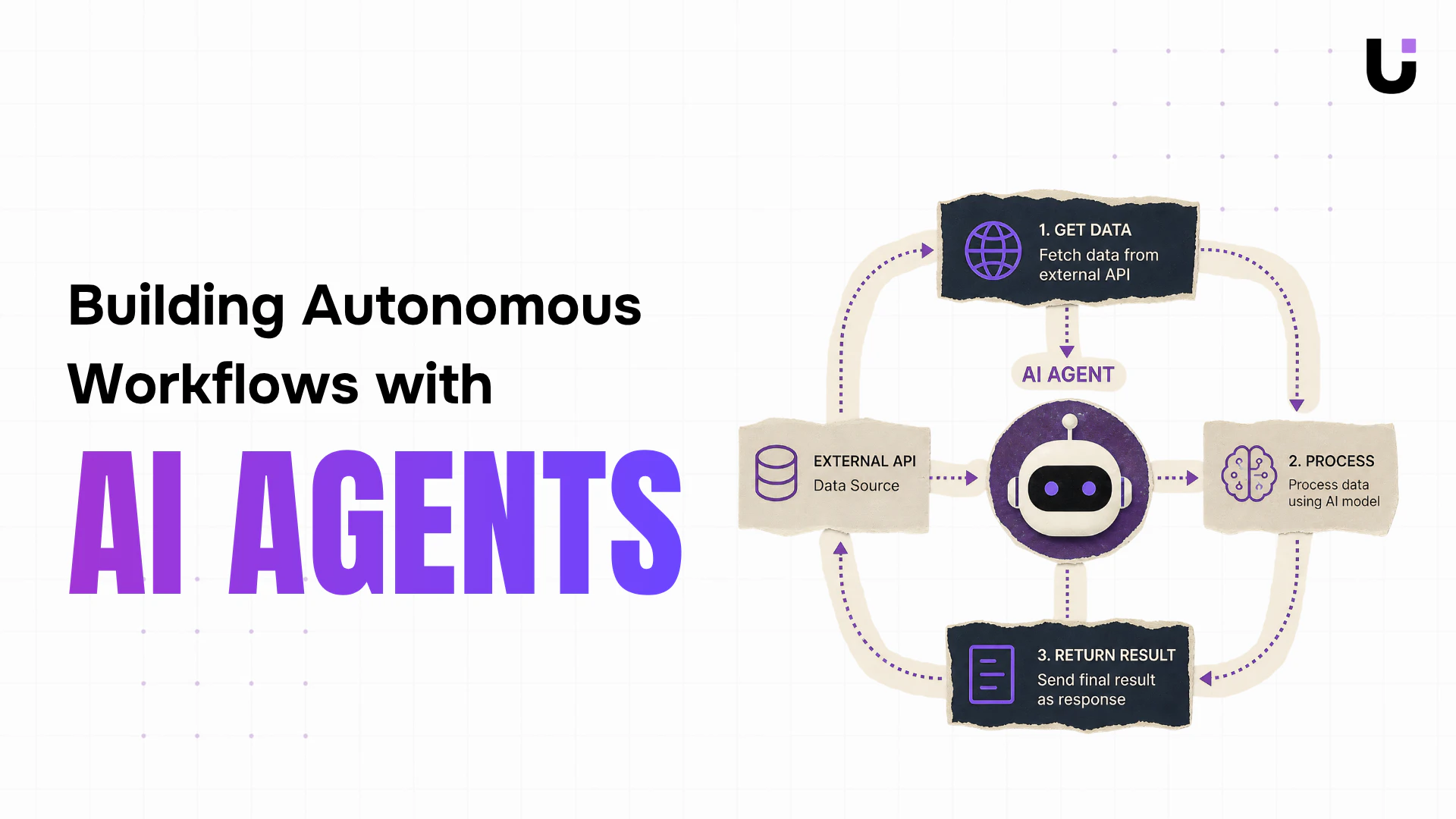
Before touching code, understand the flow:
User Goal
|
v
Agent Loop Starts
|
v
LLM Reasons: "What should I do next?"
|
v
LLM picks a Tool (or says "I'm done")
|
v
Tool executes (API call, database query, etc.)
|
v
Result fed back to LLM
|
v
Loop repeats until LLM signals completion
|
v
Final answer returned to user
This pattern is called a ReAct loop (Reasoning + Acting). The model reasons about what to do, acts by calling a tool, observes the result, and reasons again. It repeats until the goal is achieved.
Project Setup
Start with a clean Node.js project.
mkdir ai-agent-workflow
cd ai-agent-workflow
npm init -y
npm install openai dotenv
Create a .env file:
OPENAI_API_KEY=your_api_key_here
Create the folder structure:
ai-agent-workflow/
src/
agent.js # Core agent loop
tools.js # Tool definitions and executors
index.js # Entry point
.env
package.json
Step 1: Define Your Tools
Tools are functions the agent can call. Each tool has a name, description, parameters, and an executor function. The description is critical because the LLM reads it to decide when to use each tool.
Create src/tools.js:
javascript// src/tools.js
import fetch from 'node-fetch'; // npm install node-fetch
// Tool definitions tell the LLM what tools exist and how to call them
export const toolDefinitions = [
{
type: "function",
function: {
name: "get_weather",
description:
"Gets the current weather for a given city. Use this when the user asks about weather or when weather information is needed to make a decision.",
parameters: {
type: "object",
properties: {
city: {
type: "string",
description: "The city name, e.g. 'London' or 'New York'",
},
unit: {
type: "string",
enum: ["celsius", "fahrenheit"],
description: "Temperature unit. Defaults to celsius.",
},
},
required: ["city"],
},
},
},
{
type: "function",
function: {
name: "search_web",
description:
"Searches the web for current information on a topic. Use this when you need facts, news, or data you don't already know.",
parameters: {
type: "object",
properties: {
query: {
type: "string",
description: "The search query string",
},
},
required: ["query"],
},
},
},
{
type: "function",
function: {
name: "send_summary_email",
description:
"Sends a summary email to a recipient. Use this as the final step when the user wants a report or summary delivered by email.",
parameters: {
type: "object",
properties: {
to: {
type: "string",
description: "Recipient email address",
},
subject: {
type: "string",
description: "Email subject line",
},
body: {
type: "string",
description: "Email body content in plain text",
},
},
required: ["to", "subject", "body"],
},
},
},
];
// Tool executors: the actual functions that run when the LLM calls a tool
export const toolExecutors = {
get_weather: async ({ city, unit = "celsius" }) => {
// In production, replace this with a real weather API (e.g. OpenWeatherMap)
// This mock simulates an API response
console.log([Tool] Fetching weather for ${city}...);
// Simulated response - swap with real fetch() call in production
const mockData = {
  city,
  temperature: unit === "celsius" ? 18 : 64,
  unit,
  condition: "Partly cloudy",
  humidity: "62%",
  wind: "14 km/h",
};

return JSON.stringify(mockData);
},
search_web: async ({ query }) => {
console.log([Tool] Searching web for: "${query}"...);
// In production, integrate with SerpAPI, Brave Search, or Tavily
// This mock returns structured fake results
const mockResults = [
  {
    title: `Latest results for: ${query}`,
    snippet: `Based on recent data, here is a summary related to "${query}": industry trends show continued growth with key developments in Q1 2025.`,
    url: "https://example.com/results",
  },
];

return JSON.stringify(mockResults);
},
send_summary_email: async ({ to, subject, body }) => {
console.log([Tool] Sending email to ${to}...);
console.log(Subject: ${subject});
console.log(Body preview: ${body.substring(0, 100)}...);
// In production, use nodemailer, SendGrid, or Resend
// Simulate a successful send
return JSON.stringify({
  success: true,
  message: `Email sent to ${to}`,
  timestamp: new Date().toISOString(),
});
},
};
Notice the pattern. toolDefinitions is what you pass to the LLM so it knows what tools exist. toolExecutors is the actual code that runs. They're deliberately separated.
Step 2: Build the Agent Loop
This is the core of the system. The agent loop feeds the conversation to the LLM, checks if it wants to call a tool, executes that tool, feeds the result back, and repeats.
Create src/agent.js:
javascript// src/agent.js
import OpenAI from "openai";
import { toolDefinitions, toolExecutors } from "./tools.js";
const client = new OpenAI({
apiKey: process.env.OPENAI_API_KEY,
});
const MAX_ITERATIONS = 10; // Safety cap to prevent infinite loops
export async function runAgent(userGoal) {
console.log("\n=== Agent Starting ===");
console.log(Goal: ${userGoal}\n);
// Conversation history - grows with each iteration
const messages = [
{
role: "system",
content: `You are an autonomous workflow agent. Your job is to complete goals by reasoning through what needs to be done and using the available tools.
Think step by step. Use tools when you need real data. When the goal is fully complete, provide a final summary without calling any more tools.
Be efficient: don't call a tool if you already have the information you need.`,
},
{
role: "user",
content: userGoal,
},
];
let iterations = 0;
// The agent loop
while (iterations < MAX_ITERATIONS) {
iterations++;
console.log(--- Iteration ${iterations} ---);
// Call the LLM with current conversation and available tools
const response = await client.chat.completions.create({
  model: "gpt-4o-mini", // Cost-efficient for agentic workflows
  messages,
  tools: toolDefinitions,
  tool_choice: "auto", // Let the model decide when to use tools
});

const message = response.choices[0].message;

// Add the assistant's response to conversation history
messages.push(message);

// Check if the model wants to call tools
if (message.tool_calls && message.tool_calls.length > 0) {
  console.log(`Agent wants to call ${message.tool_calls.length} tool(s)`);

  // Execute each tool call
  for (const toolCall of message.tool_calls) {
    const toolName = toolCall.function.name;
    const toolArgs = JSON.parse(toolCall.function.arguments);

    console.log(`Calling tool: ${toolName}`);
    console.log(`Arguments: ${JSON.stringify(toolArgs)}`);

    let toolResult;

    try {
      // Look up and execute the tool
      const executor = toolExecutors[toolName];

      if (!executor) {
        toolResult = JSON.stringify({
          error: `Tool "${toolName}" not found`,
        });
      } else {
        toolResult = await executor(toolArgs);
      }
    } catch (error) {
      // Catch tool failures and return them as results
      // The LLM can then decide how to handle the failure
      console.error(`Tool ${toolName} failed:`, error.message);
      toolResult = JSON.stringify({
        error: `Tool execution failed: ${error.message}`,
        tool: toolName,
      });
    }

    console.log(`Tool result: ${toolResult}\n`);

    // Feed tool result back into the conversation
    messages.push({
      role: "tool",
      tool_call_id: toolCall.id,
      content: toolResult,
    });
  }

  // Continue the loop - the LLM will process the tool results
  continue;
}

// If no tool calls, the agent is done
if (message.content) {
  console.log("\n=== Agent Complete ===");
  console.log("Final Response:");
  console.log(message.content);
  return message.content;
}

// Edge case: empty response with no tools
console.log("Empty response received. Stopping.");
break;
}
// Hit the iteration limit
console.warn(Agent hit max iterations (${MAX_ITERATIONS}). Stopping.);
return "Agent reached maximum iterations without completing the goal.";
}
Three things worth understanding here:
Why the iteration cap matters: Without MAX_ITERATIONS, a poorly prompted agent can loop forever. One developer reported a runaway agent completing 847 iterations on a single malformed request before anyone caught it. Set the cap before you deploy.
Why tool errors return to the LLM: Rather than throwing and crashing, tool errors go back into the conversation as results. The LLM can then adapt. It might retry with different parameters, use a different tool, or tell the user something went wrong. Crashing hard on every tool failure is the wrong approach for autonomous agents.
Why the conversation grows: Every tool result gets appended to messages. This is how the agent maintains context across iterations. The LLM always sees the full history of what happened and what it discovered.
Step 3: Wire It Together
Create src/index.js:
javascript// src/index.js
import dotenv from "dotenv";
dotenv.config();
import { runAgent } from "./agent.js";
// Example goals to test your agent
const goals = [
"What is the weather like in Tokyo right now? Send me a summary email to test@example.com",
"Research the current state of renewable energy adoption and summarize the key points",
"Check the weather in London and Paris, compare them, and tell me which city is warmer today",
];
// Run with the first goal
runAgent(goals[0]);
Update package.json to use ES modules:
json{
"name": "ai-agent-workflow",
"version": "1.0.0",
"type": "module",
"scripts": {
"start": "node src/index.js"
},
"dependencies": {
"dotenv": "^16.0.0",
"node-fetch": "^3.0.0",
"openai": "^4.0.0"
}
}
Run it:
bashnpm start
You'll see the agent reasoning through the goal, calling tools, and chaining the results together:
=== Agent Starting ===
Goal: What is the weather like in Tokyo right now? Send me a summary email to test@example.com
--- Iteration 1 ---
Agent wants to call 1 tool(s)
Calling tool: get_weather
Arguments: {"city":"Tokyo","unit":"celsius"}
[Tool] Fetching weather for Tokyo...
Tool result: {"city":"Tokyo","temperature":18,"unit":"celsius","condition":"Partly cloudy",...}
--- Iteration 2 ---
Agent wants to call 1 tool(s)
Calling tool: send_summary_email
Arguments: {"to":"test@example.com","subject":"Tokyo Weather Report",...}
[Tool] Sending email to test@example.com...
Tool result: {"success":true,"message":"Email sent to test@example.com",...}
--- Iteration 3 ---
=== Agent Complete ===
Final Response:
I've checked the weather in Tokyo and sent you a summary. Tokyo is currently 18°C and partly cloudy...
The agent fetched data, formatted a report, sent an email, and summarized everything. You didn't write a single line of logic telling it to do any of those steps in order.
Step 4: Adding Retry Logic with Exponential Backoff
Production agents hit rate limits. Here's a utility function that handles them without crashing:
javascript// src/utils.js
export async function withRetry(fn, maxRetries = 3, baseDelay = 1000) {
let lastError;
for (let attempt = 1; attempt <= maxRetries; attempt++) {
try {
return await fn();
} catch (error) {
lastError = error;
  // Retry on rate limit (429) or server errors (500, 529)
  const isRetryable =
    error.status === 429 ||
    error.status === 500 ||
    error.status === 529;

  if (!isRetryable || attempt === maxRetries) {
    throw error;
  }

  // Exponential backoff: 1s, 2s, 4s...
  const delay = baseDelay * Math.pow(2, attempt - 1);
  console.log(
    `Rate limited. Retrying in ${delay}ms... (attempt ${attempt}/${maxRetries})`
  );

  await new Promise((resolve) => setTimeout(resolve, delay));
}
}
throw lastError;
}
Use it in agent.js by wrapping the API call:
javascript// Replace the direct API call with:
const response = await withRetry(() =>
client.chat.completions.create({
model: "gpt-4o-mini",
messages,
tools: toolDefinitions,
tool_choice: "auto",
})
);
Step 5: Connecting a Real API Tool
The mock tools above are useful for testing. Here's what a real tool executor looks like using the OpenWeatherMap API:
javascript// Replace the mock get_weather executor with this:
get_weather: async ({ city, unit = "celsius" }) => {
const apiKey = process.env.OPENWEATHER_API_KEY;
const unitParam = unit === "celsius" ? "metric" : "imperial";
const url = https://api.openweathermap.org/data/2.5/weather?q=${encodeURIComponent(city)}&appid=${apiKey}&units=${unitParam};
const response = await fetch(url);
if (!response.ok) {
throw new Error(Weather API returned ${response.status} for city: ${city});
}
const data = await response.json();
// Return only what the agent needs - keep tool results concise
return JSON.stringify({
city: data.name,
country: data.sys.country,
temperature: data.main.temp,
feels_like: data.main.feels_like,
condition: data.weather[0].description,
humidity: ${data.main.humidity}%,
wind: ${data.wind.speed} m/s,
unit,
});
},
Keep tool responses lean. Don't dump the full API response into the conversation. Extract only what the agent needs. Shorter tool results mean faster reasoning and lower token costs.
What to Watch Out For in Production
Token costs grow with context. Every iteration adds to the conversation. A 10-step agent workflow with large tool responses can burn through tokens quickly. Trim tool outputs aggressively and summarize intermediate results when possible.
Tools need timeouts. An external API that hangs indefinitely stalls your agent. Wrap tool calls with a timeout:
javascriptconst timeout = (ms) =>
new Promise((_, reject) =>
setTimeout(() => reject(new Error("Tool timed out")), ms)
);
const result = await Promise.race([
executor(toolArgs),
timeout(10000), // 10 second limit per tool
]);
Log every iteration. When an agent does something unexpected, you need the full message history to understand why. Store messages at the end of each run, especially failures.
Test with adversarial goals. Try goals that are vague, contradictory, or impossible. See what the agent does. Agents that can't handle ambiguity gracefully are not production-ready.
Getting Further
This is a single-agent pattern. Real-world systems often use multiple specialized agents: one that plans, one that executes, one that validates. According to McKinsey's 2025 AI report, companies that deploy multi-agent architectures see 3.2x higher automation rates than those using single-agent designs.
From here, you can extend this foundation by adding persistent memory with a vector database, connecting more real-world tools (Slack, Notion, GitHub, email), building a planner agent that breaks large goals into sub-tasks, or adding a validator agent that checks results before they're returned.
If you want to see what a production multi-agent system looks like at the product level, WorksBuddy is a good reference point. It runs several specialized AI agents side by side, each handling a different business function, with shared context across all of them. The architecture mirrors exactly what you'd build if you took this single-agent pattern and kept adding specialized agents on top. Useful to study even if you're rolling your own.
The architecture above handles all of those extensions because the loop, tool system, and conversation history structure stay the same regardless of how many tools or agents you add.
Final Thought
The agent loop pattern in this guide is the foundation that most production AI workflow systems are built on. The specific APIs and tools change. The structure, send goal, reason, call tool, observe result, repeat, stays the same.
Start with the code above. Connect one real API. Watch it reason through a task end to end. That moment is when agentic AI stops being a concept and becomes something you can build real products with.