

はじめに
Reactの学習中にEmotionを使ってみたところ、スタイルが反映されませんでした。
見た目は正しく書けているのにCSSが当たらず...
この記事では、いろいろ試したことをメモとして残します。
環境
- React
- Vite
- Emotion
起きていたこと
Emotion でこんな感じのコンポーネントを書いていました。
/** @jsx jsx */

import { jsx, css } from "@emotion/react";

export const Emotion = () => {
  const containerStyle = css`
    border: 4px solid #000;
    padding: 8px;
    border-radius: 20px;
    margin-inline: 8px;
    display: flex;
    justify-content: space-around;
    align-items: center;
  `;

  return (
    <div css={containerStyle}>
      <p>-emotion-</p>
      <button>Fight!!!</button>
    </div>
  );
};
エラーはないのにCSSが反映されない。
Emotion の書き方を今のJSXランタイム向けに合わせようと思い、
以下のように変更。
/** @jsxImportSource @emotion/react */

import { css } from "@emotion/react";

export const Emotion = () => {
  const containerStyle = css`
    border: 4px solid #000;
    padding: 8px;
    border-radius: 20px;
    margin-inline: 8px;
    display: flex;
    justify-content: space-around;
    align-items: center;
  `;

  return (
    <div css={containerStyle}>
      <p>-emotion-</p>
      <button>Fight!!!</button>
    </div>
  );
};
この変更だけでは自分の環境では反映されませんでした。
解決
最終的には、vite.config.jsのReactプラグインにjsxImportSource: "@emotion/react"を追加。
無事に表示されました。
Emotionの css prop を解釈するための JSX 変換設定が環境に合っていないことが原因だったみたい。
css prop は普通の属性ではなく、Emotion 側の仕組みで変換されないと反映しないってことですね。
そのため、Vite + React の自動 JSX ランタイム環境では、Emotion を使うことを明示する設定が必要でした。
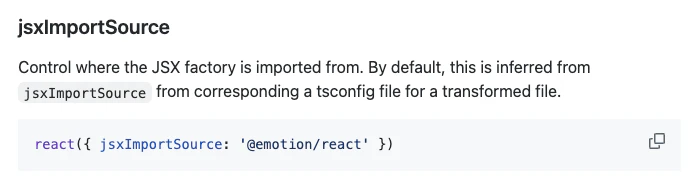
export default defineConfig({
  plugins: [
    react({
      jsxImportSource: "@emotion/react",
    }),
    babel({ presets: [reactCompilerPreset()] }),
  ],
});
最後に
この内容ってEmotionに限らずJSX変換系ならありえるのでは?
CSSだとエラーがでてなくてわかりにくいなと思いました。
参考
JSXについては下記を参考にしました。