
はじめに
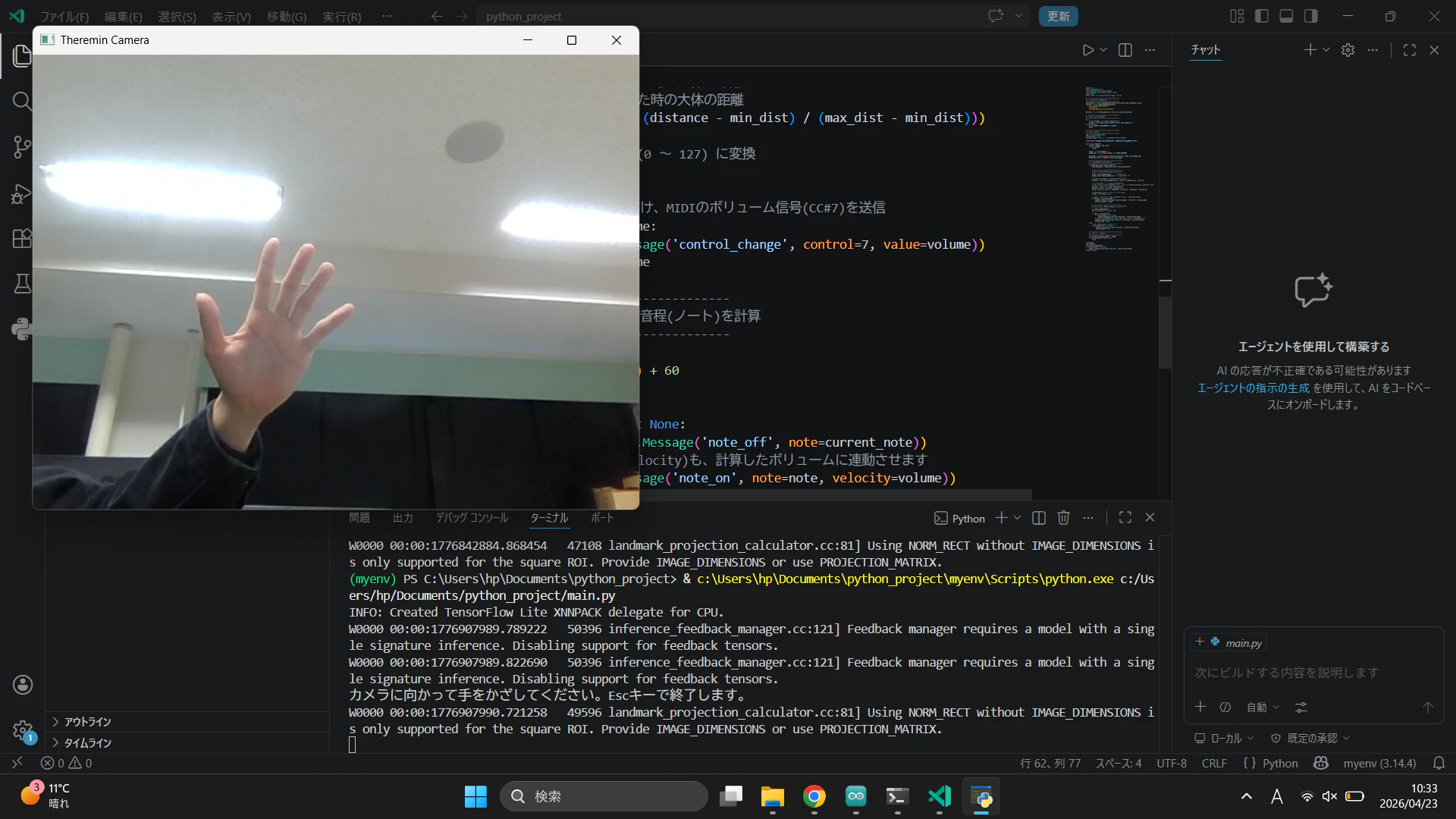
Webカメラに手をかざすだけで、手の位置や開き具合をAIで認識し、シンセサイザーから音を鳴らす「仮想テルミン」を製作中。その制作記。
Pythonの画像認識ライブラリであるMediaPipeを使い、取得した手の座標をMIDI信号に変換してDAWやソフトウェアシンセに送る仕組み。
ほぼほぼgeminiにお願いした。
システム構成
OS: Windows 11
言語: Python 3.x
画像認識・AI: OpenCV, MediaPipe (Tasks API)
MIDI制御: mido, python-rtmidi
仮想MIDIケーブル: Windows MIDI Services
https://github.com/microsoft/MIDI/releases/tag/rc-3
音源: Vital (スタンドアロンのソフトウェアシンセサイザー)
https://vital.audio/
1. 仮想MIDI環境の構築
Pythonから送信したMIDI信号をシンセサイザーで受け取るために、仮想MIDIポートを用意します。
定番は「loopMIDI」ですが、環境によっては不具合が出ることがあるため、今回はMicrosoftが開発中の新しいWindows MIDI Servicesを導入しました。
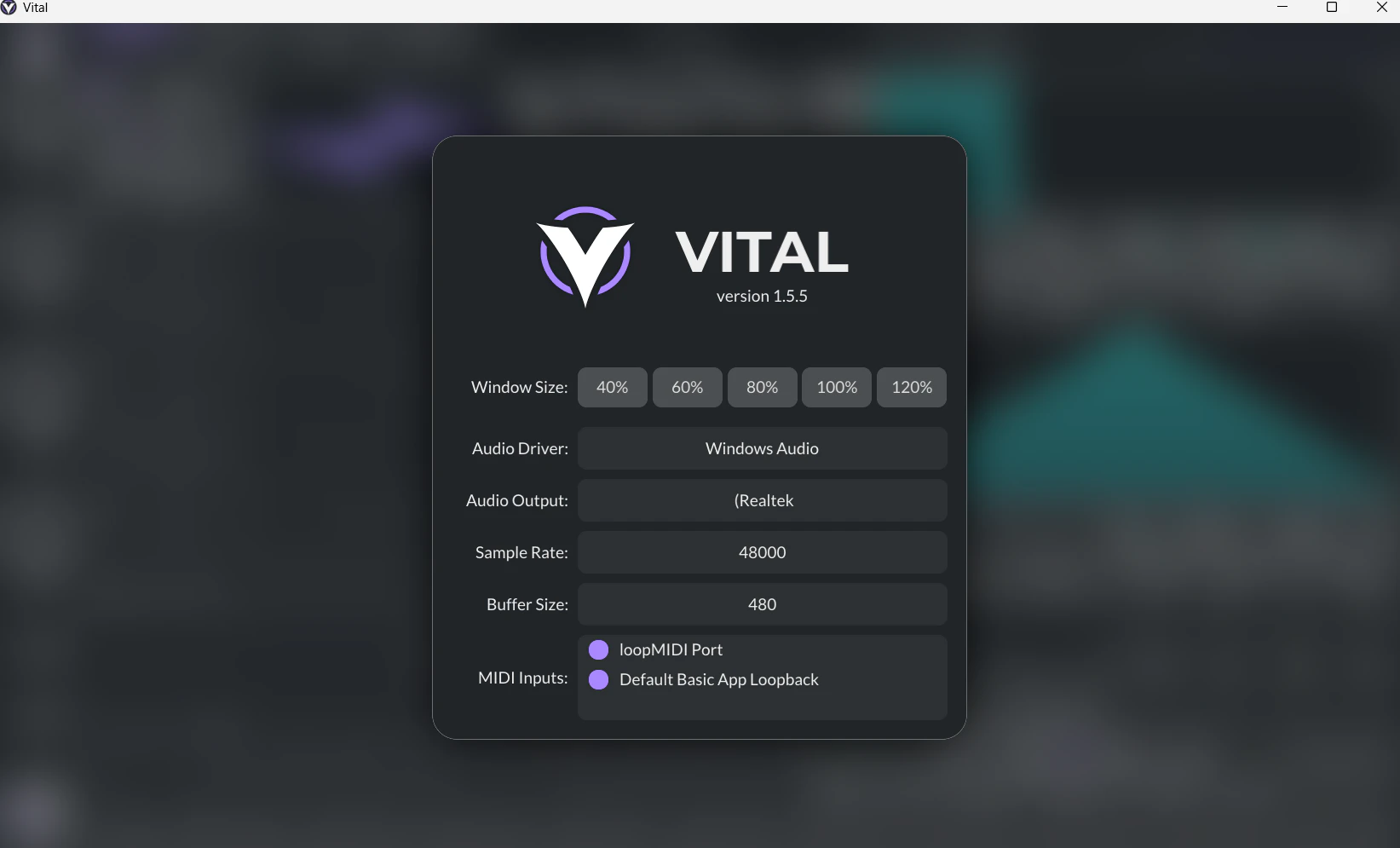
Windows MIDI Servicesをインストールし、Default Basic App Loopbackポートを有効化。
音源ソフト(今回はVital)のMIDI設定画面を開き、MIDI入力(MIDI In)として Default Basic App Loopback を選択して有効にします。
↓参考
https://x.com/gam0022/status/2035420746776977550/photo/1
2.python環境構築
システム環境を汚さないよう、仮想環境(venv)を使ってプロジェクトを作成します。
VS Codeのターミナル(PowerShell)を開き、以下のコマンドを実行します。
PowerShell
仮想環境の作成
python -m venv myenv
仮想環境の有効化 (Windowsの場合)
myenv\Scripts\activate
必要なライブラリのインストール
pip install opencv-python mediapipe mido python-rtmidi
また、最新のMediaPipe(Tasks API)を使用するため、Googleの公式から手の骨格検出用モデルファイル(hand_landmarker.task)をダウンロードし、作業フォルダの直下(プログラムと同じ階層)に配置しておきます。
- 実装コード(完成版)
MediaPipeの最新APIである「Tasks API」を利用し、以下の2つの機能を持たせました。
右手の人差し指の高さ(Y座標) = 音程(ピッチ)
右手の手首と中指の距離(開き具合) = 音量(ボリューム:CC#7)
main.py という名前で以下のコードを保存します。
import cv2
import mediapipe as mp
from mediapipe.tasks import python
from mediapipe.tasks.python import vision
import mido
import math

# ==========================================
# 1. AIモデルのセットアップ (Tasks API)
# ==========================================
# 事前にダウンロードした task ファイルを読み込む
base_options = python.BaseOptions(model_asset_path='hand_landmarker.task')
options = vision.HandLandmarkerOptions(
    base_options=base_options,
    num_hands=1,
    min_hand_detection_confidence=0.7
)
detector = vision.HandLandmarker.create_from_options(options)

# ==========================================
# 2. MIDI出力ポートを開く
# ==========================================
try:
    # 自身の環境に合わせてポート名を指定(print(mido.get_output_names()) で確認可能)
    outport = mido.open_output('Default Basic App Loopback 2')
except OSError:
    print("MIDIポートが見つかりません。")
    exit()

# ==========================================
# 3. カメラの準備
# ==========================================
cap = cv2.VideoCapture(0)
current_note = None
current_volume = None

print("カメラに向かって手をかざしてください。Escキーで終了します。")

while cap.isOpened():
    success, image = cap.read()
    if not success:
        break

    # 鏡のように反転させ、色をBGRからRGBに変換
    image = cv2.flip(image, 1)
    image_rgb = cv2.cvtColor(image, cv2.COLOR_BGR2RGB)

    # MediaPipe用のフォーマットに変換
    mp_image = mp.Image(image_format=mp.ImageFormat.SRGB, data=image_rgb)
    detection_result = detector.detect(mp_image)

    # ==========================================
    # 4. 手の動きを音程と音量に変換
    # ==========================================
    if detection_result.hand_landmarks:
        hand_landmarks = detection_result.hand_landmarks[0]

        # --- 音量の計算 (手の開き具合) ---
        wrist = hand_landmarks[0]        # 手首
        middle_tip = hand_landmarks[12]  # 中指の先端

        # 手首と中指の先端の距離を計算(三平方の定理)
        distance = math.hypot(middle_tip.x - wrist.x, middle_tip.y - wrist.y)

        # 距離を0.0(グー) 〜 1.0(パー)の割合に変換 (環境に合わせてmin/maxを調整)
        min_dist = 0.15
        max_dist = 0.45
        ratio = max(0.0, min(1.0, (distance - min_dist) / (max_dist - min_dist)))

        # MIDIボリューム (0 〜 127) に変換して送信 (CC#7)
        volume = int(ratio * 127)
        if volume != current_volume:
            outport.send(mido.Message('control_change', control=7, value=volume))
            current_volume = volume

        # --- 音程の計算 (人差し指の高さ) ---
        y = hand_landmarks[8].y
        note = int((1.0 - y) * 24) + 60 # C4(60)を基準に上下2オクターブ程度

        if note != current_note:
            if current_note is not None:
                outport.send(mido.Message('note_off', note=current_note))
            outport.send(mido.Message('note_on', note=note, velocity=volume))
            current_note = note
    else:
        # 手が画面から消えたら音を止める
        if current_note is not None:
             outport.send(mido.Message('note_off', note=current_note))
             current_note = None

    # ==========================================
    # 5. 映像表示
    # ==========================================
    cv2.imshow('Theremin Camera', image)
    if cv2.waitKey(5) & 0xFF == 27: # Escで終了
        break

cap.release()
cv2.destroyAllWindows()
if current_note is not None:
    outport.send(mido.Message('note_off', note=current_note))
outport.close()
おわりに
カメラ一つで手の動きが音に変わる体験は非常に面白いです。シンセサイザー側でサイン波を選び、少しリバーブをかけると、本物のテルミンのようなSFチックな音色になります!今後は左手でエフェクトをかけたり、ピッチベンドを使ってシームレスに音階が変化するように改良していきたいです。