
GithubのSSHについて
- SSHとは
- ・ローカルとサーバーの通信を暗号化したもの
- ・ローカル内で公開鍵と秘密鍵を生成し、サーバーに公開鍵を渡すことによってこの公開鍵はこのユーザーだと認識する
- ・RSA,DSA,ECDSA,EdDSA(ed25519)の4種類の公開鍵が存在する
- ・パフォーマンスとセキュリティ重視ならed25519を推奨されてる
確認コマンド
まず現在の接続状況を確認する
$ ssh -T git@github.com
NGな場合
git@github.com: Permission denied (publickey).
fatal: Could not read from remote repository.

Please make sure you have the correct access rights
and the repository exists.
OKな場合
Hi [account_name] You've successfully authenticated, but GitHub does not provide shell access.
デバックログ確認 ※見るのはidentity fileのみ
$ ssh -vT git@github.com
鍵ファイルの確認(そこにあるか)
$ ls ~/.ssh
SSHkey生成
.sshディレクトリに移動
$ cd ~/.ssh
sshkeyコマンドで鍵を生成(アドレス部分は自分のアドレスに変更)
$ ssh-keygen -t ed25519 -C "your_email@example.com"
keyの保存場所
上記生成コマンドを実行するとkey保存場所について聞かれる
Enter file in which to save the key (/home/user/.ssh/id_ed25519):
パスフレーズについて
特に設定しない場合はEnter
Enter passphrase (empty for no passphrase):
パスフレーズの再設定
パスフレーズを設定していない場合はEnter
Enter same passphrase again:
鍵が生成されるのでコピーする
Macの場合
$ pbcopy < ~/.ssh/id_ed25519.pub
Windowsの場合
$ clip < ~/.ssh/id_ed25519.pub
Githubに公開鍵を登録
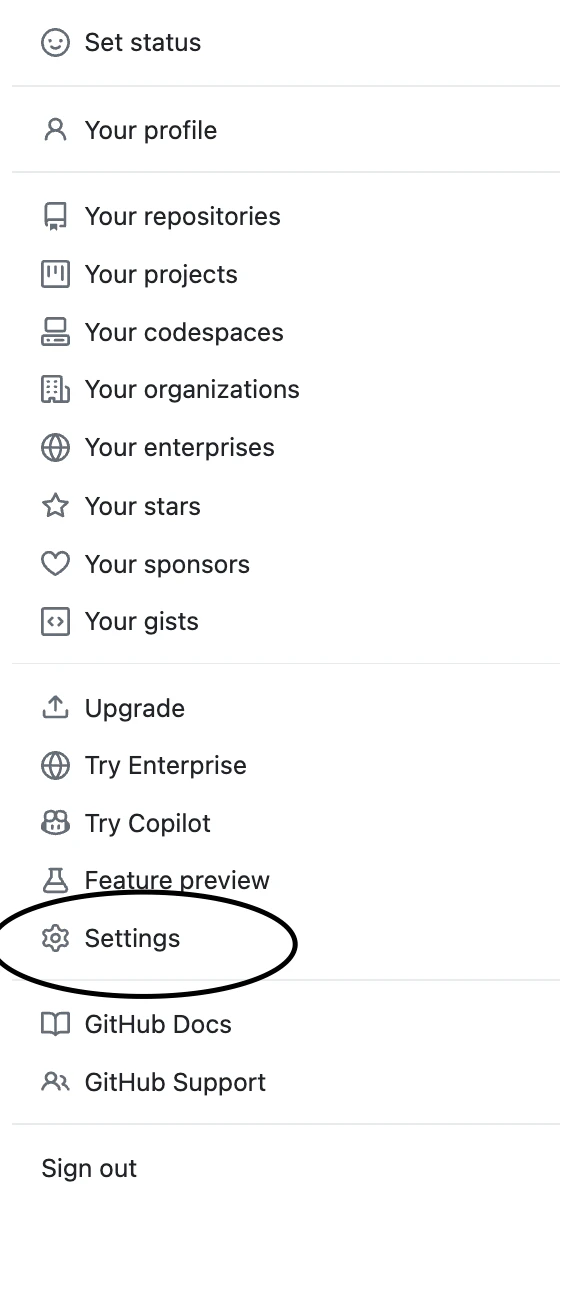
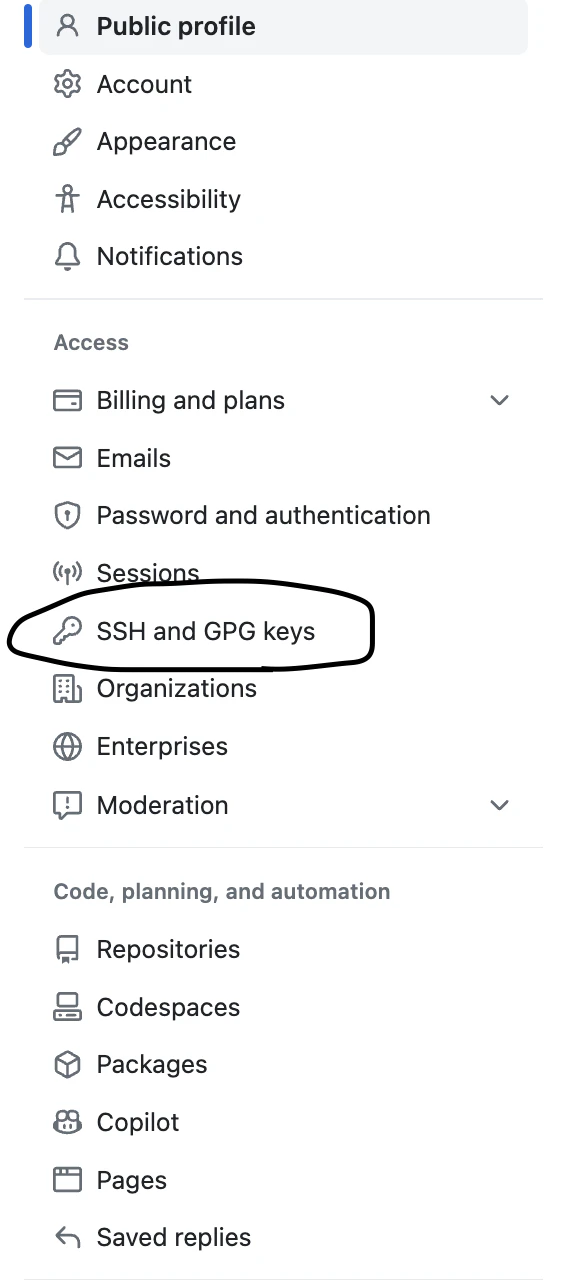
あとはNewSSHkeyをクリックして先ほどコピペした鍵を貼るだけ。
Githubと接続の確認
$ ssh -T git@github.com
以前SSHkeyをed25519で作成したことがあり、

情報が残っているとこの警告が出てきます。
※githubが2023/3/23にサーバー情報(SSHホストキー)を更新したことにより、/ssh/known.hostsと情報誤差があるよと教えてくれている
ここはyesと答え、無事sucessflyとなりました。