
はじめに
以前こんな記事を書いた。
その後にもっと簡単にXのブクマを取得できるfieldtheory-cliというライブラリを試してみたら無茶苦茶簡単で感動したので、そのメモを記載します
☆これが開発者のポスト☆
- 動作環境
・ OS : Windows11 pro
・ Google Chrome
・ fieldtheory : 1.2.1
・ Node.js : 24.14
・ Git
・ DB Browser (SQLite)
1. まず作業フォルダを作成し移動
※今回はデスクトップにX_bookmarkフォルダを作成してその中で操作
cd /d C:\Users\***\Desktop\X_bookmark
2. リポジトリを取得してビルド
git clone https://github.com/afar1/fieldtheory-cli.git
cd fieldtheory-cli
npm install
npm run build
3. cli.tsファイルを編集(4か所に追記)し、ビルドしなおす
- sync の option に --csrf-token を追加
- sync の option に --cookie-header を追加
- syncBookmarksGraphQL(...) に csrfToken と cookieHeader を渡す
// ── sync ────────────────────────────────────────────────────────────────

  program
    .command('sync')
    .description('Sync bookmarks from X into your local database')
    .option('--api', 'Use OAuth v2 API instead of Chrome session', false)
    .option('--full', 'Full crawl instead of incremental sync', false)
    .option('--classify', 'Classify new bookmarks with LLM after syncing', false)
    .option('--max-pages <n>', 'Max pages to fetch', (v: string) => Number(v), 500)
    .option('--target-adds <n>', 'Stop after N new bookmarks', (v: string) => Number(v))
    .option('--delay-ms <n>', 'Delay between requests in ms', (v: string) => Number(v), 600)
    .option('--max-minutes <n>', 'Max runtime in minutes', (v: string) => Number(v), 30)
    .option('--chrome-user-data-dir <path>', 'Chrome user-data directory')
    .option('--chrome-profile-directory <name>', 'Chrome profile name')
+   .option('--csrf-token <token>', 'Direct ct0 token; skips Chrome cookie extraction')
+   .option('--cookie-header <value>', 'Direct cookie header; skips Chrome cookie extraction')
    .action(async (options) => {
      const firstRun = isFirstRun();
      if (firstRun) showSyncWelcome();
      ensureDataDir();

      try {
        const useApi = Boolean(options.api);
        const mode = Boolean(options.full) ? 'full' : 'incremental';

        if (useApi) {
          const result = await syncTwitterBookmarks(mode, {
            targetAdds: typeof options.targetAdds === 'number' && !Number.isNaN(options.targetAdds) ? options.targetAdds : undefined,
          });
          console.log(`\n  \u2713 ${result.added} new bookmarks synced (${result.totalBookmarks} total)`);
          console.log(`  \u2713 Data: ${dataDir()}\n`);
          const newCount = await rebuildIndex(result.added);
          if (options.classify && newCount > 0) {
            await classifyNew();
          }
        } else {
          const startTime = Date.now();
          const result = await syncBookmarksGraphQL({
            incremental: !Boolean(options.full),
            maxPages: Number(options.maxPages) || 500,
            targetAdds: typeof options.targetAdds === 'number' && !Number.isNaN(options.targetAdds) ? options.targetAdds : undefined,
            delayMs: Number(options.delayMs) || 600,
            maxMinutes: Number(options.maxMinutes) || 30,
            chromeUserDataDir: options.chromeUserDataDir ? String(options.chromeUserDataDir) : undefined,
            chromeProfileDirectory: options.chromeProfileDirectory ? String(options.chromeProfileDirectory) : undefined,
+           csrfToken: options.csrfToken ? String(options.csrfToken) : undefined,
+           cookieHeader: options.cookieHeader ? String(options.cookieHeader) : undefined,
            onProgress: (status: SyncProgress) => {
              renderProgress(status, startTime);
              if (status.done) process.stderr.write('\n');
            },
          });
保存後にfieldtheory-cliディレクトリにてbuildを実施し、1階層上に戻る
npm run build
cd ..
4. Cookieを取得
自分のGoogle Chromeを開き、X.comでブクマを取得したいアカウントにログインをする
その後に開発者ツール(dev tools ※F12キーでも開く)を開き、Applicationのタブから以下2つのValueの中身(下図赤点線)を確認し、メモしておく
- ct0
- auth_token

5. run-ft.cmdバッチと結果格納フォルダ(fieldtheory-data)を作成
まずrun-ft.cmdを作成する(中身は以下)
@echo off
setlocal
set "ROOT=%~dp0fieldtheory-cli"
set "FT_DATA_DIR=%~dp0fieldtheory-data"
node "%ROOT%\bin\ft.mjs" %*
fieldtheory-cliと同じ階層に今作ったrun-ft.cmdと結果格納するフォルダfieldtheory-dataを作成する
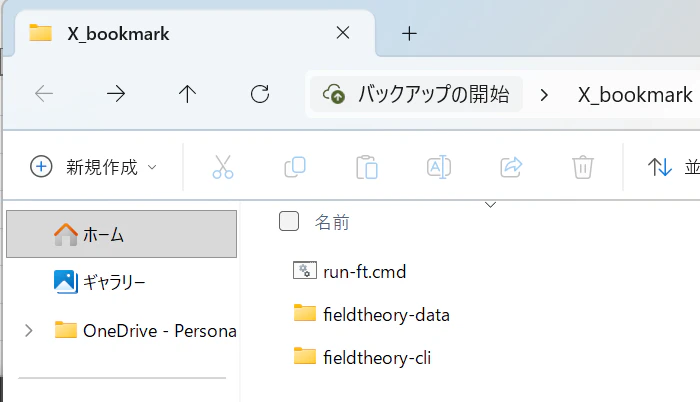
6. fieldtheoryでブクマ取得
後は 4. Cookieを取得で確認したct0とauth_tokenをsetコマンドで一時的に環境変数として登録してコマンドを実行するだけ
set FT_CT0=***(確認した値)
set FT_AUTH_TOKEN=***(確認した値)
run-ft.cmd sync --csrf-token "%FT_CT0%" --cookie-header "ct0=%FT_CT0%; auth_token=%FT_AUTH_TOKEN%"

実行後にはfieldtheory-dataフォルダの中に保存結果が格納されている
- bookmarks.db(SQLiteなので、DB.Browser.for.SQLiteとかで簡単に確認可能)
- bookmarks.jsonl(jsonlファイル)

7. エージェントに解析させる
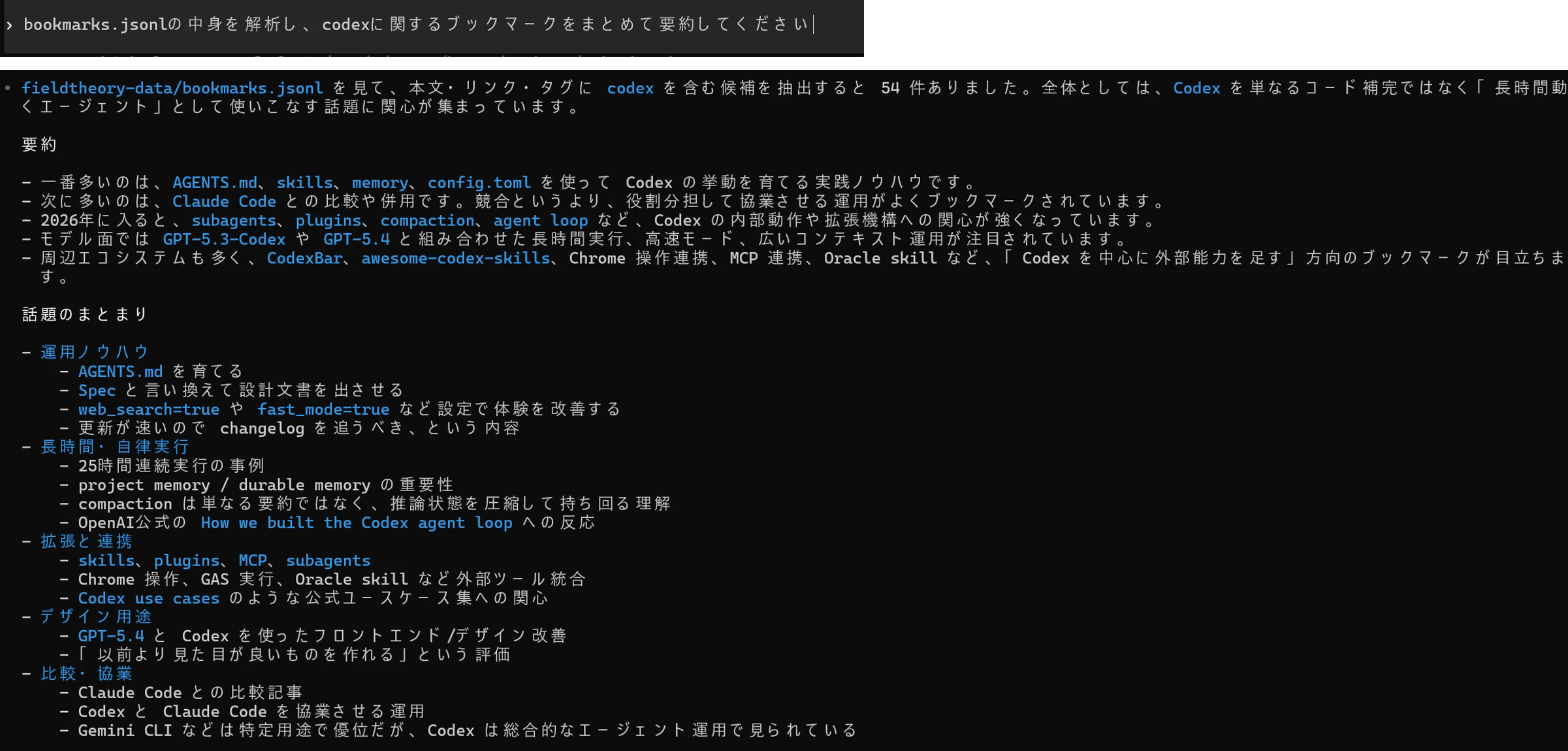
Claude CodeでもCodexでも何でもいいが、fieldtheory-data/bookmarks.jsonlの中身を読ませて解析させればOK。以下は適当だが、自分がブクマしたcodex関連の情報を要約するように依頼したもの
おわりに
これ1回仕組みを作ってしまえば、複数アカウントがあってもCookieを入れ替えるだけですぐにブックマークが取得できてかなり便利です(前回の記事はスクロールしないといけないので面倒だった)
今は情報をいかにエージェントに食わせるか?が大事になりそうなので、これを活かして自分だけど関心領域をまとめて改善なりに活かしていきましょう!