
この記事でできるようになること
GitHubのRulesetsを設定して、以下を実現します:
- mainブランチへの直接pushを禁止する
- CIが通らないとマージできないようにする
- mainの最新を取り込んでいないPRはマージできないようにする
前提
- GitHubリポジトリがあること
- リポジトリに1つ以上のコミットがあること
手順1:CIワークフローを作成する
まず、CIを作成します。
1-1. ファイルを作成
リポジトリに .github/workflows/ci.yml を作成し、以下の内容を貼り付けます。
name: CI
on: [pull_request]
jobs:
  check:
    runs-on: ubuntu-latest
    steps:
      - uses: actions/checkout@v4
      - run: echo "OK"
1-2. mainにプッシュ
git add .
git commit -m "Add CI workflow"
git push origin main
1-3. CIを一度動かす
CIを登録するために、テスト用のPRを作成します。
git checkout -b test-ci
echo "test" >> README.md
git add . && git commit -m "Test CI"
git push origin test-ci
GitHubでPRを作成し、CIが実行されることを確認します。
注意:CIは一度実行しておく必要があります
CIを一度も実行していない状態だと、後のRuleset設定で「Add checks」の選択肢に表示されません。必ずここでPRを作成してCIを動かしておいてください。
手順2:Rulesetを作成する
2-1. 設定画面を開く
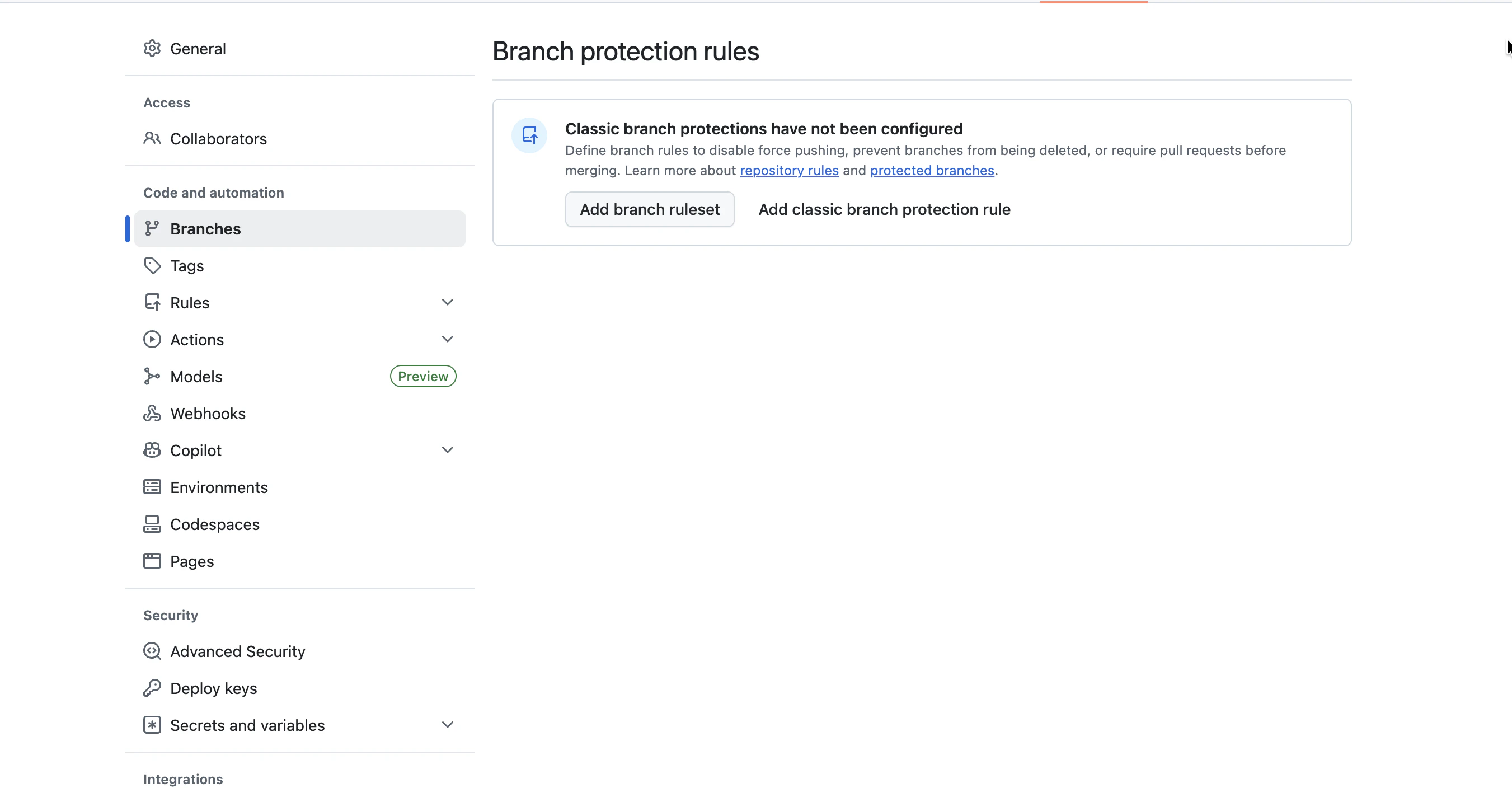
- リポジトリの Settings を開く
- 左メニューの Branches をクリック
- Add branch ruleset をクリック![スクリーンショット 2026-03-22 16.13.27.png]
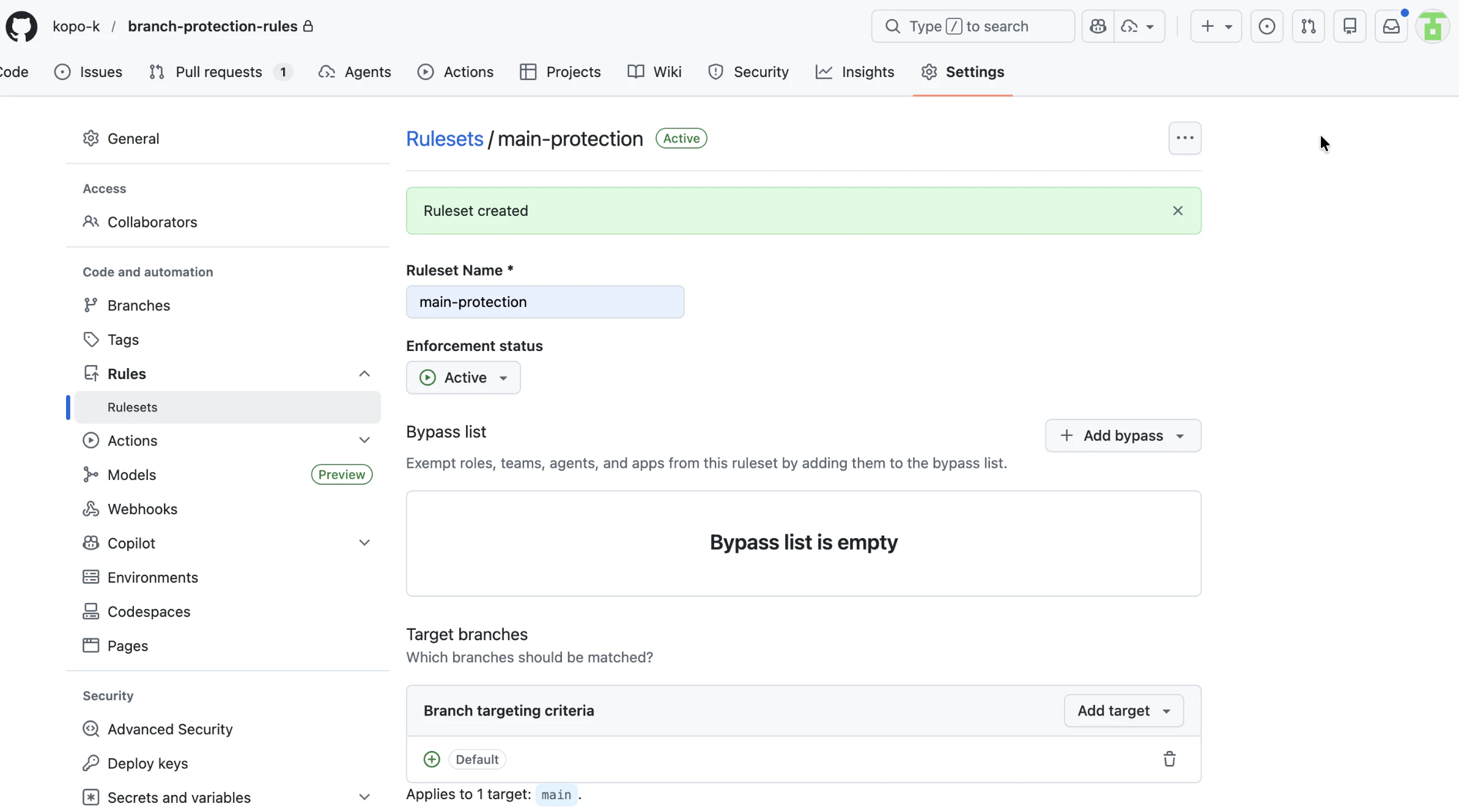
2-2. 基本情報を入力
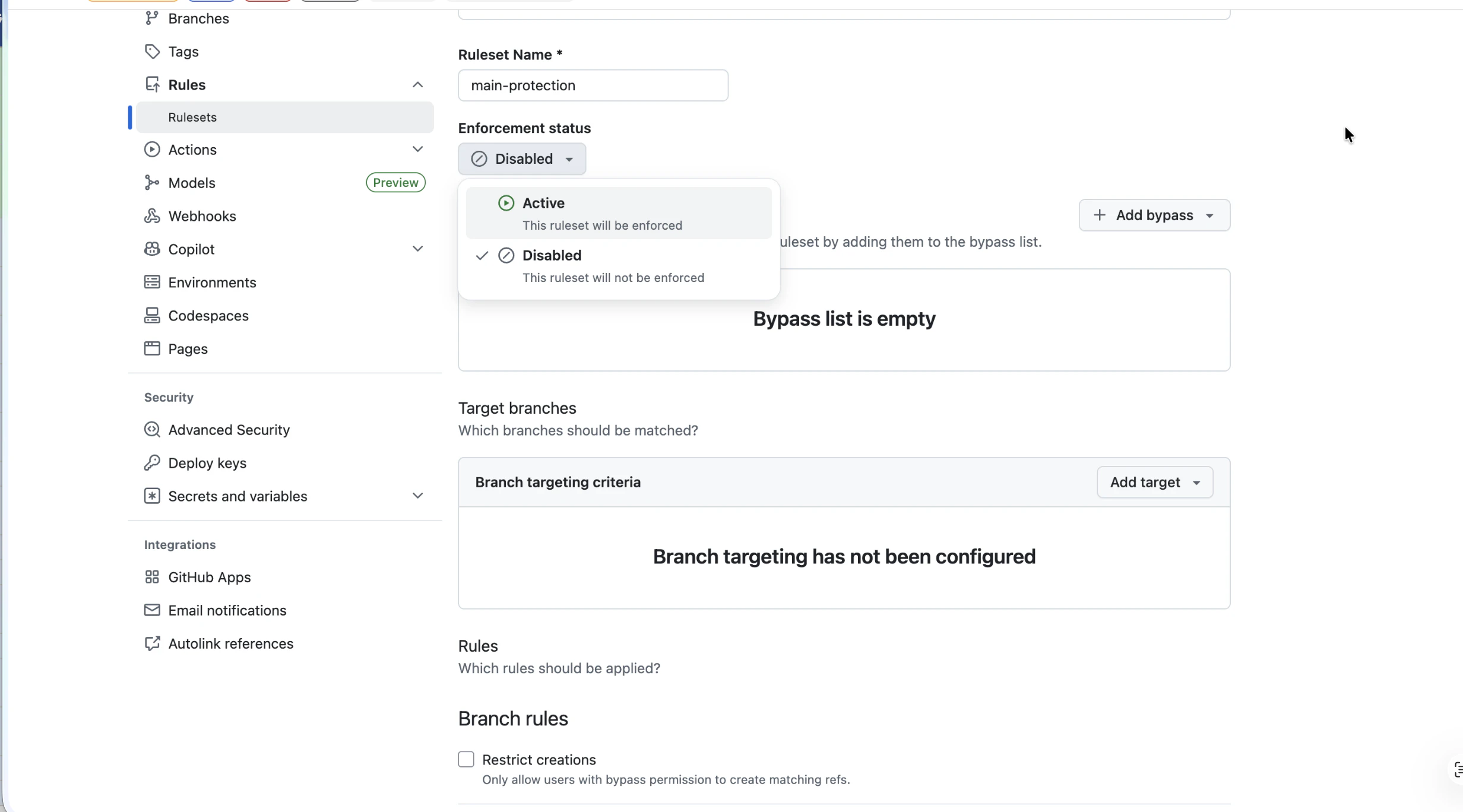
| 項目 | 設定値 |
|---|---|
| Ruleset Name | main-protection |
| Enforcement status | Active に変更 |
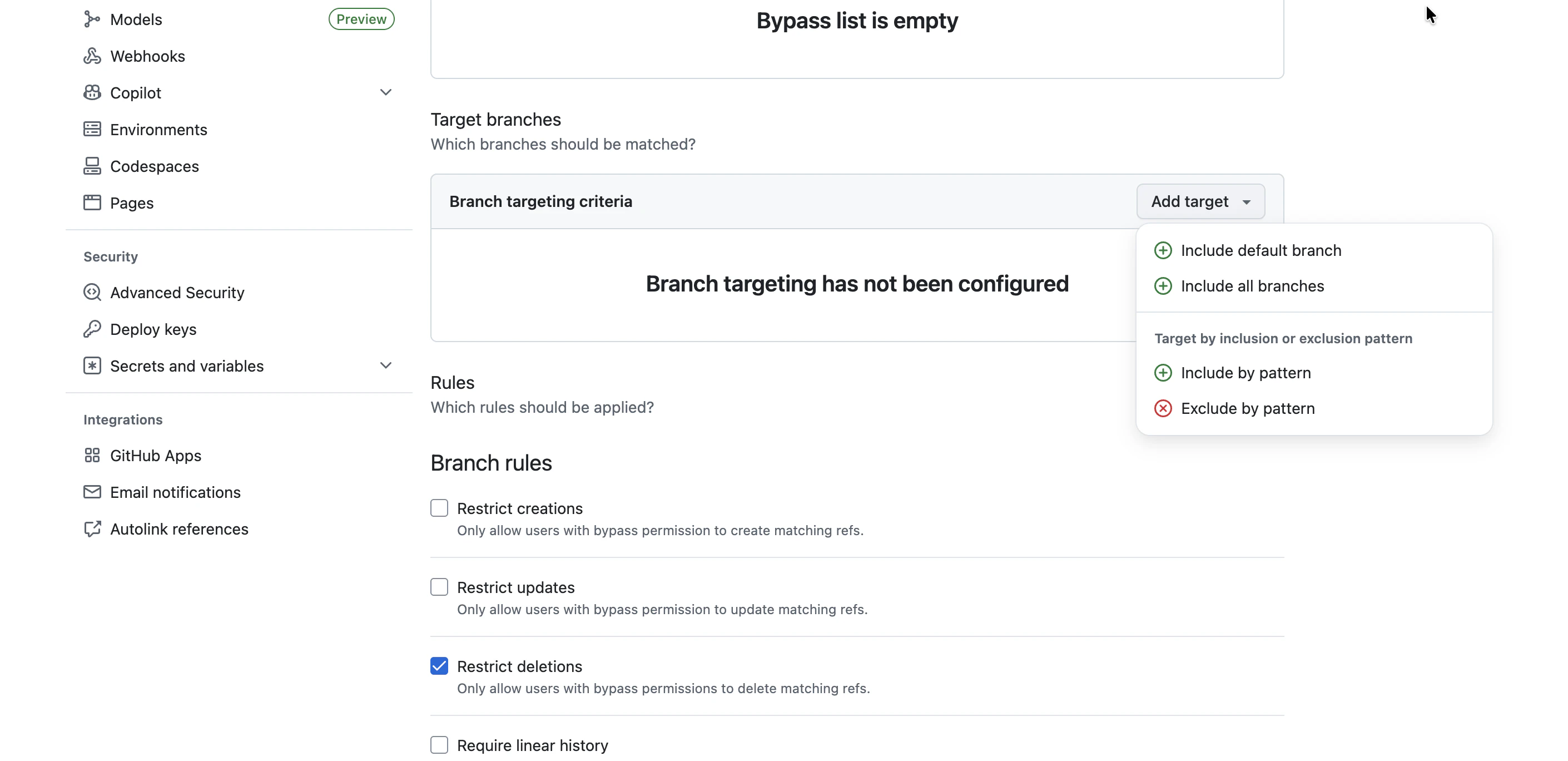
2-3. 対象ブランチを設定
- Target branches の Add target をクリック
- Include default branch を選択
これでmainブランチが保護対象になります。
手順3:ルールを設定する
下にスクロールして、以下のルールにチェックを入れます。
3-1. 基本ルール
- ☑ Restrict deletions (デフォルトでON)
- ☑ Block force pushes (デフォルトでON)
- ☑ Require a pull request before merging
3-2. ステータスチェックを設定
- ☑ Require status checks to pass にチェック
- Show additional settings をクリック
- ☑ Require branches to be up to date before merging にチェック
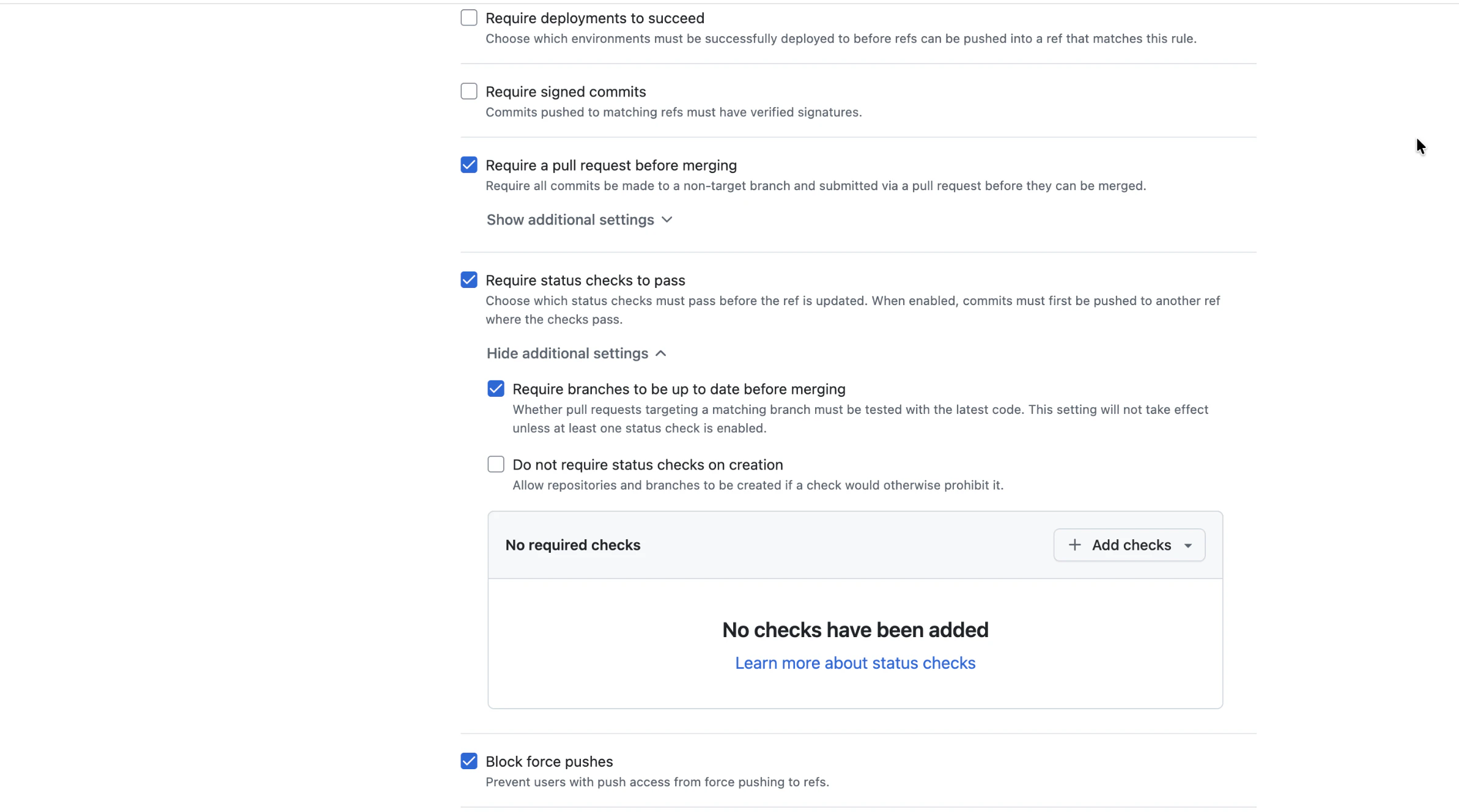
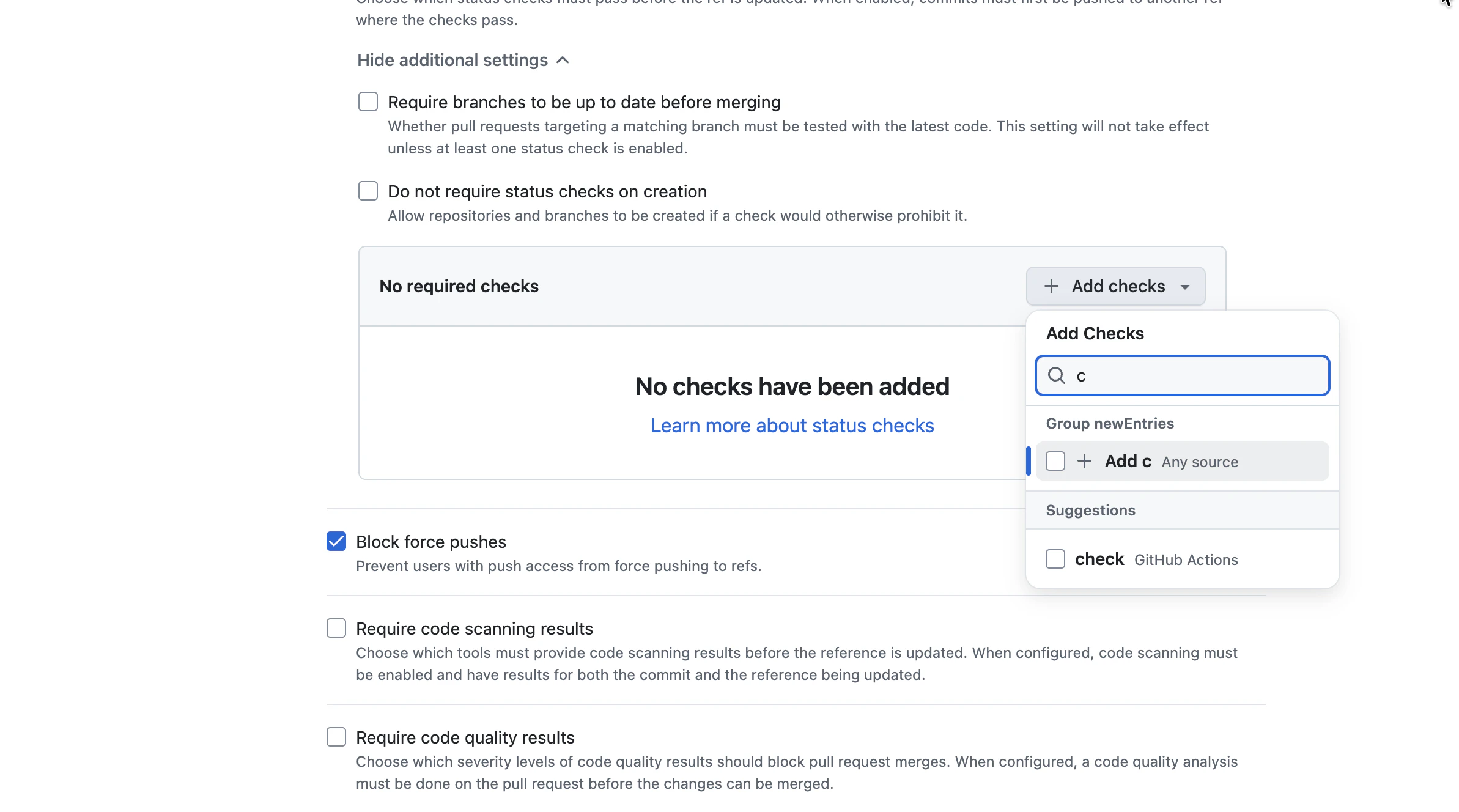
3-3. CIジョブを追加
- + Add checks をクリック
- 検索ボックスに
checkと入力 - 表示された check - GitHub Actions を選択
3-4. 保存
一番下の Create ボタンをクリックして完了です。
動作確認
設定が正しく動作するか確認します。
4-1. 別ファイルを編集するブランチを2つ作成
# ブランチ1
git checkout main
git pull origin main
git checkout -b test-1
echo "test1" > file1.txt
git add . && git commit -m "Add file1"
git push origin test-1

# ブランチ2
git checkout main
git checkout -b test-2
echo "test2" > file2.txt
git add . && git commit -m "Add file2"
git push origin test-2
4-2. 両方のPRを作成
GitHubで test-1 と test-2 のPRを作成します。
4-3. test-1 を先にマージ
test-1 のPRをマージします。
4-4. test-2 を確認
test-2 のPRを見ると、以下のように表示されます。
⚠️ This branch is out-of-date with the base branch
   [Update branch]
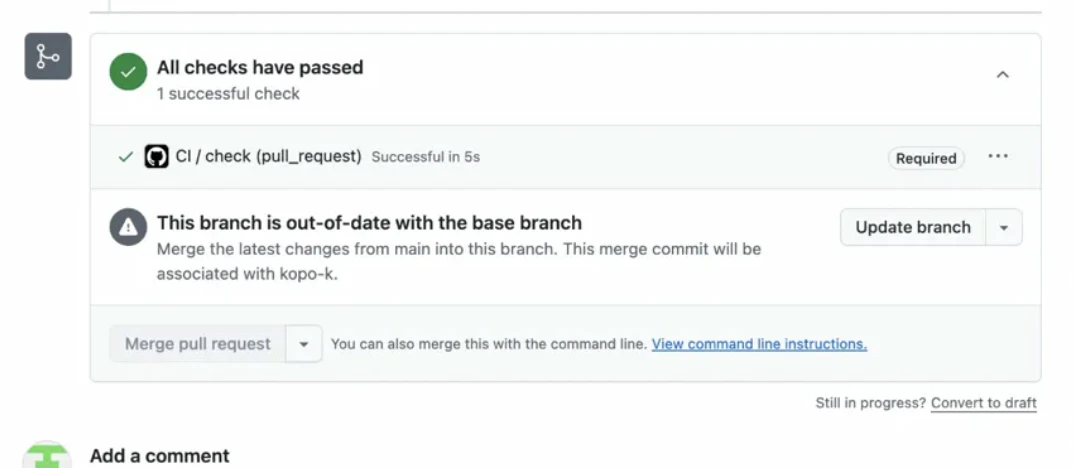
これが表示されれば設定成功です!
Update branch を押すと、mainの最新を取り込んでCIが再実行され、マージできるようになります。
補足:mainに直接pushしようとすると?
設定後、mainに直接pushしようとするとエラーになります。
error: GH013: Repository rule violations found for refs/heads/main.
- Changes must be made through a pull request.
- Required status check "check" is expected.
これもブランチ保護が正しく動いている証拠です。
各設定項目の意味
| 設定 | 意味 |
|---|---|
| Restrict deletions | ブランチの削除を制限 |
| Block force pushes |
git push --force を禁止 |
| Require a pull request | 直接pushを禁止、PR必須 |
| Require status checks to pass | CIが通らないとマージ不可 |
| Require branches to be up to date | mainの最新でないとマージ不可 |