
Next.js Typescript で作成するブログ作成手順[完全版]
手順書
- ドメイン・DNS設定
- 環境変数・APIキーの変
更
ドメイン・DNS設定
- お名前.comで取得
microCMSのアカウント取得
これらを取得して、 .env.localファイルに設定
- MICROCMS_API_KEY
- MICROCMS_API_URL
- MICROCMS_SERVICE_DOMAIN
環境変数・APIキーの変更
- microCMSで割り当てられたAPIキーを設定していく
Cloudflare 設定
- アカウントホーム -> 開発者プラットフォーム -> アプリケーションを追加 -> 既存のGitリポジトリをインポート
- ビルド構成
ビルド コマンド:npm run build
ビルド出力:out
ルート ディレクトリ:
ビルド コメント:
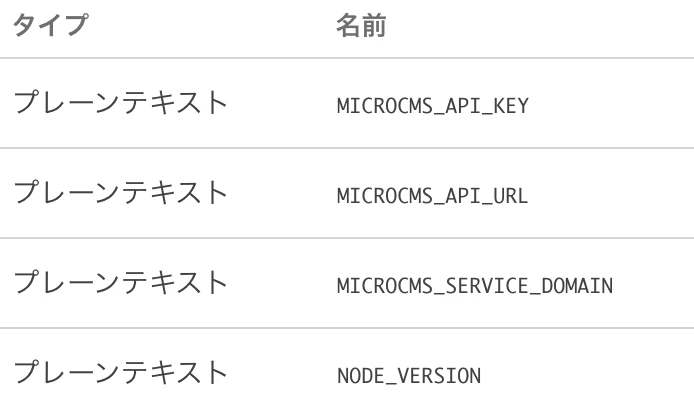
- Cloudflare で Nextjs のビルドしたら、 xx.yy.zz is required. というエラーがでたら環境変数の設定が必要
- NODE_VERSION : 22.12.0
- microCMSの環境変数も必要
- MICROCMS_API_KEY
- MICROCMS_API_URL
お名前.comで取得したドメインをCloudflare に設定する
-
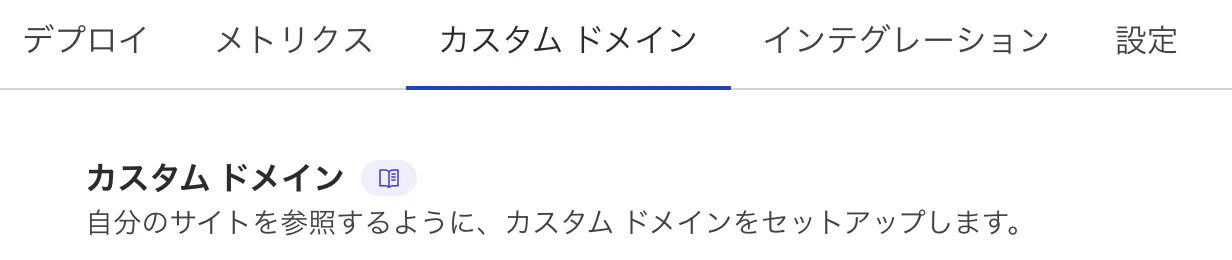
Cloudflare Pagesのプロジェクト画面で「カスタムドメイン」タブを開き、「カスタムドメインを設定」ボタンをクリック
-
-
お名前.comで取得したドメインを入力
-
お名前.com Naviにログイン
「ネームサーバーの設定」メニューを開く。
「他のネームサーバーを利用」タブを選択。
先ほどCloudflareで表示されたネームサーバー2つを入力し、保存します
Google Analytics の設定
- 管理 -> プロパティの追加
- Google tag をNext.jsのコードに追加
"use client";

import Script from "next/script";

export default function GoogleAnalytics() {
  return (
    <>
      <Script
        src="https://www.googletagmanager.com/gtag/js?id=xxxx"
        strategy="afterInteractive"
      />
      <Script id="google-analytics" strategy="afterInteractive">
        {`
          window.dataLayer = window.dataLayer || [];
          function gtag(){dataLayer.push(arguments);}
          gtag('js', new Date());
          gtag('config', 'G-DSZNTPVFS3');
        `}
      </Script>
    </>
  );
}