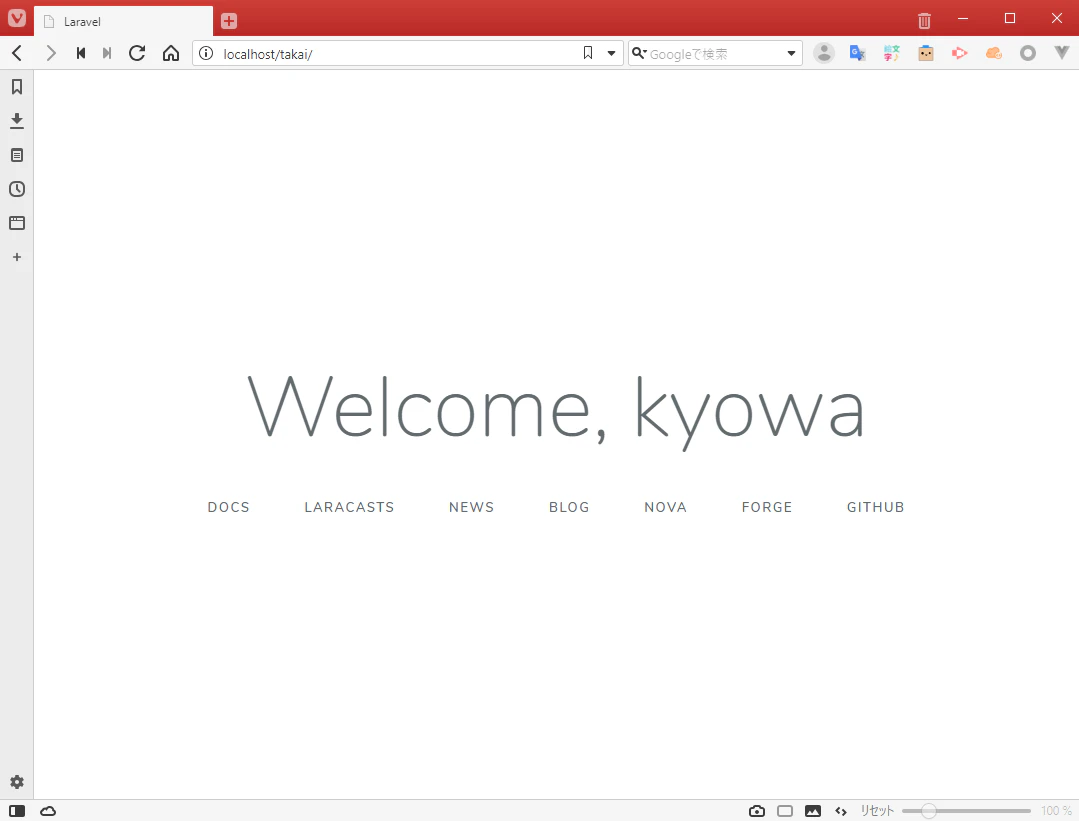
そもそもフレームワークって何なのか
-
「骨組み」、「構造」の意味(https://wa3.i-3-i.info/word12470.html)
-
DB にデータを投入する、ファイルを読み込む等、汎用的な機能がまとまったもの
-
利用する際は、ルールを守る必要がある
ex)表示する画面は resources ディレクトリに配置する。
ルーティングは routes に定義する=> 基本的に誰が書いても仕様に対して実装が同一になる
Laravel ってどんなフレームワークなの?
-
Web アプリケーションに特化した MVC フレームワークです。(正確には MVC っぽくもつくれるですが、混乱しそうなので)
-
「Artisan(アルチザン)」というコマンドラインインターフェースを提供していて、コマンドラインからモデルやテーブルを生成してくれます。
ex) Ruby on Rails の「rails」みたいなもの
MVC ってなんだよ
- Model、View、Controler の要素からなる、デザインパターンの一つです。(https://ja.wikipedia.org/wiki/Model_View_Controller)
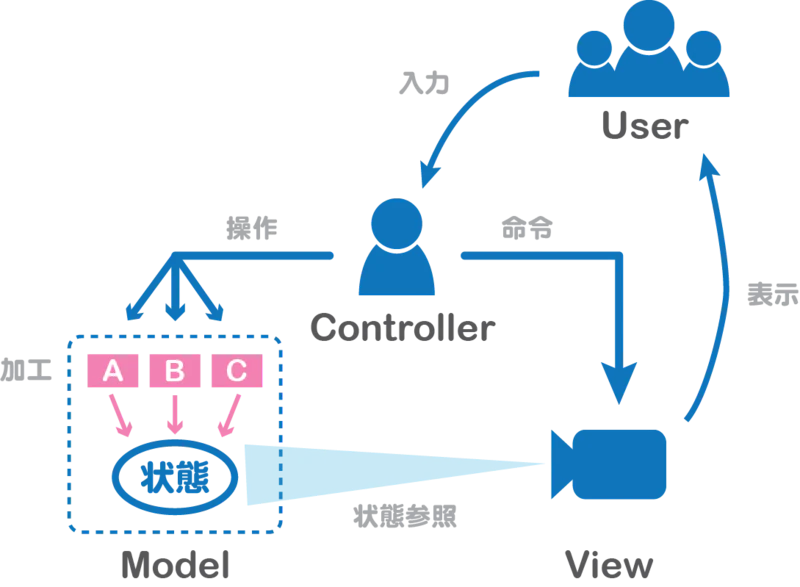
※引用元
Model
-
データを保持したり、そのデータを加工するための処理をする
ex)アプリケーションデータ、ビジネスルール、ロジック、関数
View
-
Model の状態を参照してユーザーが見やすい形で表示する
ex)html、ファイル
Controler
- ユーザーからの操作を解釈する
- 解釈した処理を行うよう Model に指示する
- 表示するように View に指示する
とりあえず HelloWorld から動作を追ってみる
Router
まずブラウザからのアクセスを拾って振り分けてるのはroutes/web.phpだ。
Router の仕事は URL のパスや HTTP メソッドの種類によって、レスポンスを振り分けることです。
実際にコードを見ていくと
<?php

/*
|--------------------------------------------------------------------------
| Web Routes
|--------------------------------------------------------------------------
|
| Here is where you can register web routes for your application. These
| routes are loaded by the RouteServiceProvider within a group which
| contains the "web" middleware group. Now create something great!
|
*/

Route::get('/', function () {
    return view('welcome');
});
このRoute::xxxの部分はファサード(Facade)と呼ばれる。
開発者はファサードを利用することで、バックエンドでどのような処理が行われるか意識せずに、利用できる。
Laravel は標準で何種類かのファサードを提供している。
また自作のファサードも利用可能です。
つまりRoute::getは第一引数('/')に GET メソッドでリクエストがあったら、第二引数の action をしてねという意味になる。
では action 部分を見るとクロージャーでview('welcome')ヘルパ関数を返却している。
view ヘルパは view インスタンスを生成し、./resouces/views/xxx.blade.php(xxx は第一引数に対応)をもとにレスポンスを返却する関数です。
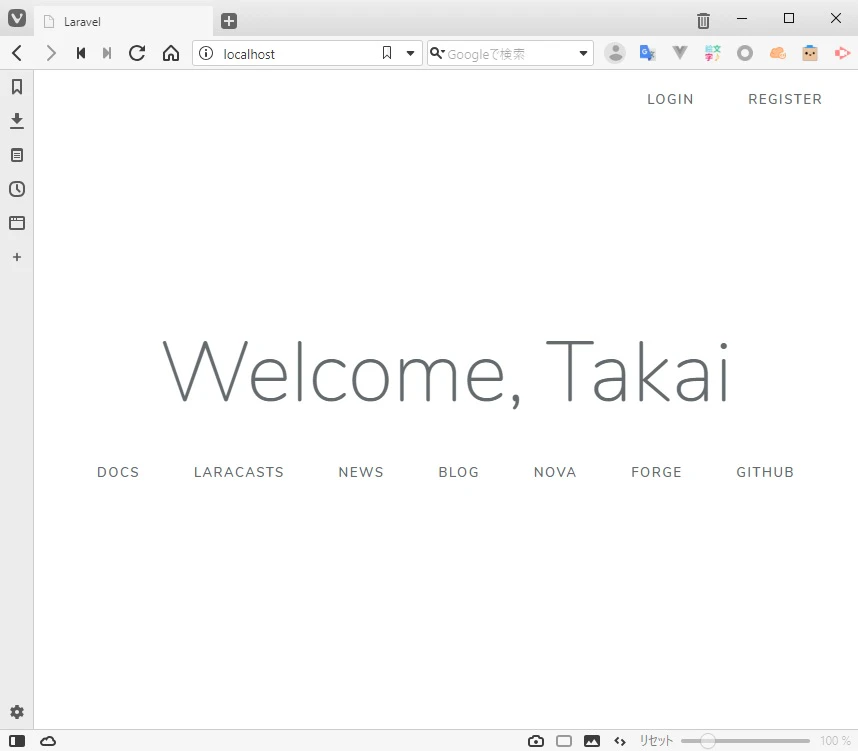
ではここで view にデータを渡して表示するように変えてみよう。
Route::get('/', function () {
    return view('welcome',  ['name' => 'Takai']);
});
    <div class="content">
        <div class="title m-b-md">

            <!-- Laravel -->
            Wellcome, {{ $name }}
        </div>
localhost にアクセスしてみる
Controller
今度はクロージャからではなくコントローラから表示してみる
-
php artisan make:controller WelcomeControllerでコントローラ作成 -
./app/Http/Controllers/WelcomeController.phpを編集
<?php

namespace App\Http\Controllers;

// Requestファサードをimportします
use Illuminate\Http\Request;

// コントローラは Controllerを継承します。
class WelcomeController extends Controller
{
    // 追加
    public function index($name)
    {
        return view('welcome', ['name' => $name])
    }
}
- router を変更
Route::get('/', function () {
    return view('welcome', ['name' => 'Takai']);
});
// 追加
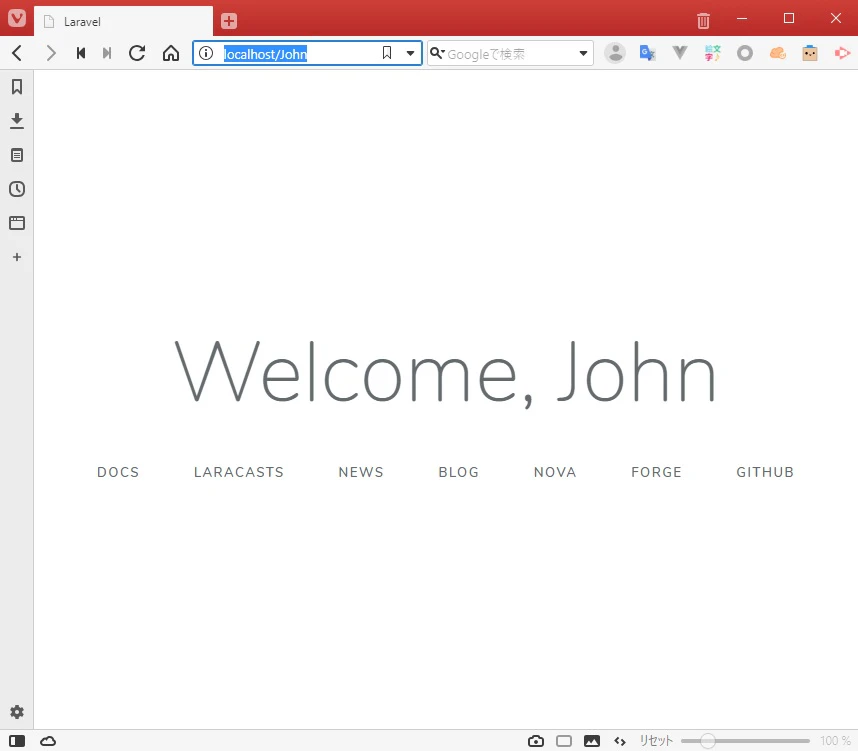
Route::get('/{name}', 'WelcomeController@index');
localhost/Johnとかでにアクセスしてみる
Model
先ほどは、URL パスをオウム返しで表示したが、DB から検索して苗字=>名前に変換して表示してみる
下記のようなテーブルから last_name で検索して first_name で表示する
| id | first_name | last_name | created_at | updated_at |
|---|---|---|---|---|
| 1 | John | Doe | 2019-04-01T00:00:00 | 2019-04-01T00:00:00 |
- マイグレーションファイル作成
php artisan make:migration create_persons_table
ここのpersonsの部分が Table 名になります。複数形になるよう命名します。
※あとで書きますがpersonの複数形はpeopleです(厳密には persons でいいらしいですけどね)
Laravel の特例だせたのでこのまま続けます。
- マイグレーションファイル編集
<?php

use Illuminate\Support\Facades\Schema;
use Illuminate\Database\Schema\Blueprint;
use Illuminate\Database\Migrations\Migration;

class CreatePersonsTable extends Migration
{
    /**
     * Run the migrations.
     *
     * @return void
     */
    public function up()
    {
        Schema::create('persons', function (Blueprint $table) {
            $table->increments('id');
            // first_nameとlast_nameを追加
            $table->string('first_name');
            $table->string('last_name');
            $table->timestamps();
        });
    }

    /**
     * Reverse the migrations.
     *
     * @return void
     */
    public function down()
    {
        Schema::dropIfExists('persons');
    }
}
-
php artisan migrateで DB マイグレーション -
php artisan make:model Personで model の作成
Personの部分は先ほどの先頭大文字+table 名の単数系になります。
<?php

namespace App;

use Illuminate\Database\Eloquent\Model;

class Person extends Model
{
    //
}
Eloquent(エロクェント)について
DB を操作するためにはIlluminate\Database\Eloquent\Modelを継承する必要があります。
Laravel ではこの DB とモデルオブジェクトを対応させる機能をEloquentと呼んでいます。
モデルには Eloquent+ビジネスロジックが実装されます。
-
php artisan tinkerで Eloquent 操作してみる
tinkerは対話型インターフェースで Eloquent を操作ができるツールです。
と、ここまで書いて失敗に気づいた。
Laravel は Class 名から自動で対応するテーブルを引っ張ってくれるのだが、一部例外がある。
「person/people」、「child/chiledren」とかだ。
正直 chiledren はわかるんだが、person は persons にしてほしい。だって別の言葉じゃん!!!
https://eikaiwa.weblio.jp/column/phrases/meaning/persons-peoples
aradock@871cd79f23a3:/var/www$ php artisan tinker
Psy Shell v0.9.9 (PHP 7.2.16-1+ubuntu16.04.1+deb.sury.org+1 — cli) by Justin Hileman
>>> $person = new App\Person()
=> App\Person {#2907}
>>> $person->toArray()
=> []
>>> $person->first_name = 'kyowa'
=> "kyowa"
>>> $person->last_name = 'takai'
=> "takai"
>>> $person->toArray()
=> [
     "first_name" => "kyowa",
     "last_name" => "takai",
   ]
>>> $person->save()
Illuminate/Database/QueryException with message 'SQLSTATE[42S02]: Base table or view not found: 1146 Table 'default.people'
doesn't exist (SQL: insert into `people` (`first_name`, `last_name`, `updated_at`, `created_at`) values (kyowa, takai, 2019-04-05 02:54:35, 2019-04-05 02:54:35))'
新しく「people」で migration してもいいんだが、面倒なのでテーブル名を明示しよう
Class に$table 変数を追加し、table 名を代入することで操作テーブルの指定ができる
class Person extends Model
{
    //table名指定
    protected $table = 'persons';
}
新しくインスタンスを作ってやり直す
>>> $person = new App\Person()
=> App\Person {#2907}
>>> $person->toArray()
=> []
>>> $person->first_name = 'kyowa'
=> "kyowa"
>>> $person->last_name = 'takai'
=> "takai"
>>> $person->toArray()
=> [
     "first_name" => "kyowa",
     "last_name" => "takai",
   ]
>>> $person->save()
=> true

// record確認
>>> $person::all()
=> Illuminate\Database\Eloquent\Collection {#2916
     all: [
       App\Person {#2917
         id: 1,
         first_name: "kyowa",
         last_name: "takai",
         created_at: "2019-04-05 04:18:36",
         updated_at: "2019-04-05 04:18:36",
       },
     ],
   }
>>> exit()
Exit:  Goodbye
Contoroller を修正
<?php

namespace App\Http\Controllers;

use Illuminate\Http\Request;
// Model追加
use App\Person;

class WelcomeController extends Controller
{
    // 追加
    public function index($name)
    {

        $person= Person::where('last_name', $name)->first();
        return view('welcome',compact('person'));
    }
}
view を修正
<div class="title m-b-md">
    <!-- Laravel -->
    Welcome, {{ $person->first_name }}
</div>