
Industrial displays are a core part of modern electronic equipment. In many products, the display is the first thing the user sees and the main place where information is understood. A machine may have advanced control electronics inside, but if the screen is unclear, unstable, or difficult to operate, the whole system feels unreliable.
Unlike consumer screens used in phones, laptops, or home appliances, industrial displays are designed for professional environments. They are expected to work for long periods, handle tougher conditions, and remain available across longer product lifecycles. They are commonly used in factory machines, medical instruments, laboratory equipment, EV charging stations, energy systems, transportation terminals, marine devices, outdoor kiosks, automation panels, and embedded control products.
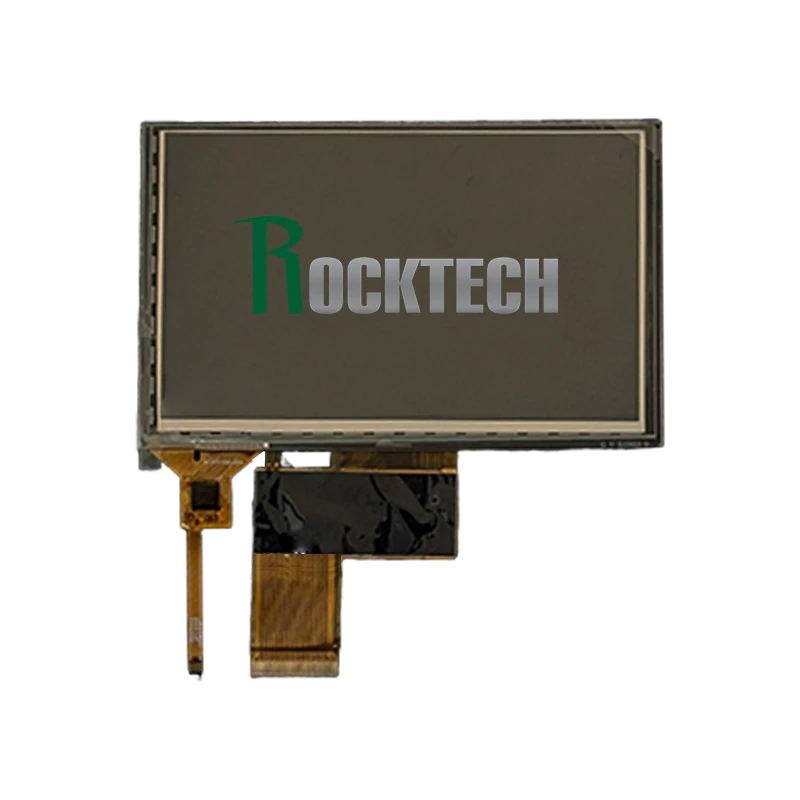
Choosing an industrial display is not only about size or resolution. Engineers must consider brightness, viewing angle, touch technology, interface compatibility, temperature range, mechanical design, optical bonding, surface treatment, backlight lifetime, and long-term supply. A good display choice can improve the product’s usability, reliability, and commercial lifetime.
What Makes a Display Industrial?
An industrial display is a screen designed for demanding applications rather than short-cycle consumer products. It may be supplied as a TFT LCD module, an LCD with touch panel, an open-frame display, a panel-mount monitor, or a complete HMI display assembly.
The main difference is design priority. Consumer displays often focus on appearance, entertainment quality, and low cost. Industrial displays focus more on stability, durability, interface support, lifecycle control, and customization.
A typical industrial display may need to support:
- Continuous operation
- Wider operating temperature
- Stronger backlight
- Better mechanical structure
- Touch panel customization
- Industrial interfaces
- Optical bonding
- Custom cover glass
- Stable long-term supply
- Reliable performance in noisy electrical environments
In real products, the display is rarely used alone. It must work together with an SBC, microcontroller board, industrial PC, power supply, touch controller, enclosure, and software system. Because of this, display selection should happen early in the product design process.
Where Industrial Displays Are Used
Industrial displays are used across many different markets.
In factory automation, they are used in machine control panels, production line terminals, test equipment, and monitoring systems. Operators need to read values, check alarms, adjust settings, and confirm machine status quickly.
In medical and laboratory equipment, displays are used to show measurement data, test results, workflow guidance, warning messages, and user settings. These devices often require a clean front surface, stable image quality, and long-term model availability.
In EV chargers and energy equipment, displays may show charging status, QR codes, payment instructions, power data, fault messages, and remote management information. Outdoor readability and wide temperature performance are often important in these products.
In transportation and vehicle systems, displays are used in dashboards, fleet terminals, marine electronics, agricultural machines, construction equipment, and logistics devices. These applications often require vibration resistance, sunlight readability, and reliable touch operation.
In commercial equipment, displays are used in kiosks, vending machines, POS systems, access control terminals, ticketing machines, and smart lockers. For these products, both appearance and durability matter.
TFT LCD Technology in Industrial Products
TFT LCD remains one of the most widely used technologies for industrial displays. It offers a practical balance of cost, brightness, lifetime, resolution, and availability. TFT LCD modules are available in many sizes and can be integrated with touch panels, cover glass, optical bonding, and different interface boards.
Common industrial display sizes include 2.4 inch, 3.5 inch, 4.3 inch, 5 inch, 7 inch, 8 inch, 10.1 inch, 12.1 inch, 15 inch, and 15.6 inch. Smaller displays are suitable for handheld devices, compact instruments, and basic control panels. Larger displays are used in HMI terminals, medical equipment, industrial computers, and public-facing systems.
Resolution depends on the product. A simple controller may only need 480x272 or 800x480. A 10.1 inch HMI may use 1280x800. Larger panels may use Full HD or higher. Higher resolution improves detail, but it also requires more graphics performance, higher bandwidth, and more careful software design.
For most industrial products, the goal is not simply the highest resolution. The goal is a clear and stable interface that users can read comfortably in the real operating environment.
IPS, TN, and Viewing Angle
Viewing angle is a major factor in industrial display selection. Many devices are not viewed from a fixed position. Operators may stand to the side of a machine, look down at a panel, or view the screen from below while working.
TN panels are usually lower cost, but their viewing angles are limited. Color and contrast can change significantly when viewed from different directions. They may still be acceptable in simple products where users always view the screen from the front.
IPS panels are now widely preferred for industrial HMI products. They provide wider viewing angles, more stable color, and better readability from different positions. This is useful for wall-mounted panels, vehicle displays, medical instruments, and public terminals.
VA panels may offer strong contrast in some applications, but they are less common than IPS in many small and medium industrial TFT modules.
For products where the display is part of the user experience, IPS is often the safer choice. It improves readability and gives the product a more modern visual appearance.
Brightness and Readability
Brightness is one of the first specifications engineers check, but it should not be viewed alone. A display with high brightness can still perform poorly if it has strong reflections or low contrast under ambient light.
Indoor industrial displays may use brightness levels around 300 to 500 nits. Semi-outdoor and outdoor products may need 800 nits, 1000 nits, or higher. Applications such as EV chargers, marine electronics, outdoor kiosks, parking terminals, and agricultural equipment often require strong sunlight readability.
However, increasing brightness also increases power consumption and heat. This can reduce backlight lifetime and create thermal challenges inside sealed enclosures. A better approach is often to combine proper brightness with reflection control, optical bonding, and surface treatment.
Readability depends on:
- Backlight brightness
- Contrast ratio
- Viewing angle
- Front glass reflection
- Air gap reflection
- Optical bonding
- Anti-glare or anti-reflective coating
- Ambient light direction
- Display installation angle
A real outdoor test is often more useful than datasheet brightness alone.
Backlight Design and Lifetime
The backlight determines how bright an LCD can become. In industrial displays, the backlight must be designed for both brightness and lifetime.
A stronger LED backlight helps the display remain readable in bright environments, but it consumes more power and generates more heat. If the product operates continuously, backlight lifetime becomes a major consideration.
Backlight lifetime is usually defined by brightness decay. Over time, LED brightness drops. A display that starts at 1000 nits may become noticeably dimmer after long use, especially if operated at high temperature.
For this reason, engineers should review backlight lifetime together with the actual operating conditions. A display used indoors for 8 hours per day has very different stress compared with an outdoor display running at high brightness all day.
Automatic brightness control can help. With an ambient light sensor, the system can increase brightness under strong light and reduce it in darker conditions. This saves power, lowers heat, and extends backlight life.
Optical Bonding for Industrial Displays
Optical bonding is often used when better readability or stronger mechanical performance is required. In a standard air-bonded display, an air gap exists between the LCD, touch panel, and cover glass. This air gap causes reflection and reduces contrast.
Optical bonding fills the gap with a transparent adhesive layer. This reduces internal reflection and improves image clarity. It is especially useful in outdoor displays, medical devices, vehicle panels, marine electronics, and premium industrial HMI systems.
Optical bonding also makes the display structure stronger. Since the LCD, touch sensor, and cover glass are joined together, the module can better resist vibration and impact. It can also reduce condensation inside the optical stack.
The bonding process must be controlled carefully. Poor bonding can lead to bubbles, yellowing, delamination, or visible defects after temperature cycling. For long-term industrial products, the adhesive material must be selected for temperature, humidity, UV exposure, and mechanical stress.
Touch Panel Options
Touch input is now common in industrial displays. It allows a flexible user interface and reduces the need for mechanical buttons.
Projected capacitive touch, or PCAP, is widely used because it offers smooth operation and a modern user experience. It can support multi-touch, custom cover glass, and clean front-panel designs. PCAP is suitable for HMI panels, smart control systems, medical devices, and public terminals.
However, industrial touch design has special challenges. Some products need glove operation. Some need water rejection. Others need thick cover glass, anti-interference tuning, or stable operation near motors, relays, and power supplies.
Resistive touch is older but still useful in certain environments. It can work with gloves, styluses, and pressure input. It may be selected for cost-sensitive or harsh applications where optical performance is less important.
Touch performance should always be tested in the final enclosure. Grounding, cable routing, cover glass thickness, gasket pressure, and electrical noise can all affect the result.
Surface Treatment: AG, AR, and AF
The front glass surface has a strong effect on user experience. Industrial displays may use different surface treatments depending on the application.
Anti-glare treatment reduces mirror-like reflections by diffusing reflected light. It helps when the display is used under strong ambient light or viewed from multiple angles. The haze value should be selected carefully because too much haze may reduce image sharpness.
Anti-reflective coating reduces surface reflection and improves contrast. It is useful for outdoor equipment, marine displays, medical terminals, and high-end public devices. AR coating can make the screen look clearer and more premium.
Anti-fingerprint coating makes the touch surface easier to clean and reduces visible fingerprints. This is valuable for kiosks, EV chargers, access terminals, vending machines, and medical equipment.
These treatments can be combined with optical bonding and high brightness to improve real-world readability.
Display Interfaces
Industrial displays support many interface types. The correct choice depends on the mainboard, resolution, cable length, EMI requirements, and software support.
RGB is common in embedded systems. It is simple and widely supported, but it uses many signal lines and may not be ideal for long cables.
LVDS is widely used in industrial products. It supports stable high-speed data transmission over moderate cable lengths and is common in 7 inch, 10.1 inch, 12.1 inch, and larger TFT displays.
MIPI DSI is common in compact Linux and Android devices. It uses fewer signal lines and supports high-resolution displays, but routing and cable length need careful design.
HDMI is convenient when using SBCs or industrial PCs. It is useful for prototypes and monitor-style products. Raw LCD panels usually need a controller board if HDMI is used.
eDP is used in some higher-resolution industrial panels and embedded computers. It supports high-speed digital display transmission and can be suitable for larger screens.
The display interface should be chosen before the mainboard design is finalized, because it affects PCB layout, connector selection, cable structure, software drivers, and EMC testing.
Temperature and Environmental Requirements
Industrial displays often need wider temperature support than consumer screens. Depending on the application, the display may need to start in cold weather, operate in hot cabinets, or survive outdoor sunlight.
Common industrial temperature ranges include -20°C to 70°C or -30°C to 80°C. Some applications may need even wider ranges. Storage temperature should also be considered because products may be shipped or stored in uncontrolled environments.
At low temperatures, LCD response time becomes slower. At high temperatures, the liquid crystal material, polarizer, backlight LEDs, adhesives, and touch panel may be affected. Direct sunlight can raise internal temperature much higher than ambient air temperature.
Thermal testing should be done inside the final product enclosure. Open-air testing is not enough for sealed panels, outdoor terminals, or compact devices.
Mechanical Integration
Mechanical design is critical for display reliability. The LCD, touch panel, cover glass, gasket, front frame, cables, PCB, and enclosure must work together.
The display should be fixed securely but not stressed. Uneven pressure on the LCD can cause light leakage, mura, touch errors, or glass damage. The gasket must seal the front panel without pressing too hard on the active area.
Cable routing should avoid sharp bends, vibration points, and noisy power circuits. Connectors should be secured in products used on vehicles, machines, or outdoor equipment.
If the product requires water or dust protection, the front panel may need sealing. Some systems require IP-rated protection. The sealing structure must be designed together with the touch panel and cover glass.
Mechanical design affects not only appearance but also optical quality, touch stability, and long-term reliability.
Reliability Testing
Industrial displays should be tested under realistic conditions before mass production. A simple power-on test is not enough.
Important tests include:
- High-temperature operation
- Low-temperature startup
- Temperature cycling
- Humidity testing
- Vibration testing
- Shock testing
- ESD testing
- Backlight aging
- Touch operation testing
- Long-term power-on testing
- Outdoor readability testing
- Power cycling
If the display includes optical bonding, bonding quality should be checked after temperature and humidity stress. If the display is high brightness, thermal and backlight aging tests are especially important.
Testing should be done with the real mainboard, enclosure, cables, power supply, and software. Many display problems only appear after full system integration.
Long-Term Supply
Industrial products often have long lifecycles. A display used in an industrial controller, medical device, or energy system may need to remain available for many years.
If a display is discontinued, the product may need new mechanical design, new cable design, new software configuration, and new testing. This can be expensive and time-consuming.
For this reason, long-term supply is a major factor when choosing an industrial display. Engineers should confirm panel availability, touch panel continuity, cover glass customization, cable design, and supplier support.
A slightly more expensive display with stable lifecycle support may be safer than a cheaper display with uncertain availability.
Customization Options
Industrial display projects often need customization. Common customization options include:
- Custom cover glass
- Logo printing
- Optical bonding
- High-brightness backlight
- Anti-glare treatment
- Anti-reflective coating
- Anti-fingerprint coating
- Touch firmware tuning
- Interface cable design
- Mounting bracket design
- Custom FPC or connector
- Wide-temperature version
- Different backlight driver design
Customization should be planned early. Changing the display after the enclosure or mainboard is finished can cause delays and redesign work.
How to Select the Right Industrial Display
The right display should be selected according to the complete product requirement, not only the datasheet.
Engineers should review:
- Screen size
- Resolution
- Brightness
- Viewing angle
- Contrast ratio
- Touch type
- Interface
- Operating temperature
- Backlight lifetime
- Optical bonding requirement
- Surface treatment
- Cover glass strength
- Power consumption
- Mechanical dimensions
- Cable and connector design
- EMC requirements
- Enclosure structure
- Long-term availability
- Customization support
- Cost target
The best display is the one that fits the real product environment and lifecycle. A display that is excellent for an indoor medical device may not be suitable for an outdoor EV charger. A display that works for a prototype may not be stable enough for mass production.
Conclusion
Industrial displays are a key part of modern embedded and automation products. They allow users to read information, control devices, respond to alarms, and interact with complex systems. Their quality directly affects the usability and perceived reliability of the final product.
A good industrial display design requires careful attention to brightness, viewing angle, touch performance, interface compatibility, optical bonding, surface treatment, temperature range, mechanical integration, power consumption, thermal behavior, reliability testing, and long-term supply.
For industrial HMI panels, medical instruments, EV chargers, energy systems, transportation devices, kiosks, and custom embedded products, the display should be considered as part of the whole system. When the LCD, touch panel, mainboard, enclosure, software, and production process are planned together, the final product can achieve better performance and longer service life.