6
6

Delete article

Deleted articles cannot be recovered.

Draft of this article would be also deleted.

Are you sure you want to delete this article?

More than 5 years have passed since last update.

[Xcode] iOSアップデート後に古いバージョンのXcodeでビルドする

6
Posted at

2016/1/22

iOS9.2.1にアップデートしたらXcode6.4で認識されなくなった :scream:

Could not find Developer Disk ImageというWarning...
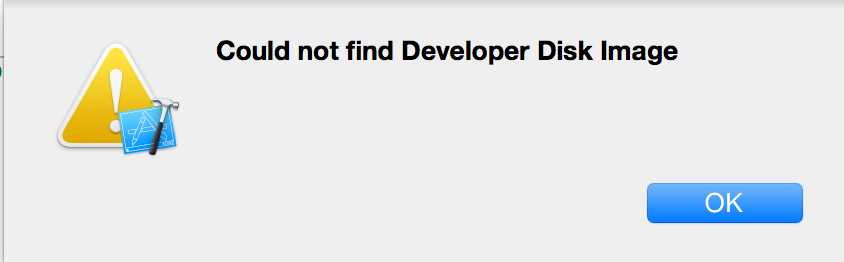
20151209194339.png
デバイスが認識されない為、ついさっきまでできていた実機ビルドができない

原因はDiskImageがない

Warningのまんま。
Xcodeのパッケージ内のDeviceSupportファイルにDeveloperDiskImage.dmg
がないことが原因

XcodeのVersionを上げる解決策

XcodeをUpdateすればDiskImageが対応するので解決します。

XcodeVersionを解決策

プロジェクトなどの関係で、XcodeVersionはそのままにしておきたいのでDiskImageを追加する。
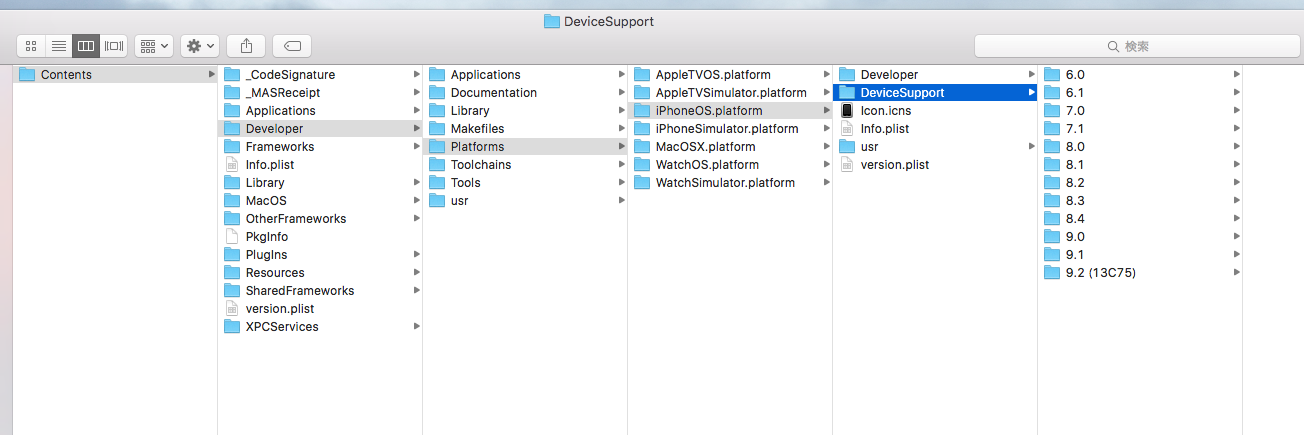
スクリーンショット 2016-01-22 17.03.55.png
上の画像はXcode7.2のパッケージ内なので、ios9.0~9.2があるが、
Xcode6.4のパッケージ内には存在しない。
ファイルをコピーしてXcode6.4のパッケージ内に入れて、Xcode再起動。

問題なく実行できるようになった :tada:

6
6
0

Register as a new user and use Qiita more conveniently

  1. You get articles that match your needs
  2. You can efficiently read back useful information
  3. You can use dark theme
What you can do with signing up
6
6

Delete article

Deleted articles cannot be recovered.

Draft of this article would be also deleted.

Are you sure you want to delete this article?