
1. 仕組み
navigator.userAgentから取得した文字列を使って判定します。
https://developer.mozilla.org/ja/docs/Web/API/Navigator/userAgent
2. 各端末での結果値と説明
Android

iOS(iPhone)
iOS(iPad)
safariブラウザの「デスクトップ用サイトを表示」

以外

Mac

Windows

User-Agentの一例
| デバイス | User-Agent | 区別キーワード |
|---|---|---|
| Android | mozilla/5.0 (linux; android 10; k) applewebkit/537.36 (khtml, like gecko) chrome/143.0.0.0 safari/537.36 |
android |
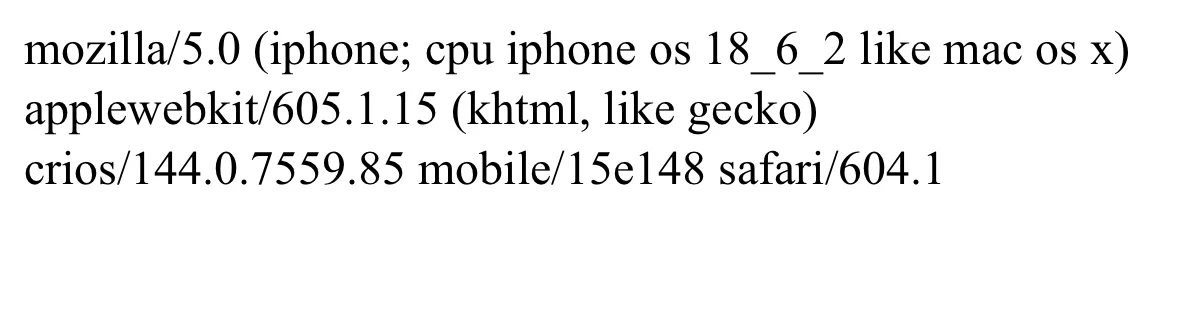
| iOS(iPhone) | mozilla/5.0 (iphone; cpu iphone os 18_6_2 like mac os x) applewebkit/605.1.15 (khtml, like gecko) crios/144.0.7559.85 mobile/15e148 safari/604.1 |
iphone, mac os x |
| iOS(iPad)デスクトップ用サイト | mozilla/5.0 (macintosh; intel mac os x 10_15_7) applewebkit/605.1.15 (khtml, like gecko) version/18.6 safari/605.1.15 |
macintosh, mac os x |
| iOS(iPad) | mozilla/5.0 (ipad; cpu os 18_6_2 like mac os x) apple webkit/605.1.15 (khtml, like gecko) crios/144.0.7559.85 mobile/15e148 safari/604.1 |
ipad, mac os x |
| Mac | mozilla/5.0 (macintosh; intel mac os x 10_15_17) applewebkit/537.36 (khtml, like gecko) chrome/136.0.0.0 safari/537.36 |
macintosh, mac os x |
| Windows | mozilla/5.0(windows nt 10.0; win64;x64) applewebkit/537.36(khtml, like gecko) chrome/143.0.0.0 safari/537.36 |
windows |
上記のとおり、各デバイスごとに識別可能なキーワードが含まれていることが確認できます。
「じゃあ、キーワードで分岐すればOKかな?」
しかし、iPadに注目してください。ブラウザの設定によって取得される値が異なることが分かりました。
機器の設定による影響!
iPadの場合、端末の設定によって「Macintosh」と表示されたり「iPad」と表示されたりします。
iPadOS 13以降では、Safariで接続すると「デスクトップ用サイトを表示」がデフォルトになっており、この設定により取得される値が変わります。
したがって、iOSとmacを区別するためには、「タッチ機能の有無」を確認する必要があります。
iOS端末はタッチ対応、macは非対応のため、navigator.maxTouchPoints > 1 のようなタッチ判定コードを追加すれば判別できます。
3. 最終コード
const ua = navigator.userAgent.toLowerCase();
const hasMultiTouch = navigator.maxTouchPoints > 1; // マルチタッチ対応かどうかを判定

if (ua.includes('android')) {
  return 'android';
} else if (ua.includes('mac os x') && hasMultiTouch) {
  return 'iOS';
} else if (ua.includes('mac os x') && !hasMultiTouch) {
  return 'mac';
} else if (ua.includes('windows')) {
  return 'windows';
} else {
  return 'Error!';
}
See the Pen OS classification by Kariu (@kariray) on CodePen.