

 はじめに
はじめに
今回は Validator.nu のAPIを使用して、HTMLの検証を行ってみます。
 Validator.nu とは?
- 公式サイト: https://validator.nu/
- API 検証: https://about.validator.nu/#api
Validator.nuは、W3CやWHATWGでも使用されているHTML構文チェッカー(HTML バリデーター)のことで、英語版ではあるものの、HTMLに関する構文チェックを行うことが可能です。
上記サイトでは、下記3パターンで検証が可能です。
- address
→HTMLおよびCSSが記載されているサイトURLを入力し、入力したURL先の検証が可能 - file upload
→HTMLおよびCSSファイルをアップロードし、アップロードしたファイルの検証が可能 - HTMLおよびCSSのテキストを入力し、入力したテキストに対して検証が可能
 Validator.nu APIの検証サンプル
Validator.nuAPIを用いて、HMTLの検証を行ってみます。
なお、サンプルではJavaにて検証しています。
Javaでは HTTPClient を用いて簡単に実装が可能です。
サンプルコード
public class HtmlValidator {
    private static final String VALIDATOR_URL = "https://validator.nu/?out=json";
    private static final HttpClient client = HttpClient.newHttpClient();
    public boolean validateHtml(String html) {
        try {
            HttpRequest request = HttpRequest.newBuilder()
                    .uri(URI.create(VALIDATOR_URL))
                    .header("Content-Type", "text/html; charset=UTF-8")
                    .POST(HttpRequest.BodyPublishers.ofString(html))
                    .build();

            HttpResponse<String> response =
                    client.send(request, HttpResponse.BodyHandlers.ofString());

            String responseBody = response.body();
            ObjectMapper mapper = new ObjectMapper();
            JsonNode json = mapper.readTree(responseBody);
            JsonNode messages = json.path("messages");

            for (JsonNode msg : messages) {
                String type = msg.path("type").asText("");
                String subtype = msg.path("subType").asText("");
                String message = msg.path("message").asText("");

                // type=errorの場合エラーとする
                if ("error".equalsIgnoreCase(type)) {
                    return false;
                }
                // type=infoかつsubytpe=warningの場合もエラーとする
                if ("info".equalsIgnoreCase(type)
                        && "warning".equalsIgnoreCase(subtype)) {
                    return false;
                }
            }
            // エラーなし
            return true;

        } catch (Exception e) {
            e.printStackTrace();
            return false;
        }
    }
}
上記サンプルでは、error が返ってきた場合と、info の場合でも warning が含まれている場合は false が返るようなコードとしています。
こちらのほうが、より厳密にHTMLの検証を行うことができます。
OKケース
上記サンプルコードを使用して、検証を行ってみます。
下記HTMLをリクエストしてみます。
<!DOCTYPE html>
<html lang="ja">
<head>
  <meta charset="UTF-8">
  <title>OKケース</title>
</head>
<body>
  <p>これは段落です。</p>
  <br>
  <p>次の段落です。</p>
</body>
</html>
この場合、レスポンスとして、下記が返ってきます。
はい、messages には何も入っていません。
エラーではないので、nullとしてレスポンスが返ってきているようです。
HTML構文にエラーがないため、これで問題ありません。
NGケース
次に、NGとなるケースについて検証してみます。
<!DOCTYPE html>
<html lang="ja">
<head>
  <meta charset="UTF-8">
</head>
<body>
  <p>NGケース</p>
</body>
</html>
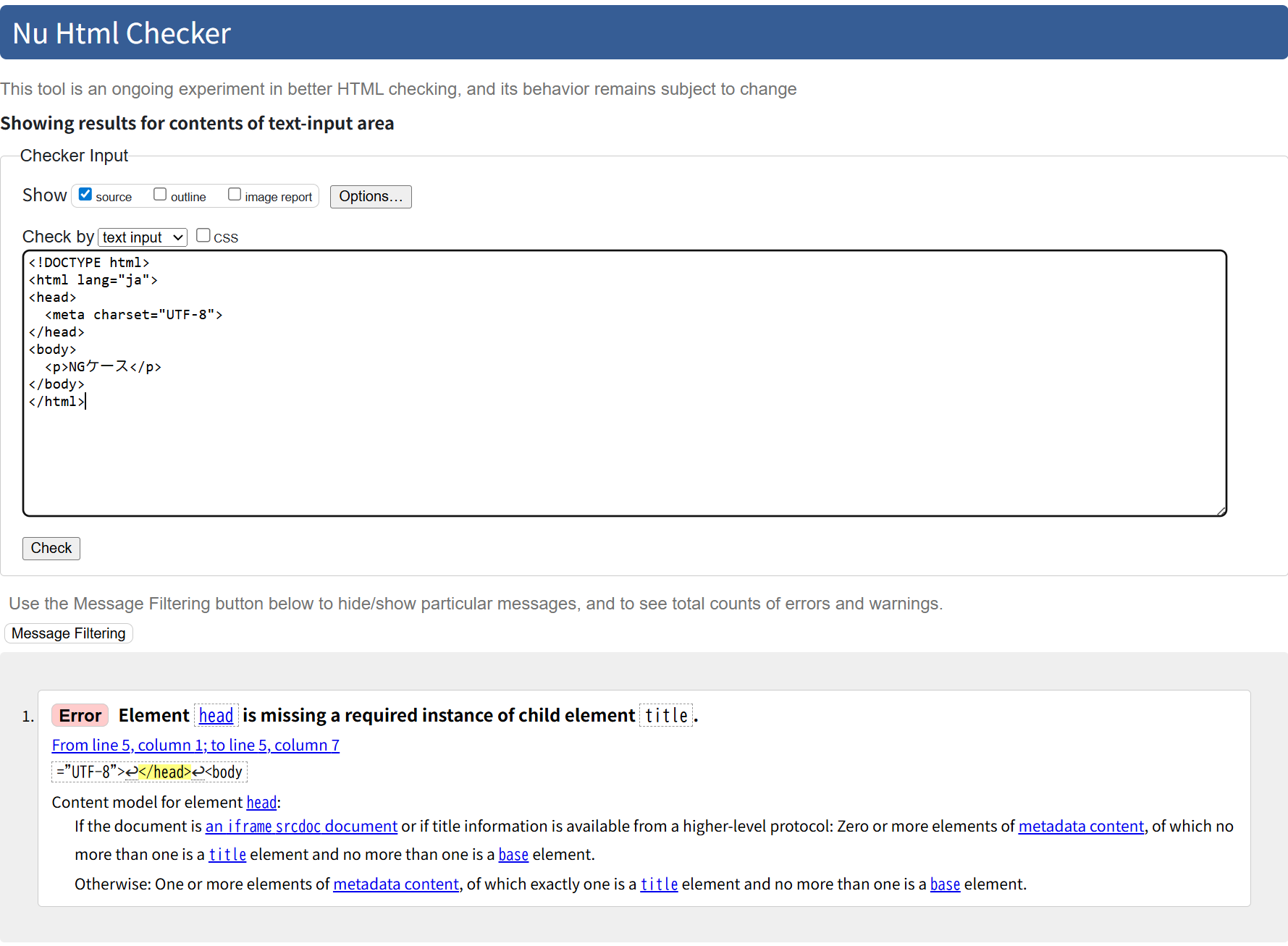
この場合、<title>が存在しないため、下記の値が返ってきます。
{
  "type": "error",
  "lastLine": 3,
  "lastColumn": 35,
  "firstColumn": 29,
  "message": "Element “head” is missing a required instance of child element “title”.",
  "extract": "t=\"UTF-8\"></head>\n<body",
  "hiliteStart": 10,
  "hiliteLength": 7
}
message を確認すると、「head」の子要素としての「title」が欠落していることが要因として挙げられています。
なお、Validator.nuで上記のHTMLをチェックすると同様のエラーが表示されています。
WARNINGケース
次に warning となるケースについても確認してみます。
<!DOCTYPE html>
<html>
<head>
  <meta charset="UTF-8">
  <title>WARNING</title>
</head>
<body>
  <p>本文</p>
</body>
</html>
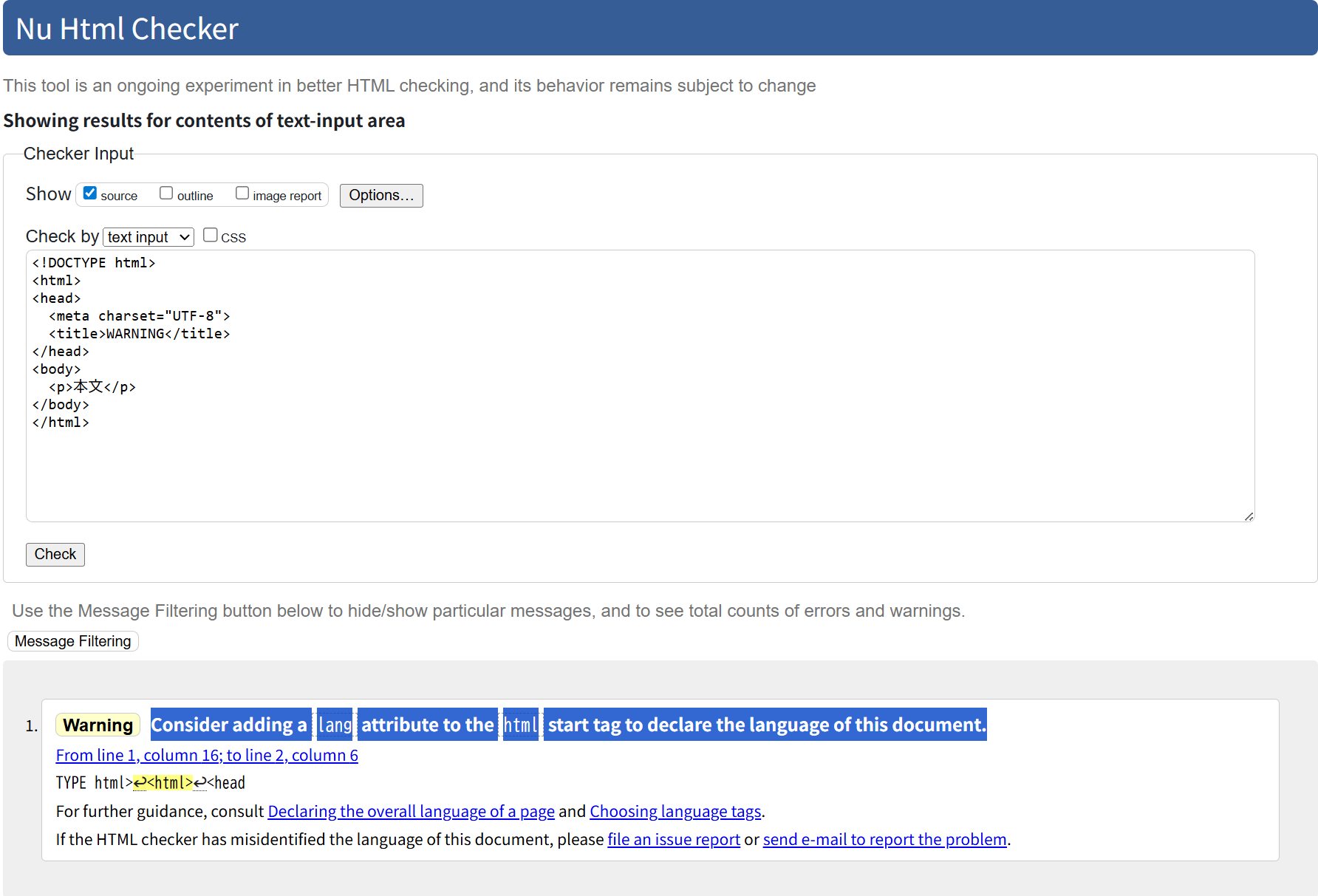
上記のHTMLでは、HTML開始タグにlang属性がないため、type に info、subTypeに warning が返ってきます。
{
  "type": "info",
  "lastLine": 2,
  "firstLine": 1,
  "lastColumn": 6,
  "firstColumn": 16,
  "subType": "warning",
  "message": "Consider adding a “lang” attribute to the “html” start tag to declare the language of this document.",
  "extract": "TYPE html>\n<html>\n<head",
  "hiliteStart": 10,
  "hiliteLength": 7
}
messages を確認すると、HTML開始タグにlang属性を追加するよう検討する旨を推奨しています。
なお、Validator.nuで上記のHTMLをチェックすると同様の警告が表示されています。
warning が返ってくる場合でも、HTMLとしての致命的な構文エラーではないため、ブラウザは通常通りにページレンダリングが可能です。
ただし、UXの観点や、HTMLの品質を考慮すると、可能な限り修正することが推奨されています。
 終わりに
終わりに
今回はValidator.nuのAPIを用いてHTMLの検証を行ってみました。
自サイト上にHTML入力フォームを作成する際のバリデーションチェックにおいて、HTML検証を行いたい場合はぜひ活用してみてください。