
概要
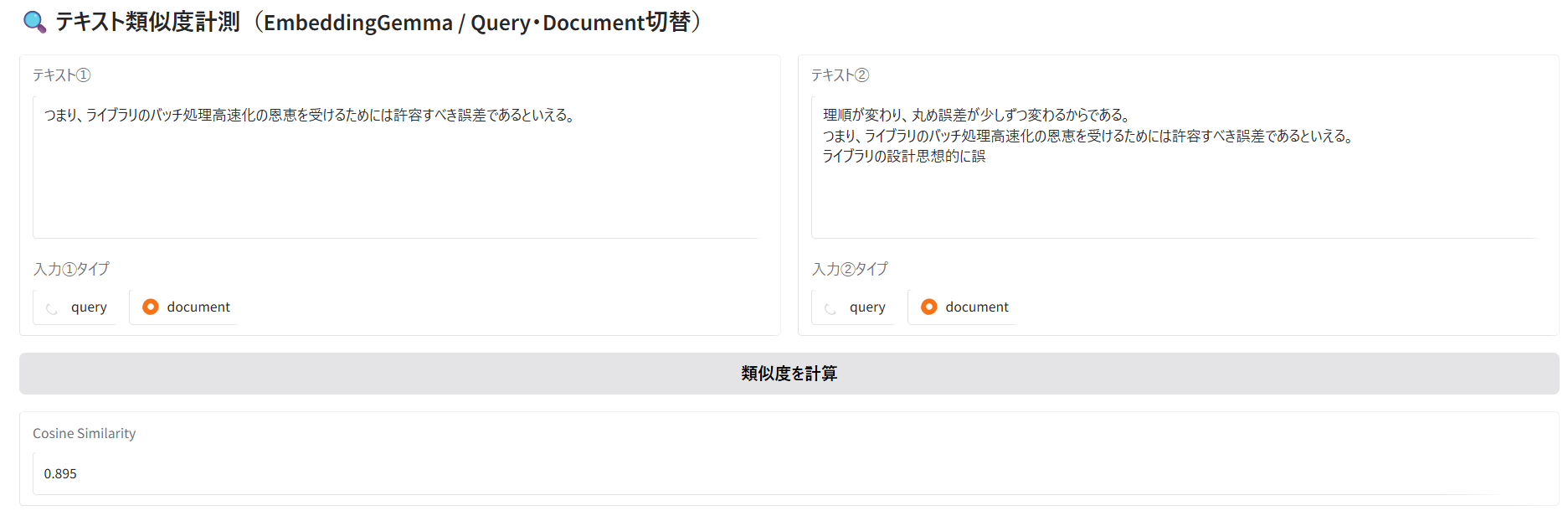
前回から引き続き、途切れた文章を含んでしまうことがどの程度影響あるのかを確認する目的で、EmbeddingGemmaで2つの文章をベクトル化して類似度を確認できるシステムを構築した。
実験では、EmbeddingGemmaモデルは、文脈が分断された文を無視してベクトル化してくれるというRAGにとって嬉しい性質を持っている可能性を確認できた。
今回のコードでできること
2つの文章を入力するとコサイン類似度を取得できる。(ベクトル化に使う関数が違うので入力タイプを切り替えるUIになっている)
EmbeddingGemma使用時の注意
- 公式情報は確認すべき
- 検索時は
encode_queryを使う - DBに格納する文章をベクトル化する時は
encode_documentを使う - 入力は2048tokenまで
簡易実験
以下の3文を加工して実験する。
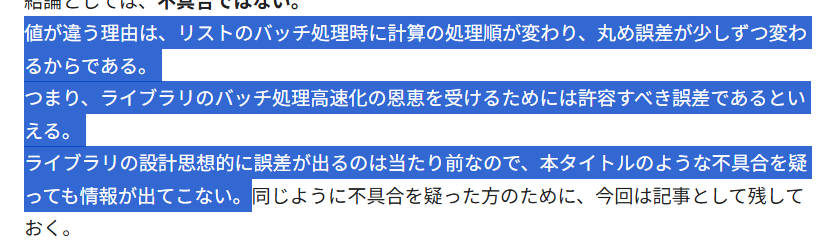
途切れた文章が前後にある場合の影響
### 実験1
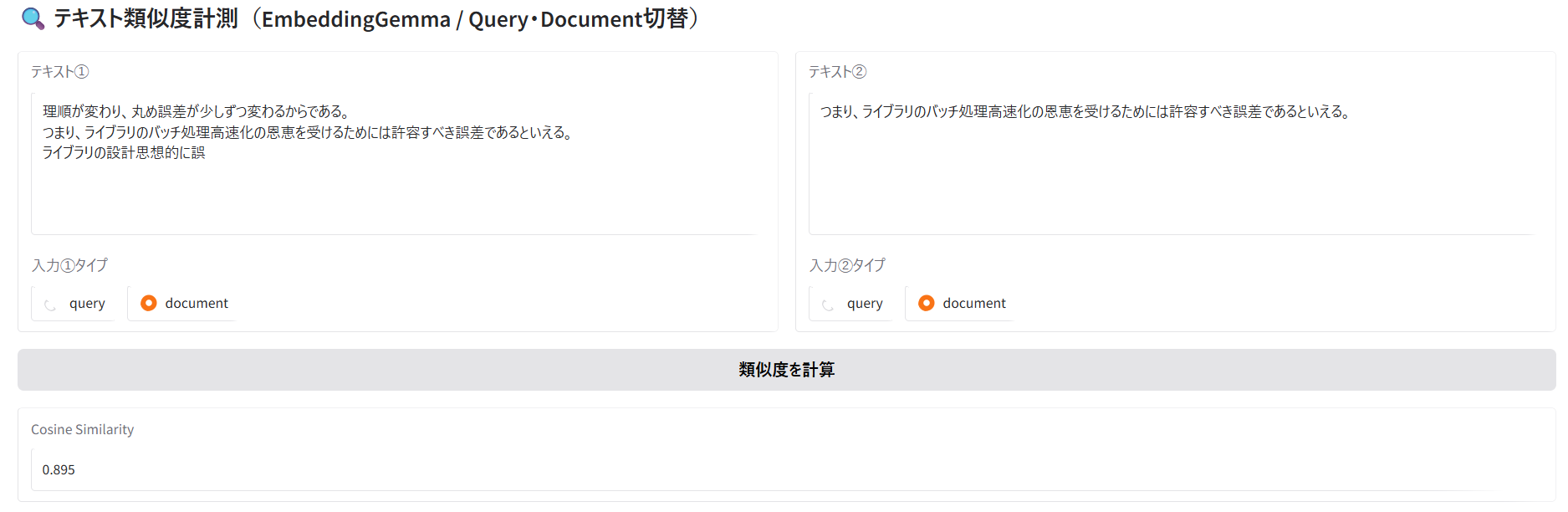
テキスト①は、文脈が分断された文を前後に含んだ文章。
テキスト②は、文脈が分断された文を除去した文章。
結果は0.895。
完全に一致する場合は1になるので、0.895への減少が途切れた文を前後に含む影響といえる。
実験2
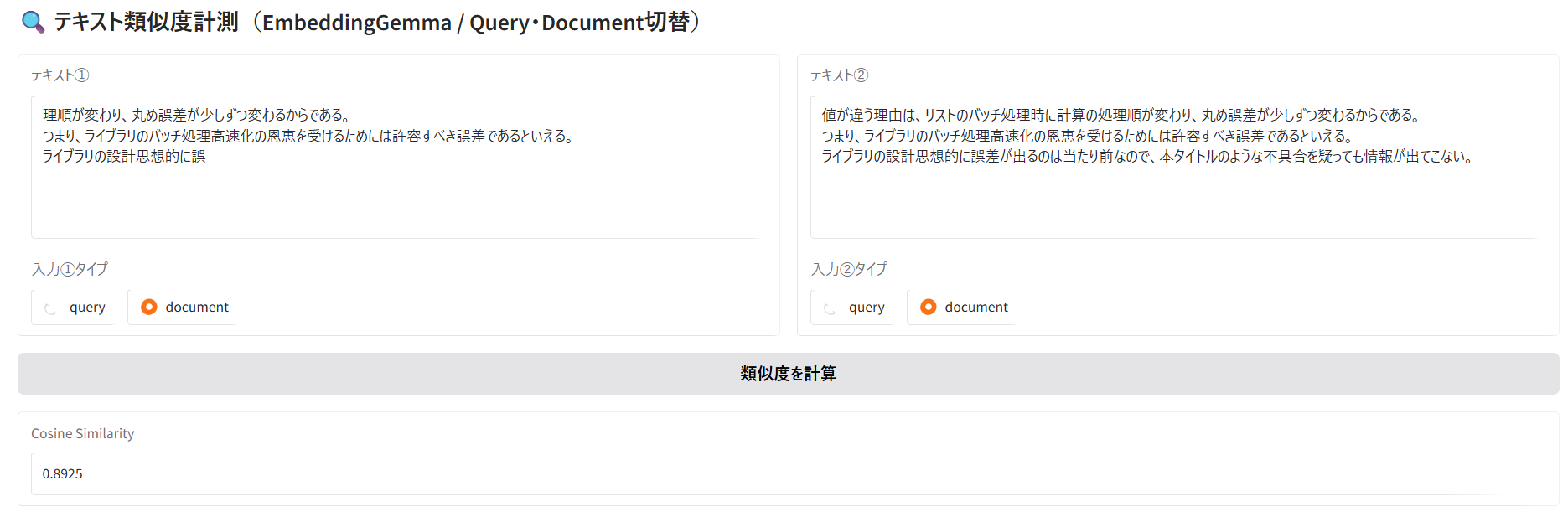
テキスト①は、文脈が分断された文を前後に含んだ文章。
テキスト②は、テキスト①の文脈が分断される前の文章。
結果は0.8925。
実験1の時より類似度が低い。文脈が分断された文は無視されやすいことが確認された。
これは嬉しい結果である。
ソースコード(Pythonファイル)
import gradio as gr
from sentence_transformers import SentenceTransformer, util

# =========================
# Model Load
# =========================
MODEL_NAME = "google/embeddinggemma-300m"
model = SentenceTransformer(MODEL_NAME)

# =========================
# Encode helper
# =========================
def encode_text(text, mode):
    if mode == "query":
        return model.encode_query(text, convert_to_tensor=True)
    else:
        return model.encode_document(text, convert_to_tensor=True)

# =========================
# Similarity Function
# =========================
def calc_similarity(text1, mode1, text2, mode2):
    if not text1 or not text2:
        return 0.0

    emb1 = encode_text(text1, mode1)
    emb2 = encode_text(text2, mode2)

    score = util.cos_sim(emb1, emb2).item()
    return score

# =========================
# Gradio UI
# =========================
with gr.Blocks(title="Text Similarity (EmbeddingGemma)") as demo:
    gr.Markdown("## 🔍 テキスト類似度計測(EmbeddingGemma / Query・Document切替)")

    with gr.Row():
        with gr.Column():
            t1 = gr.Textbox(label="テキスト①", lines=6)
            m1 = gr.Radio(
                ["query", "document"],
                value="query",
                label="入力①タイプ"
            )

        with gr.Column():
            t2 = gr.Textbox(label="テキスト②", lines=6)
            m2 = gr.Radio(
                ["query", "document"],
                value="document",
                label="入力②タイプ"
            )

    btn = gr.Button("類似度を計算")
    out = gr.Number(label="Cosine Similarity", precision=4)

    btn.click(calc_similarity, [t1, m1, t2, m2], out)

demo.launch(debug=True, share=False, inbrowser=False)