
はじめに
生成AIに聞きながら、Dataverse SDK for Pythonを使ってみたので、その手順を載せています。
本記事は個人的な検証結果をまとめたものです。実際の利用は自己責任でお願いします。
関連記事
なぜやってみたのか?
モデル駆動型アプリ・Power BIでもデータを可視化することができる。「データをどう使いたい」と決まっていれば、そちらを利用する方がいいと思います。
データの中身を探索する・どう使えばいいのかを探索するときにはPythonが向いてると思いました。
本音を言うと、ただ新しい機能を試してみたいだけです。
何ができたのか?
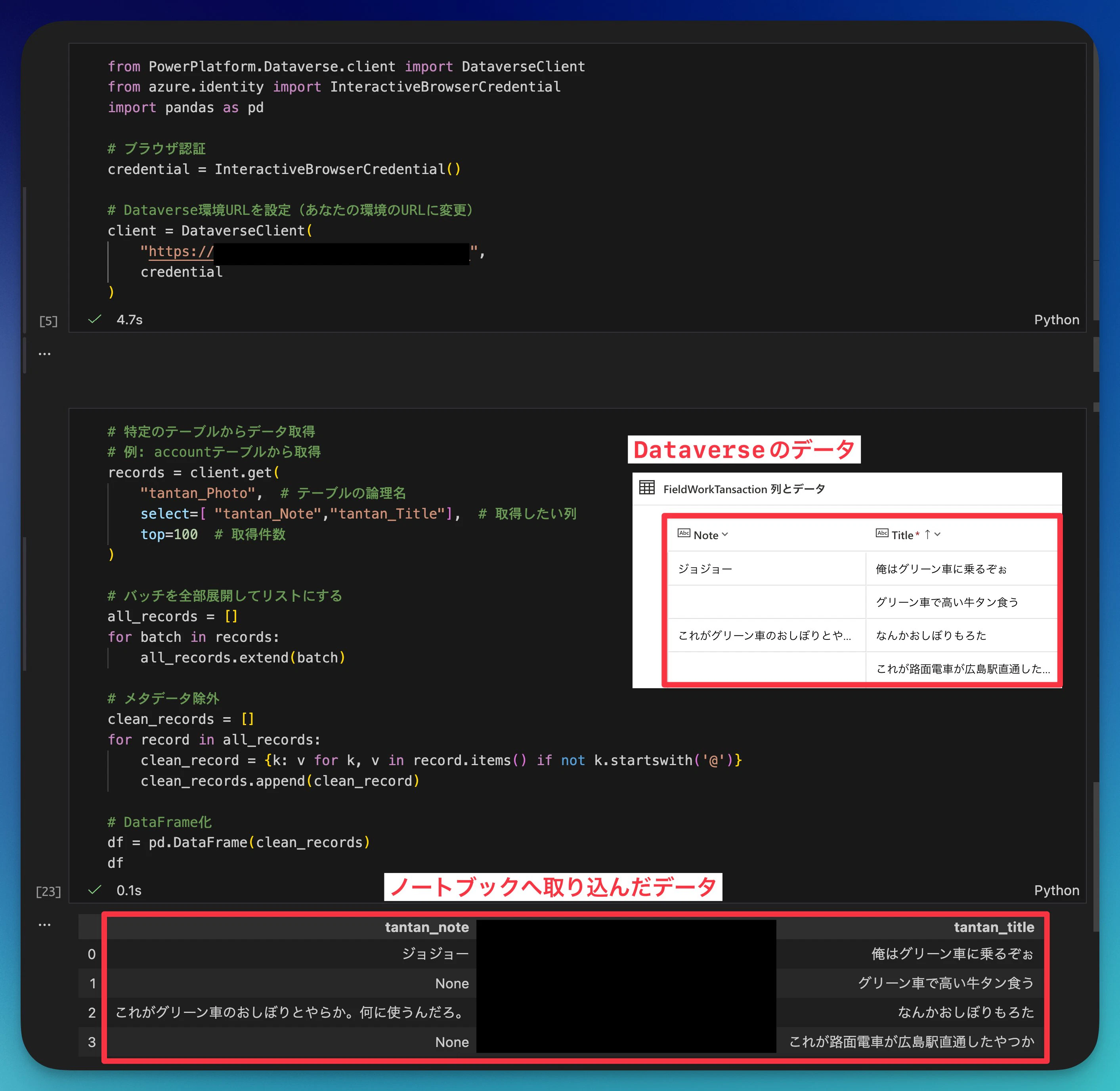
DataverseのデータをPythonのノートブックに簡単に取り込むことができました。
環境準備
インストール
pip install PowerPlatform-Dataverse-Client azure-identity
必要なもの
- Python 3.13
- Jupyter Notebook
- Dataverse環境(Power Appsで使ってるやつ)
手順
Notebookを新規作成する
自分はVS Codeを使っています。

Dataverse に接続する
from PowerPlatform.Dataverse.client import DataverseClient
from azure.identity import InteractiveBrowserCredential
import pandas as pd

# ブラウザ認証
credential = InteractiveBrowserCredential()

# Dataverse環境URLを設定
client = DataverseClient(
    "ここを変える",
    credential
)
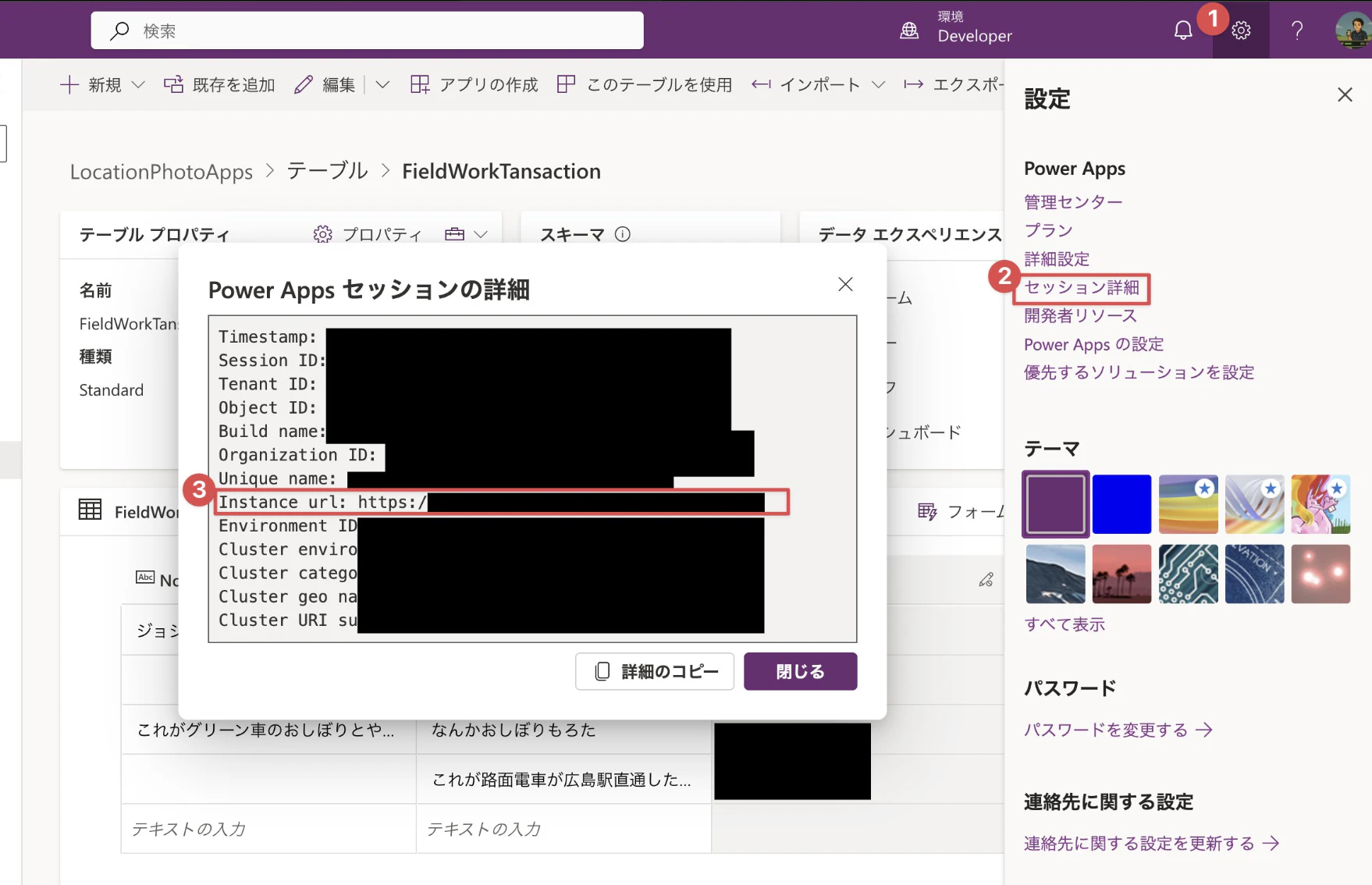
環境URLはここから取得できます
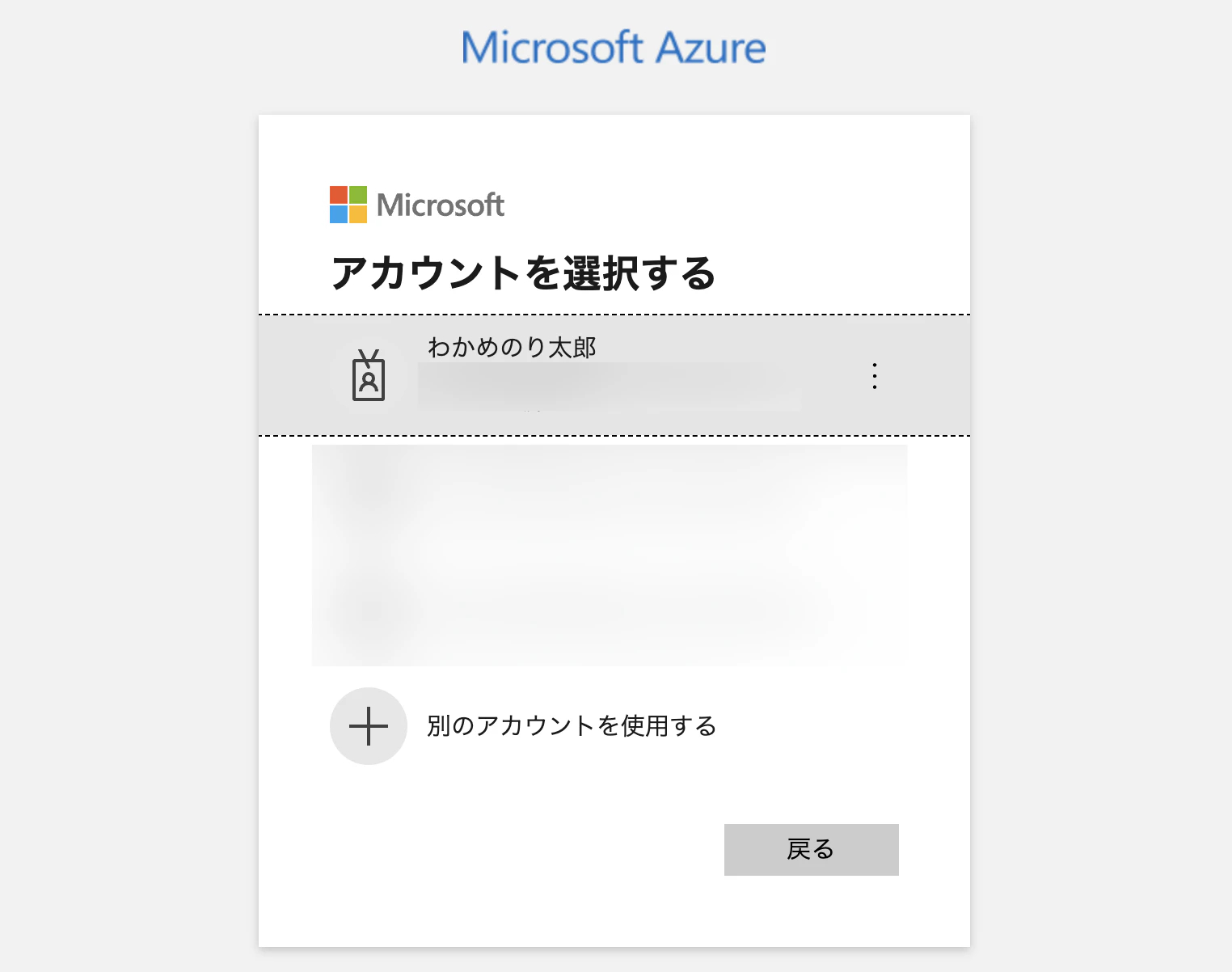
実行するとブラウザが立ち上がり認証が入ります
テーブルからデータを取得する
論理名だったりスキーマー名だったりがややこしいです。
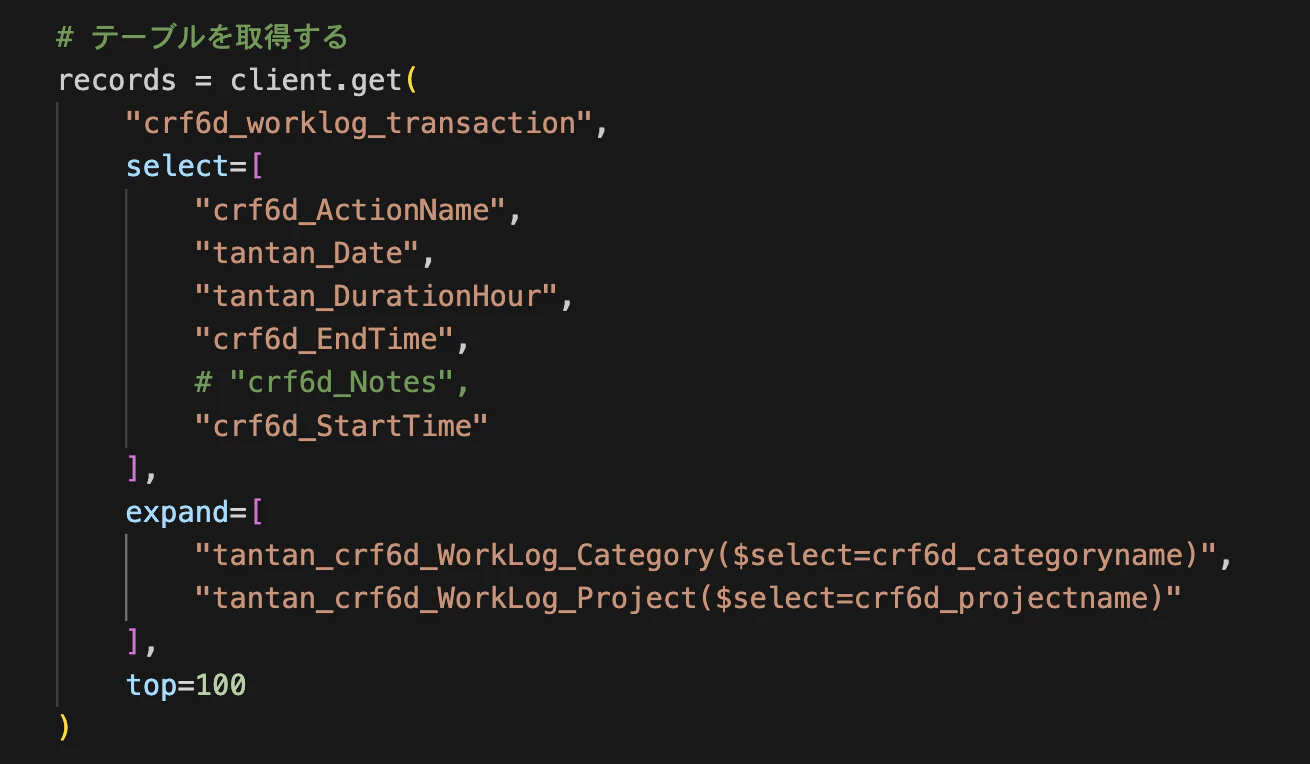
expand を使うと、検索列の参照先テーブルのデータも一緒に取ってこれるみたいです。
records = client.get(
    "テーブル名",  # 論理名
    select=[
        "欲しい列名" # スキーマー名
    ],
    expand=[
        "検索列で使っているテーブル名($select=欲しい列名)"  # テーブルはスキーマー名,列は論理名
    ],
    top=100
)
実際の画面
とりあえず可視化をするのに、テキストの部分は不要だったのでNoteはコメントアウトしました。
DataFrameに変換する
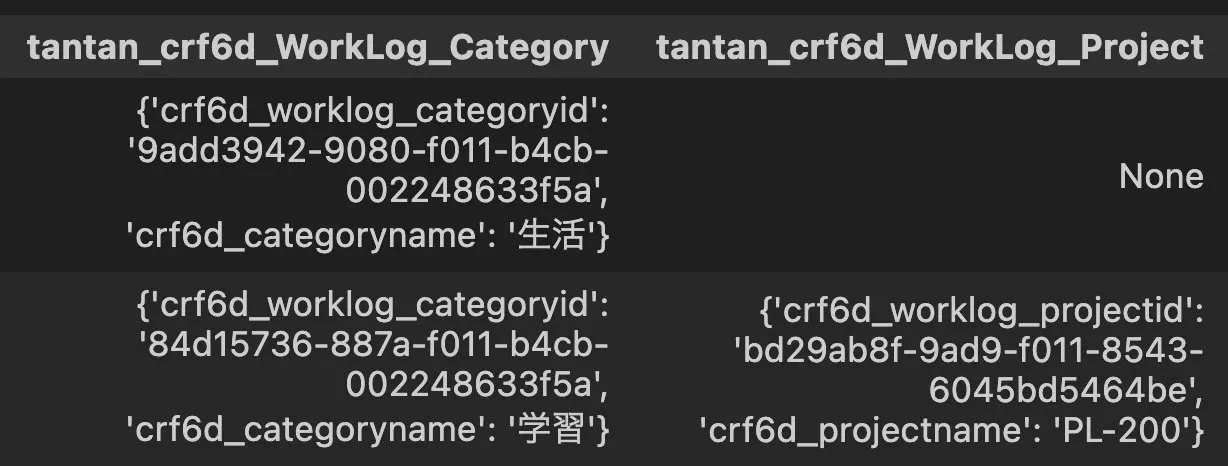
このままだと入れ子の構造になっていたりしてデータとして使えなかったのでこんな感じで整えるコードを書いてもらいました。
# バッチを展開
all_records = []
for batch in records:
    all_records.extend(batch)

# メタデータ除外 + ルックアップ列をフラット化
clean_records = []
for record in all_records:
    # @で始まるメタデータを除外
    clean_record = {k: v for k, v in record.items() if not k.startswith('@')}

    # ネストしたルックアップ列から値を取り出す
    if 'tantan_crf6d_WorkLog_Category' in clean_record and clean_record['tantan_crf6d_WorkLog_Category']:
        clean_record['CategoryName'] = clean_record['tantan_crf6d_WorkLog_Category'].get('crf6d_categoryname')
    else:
        clean_record['CategoryName'] = None

    # 元のネスト列は削除
    clean_record.pop('tantan_crf6d_WorkLog_Category', None)

    clean_records.append(clean_record)

df = pd.DataFrame(clean_records)
うまくできなかったパターン
検索列の取得結果が入れ子になっていた。
やってみた感想
- シークレットキーなどをノートブック内に持たないのは素晴らしい
- とにかく簡単で楽
- Pythonに取り込めるので、データ活用の幅が広がった
- 生成AIを使って、まず試してみるということができて、とてもいい勉強になった