
こんにちは。タイトルの通り、ブラウザにコピペで使える、認証情報が必要ないGETメゾットのScratch関連APIをわかる範囲で全部まとめてみた。これを見て面白いと思った人は、以下の記事を見てみると面白いと思う。
本記事は非公式であり、ScratchTeamの気まぐれによりAPIが改悪、変更される可能性がある、ということは覚えておいて欲しい。
謝辞
この文章は 1nfz.氏 (失踪済み)が書いたnoteの下書きを勝手に改良+更新したものです。作者の1nfz.氏に感謝します。
表記
可変部分の表記について、この記事では以下のように統一している。
[username] … Scratchの任意のユーザー名。
[projectID] … Scratchの任意のプロジェクトID。
[commentID] … Scratchの任意のコメントID。
[studioID] … Scratchの任意のスタジオID。
[classID] … Scratchの任意のクラスID。
[classtoken] … Scratchの任意のクラストークン。
[assetID] … ScratchのプロジェクトのアセットID。
[pagenumber] … ページ数。
[width] … 取得する画像の横の長さ。
[height] … 取得する画像の縦の長さ。
[postID] … フォーラムのポストID。
基本知識
ここでScratch APIを使う上で必要になる基本知識を確認しておこう。ただ、JSONって何?そもそもAPIって?という人はまずAIに聞こう。 今はググるのではなく、AIに聞く時代である。 https://ggrks.lol というサイトがあるように https://chprks.com/ というサイトもある。ただ、わざわざここまできて読もうとしてくれたそこの君をブラウザバックさせるのもいかがなものかと思うので、ChatGPTに説明してもらう。 Gemini信者によりGeminiに説明してもらう。
API (Application Programming Interface) とは
APIは、あるソフトウェアコンポーネントが別のコンポーネントと通信し、機能を利用するためのルールや手順の集合体です。異なるプログラム同士が情報をやり取りしたり、サービスを利用したりする際の「窓口」のような役割を果たします。例えば、天気予報のデータを提供するサービスがAPIを公開することで、他のアプリがそのデータを利用できるようになります。
JSON (JavaScript Object Notation) とは
JSONは、人間にとってもコンピューターにとっても読み書きしやすいデータ形式です。特にWebアプリケーション間でデータを交換する際によく使われ、属性と値のペア(例:
"name": "Taro")を構造化して表現します。JavaScriptのオブジェクト表記をベースとしていますが、多くのプログラミング言語で利用可能です。
パラメータについて
パラメータでAPIの返ってくる情報のフォーマットを設定できる。追加情報みたいな。
パラメータを指定する時は、URLの末尾に ?<パラメータ名>=<パラメータの内容> を追加する形式になる。例を示すと、以下のようになる。
https://api.scratch.mit.edu/news?limit=3
この場合は、limitパラメータが3ということだ。複数パラメータを指定するときは、以下のように、&で繋げる。
https://api.scratch.mit.edu/news?limit=3&offset=1
以下にScratchのAPIで使われるパラメータの一覧を示す。
limit
ScratchのAPIは、基本的にlimitというパラメータで長さを指定できる。上の例もそうだ。limitは基本40が上限で、超えるとエラーを返す。何も指定しないと20個返す。使う時は気をつけよう。
offset
offsetはlimitとセットで出てくることが多い。これは「最初のいくつを省略するか」という意味で、 0だと最初から出てくるが、1だと最初の1つが省略されて出てくる。 2以降もそう。(実際は最初が0番目という数え方をしていて、何番目から取得するかという形式だが、Scratchのリストは最初が1番目であるため、この説明にしている)
page
上の二つほど登場頻度は少ないが、比較的古いAPIにおいては上二つより多く出てくる。何ページ目を取得するか を設定できる。
max
3つの中ではおそらく一番登場頻度は少ないが、活動履歴APIでは基本これが使われる。取得する情報の個数を設定できる。 上限はないが活動履歴API自体に1年間しか記録しないという制限がある。
その他にもいくつかパラメータはあるが、あまり登場頻度は高くないのでここでの紹介はやめておく。登場した時にその都度説明する。
CORS制限について
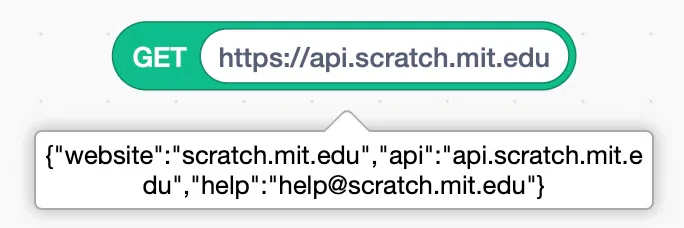
TurbowarpやPenguinModで情報を取得する際、CORS制限(Cross-Origin Resource Sharing制限)というものがあり、サイト上からのアクセスができないものがある。(空白が返ってくる)
ScratchのAPIはCORS制限があるもの・ないものに分かれている。

これから代表的な制限回避の方法を書いていく。
corsproxyを使う
corsproxyというサービスを使い、以下のようにすると制限を回避できる。
https://corsproxy.io/https://api.scratch.mit.edu/
ただし、大量にリクエストすると429 Too Many Requestsが返され何もできなくなるので注意。corsproxyが一番メジャーだが、動作がやや不安定だ。そんな時は以下のものも試してみてほしい。
https://api.allorigins.win/raw?url=https://api.scratch.mit.edu/
https://api.codetabs.com/v1/proxy/?quest=https://api.scratch.mit.edu/
https://api.cors.lol/?url=https://api.scratch.mit.edu/
https://thingproxy.freeboard.io/fetch/https://api.scratch.mit.edu/
Turbowarp Trampolineを使う (おすすめ)
Turbowarpは、このCORSを回避しつつ、キャッシュを利用し高速なデータ取得を可能にするAPIを提供している。この記事の下に使い方を書いたのでよかったら見ていってほしい。
ちなみに、Turbowarp DocsにCORSに関する記事がある。読んでおくとCORSに対する理解が深まると思う。
Safariを使う
Macユーザーなら、Safariが非常に強い。 Safariの開発者モードにクリスオリジンの制限を無効にする機能があり、それがとても有効だ。問題なく返答してくれるようになる。ただこの設定、便利だがセキュリティーが弱くなるので定期的にリセットされる仕様だ。うまくいかないと思ったら設定を確認して再起動しよう。設定方法は多分調べたら出てくるので各自でやってほしい。

拡張機能を使う
Chrome Web Storeで「CORS」と検索してみると、いくつかの拡張機能がヒットする。以下はその一例だ。
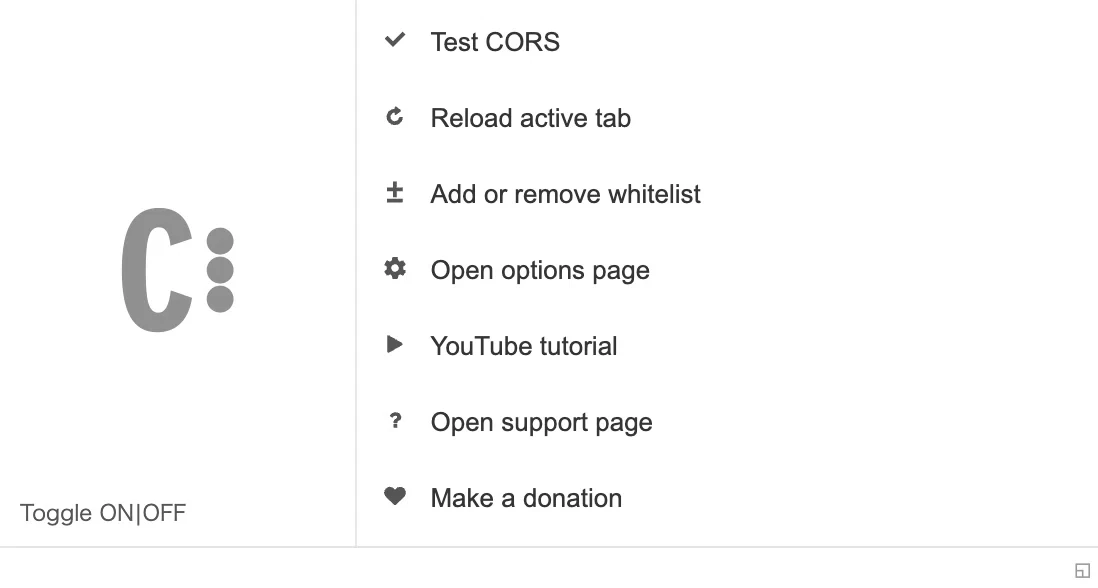
これを入れている間はCORS制限を回避できる。
使用している間はセキュリティが脆弱にもなるので(CSRFなど)、使用は限定的にしよう(常時つけっぱなしはNG)。
また、いくつかのサイトが正しく機能しなくなることがある(CloudFlareのCAPTCHAが表示されないなど)。基本的には切るようにしよう
Object
ScratchのAPIの返答はある程度固定化されていて、user object、project objectなど、返答に決まった型がある。 それらを後で繰り返し書くのもどうかと思うので、ここで型を把握しておく。
いんふ氏がここらへんの説明を雑に扱ったため、例のみの掲載とする。詳細な型などはここらへんを見てほしい。
まあこの記事にある例でもフィーリングで読み取れると思うので頑張ってほしい。
User Object
ユーザーの情報。
プロフィールIDの仕様はよくわからない。
{
  "id": 15883188,
  "username": "ScratchCat",
  "scratchteam": true,
  "history": {
    "joined": "2007-03-05T00:00:00.000Z"
  },
  "profile": {
    "id": 15047907,
    "images": {
      "90x90": "https://cdn2.scratch.mit.edu/get_image/user/15883188_90x90.png?v=",
      "60x60": "https://cdn2.scratch.mit.edu/get_image/user/15883188_60x60.png?v=",
      "55x55": "https://cdn2.scratch.mit.edu/get_image/user/15883188_55x55.png?v=",
      "50x50": "https://cdn2.scratch.mit.edu/get_image/user/15883188_50x50.png?v=",
      "32x32": "https://cdn2.scratch.mit.edu/get_image/user/15883188_32x32.png?v="
    },
    "status": "See @Scratchteam's account for starter projects.\n\nMrow! \n=^..^=",
    "bio": "Meow! Meow Meow purrrr lick meow!",
    "country": "United States"
  }
}
Project Object
プロジェクトの情報。
{
  "id": 1182391014,
  "title": "Happy Pride Month!",
  "description": "Remix this project to add yourself and help us celebrate this month, whether you identify as a member of the LGBTQ+ community or as an ally. Click the button on the top left to switch how Scratch Cat appears. Click the button on the top right to choose from different backgrounds and feel free to add your own Pride flag background if another aligns better with you. \n\nPride Month is a celebration of the Lesbian, Gay, Bisexual, Transgender, and Queer Community, in recognition of the impact LGBTQ+ folks have had on the world. It is celebrated each year in the month of June to honor the 1969 Stonewall riots in Manhattan, which were a tipping point in the movement for LGBTQ liberation in the United States. Today, celebrations are held around the world and include pride parades, picnics, parties, and more. \n\nSee here for more ideas: https://scratch.mit.edu/discuss/topic/825009/\n\nWhat will you create?\n=^..^=\n- - - -\nArtwork: Created in Illustrator, help from @ceebee and @algorithmar\nFont: Phosphate\n\nMusic: Neon Laser Horizon by Kevin MacLeod found on incompetech.com. Licensed under Creative Commons: By Attribution 3.0 License\nhttp://creativecommons.org/licenses/by/3.0/\n\nRainbow Wave and Pride Flag Backgrounds: Found in projects by @ceebee and edited https://scratch.mit.edu/projects/312251773\nhttps://scratch.mit.edu/projects/227280171\n\nConfetti: Found in a project by @MybestfriendisLulu and slightly edited. Thanks for the awesome confetti sprite! https://scratch.mit.edu/projects/376131450/",
  "instructions": "Happy Pride Month, everyone!\n\nRemix this project to add yourself and help us celebrate this month, whether you identify as a member of the LGBTQ+ community or as an ally. Click the button on the top left to switch how Scratch Cat appears. Click the button on the top right to choose from different backgrounds and feel free to add your own Pride flag background if another aligns better with you. \n\nScratch is a friendly and welcoming community for all ages, races, ethnicities, religions, abilities, sexual orientations, and gender identities, and we look forward to celebrating this month with you all ^.^ \n\nSee here for more ideas: https://scratch.mit.edu/discuss/topic/825009/",
  "visibility": "visible",
  "public": true,
  "comments_allowed": true,
  "is_published": true,
  "author": {
    "id": 15883188,
    "username": "ScratchCat",
    "scratchteam": false,
    "history": {
      "joined": "1900-01-01T00:00:00.000Z"
    },
    "profile": {
      "id": null,
      "images": {
        "90x90": "https://cdn2.scratch.mit.edu/get_image/user/15883188_90x90.png?v=",
        "60x60": "https://cdn2.scratch.mit.edu/get_image/user/15883188_60x60.png?v=",
        "55x55": "https://cdn2.scratch.mit.edu/get_image/user/15883188_55x55.png?v=",
        "50x50": "https://cdn2.scratch.mit.edu/get_image/user/15883188_50x50.png?v=",
        "32x32": "https://cdn2.scratch.mit.edu/get_image/user/15883188_32x32.png?v="
      }
    }
  },
  "image": "https://cdn2.scratch.mit.edu/get_image/project/1182391014_480x360.png",
  "images": {
    "282x218": "https://cdn2.scratch.mit.edu/get_image/project/1182391014_282x218.png?v=1748856359",
    "216x163": "https://cdn2.scratch.mit.edu/get_image/project/1182391014_216x163.png?v=1748856359",
    "200x200": "https://cdn2.scratch.mit.edu/get_image/project/1182391014_200x200.png?v=1748856359",
    "144x108": "https://cdn2.scratch.mit.edu/get_image/project/1182391014_144x108.png?v=1748856359",
    "135x102": "https://cdn2.scratch.mit.edu/get_image/project/1182391014_135x102.png?v=1748856359",
    "100x80": "https://cdn2.scratch.mit.edu/get_image/project/1182391014_100x80.png?v=1748856359"
  },
  "history": {
    "created": "2025-05-29T14:34:47.000Z",
    "modified": "2025-06-02T09:25:59.000Z",
    "shared": "2025-06-02T09:25:59.000Z"
  },
  "stats": {
    "views": 16270,
    "loves": 1237,
    "favorites": 950,
    "remixes": 614
  },
  "remix": {
    "parent": null,
    "root": null
  },
  "project_token": "1749540677_ae1e6f3d9f10401f6b8c992281ec46edccb58e2cb6da36c4c94867613a0b3f4456d9c3743ca51d6b131507677d8b73335e242105a76227d7a1396ee2a4fe4461"
}
複数同時取得するようなAPIだとremix数が0になったりproject_tokenがでてこなかったりするから気を付けてほしい。
Studio Object
スタジオの情報。
{
  "id": 37071074,
  "title": "Surprise Party! - Scratch Week 2025",
  "host": 15883188,
  "description": "English |\n\nShhh, don’t tell Scratch Cat… It’s a surprise! \n\nWe need your help to make this final day of Scratch Week a success. We’re throwing a surprise birthday bash for Scratch and you’re invited to the party planning team! Whether you want to design decorations, animate a big “Surprise!” moment, or build games and gifts for the celebration, this is your chance to help pull off the ultimate Scratch birthday party. Let’s all help make this birthday one to remember! \n\nLooking for ideas to get started?\n- Animate a surprise party scene for Scratch Cat and friends.\n- Create an interactive game where players must hide and then pop out yelling “Surprise!” at the right time.\n- Make a virtual birthday gift from Tera, Gobo, Pico, or your favorite Scratch character.\n- Build a decoration or party-planning simulator with balloons, banners, and cake.\n- Design a digital birthday card or surprise party invitation to invite others to join the celebration.\n- Make a Scratch trivia game that guests play at the party to win birthday-themed prizes!\n- Create an interactive art project that encourages others to add their own characters and surprise party decorations.\n\nNeed a little extra help getting started? Check out these projects and remix them to make them your own: https://scratch.mit.edu/projects/11806234 AND https://scratch.mit.edu/projects/1106806960 \n\nRemember, these are only suggestions! You are welcome to come up with your own ideas as well, or take inspiration from projects already in the studio. \n\nWhat will you create?\n=^..^=\n\n- - - -\nEnglish |  \n\nhttps://scratch.mit.edu/studios/37050244 ",
  "visibility": "visible",
  "public": true,
  "open_to_all": false,
  "comments_allowed": true,
  "image": "https://cdn2.scratch.mit.edu/get_image/gallery/37071074_170x100.png",
  "history": {
    "created": "2025-05-16T09:26:04.000Z",
    "modified": "2025-05-16T09:27:00.000Z"
  },
  "stats": {
    "comments": 100,
    "followers": 3353,
    "managers": 2,
    "projects": 100
  }
}
Comment Object
コメントの情報。
{
  "id": 447648029,
  "parent_id": 447647641,
  "commentee_id": 141638754,
  "content": "Please use the Report button for moderation issues.",
  "datetime_created": "2025-01-21T20:37:44.000Z",
  "datetime_modified": "2025-01-21T20:37:44.000Z",
  "visibility": "visible",
  "author": {
    "id": 49156,
    "username": "Paddle2See",
    "scratchteam": true,
    "image": "https://cdn2.scratch.mit.edu/get_image/user/49156_60x60.png"
  },
  "reply_count": 0
}
Class Object
{
  "id": 156,
  "title": "Grade 5 Rotation 5",
  "description": "",
  "status": "",
  "date_start": "2016-02-04T00:00:00.000Z",
  "date_end": null,
  "images": {
    "250x150": "https://cdn2.scratch.mit.edu/get_image/classroom/156_250x150.png?v=",
    "170x100": "https://cdn2.scratch.mit.edu/get_image/classroom/156_170x100.png?v=",
    "150x85": "https://cdn2.scratch.mit.edu/get_image/classroom/156_150x85.png?v=",
    "75x55": "https://cdn2.scratch.mit.edu/get_image/classroom/156_75x55.png?v="
  },
  "educator": {
    "id": 14632305,
    "username": "scratchteacheralpha001",
    "scratchteam": false,
    "history": {
      "joined": "2016-01-29T17:03:29.000Z"
    },
    "profile": {
      "id": 13797453,
      "images": {
        "90x90": "https://cdn2.scratch.mit.edu/get_image/user/14632305_90x90.png?v=",
        "60x60": "https://cdn2.scratch.mit.edu/get_image/user/14632305_60x60.png?v=",
        "55x55": "https://cdn2.scratch.mit.edu/get_image/user/14632305_55x55.png?v=",
        "50x50": "https://cdn2.scratch.mit.edu/get_image/user/14632305_50x50.png?v=",
        "32x32": "https://cdn2.scratch.mit.edu/get_image/user/14632305_32x32.png?v="
      },
      "status": "",
      "bio": "",
      "country": "United States"
    }
  }
}
News Object
{
  "id": 724656224564543500,
  "stamp": "2023-08-03T18:07:09.000Z",
  "headline": "Announcing Youth Leadership Lab!",
  "url": "https://scratch.mit.edu/discuss/topic/825188/",
  "image": "https://64.media.tumblr.com/c83273b16d28ab82f5c0b34b23346115/22145c27fae5e44b-10/s540x810/4eaa600dad1fea0e39b1b0c45af8f253bf4ec20b.png",
  "copy": "We are excited to announce the launch of a Youth Leadership Lab and Mentor Program for Scratch! Learn more here."
}
これ、よく見るとstampの値が2年ぐらい間違ってるんだよね...
2.0 Project Object
site-api上のプロジェクトの情報。
{
    "fields": {
      "view_count": 16203,
      "favorite_count": 948,
      "remixers_count": 703,
      "creator": {
        "username": "ScratchCat",
        "pk": 15883188,
        "thumbnail_url": "//uploads.scratch.mit.edu/users/avatars/15883188.png",
        "admin": true
      },
      "title": "Happy Pride Month!",
      "isPublished": true,
      "datetime_created": "2025-05-29T14:34:47",
      "thumbnail_url": "//uploads.scratch.mit.edu/projects/thumbnails/1182391014.png",
      "visibility": "visible",
      "love_count": 1233,
      "datetime_modified": "2025-06-02T09:25:59",
      "uncached_thumbnail_url": "//cdn2.scratch.mit.edu/get_image/project/1182391014_100x80.png",
      "thumbnail": "1182391014.png",
      "datetime_shared": "2025-06-02T09:25:59",
      "commenters_count": 101
    },
    "model": "projects.project",
    "pk": 1182391014
  }
Video Object
ビデオの情報。
{
  "videoId": "9C_wblf4FIE",
  "publishedAt": "2023-09-09T19:00:04Z",
  "title": "Create a Sprite with the Scratch Paint Editor | Tutorial",
  "thumbnail": "https://i.ytimg.com/vi/9C_wblf4FIE/maxresdefault.jpg",
  "channel": "Scratch Team",
  "channelId": "UCjcQmKeifVUUH5s4E4OrMhg",
  "uploadTime": "1 year ago",
  "length": "2:16",
  "views": "81962",
  "hasCC": true
}
Remixtree Project Object
リミックスツリーのプロジェクトの情報。
API自体が廃止されたため、見ることはなくなった。
{
  "username": "ScratchCat",
  "moderation_status": "safe",
  "ctime": { "$date": 1748530009066 },
  "title": "Happy Pride Month!",
  "datetime_created": { "$date": 1748529287000 },
  "parent_id": null,
  "visibility": "visible",
  "love_count": 1681,
  "mtime": { "$date": 1751016407008 },
  "datetime_shared": { "$date": 1748856359000 },
  "children": [
    "1183637461",
    "1183637740",
    "1182395194",
    "1183637729",
    "1183638682",
    "1183637189",
    "1183638762",
    "1183640494",
    "1183644443",
    "1183645652",
    "..."
  ],
  "favorite_count": 1297,
  "is_published": true
}
Clouddata object
クラウド変数のログの情報。
{
  "user": "ScratchCat",
  "verb": "set_var",
  "name": "☁ cloud",
  "value": "1",
  "timestamp": 1749632385759
}
少しここで余談だが、実際Scratch APIを使う時はみなさんどう使うだろうか?Turbowarp?Python?
Pythonと言ったそこの君! とてもいいツールがある。
どうせScratchAttachだろう? と思ったかもしれない。いや違う。
Scapiという最強のツールがある。 (癒着)
このツール、技術者から高く評価されている。Pythonを使ったことがある人、ScratchAttachを触ったことがある人、 ぜひ使ってみて欲しい。
導入はこちらから↓
ガチで下書きに書いてあったやつである。
癒着なんてしてたっけ(すっとぼけ)
api.scratch.mit.edu
ScratchTeamは気まぐれを極めているので、エンドポイントがたくさんある。そんな中で今おそらく一番メジャーなapiがこれだ。CORS制限があるので注意。
/
メイン情報を取得。
{
  "website": "scratch.mit.edu",
  "api": "api.scratch.mit.edu",
  "help": "help@scratch.mit.edu"
}
/health
サーバー状態を取得。
{
  "version": " scratch-api-f205902826",
  "uptime": 14977103.06,
  "load": [0.16, 0.2, 0.18],
  "sql": {
    "main": {
      "primary": {
        "ssl": true,
        "destroyed": false,
        "min": 0,
        "max": 40,
        "numUsed": 0,
        "numFree": 2,
        "pendingAcquires": 0,
        "pendingCreates": 0
      },
      "replica": {
        "ssl": true,
        "destroyed": false,
        "min": 0,
        "max": 40,
        "numUsed": 4,
        "numFree": 12,
        "pendingAcquires": 0,
        "pendingCreates": 0
      }
    },
    "project_comments": {
      "primary": {
        "ssl": true,
        "destroyed": false,
        "min": 0,
        "max": 4,
        "numUsed": 0,
        "numFree": 1,
        "pendingAcquires": 0,
        "pendingCreates": 0
      },
      "replica": {
        "ssl": true,
        "destroyed": false,
        "min": 0,
        "max": 4,
        "numUsed": 0,
        "numFree": 2,
        "pendingAcquires": 0,
        "pendingCreates": 0
      }
    },
    "gallery_comments": {
      "primary": {
        "ssl": true,
        "destroyed": false,
        "min": 0,
        "max": 4,
        "numUsed": 0,
        "numFree": 1,
        "pendingAcquires": 0,
        "pendingCreates": 0
      },
      "replica": {
        "ssl": true,
        "destroyed": false,
        "min": 0,
        "max": 4,
        "numUsed": 0,
        "numFree": 1,
        "pendingAcquires": 0,
        "pendingCreates": 0
      }
    },
    "userprofile_comments": {
      "primary": {
        "ssl": true,
        "destroyed": false,
        "min": 0,
        "max": 4,
        "numUsed": 0,
        "numFree": 0,
        "pendingAcquires": 0,
        "pendingCreates": 0
      },
      "replica": {
        "ssl": true,
        "destroyed": false,
        "min": 0,
        "max": 4,
        "numUsed": 0,
        "numFree": 0,
        "pendingAcquires": 0,
        "pendingCreates": 0
      }
    }
  },
  "timestamp": 1749457658667,
  "cache": {
    "connected": true,
    "ready": true
  }
}
これ、情報に何の意味があるのかも分かってないし値もころころ変わるのでよくわかっていない。そもそもサーバーが落ちているときはこのAPIすら使えないし。
/news
Scratchニュースを取得。limitとoffsetのパラメータを使用できる。News Objectの配列を返す。
/users/[username]
ユーザー情報を取得。User Objectを返す。
/users/[username]/messages/count
ユーザーの未読メッセージ数を取得。
{
  "count": 75668
}
/users/[username]/projects
ユーザーが共有中の作品の情報を取得。Project Objectの配列を返す。limitとoffsetのパラメータを使用できる。
/users/[username]/projects/[projectID]
ユーザーが共有中の作品のうち特定の一つの情報を取得。Project Objectを返す。[projectID]は指定したユーザーの作品でないとエラーを返す。ただ実際は、https://api.scratch.mit.edu/projects/[projectID]を使った方が良い。
/users/[username]/studios/curate
ユーザーが参加しているスタジオの情報を取得。Studio Objectの配列を返す。limitとoffsetのパラメータを使用できる。
/users/[username]/favorites
ユーザーがお気に入りを押したプロジェクトの情報を取得。Project Objectの配列を返す。limitとoffsetのパラメータを使用できる。
/users/[username]/followers
ユーザーのフォロワー情報を取得。User Objectの配列を返す。limitとoffsetのパラメータを使用できる。
/users/[username]/following
ユーザーのフォロー中のユーザー情報を取得。User Objectの配列を返す。limitとoffsetのパラメータを使用できる。
/users/[username]/projects/[projectID]/comments
ユーザーのプロジェクトのコメントの情報を取得。最新のコメントから返す。limitとoffsetのパラメータを使用できる。Comment Objectの配列を返す。ただし返信は表示されないので、それは後述するAPIでの別途取得が必要となる。この場合、先ほどのようにhttps://api.scratch.mit.edu/projects/[projectID]/commentsのようにはできない。404を返す。
/users/[username]/projects/[projectID]/comments/[commentID]
ユーザーのプロジェクトの特定のコメントの情報を取得。Comment Objectを返す。
/users/[username]/projects/[projectID]/comments/[commentID]/replies
ユーザーのプロジェクトの特定の一つのコメントの返信の情報を取得。Comment Objectの配列を返す。
/projects/[projectID]
プロジェクト情報を取得。Project Objectを返す。
/projects/[projectID]/remixes
プロジェクトのリミックス作品の情報を取得。Project Objectの配列を返す。limitとoffsetのパラメータを使用できる。
/projects/[projectID]/studios
プロジェクトが入れられているスタジオの情報を取得。Studio Objectの配列を返す。limitとoffsetのパラメータを使用できる。
/studios/[studioID]
スタジオの情報を取得。Studio Objectを返す。
/studios/[studioID]/projects
スタジオのプロジェクトの情報を取得。Project Objectを返す。
/studios/[studioID]/comments
スタジオのコメントの情報を取得。Comment Objectの配列を返す。limitとoffsetのパラメータを使用できる。
/studios/[studioID]/comments/
スタジオの特定のコメントの情報を取得。Comment Objectを返す。
/studios/[studioID]/comments//replies
スタジオの特定のコメントの返信の情報を取得。Comment Objectの配列を返す。
/studios/[studioID]/curators
スタジオのキュレーターの情報を取得。User Objectの配列を返す。limitとoffsetのパラメータを使用できる。
/studios/[studioID]/managers
スタジオのマネージャーの情報を取得。User Objectの配列を返す。limitとoffsetのパラメータを使用できる。
/studios/[studioID]/activity
スタジオの活動履歴の情報を取得。limitパラメータを使用できる。を返す。dateLimitというこのAPI独自のパラメータも使用でき、ISO 8601の時間表記を採用している。2025-05-27T05%3A15%3A56.000Zのように指定する。(コロン":"は%3Aとパーセントエンコーディングされる)
/explore/projects
「見る」のページのプロジェクトの情報を取得。limitとoffsetのパラメータを使用できる。また、これに関しては専用のパラメータがいくつかある。
- language パラメータ
どの言語の情報を取得するかを指定できる。国コードは以下の一覧から確認できる。639-1の2文字のコードだ。
主要な言語コードを以下に示す。
ja … 日本語
ja-Hira … にほんご(ひらがな)
en … 英語
zh-cn … 簡体中文
zh-tw … 繁体中文
- mode パラメータ
取得アルゴリズムを変更できる。モードは三種類あり、以下のようになっている。
popular … 「見る」ページの「人気」順。
trending … 「見る」ページの「傾向」順。
recent … 「見る」ページの「最近」順。廃止済み
- q パラメータ
取得するもののジャンルを設定できる。
* … 「すべて」
animations … 「アニメーション」
art … 「アート」
games … 「ゲーム」
music … 「音楽」
stories … 「物語」
tutorial … 「チュートリアル」
/explore/studios
「見る」ページのスタジオの情報を取得。limitとoffsetのパラメータを使用できる。前述したlanguage、modeとqパラメータも使用できる。
/search/projects
プロジェクトの検索の情報を取得。limitとoffsetのパラメータを使用できる。前述したlanguage、modeとqパラメータも使用できるが、qパラメータは取得するジャンルではなく検索ワードになる。
/search/studios
スタジオの検索の情報を取得。limitとoffsetのパラメータを使用できる。前述したlanguage、modeとqパラメータも使用できるが、qパラメータは取得するジャンルではなく検索ワードになる。
/classrooms/[classID]
クラスの情報を取得。Class Objectを返す。終了したクラスだと404を返す。
/classtoken/[classtoken]
クラストークンからクラスの情報を取得。Class Objectを返す。classtokenというのは、アルファベット小文字と数字の9文字の混合列で、クラスに参加するための招待コードのようなものだ。教師アカウントのみが発行できる。
/proxy/featured
メイン画面で掲載されている作品の情報を返す。ただなんか直接アクセスしても毎回エラーを吐くのでよくわからない。
というのも、レスポンス自体はjsonなのに application/xml とかレスポンスヘッダーに書き始めるせいでプラウザが不正な内容だと判断しているだけである。
/projects/count/all
これまで作られたプロジェクトの合計数の情報を返す。ただこれ、あまりにも遅いため使い物にならない。使えた試しがないが以下のように返ってくる(らしい)。
{
  "count": 1186786402
}
scratch.mit.edu/site-api
Scratch2.0関連のAPI(だと思われる)。色々謎仕様が多い。limitとoffsetのパラメータは基本的に使えず、pageパラメータを代わりに使用する。これはあまり使いやすいわけではないので、api.scratch.mit.eduを使った方が良い。CORS制限はない。
ログインしていればログインが必要なAPIも直接利用できるところは良いポイントである。
/comments/user/[username]
ユーザーのプロフィールのコメント情報を取得。一発で返信も取得できるが、応答がHTMLとかいう終わってる仕様。usersじゃなくてuserなので注意。なかなか使いづらいので使う場合は覚悟が必要。
/comments/project/[projectID]
プロジェクトのコメント情報を取得。上のものと同様HTMLを返す。普通にhttps://api.scratch.mit.edu/users/[username]/projects/[[projectID]/commentsを使った方が良い。
/comments/gallery/[studioID]
スタジオのコメント情報を取得。上のものと同様HTMLを返す。普通にhttps://api.scratch.mit.edu/studios/[studioID]/commentsを使った方が良い。
/users/all/[username]
ユーザーの注目のプロジェクトの情報を取得。
{
  "featured_project_label_name": "これをリミックスして!",
  "featured_project_data": {
    "creator": "ScratchCat",
    "thumbnail_url": "//uploads.scratch.mit.edu/projects/thumbnails/1182391014.png",
    "id": 1182391014,
    "datetime_modified": "2025-06-02T09:25:59",
    "title": "Happy Pride Month!"
  },
  "featured_project": 1182391014,
  "thumbnail_url": "//uploads.scratch.mit.edu/users/avatars/15883188.png",
  "user": {
    "username": "ScratchCat*",
    "pk": 15883188
  },
  "featured_project_label_id": 2,
  "id": 15047907
}
/projects/shared/[username]
ユーザーが共有したプロジェクトの情報を取得。2.0 Project Object配列を返す。
/classrooms/activity/public/[classID]
クラスの活動履歴の情報を取得。これもHTMLで返ってくる仕様。
scratch.mit.edu/messages/ajax
今は一つしか紹介していないが、実際にはGETメゾット以外のAPIが他にあるため、これを一つのエンドポイントとして扱っている。CORS制限はない。
/user-activity
ユーザーの活動履歴を取得。HTMLで返ってくる仕様。パラメータにuserが必要。なのでhttps://scratch.mit.edu/messages/ajax/user-activity/?user=ScratchCatような使い方になる。
scratch.mit.edu/statistics/data
Scratchの統計情報を返す。https://scratch.mit.edu/statistics のAPIだと思われる。
このAPIは全てに_TSというキーがあり、UNIX時間で情報の更新日時が書かれている。CORS制限がある。
/daily
Scratchの活動情報を返す。
{
  "PROJECT_COUNT": 164307034,
  "USER_COUNT": 135078559,
  "STUDIO_COUNT": 34866300,
  "COMMENT_COUNT": 989937824,
  "PROJECT_COMMENT_COUNT": 399349632,
  "PROFILE_COMMENT_COUNT": 330786513,
  "STUDIO_COMMENT_COUNT": 259801679,
  "_TS": 1720917651.072025
}
/monthly-ga
1ヶ月のScratchの活動情報を返す。パスの末尾のgaはGoogle AnalyticsのGAだろう。
{
  "_TS": 1724599063.617775,
  "pageviews": "796345748",
  "users": "36308462",
  "sessions": "109391637"
}
/monthly
Scratchの1ヶ月ごとの詳細な活動情報を返す。これに関しては具体例を出すと異常な長さになるので例でなく返答の形式を示す。可変部分は以下の通り。
number … 数値データ
timestamp … UNIX時間(ミリ秒)
color … #から始まる16進数カラーコード
string … データの名前
CountryName … 国の名前
TS … UNIX時間のタイムスタンプ"…"では同じ形式のデータが続くことを示している。
{
  "comment_data": [
    {
      "values": [
        {
          "y": "number",
          "x": "timestamp"
        },
        "..."
      ],
      "key": "string"
    },
    {
      "color": "string",
      "values": [
        {
          "y": "number",
          "x": "timestamp"
        },
        "..."
      ],
      "key": "string"
    },
    "..."
  ],
  "_TS": "TS",
  "activity_data": [
    {
      "values": [
        {
          "y": "number",
          "x": "timestamp"
        },
        "..."
      ],
      "key": "string"
    },
    {
      "color": "string",
      "values": [
        {
          "y": "number",
          "x": "timestamp"
        },
        "..."
      ],
      "key": "string"
    },
    "..."
  ],
  "active_user_data": [
    {
      "values": [
        {
          "y": "number",
          "x": "timestamp"
        },
        "..."
      ],
      "key": "string"
    },
    {
      "color": "string",
      "values": [
        {
          "y": "number",
          "x": "timestamp"
        },
        "..."
      ],
      "key": "string"
    }
  ],
  "project_data": [
    {
      "values": [
        {
          "y": "number",
          "x": "timestamp"
        },
        "..."
      ],
      "key": "string"
    },
    {
      "color": "string",
      "values": [
        {
          "y": "number",
          "x": "timestamp"
        },
        "..."
      ],
      "key": "string"
    }
  ],
  "country_distribution": {
    "CountryName": "number",
    "...": "..."
  },
  "age_distribution_data": [
    {
      "values": [
        {
          "y": "number",
          "x": "number"
        },
        "..."
      ],
      "key": "string"
    }
  ]
}
scratch.mit.edu/ideas/videos
アイデアページで使われているAPI。Scratch公式のYouTubeの動画の情報関連。
/sprites-and-vectors
スプライトとベクター描画に関する公式のYouTubeの動画の情報を返す。Video Objectを返す。
/tips-and-tricks
ヒントとコツに関する公式のYouTubeの動画の情報を返す。Video Objectを返す。
/advanced-topics
Advanced Topicsに関する公式のYouTubeの動画の情報を返す。Video Objectを返す。
scratch.mit.edu
その他エンドポイントのAPIまとめ。
/projects/[projectID]/remixtree/bare
プロジェクトのリミックス構造を取得。ここでNFEが確認できる。ただなぜかこのAPIはcontent-typeがtext/plainとして返ってくる。そのためブラウザのJSON整形が機能しない。
以下のように返ってくる。{ … } はRemixtree Project Objectだ。
APIは廃止されました。
{
  "1182391014": { "..." },
  "1182395194": { "..." },
  "1183637461": { "..." },
  "1183637740": { "..." },
  "1183637729": { "..." },
  "1183638682": { "..." },
  "1183637189": { "..." },
  "1183638762": { "..." },
  "1183640494": { "..." },
  "1183644443": { "..." },
  "1183645652": { "..." },
  "root_id": "1182391014"
}
/accounts/check_username/
特定の文字列がアカウント名として使えるかを取得。
[
  {
    "username": "ScratchCat",
    "msg": "username exists"
  }
]
/health
サーバー状態を取得。これもテキストとして返ってくる。
{
  "healthy": true
}
ただこれはhttps://api.scratch.mit.edu/healthの完全な下位互換で、正常に機能しているかもよくわからない。
projects.scratch.mit.edu
ここからは用途が限定されたAPIになる。
/[projectID]
プロジェクトのproject.jsonを取得する。ただし、sb3をzipとしてAPIを直接叩いてアップロードした作品の場合、zipがテキストとして返ってくるのでとんでもないことになる。TokenパラメータでProject Tokenを指定する必要がある。Project Tokenはhttps://api.scratch.mit.edu/projects/[projectID]で取得できる。
サーバーには .sb .sb2 .sb3 .sb2のjson .sb3のjsonがアップロードされている。
また、現在.sbファイル以外はapiを直接叩くことによりアップロードできる。
流石にProject JSONの仕様はここで書くわけにはいかないので、もし詳細が知りたいなら別を当たってほしい。
assets.scratch.mit.edu
アセットデータ。
/internalapi/asset/[assetID]/get
アセットのデータを取得する。ブラウザに直接貼り付けるとダウンロードされることが多い。assetIDはproject.jsonに書いてあるのを見るか、ファイルのMD5ハッシュを生成することでわかる。assetIDの後に拡張子をつける必要あり。
/[assetID] でもダウンロードできる。 公式がなぜこんなよくわからんAPIを使用しているかは不明。
追記: /internalapi/asset/[assetID]/get はCORS制限がない。 もし外部から使うのであればこっちを使うべきだ。
uploads.scratch.mit.edu
画像データ。ブラウザに直接貼り付けるとダウンロードされるものと、されないものがある。このAPIの[projectID], [studioID], [userID], [classID]はすべてdefaultに置き換えることでデフォルトの画像を取得できる。
/projects/thumbnails/[projectID].png
プロジェクトのサムネイル画像を取得。ブラウザに直接貼り付けるとダウンロードされる(application/octet-streamとして返ってくる)。メインページの「注目のプロジェクト」のサムネイル画像取得のみに使われている。
/get_image/project/[projectID]_[width]x[height].png
プロジェクトのサムネイル画像を取得。ブラウザに直接貼り付けてもダウンロードされない(image/pngとして返ってくる)。上記の場合以外のサムネイル画像取得にはすべてこれが使われている。
/galleries/thumbnails/[studioID].png
スタジオのサムネイル画像を取得。ブラウザに直接貼り付けるとダウンロードされる(application/octet-streamとして返ってくる)。メインページの「注目のスタジオ」のサムネイル画像取得のみに使われている。
/get_image/gallery/[studioID]_[width]x[height].png
スタジオのサムネイル画像を取得。ブラウザに直接貼り付けてもダウンロードされない(image/pngとして返ってくる)。上記の場合以外のサムネイル画像取得にはすべてこれが使われている。
/users/avatars/[userID].png
ユーザーのアイコン画像を取得。ブラウザに直接貼り付けてもダウンロードされない(image/pngとして返ってくる)。メインページの「最新の情報」のアイコン画像取得のみに使われている。
/get_image/user/[userID]_[width]x[height].png
ユーザーのアイコン画像を取得。ブラウザに直接貼り付けてもダウンロードされない(image/pngとして返ってくる)。上記の場合以外のアイコン画像取得にはすべてこれが使われている。
/get_image/classroom/[classID]_[width]x[height].png
クラスのアイコン画像を取得。ブラウザに直接貼り付けてもダウンロードされない(image/pngとして返ってくる)。
clouddata.scratch.mit.edu
クラウド変数。
/logs
クラウド変数の変更ログを取得する。projectidパラメータで作品のIDを指定する。limitとoffsetのパラメータを使用できる。timestampはUNIXはミリ秒。Clouddata Objectの配列を返す。
synthesis-service.scratch.mit.edu
音声合成拡張機能。
/
音声合成拡張機能のサーバーの状態を取得。
{
  "ok": true
}
/synth
テキストから読み上げ音声を取得。localeパラメータで言語、genderパラメータで性別、textパラメータでテキストを指定する。言語コードはBCP 47形式だ。パラメータをつけると以下のようになる。
https://synthesis-service.scratch.mit.edu/synth?locale=en-US&gender=male&text=hello
translate-service.scratch.mit.edu
翻訳拡張機能。
/
翻訳拡張機能のサーバーの状態を取得。
{
  "ok": true
}
/translate
テキストの翻訳を取得。languageパラメータで言語を、textパラメータでテキストを指定する。
{
  "result": "こんにちは"
}
languageパラメータは先述した/explore/projectsのlanguageパラメータと同じものが使える。
backpack.scratch.mit.edu
バックパック機能。
/
バックパック機能のサーバーの状態を取得。なぜか幽霊の絵文字を返す。
{
  "ok": "👻"
}
[assetID]
アセットのデータを取得する。assets.scratch.mit.eduのバックパック版。ブラウザに直接貼り付けてもダウンロードされないことが多い。assetIDはproject.jsonに書いてあるのを見るか、ファイルのMD5ハッシュを生成することでわかる。assetIDの後に拡張子をつける必要あり。
実際は/[username]でバックパックを取得するわけだが、この記事では「ブラウザに貼り付けて使える」もの(=認証情報が必要ないもの)に限定しているため割愛する。
telemetry.scratch.mit.edu
Scratch Desktopからの情報収集に使っているらしい。
/
テレメトリデータのサーバーの状態を取得。
{
  "status": 200
}
trampoline.turbowarp.org
ここからScratch非公式APIに入る。
Turbowarpで使われている、CORS制限回避のためのAPI。キャッシュ処理を長めに設定していて、Scratchへのリクエストを最小回数に抑えるよう工夫がなされている。パスの/api/は/proxy/に変更しても動作する。CORS制限は当然ない。
/api/projects/[projectID]
プロジェクト情報を取得。Project Objectを返す。(https://api.scratch.mit.edu/projects/[projectID])
/api/users/[username]
ユーザー情報を取得。User Objectを返す。(https://api.scratch.mit.edu/users/[username])
/api/studios/[studioID]/projects
スタジオのプロジェクトの情報を取得。Project Objectを返す。offsetのパラメータが使用できる。(https://api.scratch.mit.edu/studios/[studioID]/projects)
/api/studios/[studioID]/projectstemporary/[pagenumber]
スタジオのプロジェクトの情報を取得。Project Objectを返す。
/thumbnails/[projectID]
プロジェクトのサムネイル画像を取得。
/avatars/[userID]
ユーザーのアイコン画像を取得。
/avatars/by-username/[username]
ユーザーのアイコン画像をユーザー名から取得。
my-ocular.jeffalo.net
Jeffalo氏のOcularのAPI。フォーラムの投稿へのリアクションなどのAPIを提供している。
/api/user/[username]
ユーザーのステータスを取得。
{
  "_id": "5fb91a89532f943b9046e3ba",
  "name": "Jeffalo",
  "status": "{joke}",
  "color": "#0fbd8c",
  "admin": true,
  "meta": {
    "updated": "2021-05-09T13:24:30.021Z",
    "updatedBy": "Jeffalo"
  }
}
/api/reactions/[postID]
フォーラムの投稿へのリアクションを取得。
[
  {
    "emoji": "👍",
    "reactions": []
  },
  {
    "emoji": "👎",
    "reactions": []
  },
  {
    "emoji": "😄",
    "reactions": []
  },
  {
    "emoji": "🎉",
    "reactions": []
  },
  {
    "emoji": "😕",
    "reactions": []
  },
  {
    "emoji": "❤️",
    "reactions": []
  },
  {
    "emoji": "🚀",
    "reactions": [
      {
        "_id": "60981f3ba1422d902532f0da",
        "post": "5213429",
        "user": "Jeffalo",
        "emoji": "🚀"
      }
    ]
  },
  {
    "emoji": "👀",
    "reactions": []
  }
]
jeffalo.net
jeffalo氏の雑用API。
/api/nfe
プロジェクトのNFE(Not For Everyone)状態を取得。
元凶APIが廃止されたため、使用不可
{
  "status": "notsafe"
}
若干不安定なのでhttps://scratch.mit.edu/projects/<projectID>/remixtree/bareを使うと良い。
scratory.vercel.app
scratoryのAPI。
/api/user/[username]
ユーザーの情報を取得。ScratchDBが壊れているためあまりこれを使う価値はない。
{
  "userData": {
    "id": 15883188,
    "username": "ScratchCat",
    "scratchteam": true,
    "history": {
      "joined": "2007-03-05T00:00:00.000Z"
    },
    "profile": {
      "id": 15047907,
      "images": {
        "90x90": "https://cdn2.scratch.mit.edu/get_image/user/15883188_90x90.png?v=",
        "60x60": "https://cdn2.scratch.mit.edu/get_image/user/15883188_60x60.png?v=",
        "55x55": "https://cdn2.scratch.mit.edu/get_image/user/15883188_55x55.png?v=",
        "50x50": "https://cdn2.scratch.mit.edu/get_image/user/15883188_50x50.png?v=",
        "32x32": "https://cdn2.scratch.mit.edu/get_image/user/15883188_32x32.png?v="
      },
      "status": "See @Scratchteam's account for starter projects.\n\nMrow! \n=^..^=",
      "bio": "Meow! Meow Meow purrrr lick meow!",
      "country": "United States"
    }
  },
  "signatureHistory": {
    "error": "FetchError",
    "exception": "FetchError: request to https://scratchdb.lefty.one/v3/forum/user/history/ScratchCat failed, reason: certificate has expired"
  },
  "forumData": {
    "error": "FetchError",
    "exception": "FetchError: request to https://scratchdb.lefty.one/v3/forum/user/info/ScratchCat failed, reason: certificate has expired"
  }
}
data.scratchtools.app
ScratchToolsのAPI。
/isonline/[username]
オンライン状態を取得。
{
  "online": false,
  "scratchtools": false
}
/name/[username]
ディスプレイネームを取得。
{
  "username": "ScratchCat",
  "displayName": "Da Coolest Cat"
}
/status/[username]
ユーザーの絵文字ステータスを取得。
{
  "status": "😻"
}