
はじめに
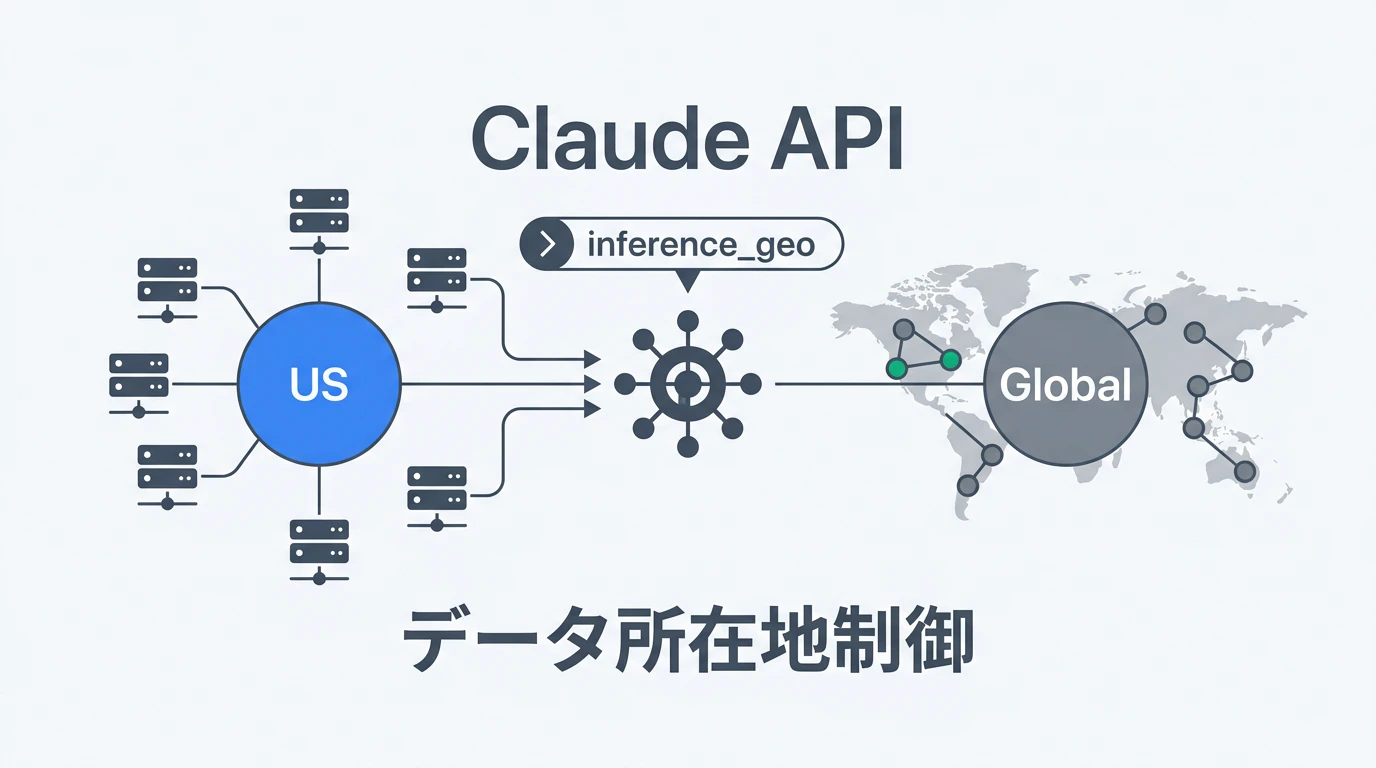
Claude Opus 4.6(2026年2月リリース)から、Anthropic の Claude API に大きな変更が加わりました。エンタープライズ向けの データ所在地制御(Data Residency) が正式提供され、API 呼び出しごとに推論を実行する地域(US / グローバル)を指定できるようになっています。
また、組織全体の API 使用量・コストをプログラムで取得・分析できる Usage & Cost Admin API も一般提供(GA)となりました。GDPR や各国のデータ規制への対応が求められるエンタープライズ開発チームにとって、実用性の高い機能です。
本記事では、以下の内容を公式ドキュメントをもとに解説します。
この記事で学べること
-
inference_geoパラメータによるリクエストレベルのデータ所在地制御 - ワークスペースレベルでの地域ポリシー適用方法
- Usage API で使用量をプログラム取得する方法
- Cost API でコストレポートを生成する方法
- データ所在地別の使用量を追跡・可視化するパターン
対象読者
- Claude API を業務システムに組み込んでいるエンジニア
- GDPR・各国のデータ規制へのコンプライアンス対応を担当するチーム
- API 使用量・コストの分析・アラート基盤を構築したい FinOps チーム
前提環境
- Python 3.10+
-
anthropicSDK(pip install anthropic) - Anthropic 組織アカウントとスタンダード API キー(通常リクエスト用)
- Admin API キー(Usage・Cost API 用、
sk-ant-admin...形式)
TL;DR
-
inference_geo: "us"を API リクエストに追加するだけで、US 内のインフラのみで推論を実行できる - ワークスペース設定で
allowed_inference_geosを設定すると、組織全体のポリシーを強制適用できる - US-only 推論は標準料金の 1.1 倍(Claude Opus 4.6 以降のモデルのみ)
- Admin API キーを使うと、
inference_geoディメンションで地域別使用量を追跡できる -
inference_geoパラメータは Claude Opus 4.6 以降のモデル専用(旧モデルは 400 エラー)
データ所在地制御とは
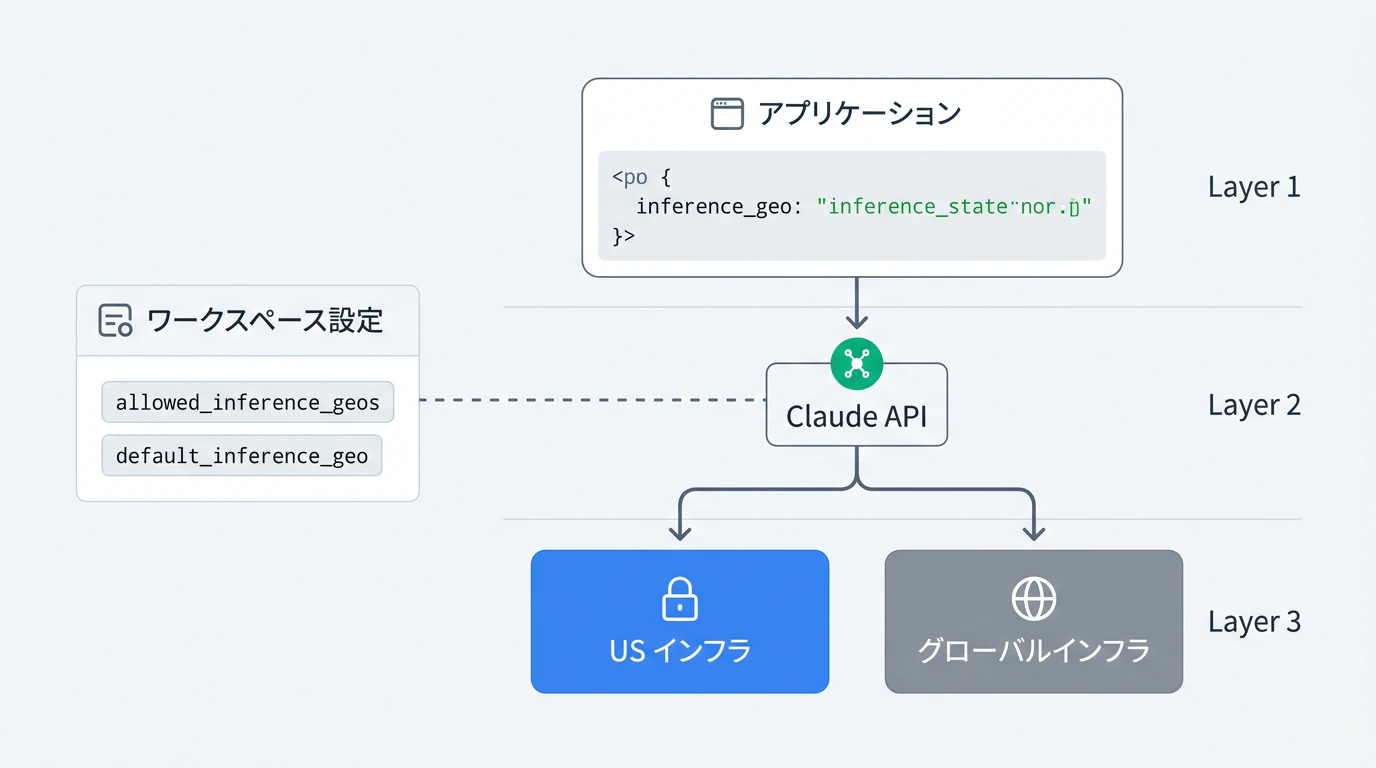
Claude API のデータ所在地制御は、2つの独立した仕組みで構成されています。
2つの制御レイヤー
| 設定 | 制御対象 | 設定単位 |
|---|---|---|
| Inference geo | モデル推論の実行地域 | リクエスト単位 or ワークスペースデフォルト |
| Workspace geo | データの保存先・エンドポイント処理(画像変換・コード実行など) | ワークスペース作成時(変更不可) |
Inference geo は API パラメータで動的に制御できるため、エンジニアがコードレベルで対応できます。一方、Workspace geo はワークスペース作成時に確定し、現時点では "us" のみ利用可能です。
利用可能な地域
inference_geo パラメータに指定できる値は現在 2 つです。
| 値 | 説明 |
|---|---|
"global" |
デフォルト。最適なパフォーマンス・可用性のために任意の地域で推論を実行 |
"us" |
米国内のインフラのみで推論を実行 |
今後、追加地域の対応が予定されています。
inference_geo パラメータの実装
Python での基本実装
最小限の変更で US-only 推論を有効化できます。messages.create() に inference_geo="us" を追加するだけです。
import anthropic

client = anthropic.Anthropic()

response = client.messages.create(
    model="claude-opus-4-6",
    max_tokens=1024,
    inference_geo="us",  # 米国内のみで推論を実行
    messages=[
        {"role": "user", "content": "ドキュメントの要点を要約してください。"}
    ],
)

print(response.content[0].text)

# レスポンスのusageで実際に使用された地域を確認できる
print(f"推論実行地域: {response.usage.inference_geo}")
レスポンスで地域を確認する
リクエスト成功後、response.usage.inference_geo フィールドで実際に推論が実行された地域を確認できます。
{
  "usage": {
    "input_tokens": 25,
    "output_tokens": 150,
    "inference_geo": "us"
  }
}
curl での実装
curl https://api.anthropic.com/v1/messages \
    --header "x-api-key: $ANTHROPIC_API_KEY" \
    --header "anthropic-version: 2023-06-01" \
    --header "content-type: application/json" \
    --data '{
        "model": "claude-opus-4-6",
        "max_tokens": 1024,
        "inference_geo": "us",
        "messages": [{
            "role": "user",
            "content": "ドキュメントの要点を要約してください。"
        }]
    }'
TypeScript での実装
import Anthropic from "@anthropic-ai/sdk";

const client = new Anthropic();

const response = await client.messages.create({
  model: "claude-opus-4-6",
  max_tokens: 1024,
  inference_geo: "us",
  messages: [
    {
      role: "user",
      content: "ドキュメントの要点を要約してください。",
    },
  ],
});

const textBlock = response.content.find(
  (block): block is Anthropic.TextBlock => block.type === "text"
);
console.log(textBlock?.text);
console.log(`推論実行地域: ${response.usage.inference_geo}`);
ワークスペースレベルの設定
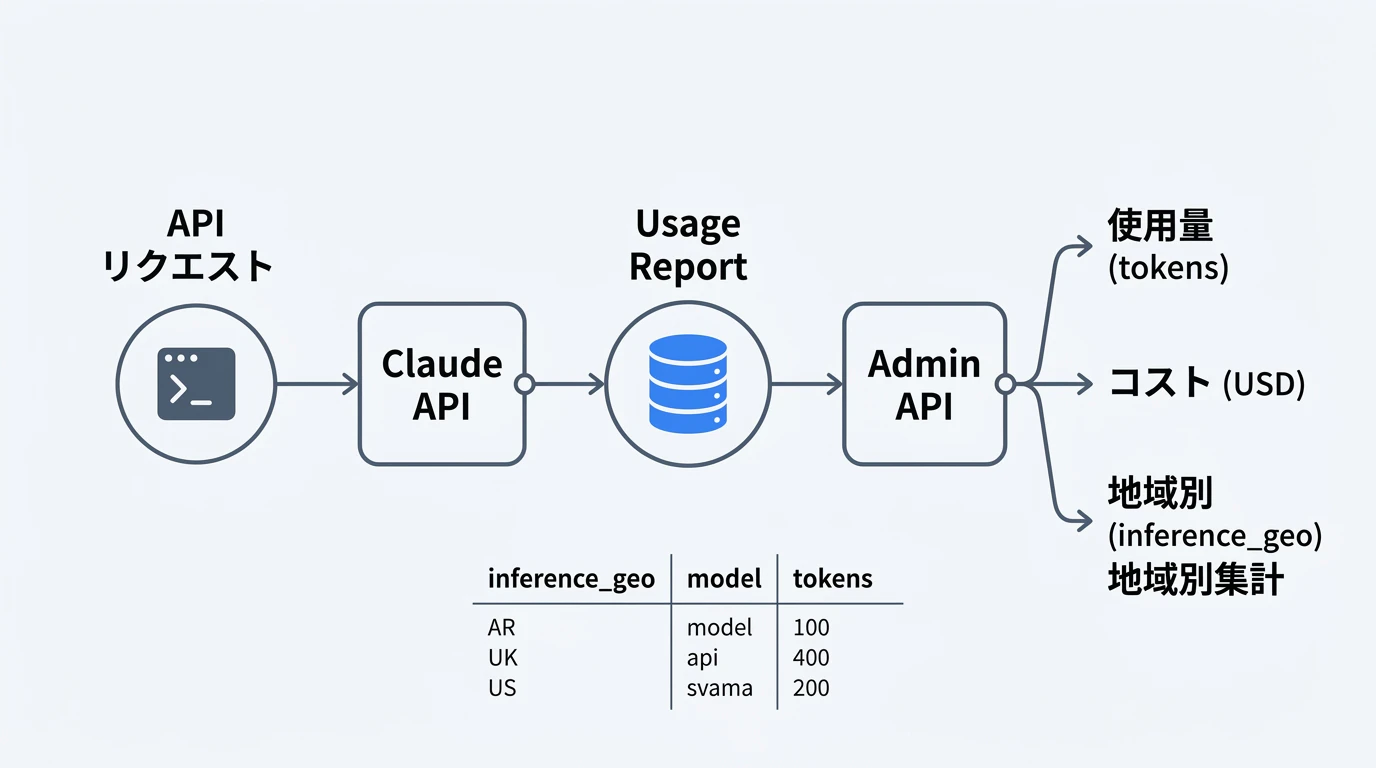
リクエストごとに inference_geo を指定する方法に加え、ワークスペース単位でポリシーを強制適用できます。
2つのワークスペース設定
| 設定項目 | 役割 |
|---|---|
default_inference_geo |
inference_geo を省略したリクエストに適用されるデフォルト地域 |
allowed_inference_geos |
ワークスペース内で使用を許可する地域のリスト。リスト外の地域を指定するとエラー |
Console での設定手順
- Console にアクセス
- Settings → Workspaces に移動
- 対象ワークスペースを選択し、データ所在地設定を変更
Admin API での設定
Admin API を使って data_residency フィールドを更新することでも設定できます。
import requests

admin_api_key = "sk-ant-admin..."  # Admin API キー

response = requests.patch(
    "https://api.anthropic.com/v1/organizations/workspaces/{workspace_id}",
    headers={
        "x-api-key": admin_api_key,
        "anthropic-version": "2023-06-01",
        "content-type": "application/json",
    },
    json={
        "data_residency": {
            "allowed_inference_geos": ["us"],
            "default_inference_geo": "us",
        }
    },
)
旧来の US-only オプトアウトからの移行
過去にグローバルルーティングをオプトアウトして US-only 設定を使用していた組織は、自動移行済み です。既存の API キーは引き続き US インフラで推論が実行されます。コード変更は不要です。
自動移行後の設定:
| 旧設定 | 新設定 |
|---|---|
| グローバルルーティング オプトアウト(US のみ) |
allowed_inference_geos: ["us"], default_inference_geo: "us"
|
料金体系
データ所在地制御の料金は、モデル世代によって異なります。
| ルーティング設定 | 料金 | 対象 |
|---|---|---|
| グローバル(デフォルト) | 標準料金 | 全モデル |
US-only(inference_geo: "us") |
標準料金 × 1.1 | Claude Opus 4.6 以降 |
| 旧モデル(Opus 4.6 より前) | 標準料金(変更なし) | 旧モデル |
Priority Tier を利用している場合、US-only 推論の 1.1x 料金倍率は TPM(Tokens Per Minute)のバーンダウン率にも影響します。
Usage API で使用量を追跡する
Admin API キーの取得
Usage API・Cost API は Admin API キー(sk-ant-admin... 形式)を使用します。
- Console → Settings → Admin Keys
- 管理者ロールを持つアカウントで新しい Admin API キーを発行
通常の API キー(sk-ant-api...)では使用できません。
使用量の基本取得
過去 7 日間のモデル別使用量を取得する例:
import requests

admin_api_key = "sk-ant-admin..."
base_url = "https://api.anthropic.com/v1/organizations"

response = requests.get(
    f"{base_url}/usage_report/messages",
    headers={
        "x-api-key": admin_api_key,
        "anthropic-version": "2023-06-01",
    },
    params={
        "starting_at": "2026-03-04T00:00:00Z",
        "ending_at": "2026-03-11T00:00:00Z",
        "group_by[]": "model",
        "bucket_width": "1d",
    },
)

data = response.json()
for bucket in data["usage_buckets"]:
    print(f"期間: {bucket['start_time']} ~ {bucket['end_time']}")
    for item in bucket["usage"]:
        print(f"  モデル: {item.get('model', 'unknown')}")
        print(f"  入力トークン: {item['input_tokens']:,}")
        print(f"  出力トークン: {item['output_tokens']:,}")
データ所在地別の使用量追跡
inference_geo ディメンションでグループ化することで、US-only と グローバルの使用量を分けて確認できます。
response = requests.get(
    f"{base_url}/usage_report/messages",
    headers={
        "x-api-key": admin_api_key,
        "anthropic-version": "2023-06-01",
    },
    params={
        "starting_at": "2026-03-01T00:00:00Z",
        "ending_at": "2026-03-11T00:00:00Z",
        "group_by[]": ["inference_geo", "model"],
        "bucket_width": "1d",
    },
)

data = response.json()
for bucket in data["usage_buckets"]:
    for item in bucket["usage"]:
        geo = item.get("inference_geo", "not_available")
        model = item.get("model", "unknown")
        total = item["input_tokens"] + item["output_tokens"]
        print(f"  [{geo}] {model}: {total:,} tokens")
inference_geo の値は "us"・"global"・"not_available" の 3 種類です。"not_available" は Claude Opus 4.6 より前のモデル(inference_geo パラメータ非対応)に相当します。
時間粒度の選択
| 粒度 | バケット幅 | デフォルト上限 | 最大上限 | 用途 |
|---|---|---|---|---|
| 分単位 | 1m |
60 バケット | 1,440 バケット | リアルタイム監視 |
| 時間単位 | 1h |
24 バケット | 168 バケット | 日次パターン分析 |
| 日単位 | 1d |
7 バケット | 31 バケット | 週次・月次レポート |
US-only 使用量のみフィルタリング
response = requests.get(
    f"{base_url}/usage_report/messages",
    headers={
        "x-api-key": admin_api_key,
        "anthropic-version": "2023-06-01",
    },
    params={
        "starting_at": "2026-03-01T00:00:00Z",
        "ending_at": "2026-03-11T00:00:00Z",
        "inference_geos[]": "us",  # US-only のみフィルタ
        "group_by[]": "model",
        "bucket_width": "1d",
    },
)
Cost API でコストレポートを生成する
Usage API がトークン数を返すのに対し、Cost API は USD 建てのコスト を返します。
response = requests.get(
    f"{base_url}/cost_report",
    headers={
        "x-api-key": admin_api_key,
        "anthropic-version": "2023-06-01",
    },
    params={
        "starting_at": "2026-03-01T00:00:00Z",
        "ending_at": "2026-03-31T00:00:00Z",
        "group_by[]": ["workspace_id", "description"],
        "bucket_width": "1d",
    },
)

data = response.json()
for bucket in data["cost_buckets"]:
    for item in bucket["costs"]:
        # コストは USD セント単位の文字列で返される
        workspace = item.get("workspace_id", "default")
        description = item.get("description", "")
        total_cost = item["total_cost"]  # USD セント
        print(f"ワークスペース: {workspace}")
        print(f"  項目: {description}")
        print(f"  コスト: ${float(total_cost) / 100:.4f}")
Cost API の注意点
- コストは USD の最小単位(セント)の文字列(decimal string)で返される
- 時間粒度は日単位(
1d)のみ対応 -
Priority Tier のコストは含まれない(Priority Tier は Usage API の
service_tierフィルタで追跡) - コード実行コストは
"Code Execution Usage"という description として Cost API に現れる
ページネーション処理
大量データを取得する際は、has_more と next_page でページネーションを実装します。
def get_all_usage(admin_api_key: str, starting_at: str, ending_at: str):
    all_buckets = []
    params = {
        "starting_at": starting_at,
        "ending_at": ending_at,
        "group_by[]": ["inference_geo", "model"],
        "bucket_width": "1d",
        "limit": 7,
    }

    while True:
        response = requests.get(
            "https://api.anthropic.com/v1/organizations/usage_report/messages",
            headers={
                "x-api-key": admin_api_key,
                "anthropic-version": "2023-06-01",
            },
            params=params,
        )
        data = response.json()
        all_buckets.extend(data.get("usage_buckets", []))

        if not data.get("has_more"):
            break

        params["page"] = data["next_page"]

    return all_buckets
実践的なユースケース
ユースケース 1: 医療・金融系アプリのGDPR対応
EU の GDPR やヘルスケアシステムでは、データが特定の地域内で処理されることを保証する必要があります。ワークスペースで allowed_inference_geos: ["us"] を設定することで、誤ってグローバルルーティングになるリスクを排除できます。
# 規制対象データを含むリクエストは常に US-only
def process_sensitive_data(content: str) -> str:
    response = client.messages.create(
        model="claude-opus-4-6",
        max_tokens=2048,
        inference_geo="us",  # 規制対応のため US-only を明示
        messages=[{"role": "user", "content": content}],
    )

    # 念のため実際の実行地域を検証
    actual_geo = response.usage.inference_geo
    if actual_geo != "us":
        raise ValueError(f"期待される地域: us, 実際の地域: {actual_geo}")

    return response.content[0].text
ユースケース 2: コスト最適化(地域ミックス)
コンプライアンス要件が不要なリクエストはグローバルルーティングを使い、規制対象リクエストのみ US-only にすることで、コストを最適化できます。
def call_claude(content: str, requires_us: bool = False) -> str:
    kwargs = {
        "model": "claude-opus-4-6",
        "max_tokens": 1024,
        "messages": [{"role": "user", "content": content}],
    }

    if requires_us:
        kwargs["inference_geo"] = "us"  # 1.1倍の料金だが規制準拠
    # requires_us=False の場合はグローバル(デフォルト)で標準料金

    return client.messages.create(**kwargs)
ユースケース 3: 月次コストレポートの自動生成
import csv
from datetime import datetime, timedelta

def generate_monthly_cost_report(admin_api_key: str, year: int, month: int):
    start = datetime(year, month, 1)
    if month == 12:
        end = datetime(year + 1, 1, 1)
    else:
        end = datetime(year, month + 1, 1)

    response = requests.get(
        "https://api.anthropic.com/v1/organizations/cost_report",
        headers={
            "x-api-key": admin_api_key,
            "anthropic-version": "2023-06-01",
        },
        params={
            "starting_at": start.strftime("%Y-%m-%dT00:00:00Z"),
            "ending_at": end.strftime("%Y-%m-%dT00:00:00Z"),
            "group_by[]": ["workspace_id", "description"],
            "bucket_width": "1d",
        },
    )

    data = response.json()

    # CSV 出力
    filename = f"cost_report_{year}_{month:02d}.csv"
    with open(filename, "w", newline="") as f:
        writer = csv.writer(f)
        writer.writerow(["日付", "ワークスペース", "項目", "コスト(USD)"])

        for bucket in data.get("cost_buckets", []):
            date = bucket["start_time"][:10]
            for item in bucket.get("costs", []):
                workspace = item.get("workspace_id") or "デフォルト"
                description = item.get("description", "")
                cost_usd = float(item["total_cost"]) / 100
                writer.writerow([date, workspace, description, f"{cost_usd:.4f}"])

    print(f"レポートを {filename} に出力しました")
注意点
inference_geo の対応モデル
inference_geo パラメータは Claude Opus 4.6 以降のモデルのみ対応 しています。旧モデルに対してパラメータを指定すると 400 エラーが返ります。モデルバージョンを確認してから使用してください。
Admin API キーの管理
Usage API・Cost API は Admin API キーが必要です。このキーは組織全体の使用量・コストデータへのアクセス権を持つため、適切なアクセス制御が必要です。
- Admin キーは環境変数(
ADMIN_API_KEY)や Secret Manager で管理する - 本番コードに直接埋め込まない
- 不要になったキーは Console で即座に無効化する
Batch API との組み合わせ
inference_geo は Batch API でも使用可能で、バッチ内の各リクエストで個別に指定できます。Batch API は通常トークン料金の 50% 割引(US-only の 1.1x 倍率が適用された後に割引計算)が適用されます。
OpenAI SDK 互換エンドポイントは非対応
/v1/messages の OpenAI SDK 互換エンドポイント(/v1/chat/completions 互換 API)では inference_geo パラメータは利用できません。データ所在地制御が必要な場合は、Anthropic 公式 SDK を使用してください。
まとめ
Claude Opus 4.6 からエンタープライズ向けのデータ所在地制御が大幅に強化されました。主要なポイントをまとめます。
-
per-request 制御:
inference_geo: "us"を追加するだけで US-only 推論が有効になる -
ワークスペースポリシー:
allowed_inference_geosでチーム全体のポリシーを強制適用できる - 料金: US-only は標準の 1.1 倍。コンプライアンス要件がないリクエストはグローバルを活用してコスト最適化
-
Usage API:
inference_geoディメンションで地域別の使用量をプログラムで追跡できる - Cost API: ワークスペース・サービス別のコストを日次で取得し、財務チームへの報告を自動化できる
GDPR・HIPAA・各国データ規制への対応が求められるプロダクトにとって、これらの機能は実用的な基盤となります。