

はじめに
LibreOfficeのBASIC/SQLコードエディター領域の構文強調表示を、ダークモード表示でも見やすいAtom One Dark風の配色に設定します。
手順
LibreOfficeを起動
↓
Alt+F12でオプションを開く
↓
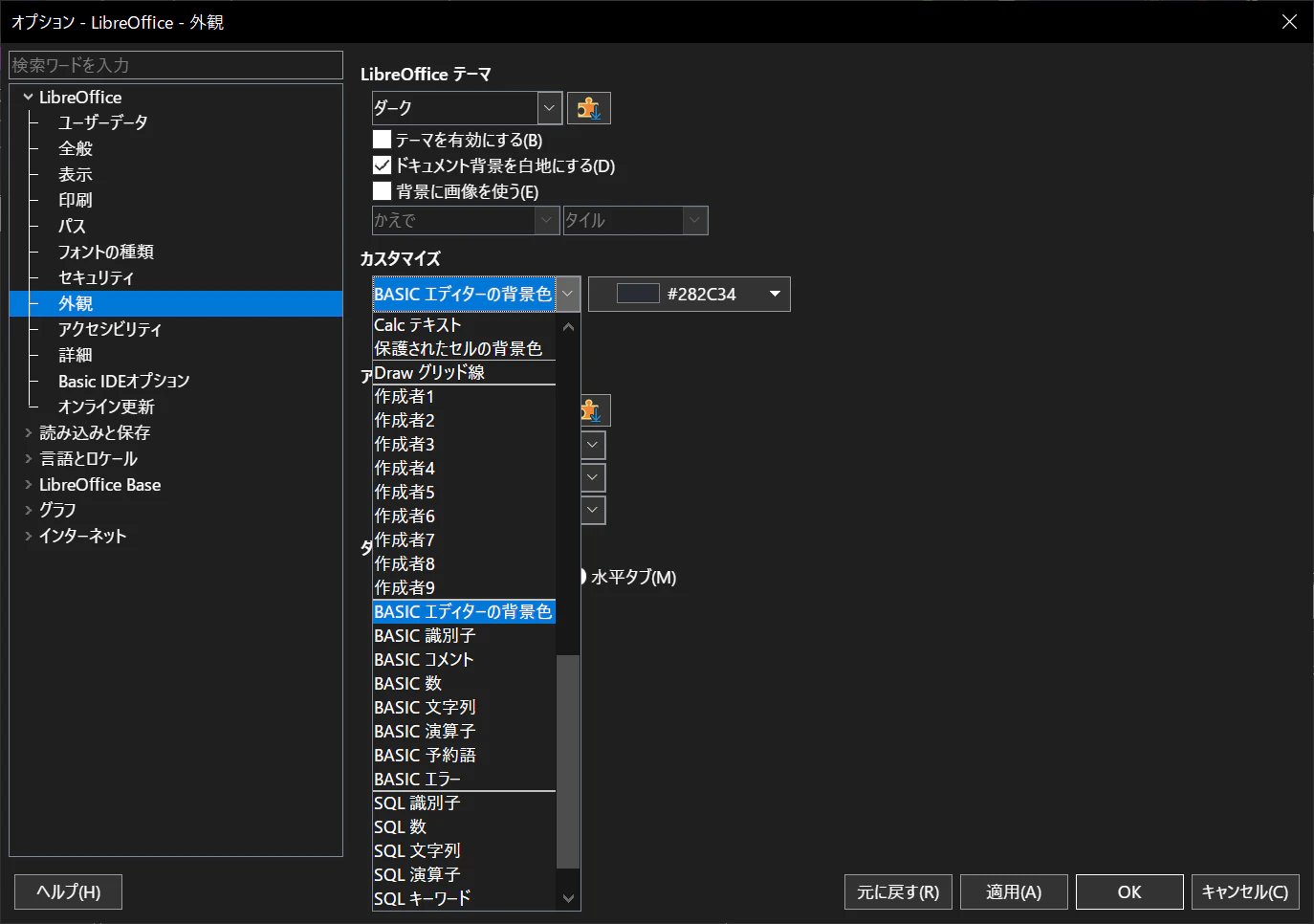
LibreOffice > 外観
↓
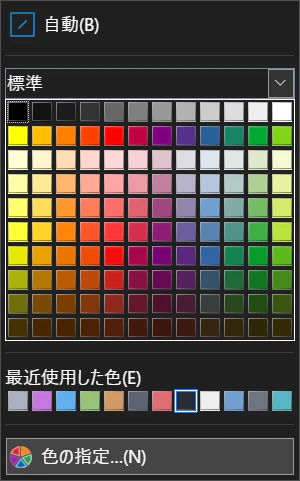
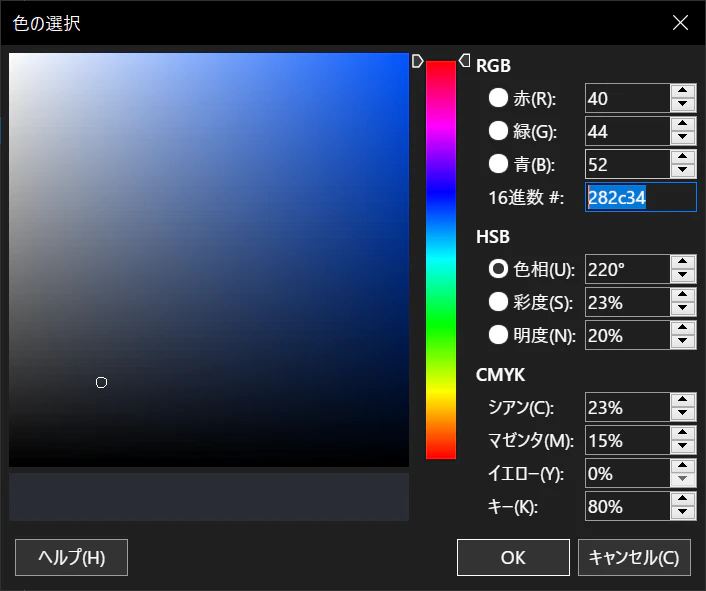
「カスタマイズ」コンボボックスの各項目の配色を「色の指定...」ダイアログの16進数 #欄に直接カラーコードを指定する
| 項目名 | 16進数カラーコード |
|---|---|
| BASIC エディターの背景色 | 282c34 |
| BASIC 識別子 | e06c75 |
| BASIC コメント | 5c6370 |
| BASIC 数 | d19a66 |
| BASIC 文字列 | 98c379 |
| BASIC 演算子 | c678dd |
| BASIC 予約語 | c678dd |
| SQL 識別子 | abb2bf |
| SQL 数 | d19a66 |
| SQL 文字列 | 98c379 |
| SQL 演算子 | abb2bf |
| SQL キーワード | c678dd |
| SQL パラメーター | e06c75 |
| SQL コメント | 5c6370 |
| 下地の色 or アプリケーションの背景色1 |
282c34 |
動作確認済みバージョン
| バージョン | |
|---|---|
| LibreOffice | 25.8.7.3 |
| LibreOffice | 26.2.4.1 |
| LibreOffice | 26.2.4.2 |
-
プラットフォームに依って設定可能な項目名が異なる。 ↩