
コーディングエージェントを使った開発で今や必須となっているエージェント設定(instructions、skills、prompts、 agents、hooks、plugins、MCP servers)。
プロジェクトが変わるたびに、毎回エージェント設定を探索し、1つづつ手動でインストールしなければならず管理がとても面倒でした。
また、インストールした後は自身のリポジトリ管理となるため、インストールリポジトリ側でアップデートが行われた場合など、それを検知し再度インストールを行う必要があり、大変でした。。
そんな中、Agent Package Manager(APM)という、エージェント設定ファイルをpackage.json, requirements.txtのノリで宣言的に管理できる仕組みがあることを知りました。
APM は MIT ライセンスで公開されており、現在開発が進められている段階ですが、さっそく使ってみました。
使ってみた結果、apm.ymlというファイルに宣言的にパッケージを管理できるだけでなく、apm installで依存関係の解決や、apm auditでサプライチェーンセキュリティのチェックも行えるなど軽く試しただけでもかなり有用なツールでした。
同じようにエージェント設定ファイルの管理に悩んでいる方のために、APM でできることの概要が掴めるよう、APM の使い方を説明します。

動作確認した環境
今回、APM を試した環境は、WSL2 上の DevContainers で下記ベースイメージを立ち上げて、確認しました。
$ cat /etc/os-release
PRETTY_NAME="Debian GNU/Linux 13 (trixie)"
NAME="Debian GNU/Linux"
VERSION_ID="13"
VERSION="13 (trixie)"
VERSION_CODENAME=trixie
DEBIAN_VERSION_FULL=13.3
ID=debian
HOME_URL="https://www.debian.org/"
SUPPORT_URL="https://www.debian.org/support"
BUG_REPORT_URL="https://bugs.debian.org/"
APM CLI のインストール
ではさっそく APM を利用するにあたり必要となる APM CLI をインストールします。
APM CLI のインストール方法はいくつかありますが今回は curl コマンドで行いました。
$ curl -sSL https://aka.ms/apm-unix | sh
-e
╔══════════════════════════════════════════════════════════════╗
║                         APM Installer                        ║
║              The NPM for AI-Native Development               ║
╚══════════════════════════════════════════════════════════════╝
-e
-e Detected platform: linux-x86_64
-e Target binary: apm-linux-x86_64.tar.gz
-e ⚠ Container/Dev Container environment detected
-e Note: PyInstaller binaries may have compatibility issues in containers.
-e If installation fails, consider using: pip install --user apm-cli

-e Note: Will need sudo permissions to install to /usr/local/bin
-e Fetching latest release information...
-e Latest version: v0.8.6
-e Download URL: https://github.com/microsoft/apm/releases/download/v0.8.6/apm-linux-x86_64.tar.gz
-e Downloading APM...
-e ✓ Download successful
-e Extracting binary...
-e ✓ Extraction successful
-e Testing binary...
-e ✓ Binary test successful
-e Installing APM CLI to /usr/local/bin...
-e ✓ APM installed successfully!
-e Version: ╭──────────────────────────────────────────────────────────────────────────────╮
│ Agent Package Manager (APM) CLI version 0.8.6 (b56c537)                      │
╰──────────────────────────────────────────────────────────────────────────────╯
-e Location: /usr/local/bin/apm -> /usr/local/lib/apm/apm

-e 🎉 Installation complete!

-e Quick start:
  apm init my-app          # Create a new APM project
  cd my-app && apm install # Install dependencies
  apm run                  # Run your first prompt

-e Documentation: https://github.com/microsoft/apm
-e Need help? Create an issue at https://github.com/microsoft/apm/issues
インストールできたか確認してみます。
$ apm --version
╭───────────────────────────────────────────────────────────────────────────────────────────────────────────────────────────────────────────────────────────────────────────────╮
│ Agent Package Manager (APM) CLI version 0.8.6 (b56c537)                                                                                                                       │
╰───────────────────────────────────────────────────────────────────────────────────────────────────────────────────────────────────────────────────────────────────────────────╯
curl以外でのインストール方法については、下記を確認してみてください。
APM CLI のアップデート
APM CLI をアップデートしたい場合はapm updateを実行します。
apm update
[i] Current version: 0.8.6
[>] Checking for updates...
[+] You're already on the latest version: 0.8.6
apm updateの詳細仕様については、下記を確認してみてください。
プロジェクトの初期化
APM プロジェクトの初期化はapm initで行えます。
既存のプロジェクトへの適用も既存のファイル汚染なく動作します。
$ apm init

Setting up your APM project...
Press ^C at any time to quit.

Project name (my-project):
Version (1.0.0):
Description (APM project for my-project):
Author (fcf-koga):
╭───────────────────────────────────────────────────────────────────────────────────── About to create ─────────────────────────────────────────────────────────────────────────────────────╮
│ name: spec-kit-poc                                                                                                                                                                        │
│ version: 1.0.0                                                                                                                                                                            │
│ description: APM project for my-project                                                                                                                                                                 │
│ author: fcf-koga                                                                                                                                                                          │
╰───────────────────────────────────────────────────────────────────────────────────────────────────────────────────────────────────────────────────────────────────────────────────────────╯

Is this OK? [y/n] (y): y
[>] Initializing APM project: APM project for my-project
[*] APM project initialized successfully!
    Created Files
┏━━━━━━┳━━━━━━━━━━━━━┓
┃ File ┃ Description ┃
┡━━━━━━╇━━━━━━━━━━━━━┩
│ *    │ apm.yml     │
└──────┴─────────────┘

╭───────────────────────────────────────────────────────────────────────────────────────  Next Steps ───────────────────────────────────────────────────────────────────────────────────────╮
│ * Install a runtime:       apm runtime setup copilot                                                                                                                                      │
│ * Add APM dependencies:    apm install <owner>/<repo>                                                                                                                                     │
│ * Compile agent context:   apm compile                                                                                                                                                    │
│ * Run your first workflow: apm run start                                                                                                                                                  │
╰───────────────────────────────────────────────────────────────────────────────────────────────────────────────────────────────────────────────────────────────────────────────────────────╯
初期化をすると、プロジェクトルート直下にapm.ymlが作成されます。
name: my-project
version: 1.0.0
dependencies:
  apm: []
パッケージのインストール

実際に APM パッケージをインストールしてみます。
インストールはapm installを実行することで行えます。
今回はサンプルで公開されている apm-sample-package パッケージで試しました。
$ apm install microsoft/apm-sample-package#v1.0.0
[*] Created apm.yml
[*] Validating 1 package...
[+] microsoft/apm-sample-package#v1.0.0
[*] Updated apm.yml with 1 new package(s)
[>] Installing 1 new package...
  [+] microsoft/apm-sample-package #v1.0.0 (cached)
  └─ 2 prompts integrated -> .github/prompts/
  └─ 1 agents integrated -> .github/agents/
  |-- 1 skill(s) integrated -> .github/skills/
  └─ 1 instruction(s) integrated -> .github/instructions/
  [+] github.com/github/awesome-copilot/skills/review-and-refactor (cached)
  |-- Skill integrated -> .github/skills/

[i] Added apm_modules/ to .gitignore

── Diagnostics ──
  [i] 1 dependency has no pinned version -- pin with #tag or #sha to prevent drift

[*] Installed 2 APM dependencies.
APM パッケージとして公開されているもの以外にも GitHub で公開されている SKILL などもインストールできます。
$ apm install github/awesome-copilot/skills/gh-cli
[*] Validating 1 package...
[+] github/awesome-copilot/skills/gh-cli
[*] Updated apm.yml with 1 new package(s)
[>] Installing 1 new package...
  [+] github.com/github/awesome-copilot/skills/gh-cli (cached)
[i] Added apm_modules/ to .gitignore

── Diagnostics ──
  [i] 1 dependency has no pinned version -- pin with #tag or #sha to prevent drift

[*] Installed 1 APM dependency.
apm installで作成・更新されるファイル
apm-sample-package パッケージをインストールすると下記のようなフォルダ構成となりました。
.
├── apm.lock.yaml
├── apm_modules
│   ├── github
│   │   └── awesome-copilot
│   │       └── skills
│   │           └── review-and-refactor
│   │               └── SKILL.md
│   └── microsoft
│       └── apm-sample-package
│           ├── .apm
│           │   ├── agents
│           │   │   └── design-reviewer.agent.md
│           │   ├── instructions
│           │   │   └── design-standards.instructions.md
│           │   ├── prompts
│           │   │   ├── accessibility-audit.prompt.md
│           │   │   └── design-review.prompt.md
│           │   └── skills
│           │       └── style-checker
│           │           └── SKILL.md
│           ├── apm.yml
│           ├── CODE_OF_CONDUCT.md
│           ├── CONTRIBUTING.md
│           ├── .gitignore
│           └── SECURITY.md
├── apm.yml
├── .github
│   ├── agents
│   │   └── design-reviewer.agent.md
│   ├── instructions
│   │   └── design-standards.instructions.md
│   ├── prompts
│   │   ├── accessibility-audit.prompt.md
│   │   └── design-review.prompt.md
│   └── skills
│       ├── review-and-refactor
│       │   └── SKILL.md
│       └── style-checker
│           └── SKILL.md
└── .gitignore
パッケージをインストールするとapm.ymlのdependenciesに、インストールしたパッケージが追加されます。
name: my-project
version: 1.0.0
description: APM project for my-project
author: fcf-koga
dependencies:
  apm:
  - microsoft/apm-sample-package#v1.0.0
  mcp: []
scripts: {}
また、apm_modules/が新規作成され、その配下に、APM パッケージファイル郡がインストールされます。
さらに、apm.lock.yamlが作成され、インストールされた内容(コミットSHA、ソースURL、ワークスペースにデプロイされたファイル)がすべて記録されます。
lockfile_version: '1'
generated_at: '2026-03-28T11:25:39.578227+00:00'
apm_version: 0.8.6
dependencies:
- repo_url: microsoft/apm-sample-package
  host: github.com
  resolved_commit: fb2851683be0e0e7711421d518bd8dba23b0b1f6
  resolved_ref: v1.0.0
  package_type: apm_package
  deployed_files:
  - .github/agents/design-reviewer.agent.md
  - .github/instructions/design-standards.instructions.md
  - .github/prompts/accessibility-audit.prompt.md
  - .github/prompts/design-review.prompt.md
  - .github/skills/style-checker
  content_hash: sha256:744cca54cc8ff7ca90aa1dd621c2f98c6291cd793815afe8518001cc94b8aba9
- repo_url: github/awesome-copilot
  host: github.com
  resolved_commit: 445933628d2d32a57d614184597e19b02c249a47
  virtual_path: skills/review-and-refactor
  is_virtual: true
  depth: 2
  resolved_by: microsoft/apm-sample-package
  package_type: claude_skill
  deployed_files:
  - .github/skills/review-and-refactor
  content_hash: sha256:9236d06a1500089ddb46975b866e9a63478e502afe7095b1980c618678a7c7fe
.github/配下に APM でインストールされた各エージェント設定ファイルがデプロイされます。
また、apm install時にプロジェクト構造に基づいて有効にする統合機能を自動的に検出してくれます。
今回は VS Code プロジェクトとして、.github/ディレクトリを作成していたため、.github/配下に適切にデプロイされました。
- VS Codeとの統合.github/:ディレクトリが存在する場合に有効
- Claudeとの連携.claude/:ディレクトリが存在する場合に有効
- カーソル統合.cursor/:ディレクトリが存在する場合に有効
- OpenCode統合.opencode/:ディレクトリが存在する場合に有効
- すべての統合は同じプロジェクト内で共存できます。
apm.lock.yamlの詳細仕様は下記を確認ください。
パッケージのアップデート
パッケージのアップデートについてはまだ検証があまり行えていない部分ですが、
apm.ymlを特に更新していなくても、ref/version に変更があればapm install時に、その変更が反映されるそうです。
他にも下記2つのアップデート方法があるようで、
apm install --updateapm deps update
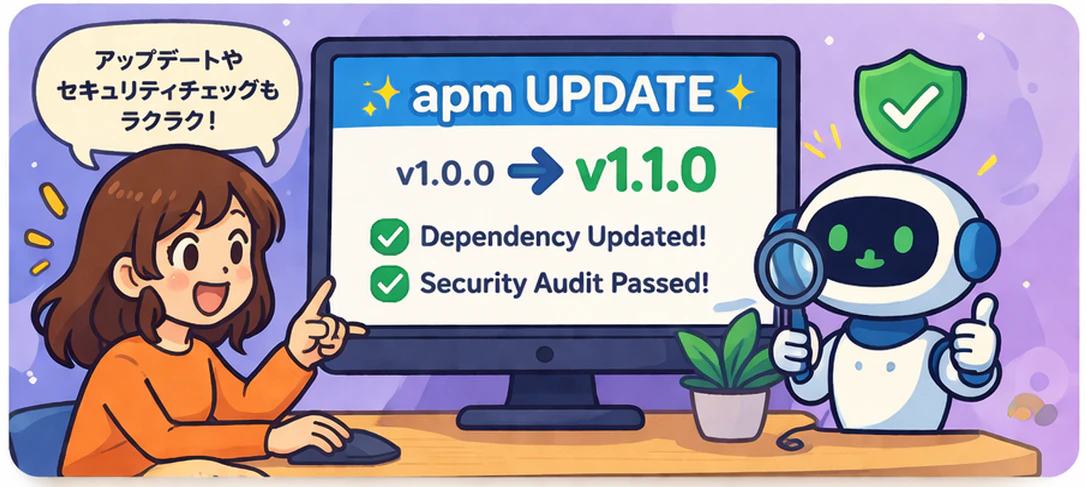
apm install --updateは今の依存先のバージョンを上げたいとき、apm deps updateは特定パッケージだけ更新したいときに利用するコマンドのようです。
また、これらの各アップデートの違いによるapm.lock.yamlへの影響はあまり明言されておらず、実際に挙動を確認してみないとわからない部分でした。
apm install --updateした場合:
$ apm install --update
[>] Installing dependencies from apm.yml...

  [+] microsoft/apm-sample-package #v1.0.0 @fb285168
  └─ 2 prompts integrated -> .github/prompts/
  └─ 1 agents integrated -> .github/agents/
  |-- 1 skill(s) integrated -> .github/skills/
  └─ 1 instruction(s) integrated -> .github/instructions/
  [+] github.com/github/awesome-copilot/skills/review-and-refactor #default @44593362


── Diagnostics ──
  [i] 1 dependency has no pinned version -- pin with #tag or #sha to prevent drift

[*] Installed 2 APM dependencies.
apm deps updateをした場合:
$ apm deps update microsoft/apm-sample-package
[i] Updating microsoft/apm-sample-package...
[*] Updated microsoft/apm-sample-package
パッケージのセキュリティスキャン
apm auditを実行することで、インストール済みのパッケージやファイルをスキャンし、プロンプトファイルに目に見えない命令を埋め込む可能性のある隠しUnicode文字を検査してくれます。
隠されたUnicodeをスキャンし、apm installエージェントが読み取る前に侵害されたパッケージをブロックできます。
$ apm audit
[>] Scanning all installed packages...

[*] 6 file(s) scanned -- no issues found
apm auditで検出できる対象は下記と定義されています。
- 重大な脆弱性:タグ文字(U+E0001~E007F)、双方向オーバーライド(U+202A~E、U+2066~9)、バリエーションセレクタ17~256(U+E0100~E01EF、グラスワーム攻撃ベクトル)
- 警告: ゼロ幅スペース/結合子 (U+200B–D)、バリエーションセレクタ 1–15 (U+FE00–FE0E)、双方向マーク (U+200E–F、U+061C)、不可視演算子 (U+2061–4)、注釈マーカー (U+FFF9–B)、非推奨の書式設定 (U+206A–F)、ソフトハイフン (U+00AD)、ファイル中間 BOM
- 情報: 改行なしスペース、通常とは異なる空白、絵文字表示セレクタ (U+FE0F)。絵文字間の ZWJ はコンテキストに応じて情報に格下げされます。
apm auditの詳細仕様は下記を確認ください。
https://microsoft.github.io/apm/reference/cli-commands/#apm-audit---scan-for-hidden-unicode-characters
インストールパッケージを確認する
apm deps listでインストールしているパッケージの一覧を確認することができます。
$ apm deps list
                                                    APM Dependencies
┏━━━━━━━━━━━━━━━━━━━━━━━━━━━━━━━━━━━━━━━━━━━━━━━━┳━━━━━━━━━┳━━━━━━━━┳━━━━━━━━━┳━━━━━━━━━━━━━━┳━━━━━━━━┳━━━━━━━━┳━━━━━━━┓
┃ Package                                        ┃ Version ┃ Source ┃ Prompts ┃ Instructions ┃ Agents ┃ Skills ┃ Hooks ┃
┡━━━━━━━━━━━━━━━━━━━━━━━━━━━━━━━━━━━━━━━━━━━━━━━━╇━━━━━━━━━╇━━━━━━━━╇━━━━━━━━━╇━━━━━━━━━━━━━━╇━━━━━━━━╇━━━━━━━━╇━━━━━━━┩
│ microsoft/apm-sample-package                   │ 1.0.0   │ github │    2    │      1       │   1    │   1    │   -   │
│ github/awesome-copilot/skills/review-and-refa… │ unknown │ github │    -    │      -       │   -    │   1    │   -   │
└──────────────────────────────
パッケージ一覧をツリー構造で表示したい場合はapm deps treeで表示できます。
$ apm deps tree
workspace (local)
└── microsoft/apm-sample-package@fb28516
    ├── 2 prompts, 1 instructions, 1 agents, 1 skills
    └── github/awesome-copilot/skills/review-and-refactor@4459336
詳細なパッケージ情報表示
パッケージの詳細を確認したい場合はapm deps infoで行えます。
$ apm deps info microsoft/apm-sample-package
╭────────────────────────────  Package Info: microsoft/apm-sample-package ────────────────────────────╮
│ Name: apm-sample-package                                                                            │
│ Version: 1.0.0                                                                                      │
│ Description: Sample APM package demonstrating all primitive types — instructions, prompts, skills,  │
│ and agents.                                                                                         │
│ Author: Unknown                                                                                     │
│ Source: local                                                                                       │
│ Install Path: /workspace/apm_modules/microsoft/apm-sample-package                                   │
│                                                                                                     │
│ Context Files:                                                                                      │
│   * 1 instructions                                                                                  │
│                                                                                                     │
│ Agent Workflows:                                                                                    │
│   * 2 executable workflows                                                                          │
╰─────────────────────────────────────────────────────────────────────────────────────────────────────╯
パッケージの削除
パッケージの削除はapm uninstallで行えます。
$ apm uninstall microsoft/apm-sample-package
[>] Uninstalling 1 package(s)...
[+] microsoft/apm-sample-package - found in apm.yml
[i] Removed microsoft/apm-sample-package#v1.0.0 from apm.yml
[*] Updated apm.yml (removed 1 package(s))
[i] Removed microsoft/apm-sample-package#v1.0.0 from apm_modules/
[i] Removed transitive dependency github/awesome-copilot/skills/review-and-refactor from apm_modules/
[+] Cleaned up 2 integrated prompts
[+] Cleaned up 1 integrated agents
[+] Cleaned up 2 integrated skills
[+] Cleaned up 1 integrated instructions
[*] Uninstall complete: Removed 1 package(s) from apm.yml, Removed 2 package(s) from apm_modules/
apm uninstall実行後、apm.yml、apm.lock.yamlから該当のパッケージおよび依存関係が削除されます。
すべてのパケージを削除したい場合はapm deps cleanでapm_modules/をディレクトリごと削除できます。
ただ、apm.yml、apm.lock.yamlからは削除されないため、再度apm installを実行することで再インストールすることもできます。
apm deps clean
[!] This will remove the entire apm_modules/ directory (1 package(s))
Continue? [y/n]: y
[*] Successfully removed apm_modules/ directory
最後に
APM はまだ発展途上のツールではありますが、instructions、skills、prompts、agents、hooks、plugins、MCP servers といった、これまで散在しがちだったエージェント設定を apm.yml で宣言的に管理できるのはとても魅力的でした。
特に、プロジェクトごとに必要な設定を再現しやすくなること、依存関係や更新をある程度ツール側に任せられることは、今後コーディングエージェント活用が当たり前になるほど価値が増していくと感じます。
今回は基本的な使い方を中心に試しましたが、実運用ではアップデート運用や複数エージェント環境での使い分け、チーム開発での管理方法など、まだ見ていきたいポイントも多くあります。
同じようにエージェント設定ファイルの管理に悩んでいる方は、一度触ってみる価値のあるツールだと思います。
少しでも参考になればうれしいです。
参考になりましたら、ぜひ「いいね」をお願いします。