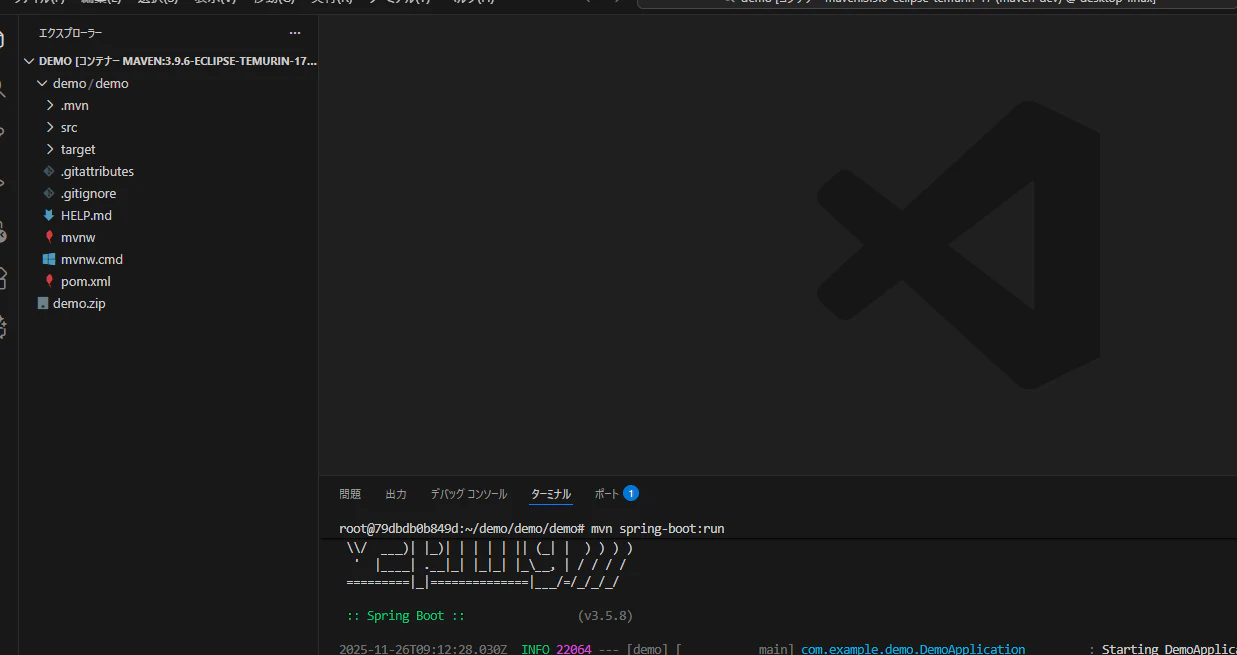
要件は明確
「コンテナの中に Java と Maven がインストールされていて、そこで開発したい」。
この条件を一番シンプルに満たす正解は
maven:3.9.6-eclipse-temurin-17 イメージを “開発用の常駐コンテナ” として動かすこと。
これには Java 17 と Maven が両方入っている。
────────────────────────
開発用コンテナを作成(ここから入る)
────────────────────────
PowerShellで実行
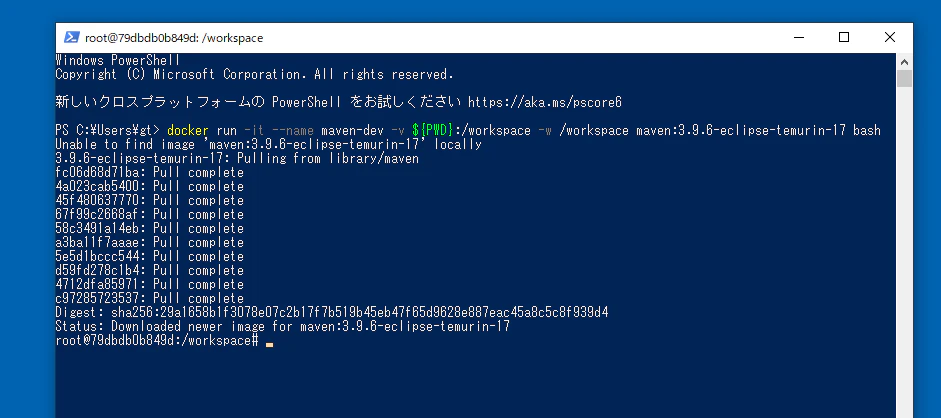
docker run -it --name maven-dev -v ${PWD}:/workspace -w /workspace maven:3.9.6-eclipse-temurin-17 bash
意味
・Java + Maven が入ったコンテナを起動
・削除せず保持
・現在のフォルダを /workspace としてマウント
・bash でそのまま作業可能
これでコンテナの中に入り、以下が使える
mvn -v
java -version
────────────────────────
次回以降、開発を再開したいとき
────────────────────────
docker start -ai maven-dev
これで前回の状態のままコンテナに入れる。
Windows を汚さず、開発環境はコンテナに閉じたまま。
────────────────────────
コンテナ内での作業例
────────────────────────
プロジェクト作成:
mvn archetype:generate -DgroupId=com.example.demo -DartifactId=demo -DarchetypeArtifactId=maven-archetype-quickstart -DinteractiveMode=false
移動:
cd demo
ビルド:
mvn clean package
Java 実行:
java -cp target/demo-1.0-SNAPSHOT.jar com.example.demo.App
────────────────────────
状態まとめ
────────────────────────
・コンテナには Java と Maven がすでに入っている
・Windows に Java も Maven も入れなくてよい
・コンテナは削除されず、再開可能
・開発はすべてコンテナ内で完結できる
────────────────────────
補足(必要に応じて)
────────────────────────
もし VSCode で編集しつつ、ビルドと実行はコンテナ内 にしたいなら
-v ${PWD}:/workspace の設定がそのまま機能する。
コードは Windows に保存され、実行とビルドはコンテナで行う。
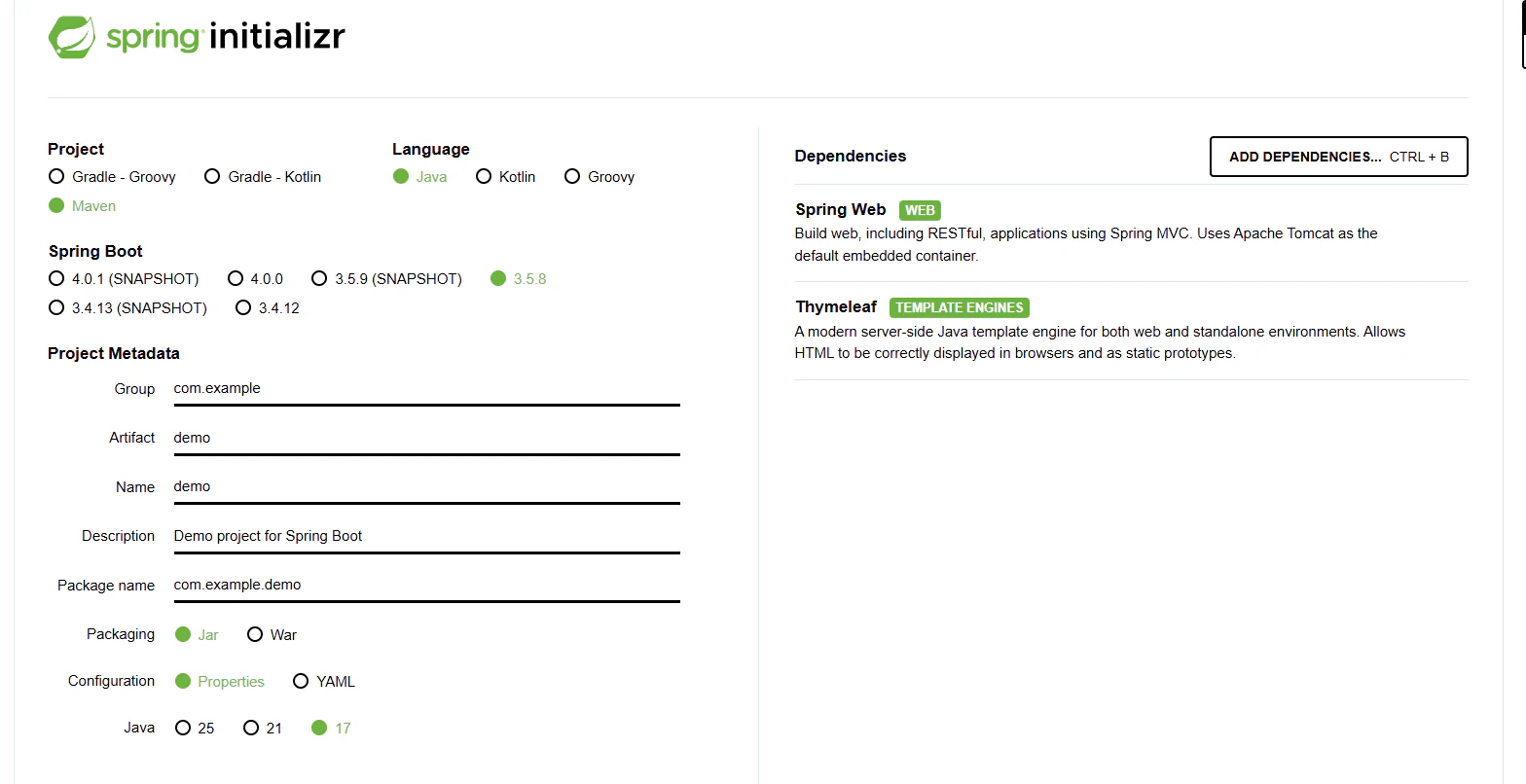
スプリングスターターで作成
https://start.spring.io/
VSコードにはりつけ