

はじめに
こちらの記事は、@Sicut_studyさんがアップしている【Reactアプリ100本ノック】シリーズに相乗りし、アウトプットを行うための記事になります。
- 実装ルールや成果物の達成条件は元記事に従うものとします。
- 元記事との差別点として、具体的に自分がどんな実装を行ったのか(と必要に応じて解説)を記載します。
@Sicut_studyさんのノック100本についていき、Reactを100日間学ぶのが目標です。
今回の元記事はこちら
前回の記事
問題
簡易的な電卓を作成する
ルール
元記事より引用
- 主要なライブラリやフレームワークはReactである必要がありますが、その他のツールやライブラリ(例: Redux, Next.js, Styled Componentsなど)を組み合わせて使用することは自由
- TypeScriptを利用する
- 要件をみたせばデザインなどは自由
達成条件
元記事より引用
- 四則演算(加算、減算、乗算、除算)が正確に行えること。
- 数字と演算子の入力が可能で、計算結果が表示されること。
- クリアボタンで入力と結果をリセットできること。
- 連続した数字入力など計算ができないときはエラーを表示する
実装
本記事では以下の方針で実装していきます。
- ボタンをコンポーネント化する
- 小数点の計算も可能とする
- 計算機能の実装には
Math.jsを活用する
コードは以下のようになりました。
src/components/Button.tsx
/** @jsxImportSource @emotion/react */
import { css } from "@emotion/react";

const buttonStyle = css`
  flex: 1;
  padding: 15px;
  margin: 5px;
  font-size: 18px;
  border-radius: 8px;
  background-color: #61dafb;
  color: #282c34;
  border: none;
  cursor: pointer;
  &:hover {
    background-color: #51cfeb;
  }
`;

interface ButtonProps {
  onClick: React.MouseEventHandler<HTMLButtonElement>;
  children: React.ReactNode;
}

const Button = ({ onClick, children }: ButtonProps) => (
  <button css={buttonStyle} onClick={onClick}>
    {children}
  </button>
);

export default Button;
src/App.tsx
/** @jsxImportSource @emotion/react */
import { useState } from "react";
import { css } from "@emotion/react";
import { evaluate } from "mathjs";
import Button from "./components/Button";

const containerStyle = css`
  display: flex;
  flex-direction: column;
  align-items: center;
  background-color: #282c34;
  min-height: 100vh;
  color: white;
  font-family: 'Arial', sans-serif;
`;

const screenStyle = css`
  width: 300px;
  background: #fff;
  color: #333;
  margin-top: 10px;
  margin-bottom: 10px;
  text-align: right;
  padding: 20px;
  font-size: 24px;
  border-radius: 8px;
  box-shadow: 0 4px 8px rgba(0, 0, 0, 0.2);
`;

const buttonRowStyle = css`
  display: flex;
  justify-content: space-between;
  width: 300px;
`;

const App = () => {
  const [input, setInput] = useState("");
  const [result, setResult] = useState("");

  const handleButtonClick = (val: string) => {
    setInput((prev) => prev + val);
  };

  const calculateResult = () => {
    try {
      const result = evaluate(input);
      setInput(result.toString());
      setResult("");
    } catch (error) {
      setResult("Error");
      setInput("");
    }
  };

  const clearInput = () => {
    setInput("");
    setResult("");
  };

  return (
    <div css={containerStyle}>
      <div css={screenStyle}>{input || "0"}</div>
      <div css={buttonRowStyle}>
        <Button onClick={() => handleButtonClick("1")}>1</Button>
        <Button onClick={() => handleButtonClick("2")}>2</Button>
        <Button onClick={() => handleButtonClick("3")}>3</Button>
        <Button onClick={() => handleButtonClick("+")}>+</Button>
      </div>
      <div css={buttonRowStyle}>
        <Button onClick={() => handleButtonClick("4")}>4</Button>
        <Button onClick={() => handleButtonClick("5")}>5</Button>
        <Button onClick={() => handleButtonClick("6")}>6</Button>
        <Button onClick={() => handleButtonClick("-")}>-</Button>
      </div>
      <div css={buttonRowStyle}>
        <Button onClick={() => handleButtonClick("7")}>7</Button>
        <Button onClick={() => handleButtonClick("8")}>8</Button>
        <Button onClick={() => handleButtonClick("9")}>9</Button>
        <Button onClick={() => handleButtonClick("*")}>*</Button>
      </div>
      <div css={buttonRowStyle}>
        <Button onClick={clearInput}>C</Button>
        <Button onClick={() => handleButtonClick("0")}>0</Button>
        <Button onClick={() => handleButtonClick(".")}>.</Button>
        <Button onClick={() => handleButtonClick("/")}>/</Button>
      </div>
      <div css={buttonRowStyle}>
        <Button onClick={calculateResult}>=</Button>
      </div>
    </div>
  );
};

export default App;
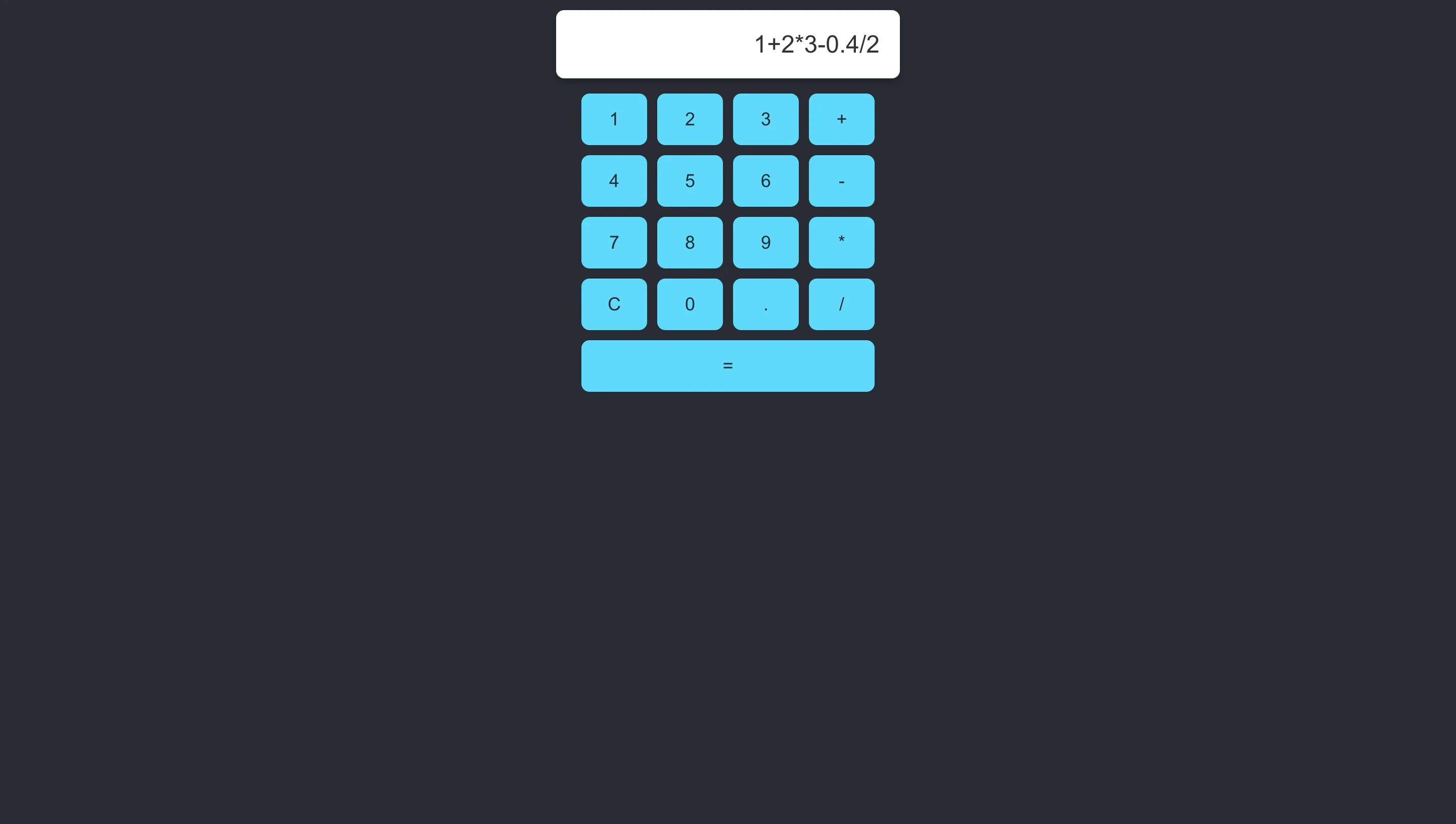
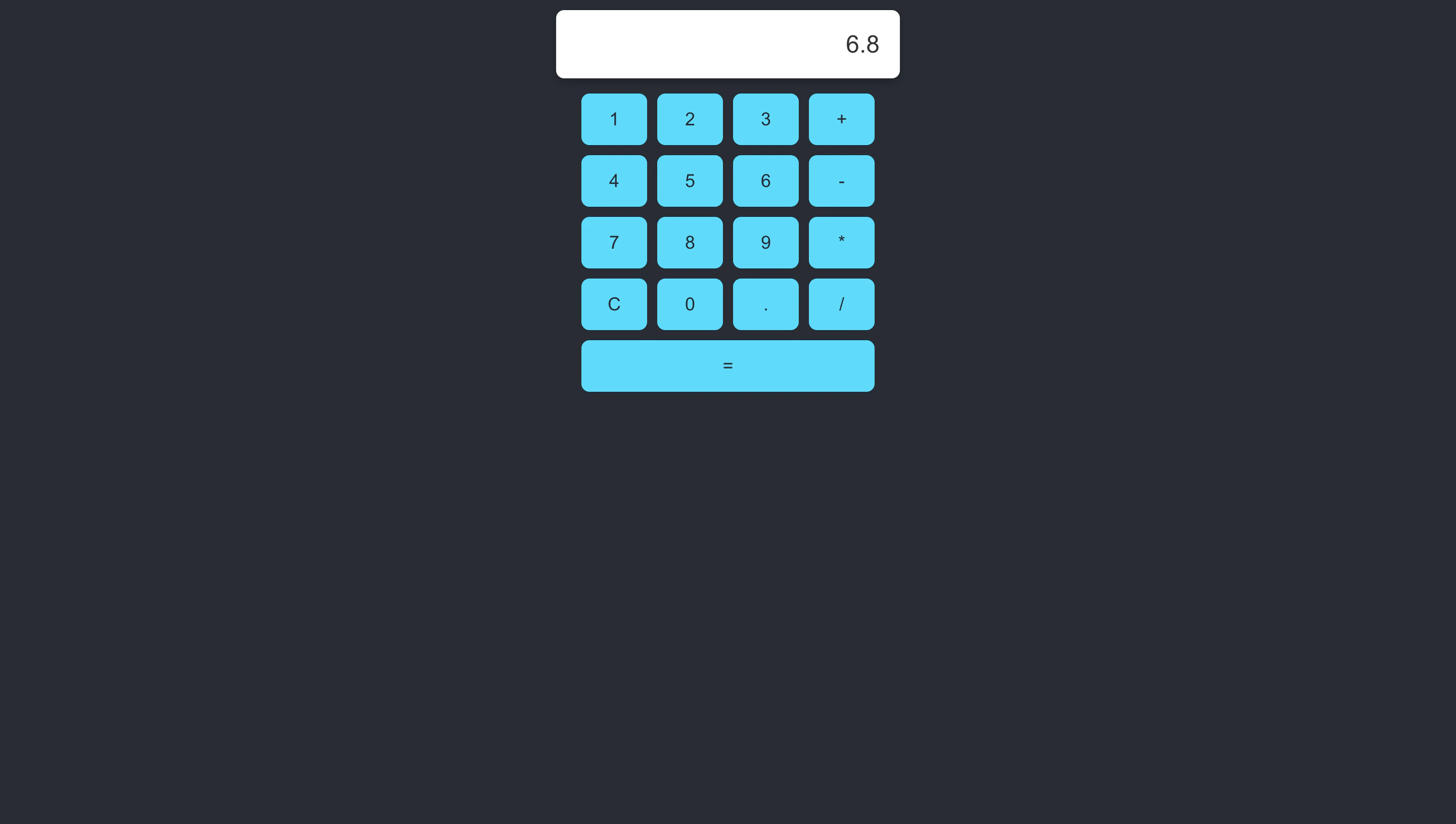
完成
完成形はこのようになりました。
最後に
まだまだ先は長いですが、100回完走を目指して継続していきます。
応援してくれる方はぜひフォローいただけると嬉しいです。
いいね、ストックもお待ちしております。
ではまた。
次回の記事