

使い方
基本的な使い方(現在のディレクトリを検索)
python count_source_lines.py

指定ディレクトリを検索
python count_source_lines.py C:\path\to\your\directory
詳細情報も表示(各ファイルの行数も表示)
python count_source_lines.py C:\path\to\your\directory --details
または
python count_source_lines.py C:\path\to\your\directory -d
#!/usr/bin/env python3
# -*- coding: utf-8 -*-
"""
C/C++ソースコード行数カウンター

指定ディレクトリ以下のフォルダーを探索し、
.cpp, .c, .h の拡張子を持つファイルのソースコード行数を出力します。
"""

import os
import sys
from pathlib import Path
from collections import defaultdict, Counter


def count_lines_in_file(file_path):
    """
    ファイルの行数をカウントする

    Args:
        file_path (Path): カウントするファイルのパス

    Returns:
        int: ファイルの行数(エラー時は0)
    """
    try:
        with open(file_path, 'r', encoding='utf-8', errors='ignore') as f:
            return sum(1 for _ in f)
    except Exception as e:
        print(f"警告: {file_path} を読み込めませんでした: {e}", file=sys.stderr)
        return 0


def find_source_files(directory, extensions):
    """
    指定ディレクトリ以下から指定拡張子のファイルを再帰的に検索する

    Args:
        directory (str): 検索開始ディレクトリのパス
        extensions (list): 検索する拡張子のリスト(例: ['.cpp', '.c', '.h'])

    Yields:
        Path: 見つかったファイルのPathオブジェクト
    """
    directory_path = Path(directory)

    # ディレクトリが存在するか確認
    if not directory_path.exists():
        raise FileNotFoundError(f"ディレクトリが見つかりません: {directory}")

    if not directory_path.is_dir():
        raise NotADirectoryError(f"指定されたパスはディレクトリではありません: {directory}")

    # 再帰的にファイルを検索
    for ext in extensions:
        # globパターンで再帰的に検索
        for file_path in directory_path.rglob(f'*{ext}'):
            if file_path.is_file():
                yield file_path


def count_source_lines(directory, extensions=None):
    """
    指定ディレクトリ以下のソースコード行数をカウントする

    Args:
        directory (str): 検索開始ディレクトリのパス
        extensions (list, optional): 検索する拡張子のリスト
                                    デフォルトは ['.cpp', '.c', '.h']

    Returns:
        dict: 拡張子ごとの統計情報を含む辞書
              {
                  'total_files': 総ファイル数,
                  'total_lines': 総行数,
                  'by_extension': {拡張子: {'files': ファイル数, 'lines': 行数}},
                  'file_details': [(ファイルパス, 行数), ...]
              }
    """
    # デフォルトの拡張子を設定
    if extensions is None:
        extensions = ['.cpp', '.c', '.h']

    # 統計情報を格納する辞書
    stats = {
        'total_files': 0,   # カウント対象になったファイル数
        'total_lines': 0,   # カウント対象になった行数
        'by_extension': defaultdict(lambda: {'files': 0, 'lines': 0}),
        'file_details': [],
        'skipped_files': 0  # 同じファイル名(拡張子違いなど)で除外されたファイル数
    }

    print(f"検索中: {directory}")
    print(f"対象拡張子: {', '.join(extensions)}\n")

    # まず、すべての対象ファイルを収集
    all_files = list(find_source_files(directory, extensions))

    # ベース名(拡張子とディレクトリを除いた名前)ごとの出現回数をカウント
    # 例: /path/to/foo.cpp, /other/path/foo.h -> ベース名はどちらも "foo"
    stem_counts = Counter(p.stem for p in all_files)

    # ファイルを走査して行数をカウント
    for file_path in all_files:
        # 同じベース名のファイルが複数ある場合は除外
        if stem_counts[file_path.stem] > 1:
            stats['skipped_files'] += 1
            continue

        # ファイルの行数をカウント
        line_count = count_lines_in_file(file_path)

        # 統計情報を更新
        stats['total_files'] += 1
        stats['total_lines'] += line_count

        # 拡張子を取得(小文字に変換)
        ext = file_path.suffix.lower()
        stats['by_extension'][ext]['files'] += 1
        stats['by_extension'][ext]['lines'] += line_count

        # ファイル詳細を保存
        stats['file_details'].append((str(file_path), line_count))

    return stats


def print_results(stats, show_details=False):
    """
    統計結果を整形して出力する

    Args:
        stats (dict): count_source_lines()が返す統計情報
        show_details (bool): Trueの場合、各ファイルの詳細も表示する
    """
    print("=" * 60)
    print("ソースコード行数統計")
    print("=" * 60)
    print()

    # 拡張子ごとの統計を表示
    print("【拡張子別統計】")
    for ext in sorted(stats['by_extension'].keys()):
        ext_stats = stats['by_extension'][ext]
        print(f"  {ext:6s}: {ext_stats['files']:4d} ファイル, "
              f"{ext_stats['lines']:8,d} 行")
    print()

    # 合計を表示
    print("【合計】")
    print(f"  総ファイル数: {stats['total_files']:,d}")
    print(f"  総行数      : {stats['total_lines']:,d}")
    # 同名ベース名で除外されたファイル数も表示(あれば)
    skipped = stats.get('skipped_files')
    if skipped:
        print(f"  除外されたファイル数(同じベース名): {skipped:,d}")
    print()

    # 詳細情報を表示(オプション)
    if show_details:
        print("=" * 60)
        print("【ファイル詳細】")
        print("=" * 60)
        # 行数でソート(降順)
        sorted_files = sorted(stats['file_details'], key=lambda x: x[1], reverse=True)
        for file_path, line_count in sorted_files:
            print(f"  {line_count:6,d} 行: {file_path}")
        print()


def main():
    """
    メイン関数

    コマンドライン引数からディレクトリパスを取得し、
    ソースコード行数をカウントして結果を表示します。
    """
    # コマンドライン引数の処理
    if len(sys.argv) < 2:
        # 引数が指定されていない場合、現在のディレクトリを使用
        target_directory = os.getcwd()
        print(f"ディレクトリが指定されていません。現在のディレクトリを使用します: {target_directory}")
    else:
        target_directory = sys.argv[1]

    # 詳細表示オプション(-d または --details フラグ)
    show_details = '-d' in sys.argv or '--details' in sys.argv

    try:
        # ソースコード行数をカウント
        stats = count_source_lines(target_directory)

        # 結果を表示
        print_results(stats, show_details=show_details)

    except Exception as e:
        print(f"エラーが発生しました: {e}", file=sys.stderr)
        sys.exit(1)


if __name__ == '__main__':
    main()


```python
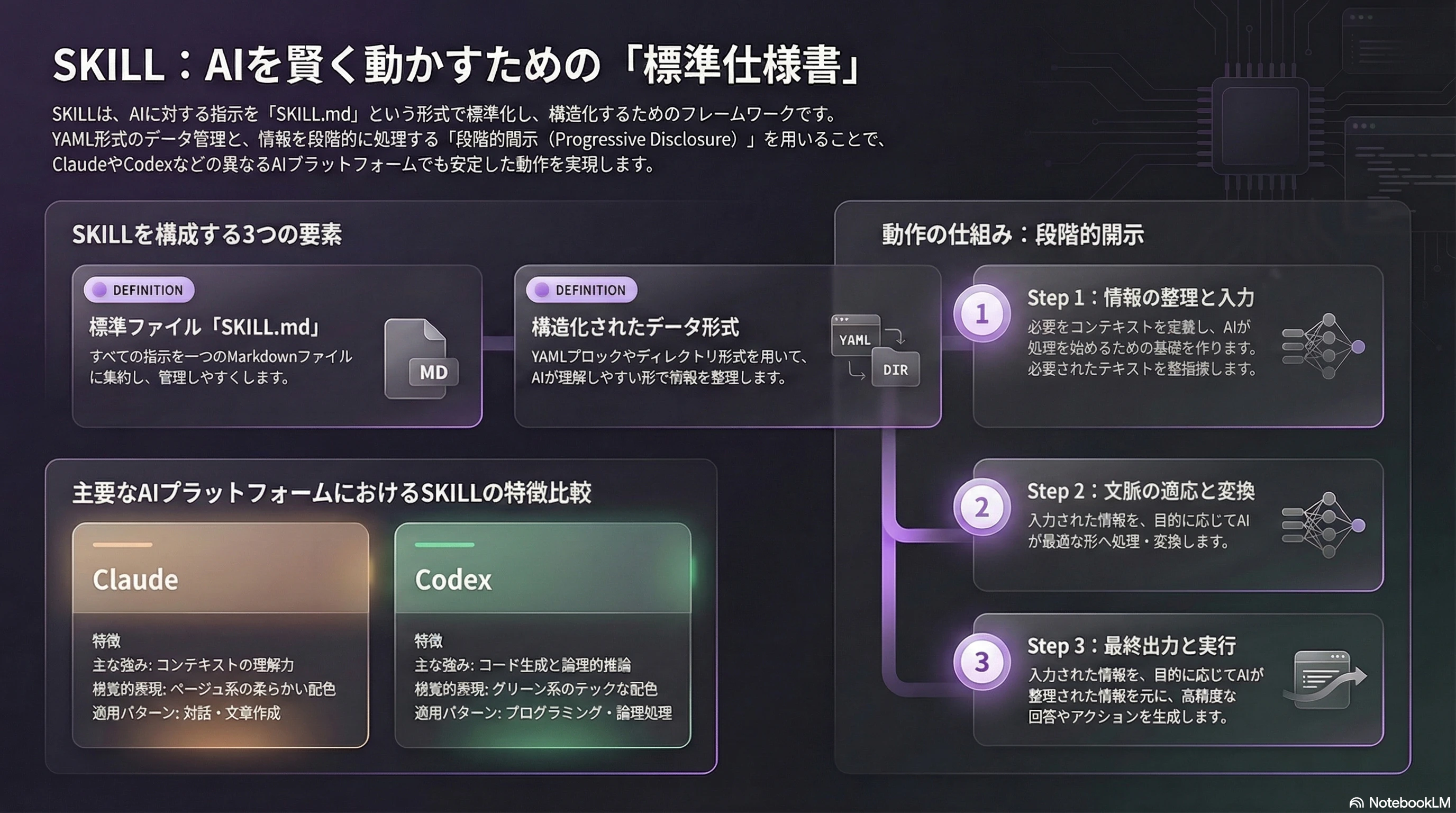
## スクリプトの場所(Codex CLI 環境)

このスキルは ~/.codex/skills/pptx/ に配置されています。
スクリプト実行時は以下のフルパスを使用してください:

- サムネイル生成:     `python ~/.codex/skills/pptx/scripts/thumbnail.py`
- スライド複製:       `python ~/.codex/skills/pptx/scripts/add_slide.py`
- リソース削除:       `python ~/.codex/skills/pptx/scripts/clean.py`
- PPTX 展開:         `python ~/.codex/skills/pptx/scripts/office/unpack.py`
- PPTX 再パック:     `python ~/.codex/skills/pptx/scripts/office/pack.py`
- OOXML バリデーション: `python ~/.codex/skills/pptx/scripts/office/validate.py`
- PDF 変換:          `python ~/.codex/skills/pptx/scripts/office/soffice.py`

参照ドキュメント:
- 新規作成ガイド: ~/.codex/skills/pptx/pptxgenjs.md
- 編集ガイド:     ~/.codex/skills/pptx/editing.md

# Azure OpenAI モデル比較ガイド

> 料金安い順(Input / Output per 1M tokens)・2026年3月現在
> Azure OpenAI と OpenAI API 直接呼び出しのトークン単価は基本的に同じ

---

## 📊 モデル一覧(料金安い順)

| # | モデル名 | カテゴリ | Input $/1M | Output $/1M | Context | タグライン |
|---|----------|----------|:----------:|:-----------:|:-------:|-----------|
| 1 | `gpt-5-nano` | GPT-5系 | **$0.05** | $0.40 | 400K | 大量処理・高速レスポンス特化 |
| 2 | `gpt-4.1-nano` | GPT-4.1系 | **$0.10** | $0.40 | 1M | 1Mコンテキスト最安値モデル |
| 3 | `gpt-5-mini` | GPT-5系 | **$0.25** | $2.00 | 400K | GPT-5品質をコスパよく利用 |
| 4 | `gpt-5.1-codex-mini` | Codex系 | **$0.25** | $2.00 | 400K | 低コストのコーディングエージェント |
| 5 | `gpt-4.1-mini` | GPT-4.1系 | **$0.40** | $1.60 | 1M | FT対応×長文処理モデル |
| 6 | `o3-mini` | 推論系(o系) | **$1.10** | $4.40 | 200K | コスト効率の良いSTEM推論モデル |
| 7 | `o4-mini` | 推論系(o系) | **$1.10** | $4.40 | 200K | o3-miniの後継・ビジョン対応推論 |
| 8 | `gpt-5` | GPT-5系 | **$1.25** | $10.00 | 400K | 汎用フラグシップ(gpt-5.1推奨) |
| 9 | `gpt-5.1` | GPT-5系 | **$1.25** | $10.00 | 400K | 適応的推論×低レイテンシの本番推奨 |
| 10 | `gpt-5.1-codex` | Codex系 | **$1.25** | $10.00 | 400K | 開発者向けエージェント・CLI/IDE統合 |
| 11 | `gpt-5.1-codex-max` | Codex系 | **$1.25** | $10.00 | 400K | 大規模開発タスクの長時間実行特化 |
| 12 | `gpt-5.2` | GPT-5系 | **$1.75** | $14.00 | 400K | 深い推論×長期エージェントの最高峰 |
| 13 | `gpt-5.2-codex` | Codex系 | **$1.75** | $14.00 | 400K | gpt-5.1-codexより高品質なコード生成 |
| 14 | `gpt-5.3-codex` | Codex系 | **$1.75** | $14.00 | 400K | SWE-Bench SOTA・コンピュータ操作まで対応 |
| 15 | `gpt-4.1` | GPT-4.1系 | **$2.00** | $8.00 | 1M | 1Mコンテキスト×ユーザー意図理解 |
| 16 | `gpt-4o` | GPT-4o系 | **$2.50** | $10.00 | 128K | 前世代フラグシップ・豊富なエコシステム |

> ⚠️ `gpt-5` は入力リストに重複があったため1行に統合
> ⚠️ o系モデル(o3-mini・o4-mini)は内部推論トークンも課金されるため実コストは表示より高くなる場合あり

---

## 💰 コストティア早見表

| ティア | Input 単価 | 該当モデル |
|--------|:----------:|-----------|
| 💚 超低コスト | $0.05〜$0.40 | gpt-5-nano / gpt-4.1-nano / gpt-5-mini / gpt-5.1-codex-mini / gpt-4.1-mini |
| 💙 中コスト | $1.10〜$1.25 | o3-mini / o4-mini / gpt-5 / gpt-5.1 / gpt-5.1-codex / gpt-5.1-codex-max |
| 🟠 高コスト | $1.75〜$2.00 | gpt-5.2 / gpt-5.2-codex / gpt-5.3-codex / gpt-4.1 |
| 🔴 最高コスト | $2.50+ | gpt-4o(新規開発には非推奨) |

---

## 🎯 用途別おすすめモデル

| 用途 | 第1推奨 | 第2推奨 | 第3推奨 |
|------|---------|---------|---------|
| 💬 チャットボット・会話AI | `gpt-5-mini` | `gpt-5.1` | `gpt-5.2` |
| 🔢 数学・論理推論・STEM | `o3-mini` | `o4-mini` | `gpt-5.2` |
| 💻 コーディング・開発支援 | `gpt-5.3-codex` | `gpt-5.2-codex` | `gpt-5.1-codex` |
| 📄 長文書処理・RAG | `gpt-4.1` | `gpt-4.1-mini` | `gpt-4.1-nano` |
| 🚀 大量処理・超低コスト | `gpt-5-nano` | `gpt-4.1-nano` | `gpt-5-mini` |
| 🖼️ 画像・マルチモーダル | `o4-mini` | `gpt-5.1` | `gpt-4o` |
| 🤖 複雑なビジネスエージェント | `gpt-5.2` | `gpt-5.1-codex-max` | `gpt-5.1` |
| 🔬 専門特化(ファインチューニング) | `gpt-4.1-mini` | `o4-mini` | `gpt-4.1` |

---

## 📋 モデル別詳細

### 1. `gpt-5-nano` — 最安値

**Input: $0.05 / Output: $0.40 / Context: 400K**

GPT-5ファミリーの最小・最軽量モデル。超高速レスポンスを実現し、シンプルなテキスト処理を圧倒的なコスパで実行できる。GPT-5.2の約35分の1のコストで大量バッチ処理に最適。

**能力スコア**
| 速度 | 推論力 | コーディング | ビジョン | 長文対応 | 指示追従 |
|:----:|:------:|:------------:|:--------:|:--------:|:--------:|
| ⭐⭐⭐⭐⭐ | ⭐ | ⭐ | ⭐⭐ | ⭐⭐⭐ | ⭐⭐ |

**✅ メリット**
- GPT-5.2の約35分の1のコスト
- 超高速レスポンス(<1秒)
- 大量バッチ処理に最適
- シンプルタスクは十分な品質

**❌ デメリット**
- 複雑な推論・分析は不可
- コーディング能力は限定的
- 長い思考が必要なタスクに不向き

**🔵 得意なこと**
テキスト分類・ラベリング・感情分析・簡単なQ&A・大量データの前処理・キーワード抽出

**🟠 不得意なこと**
高度な推論・複雑なコード生成・数学・長文分析

**→ こんな用途に**
- 高ボリュームAPIコール(月1億トークン超)
- コスト最優先のプロトタイプ
- 単純分類・ルーティングシステム
- チャットボットの前段フィルタリング

---

```