
【開発環境】
Windows 10 HOME
VirtualBox 6.0
Vagrant 2.2.9
Rlogin(X64) Version 2.25.3 (2020/06/22)
【はじめに】
TeraTerm以外にSSH接続出来るツールを探していたら、
Rloginというものがあるらしいので使ってみた。
【前提条件】
VagrantとVirtualBox をインストールして、
vagrant up で仮想環境を起動している状態。
【Rloginで仮想マシンにアクセス】
PowerShellにて
SSHで仮想環境に接続するための設定を行います。
PowerShell
PS C:\path_to_dir\any_name> vagrant ssh-config
上記のコマンドを打つと下記の情報が表示されます。
PowerShell
Host default
  HostName 127.0.0.1
  User vagrant
  Port 2222
  UserKnownHostsFile /dev/null
  StrictHostKeyChecking no
  PasswordAuthentication no
  IdentityFile C:/path_to_dir/any_name/.vagrant/machines/default/virtualbox/private_key
  IdentitiesOnly yes
  LogLevel FATAL
【Rloginでログイン】
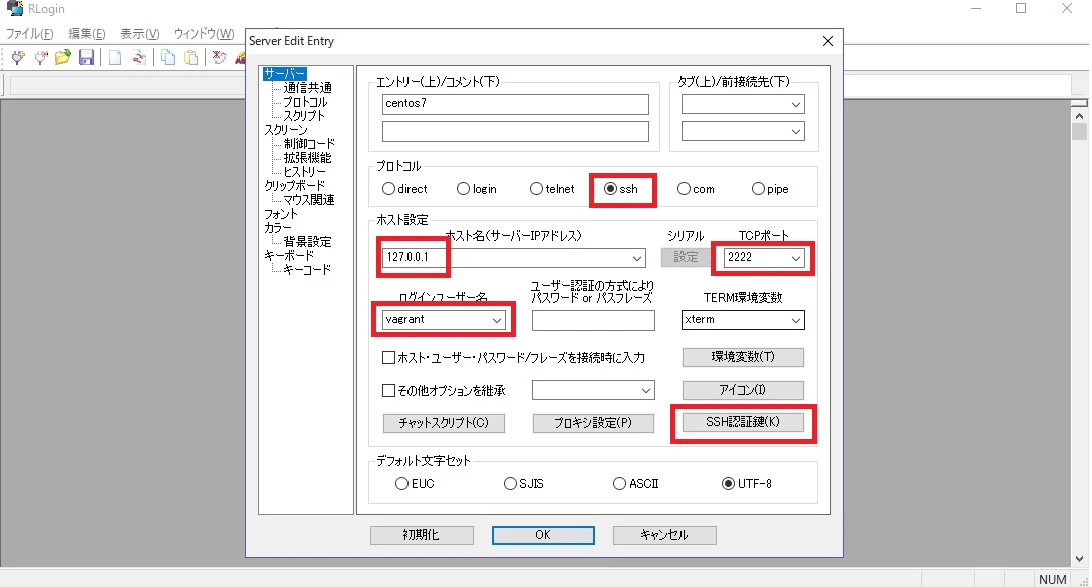
Rlogin起動 → 新規登録ボタン押下で赤字の部分を入力して行きます。
**SSH認証鍵**には、vagrant ssh-configで出力した情報の
**IdentityFile**のパスを入れます。
PowerShell
IdentityFile C:/path_to_dir/any_name/.vagrant/machines/default/virtualbox/private_key
OKボタンを押して接続してみると、、
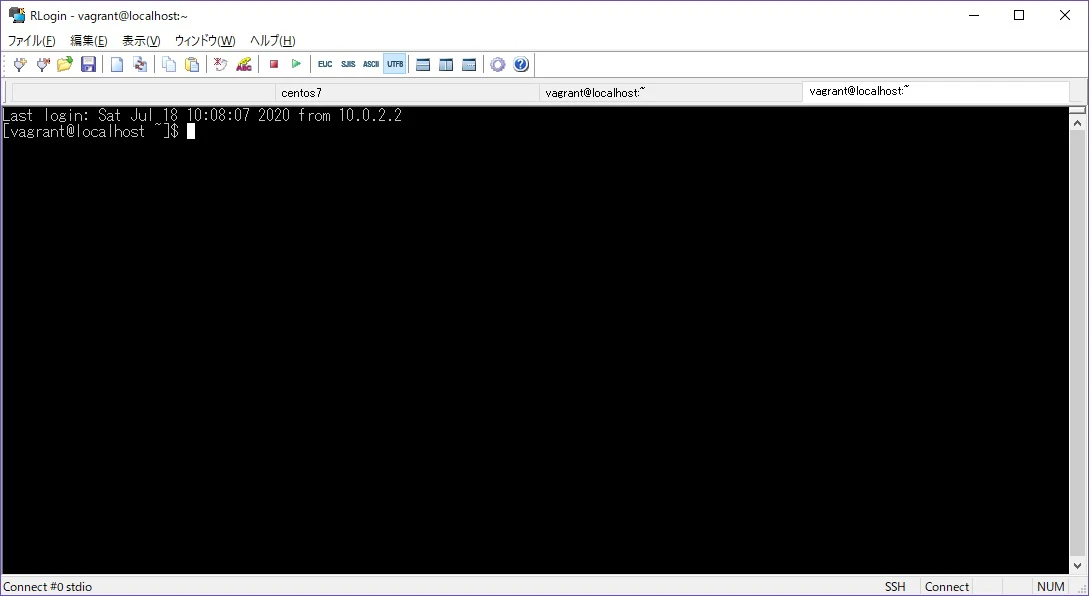
接続完了しました。
【参考】
・普通にTeratermを使う時はこちら。
vagrant起動後にTeratermでSSHアクセスしたい場合
・vagrant ssh-configの情報の詳細については下記をどうぞ。
.ssh/configファイルでSSH接続を管理する