

React初心者の私ですが、React 初心者向けクイズ を作成しました!
Reactの基礎知識について復習できるよう、記事として投稿いたします!1
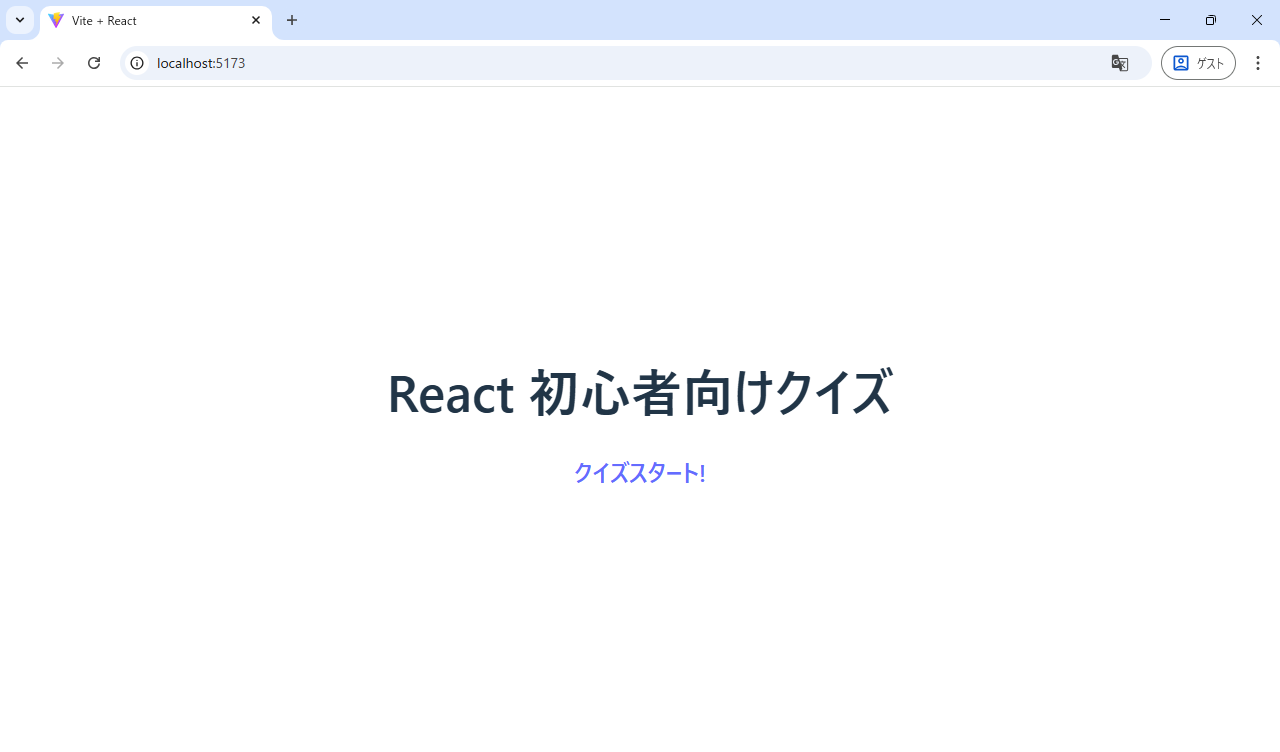
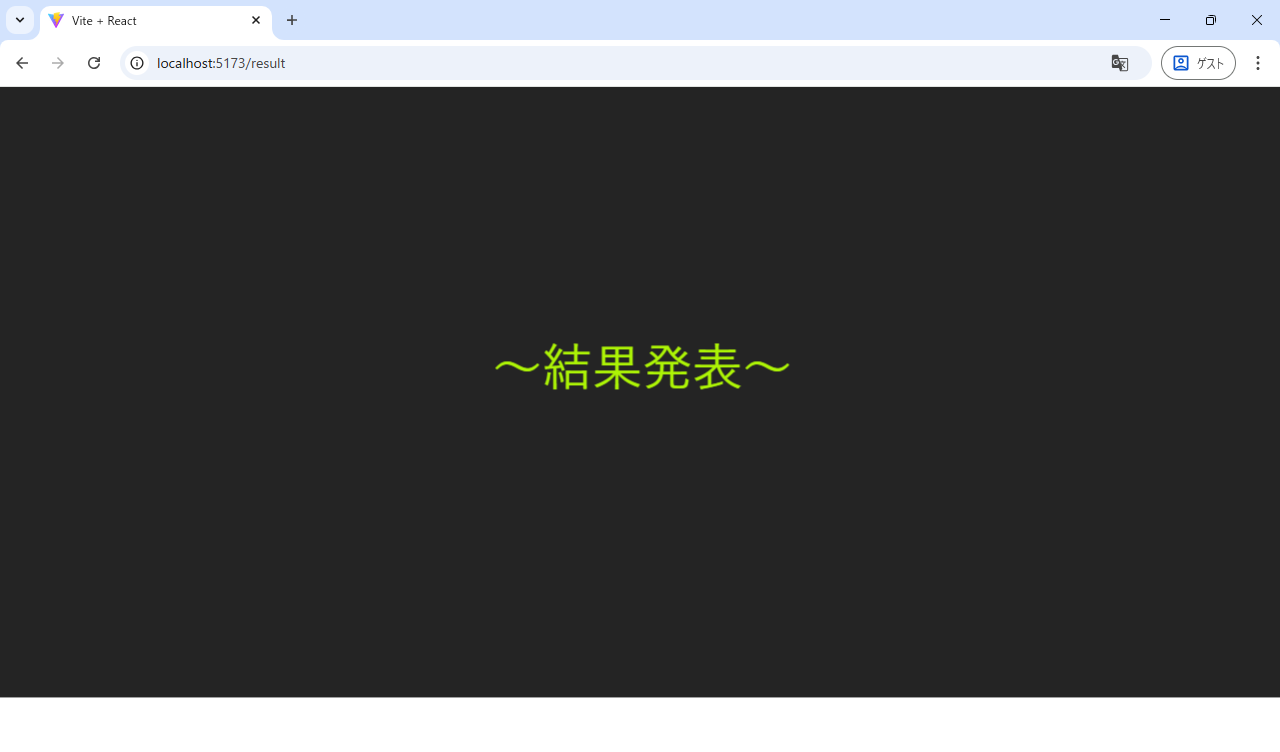
クイズアプリ(キャプチャ)


1. ディレクトリ構造
React公式はディレクトリ構成について、自由に決めて良いとの見解です。
ここでは、各ファイルがどのような役割を果たしているかご紹介します。
「main.jsx」
Reactアプリケーションにおけるエントリーポイント(起点)
【主な役割】
- ReactとReactDOMのインポート: Reactライブラリと、ReactDOMクライアントライブラリ(ブラウザDOMを操作)を読み込み
- ルートコンポーネントの指定: アプリケーション全体の起点となるメインコンポーネント(通常は App という名前)を指定
- DOMへのレンダリング: HTMLファイル(通常は index.html)内に存在する特定のDOM要素(一般的には id="root" や id="app" が指定された div 要素)を見つけ、その中にReactアプリケーション全体を描画(レンダリング)
import { StrictMode } from 'react'
import { createRoot } from 'react-dom/client'
import './index.css'
import App from './App.jsx'


createRoot(document.getElementById('root')).render(
  <StrictMode>
    <App />
  </StrictMode>,
)
「App.jsx」
ルート(メイン)コンポーネント
【主な役割】
- アプリケーションのエントリーポイント: ブラウザーがReactアプリケーションを読み込むとき最初にロードされるファイル
- ルーティングの設定 : Reactルーターを使用して、アプリケーション内の異なるURLパスに対して異なるコンポーネントを表示
- グローバルステートの管理 : 必要に応じてグローバルステートのコンテキストや状態管理ライブラリを初期化し、アプリケーション全体で共有するデータを管理
- レイアウトの定義 : アプリケーション全体のレイアウト構造を定義し、ヘッダーやフッターなどの共通コンポーネントを含めることができる
import { BrowserRouter, Route, Routes } from 'react-router-dom'
import './App.css'
import { ROUTES } from './const'
import HomePage from './pages/HomePage'
import QuizPage from './pages/QuizPage'
import ResultPage from './pages/ResultPage'


function App() {
  return (
    <BrowserRouter>
      <Routes>
        <Route path={ROUTES.HOME} element={<HomePage />} />
        <Route path={ROUTES.QUIZ} element={<QuizPage />} />
        <Route path={ROUTES.RESULT} element={<ResultPage />} />
      </Routes>
    </BrowserRouter>
  )
}

export default App
「eslint.config.js」【イーエスリント】
JavaScriptやTypeScriptなどのコードの品質を維持するために使われる静的解析ツール(バリデーションツール)
import js from '@eslint/js'
import globals from 'globals'
import react from 'eslint-plugin-react'
import reactHooks from 'eslint-plugin-react-hooks'
import reactRefresh from 'eslint-plugin-react-refresh'

export default [
  { ignores: ['dist'] },
  {
    files: ['**/*.{js,jsx}'],
    languageOptions: {
      ecmaVersion: 2020,
      globals: globals.browser,
      parserOptions: {
        ecmaVersion: 'latest',
        ecmaFeatures: { jsx: true },
        sourceType: 'module',
      },
    },
    settings: { react: { version: '18.3' } },
    plugins: {
      react,
      'react-hooks': reactHooks,
      'react-refresh': reactRefresh,
    },
    rules: {
      ...js.configs.recommended.rules,
      ...react.configs.recommended.rules,
      ...react.configs['jsx-runtime'].rules,
      ...reactHooks.configs.recommended.rules,
      'react/jsx-no-target-blank': 'off',
      'react-refresh/only-export-components': [
        'warn',
        { allowConstantExport: true },
      ],
      //未定義の変数(宣言されていない変数)の使用を禁止するルール
      "no-undef": "error",
      //使われていない変数・関数・引数がコード内にあるとエラーにするルール
      "no-unused-vars": "error",
      //React の Props チェック(PropTypes 必須)を無効にする
      "react/prop-types": "off",

    },
  },
]
※補足
フォルダ構成については、プロジェクトの要件やチームの規約によりますが
一般的には以下のようになります。
2.ルーティング
Reactルーター
アプリの中でページを切り替える仕組み
Reactルーターのメリット
- SPAの実現: ページ遷移時のフルページの再読み込みをなくしシングルページアプリケーションとして機能させる
- UXの向上: ページの表示が高速化とユーザーエクスペリエンスの向上
- URLと画面の同期: URLとコンポーネントの対応付けが明確になり、ブラウザのバックボタンが使えるなど、ブックマークや履歴管理も可能
- 開発効率の向上: URLに基づいてルーティングを設定するため、アプリケーションの画面構成が整理され、再利用性が高まる
export const ROUTES = {
  HOME: "/",
  QUIZ: "/quiz",
  RESULT: "/result",
}
import { Link } from "react-router-dom";
import { ROUTES } from "../const";

export default function HomePage() {
  return (
    <>
      <h1>React 初心者向けクイズ</h1>
      <Link to={ROUTES.QUIZ}><h2>クイズスタート!</h2></Link>
    </>
  )
}
import Display from "../components/Display/Display";
import quizData from "../data/quiz";
import Button from "../components/Button/Button";
import { useEffect, useState,} from "react";
import { useNavigate } from "react-router-dom";
import { ROUTES } from "../const";


export default function QuizPage() {
  const [quizIndex, setQuizIndex] = useState(0);
  const [answerLogs, setAnswerLogs] = useState([]);
  const navigation = useNavigate();
  const MAX_QUIZ_Len = quizData.length;

  const handleClick = (clickedIndex) => {
    if(clickedIndex === quizData[quizIndex].answerIndex) {
      setAnswerLogs(prev=> [...prev, true]);
    } else {
      setAnswerLogs(prev => [...prev, false]);
    }
    setQuizIndex(prev =>  prev + 1);
  }

  useEffect(() => {
    if(answerLogs.length === MAX_QUIZ_Len) {
      const collectNum = answerLogs.filter(answer => answer === true)
      navigation(ROUTES.RESULT,
        { state: {
          MAX_QUIZ_Len: MAX_QUIZ_Len,
          correctNUMLen: collectNum.length
         } }
      );
    }
  }, [answerLogs, MAX_QUIZ_Len, navigation]);

  return (
    <>
      {quizData[quizIndex] && <Display><h2>{`0${quizIndex + 1}. ${quizData[quizIndex].question}`}</h2></Display>}
      <br />
      {(quizIndex < quizData.length && quizData[quizIndex]) && quizData[quizIndex].options.map((option, index) =>
          <Button key={`option-${index}`} onClick={() => handleClick(index)}>{option}</Button>
        )}
    </>
  );
}
import { Link, useLocation } from "react-router-dom";
import { ROUTES } from "../const";
import Result from "../components/Result/Result";
import Loading from "../components/Loading/Loading";
import { useState, useEffect } from "react";

export default function ResultPage() {
  const [active, setActive] = useState(false);
  const location = useLocation();
  const MAX_QUIZ_Len = location.state.MAX_QUIZ_Len;
  const correctNUMLen = location.state.correctNUMLen;

  useEffect(() => {
    setTimeout(() => setActive(true), 3000);
  }, []);

  // 子コンポーネントの呼び出し時、子に渡したい値を設定(親コンポーネント)
  return (
    <>
      <Loading active={active} />
      <h1>Result</h1>
      <Result MAX_QUIZ_Len={MAX_QUIZ_Len} correctNUMLen={correctNUMLen} />
      <br />
      <Link to={ROUTES.QUIZ}><h2>もう1度チャレンジ!</h2></Link>
    </>
  )
}
3. Props(プロパティ)
Props
親コンポーネントから子コンポーネントへ値を渡すための仕組み
親コンポーネントが子コンポーネントを呼び出すとき、propsを利用することで子コンポーネントに値を渡すことができる。
【propsの使い方】
親コンポーネント : 子コンポーネントの呼び出し時、子に渡したい値を設定
子コンポーネント : 親から渡された値(props)を取り出す
import { Link, useLocation } from "react-router-dom";
import { ROUTES } from "../const";
import Result from "../components/Result/Result";
import Loading from "../components/Loading/Loading";
import { useState, useEffect } from "react";

export default function ResultPage() {
  const [active, setActive] = useState(false);
  const location = useLocation();
  const MAX_QUIZ_Len = location.state.MAX_QUIZ_Len;
  const correctNUMLen = location.state.correctNUMLen;

  useEffect(() => {
    setTimeout(() => setActive(true), 3000);
  }, []);

  // 子コンポーネントの呼び出し時、子に渡したい値({active})を設定
  return (
    <>
      <Loading active={active} />
      <h1>Result</h1>
      <Result MAX_QUIZ_Len={MAX_QUIZ_Len} correctNUMLen={correctNUMLen} />
      <br />
      <Link to={ROUTES.QUIZ}><h2>もう1度チャレンジ!</h2></Link>
    </>
  )
}
import styles from './Loading.module.css';

// 親から渡された値({active})を取り出す
export default function Loading( {active} ) {
  return (
    <div className={`${styles.loading} ${active ? styles.isActive : ''}`}>
      <span>~結果発表~</span>
    </div>
  )
}
4. Hooks
Hooks(フック)とは、関数コンポーネントで状態や副作用などの機能を使えるようにする仕組みです。

今回使ったHooksは、以下になります。
useState
各コンポーネントごとに持つコンポーネントの状態を管理するためのフック

useEffect
副作用(サイドエフェクト)を扱うためのフック
※副作用:
コンポーネントの表示(レンダリング)以外で行われる処理
副作用が発生する代表的な例
- データの取得(API呼び出し、データベースの操作)
- タイマーの設定(setTimeout, setIntervalなど)
- イベントリスナーの登録/削除
- Cookieやローカルストレージへのアクセス
- 外部サービスとの連携

useNavigate
ページ遷移時にStateという形でデータを渡すことができるフック
データの受け取りにはuseLocationというHooks【フック】を使う
まとめ
今回、以下のサイトを参考に学習いたしました!
是非ご覧いただけますと幸いです。
【2025年最新】世界一簡単なReact講座・JavaScript初心者は必見!クイズアプリを作って学ぼう
-
初心者のため、内容は参考程度にご覧ください。 ↩