
GNS3 Appliancesのdockerイメージの永続化
GNS Appliancesのdockerイメージを永続化する。単純な話で、aptでインストールしたパッケージが、GNS3再起動後でも使えるようにするため。適宜、Chatgpt利用。
環境および永続化ターゲット
ターゲットApplianceは、軽量のipterm、debianベースのLinuxである。
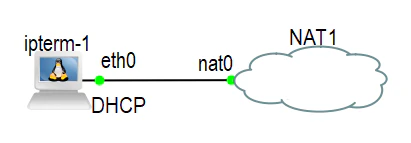
GNS3 VM利用、上記のような構成で、外部とのネットワーク接続を設ける。今回は、sshdサーバーをインストールし、sshdサーバーをターゲットとする。
その前に
auto eth0
iface eth0 inet dhcp
上記により、GNS3 VMからIPアドレスを取得する。なお、このファイルは、後述する”docker commit”を実行しなくても、永続化されるようだ。
# df -h
Filesystem      Size  Used Avail Use% Mounted on
overlay         480G   17G  440G   4% /
tmpfs            64M     0   64M   0% /dev
tmpfs           990M     0  990M   0% /sys/fs/cgroup
/dev/sdb1       480G   17G  440G   4% /root
/dev/sda2        20G  6.4G   12G  35% /gns3
shm              64M     0   64M   0% /dev/shm

# cat /proc/mounts | grep etc
/dev/sdb1 /etc/hostname ext4 rw,nodiratime,relatime 0 0
/dev/sdb1 /gns3volumes/etc/network ext4 rw,nodiratime,relatime 0 0
/dev/sdb1 /etc/network ext4 rw,nodiratime,relatime 0 0

# cat /proc/mounts | grep overlay
overlay / overlay rw,relatime,lowerdir=/opt/docker/overlay2/l/5JICYSSAKTDWUAQS45ORGLSJQN:/opt/docker/overlay2/l/UGWEXHGMTVFTAIPCPAZOXLK5Z7:/opt/docker/overlay2/l/GV2EJ3OTKUZJP3CZKFDHK45AUN:/opt/docker/overlay2/l/QDMMOSQNN27G5N6ZL5SOGUXCWR:/opt/docker/overlay2/l/VWMLA2CXYCDPAQTKTARMVVACVS,upperdir=/opt/docker/overlay2/6dfb70e5c93389b59f595d2ca2f363fd08dd8c160863b61ffcbe3fdb0f7d14c5/diff,workdir=/opt/docker/overlay2/6dfb70e5c93389b59f595d2ca2f363fd08dd8c160863b61ffcbe3fdb0f7d14c5/work 0 0
/etc/network/interfacesは、/dev/sdb1に存在し、こちらは永続化領域のようだ。"overlay"がdocker領域の様子。
なお、ここでは、sshd(openssh-server)をインストールしたイメージを保存(永続化)する。
手順
openssh-serverインストール
root@ipterm-1:~# dpkg -l | grep openssh
ii  openssh-client                1:9.2p1-2+deb12u7              amd64        secure shell (SSH) client, for secure access to remote machines
root@ipterm-1:~# apt update
root@ipterm-1:~# apt upgrade
root@ipterm-1:~# apt install openssh-server
root@ipterm-1:~# dpkg -l | grep openssh
ii  openssh-client                1:9.2p1-2+deb12u7              amd64        secure shell (SSH) client, for secure access to remote machines
ii  openssh-server                1:9.2p1-2+deb12u7              amd64        secure shell (SSH) server, for secure access from remote machines
ii  openssh-sftp-server           1:9.2p1-2+deb12u7              amd64        secure shell (SSH) sftp server module, for SFTP access from remote machines
GNS3 VMでdockerイメージ作成
次にGNS3 VMに移る。
gns3@gns3vm:~$ docker ps
CONTAINER ID   IMAGE                COMMAND                  CREATED             STATUS         PORTS     NAMES
6b36b19fb7c0   gns3/ipterm:latest   "/gns3/init.sh /etc/..."   About an hour ago   Up 8 minutes             sleepy_bassi
コンテナIDを指定してcommit(イメージ作成)。”ipterm_2nd:sshd”という名称を付与。
gns3@gns3vm:~$ docker commit 6b36b19fb7c0 ipterm_2nd:sshd
sha256:cb5fd5f791517da89b3bf1e90cfbfc7ffbe8577a179e89238893f7d491693b93
イメージ状況。
gns3@gns3vm:~$ docker images
REPOSITORY         TAG       IMAGE ID       CREATED              SIZE
ipterm_2nd         sshd      cb5fd5f79151   About a minute ago   716MB
ipterm_r1          openvpn   01238157e07f   13 hours ago         275MB
alpine             latest    9234e8fb04c4   2 months ago         8.31MB
gns3/openvswitch   latest    59e2f23ee7be   12 months ago        17MB
gns3/webterm       latest    5ab9dc4304a9   12 months ago        672MB
gns3/ipterm        latest    c9dab61436d1   12 months ago        110MB
1行目が作成されたイメージである。
GNS3での設定
Preferencesのdockerの状況は下記。
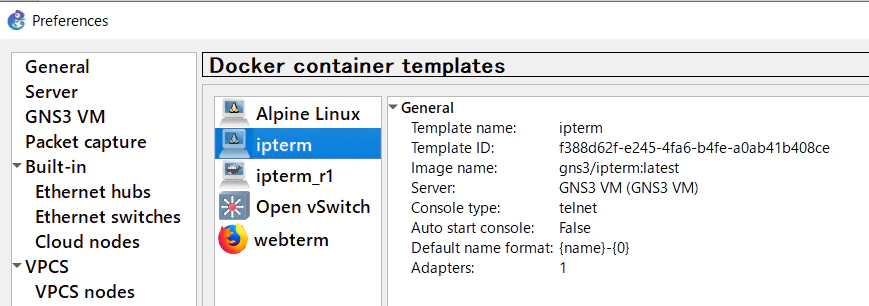
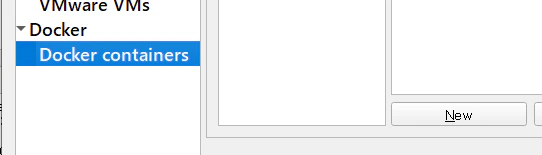
新規作成(New)、以降、関連部分のみ紹介。
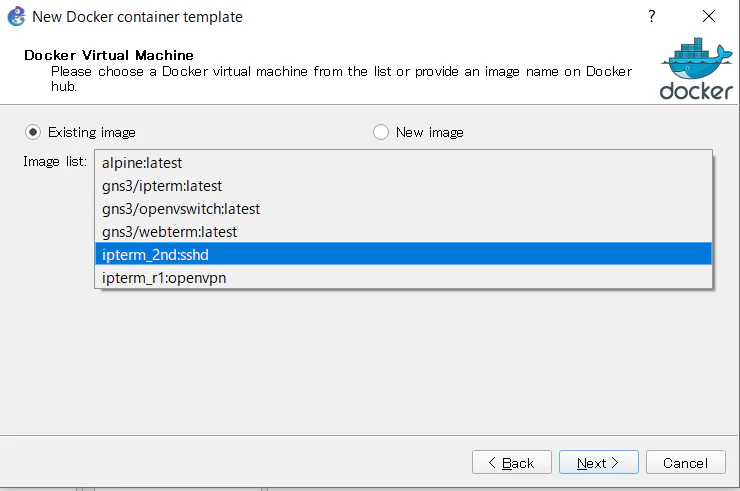
docker VMとして、先ほど作成した”ipterm_2nd:sshd”を指定。
適宜、名称入力。
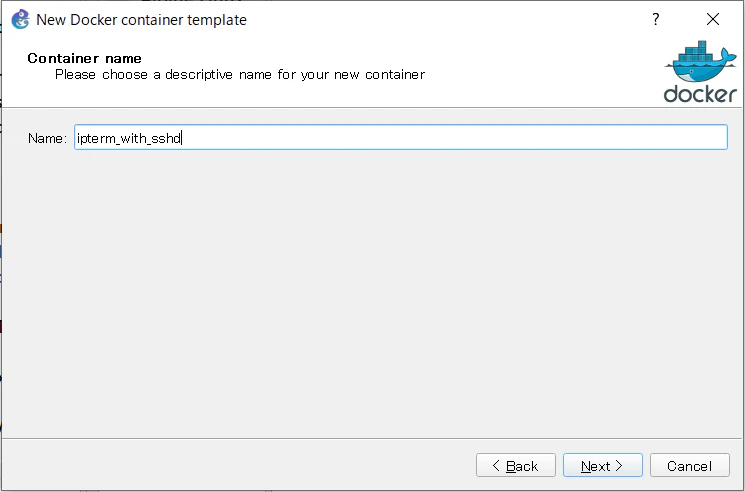
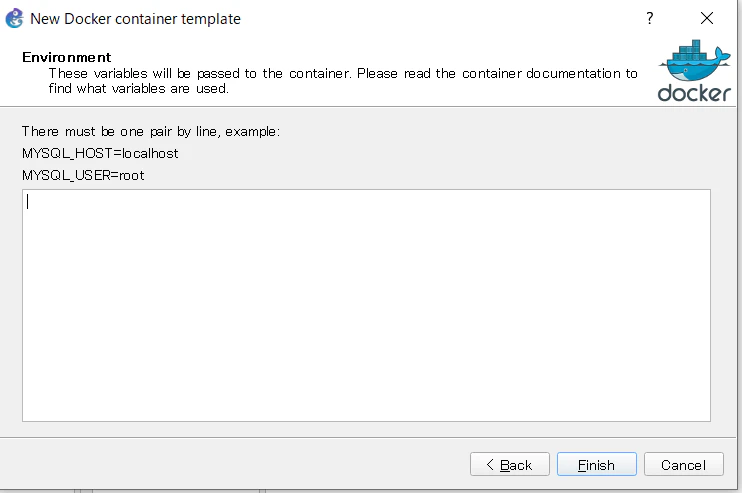
最後に”Finish”。
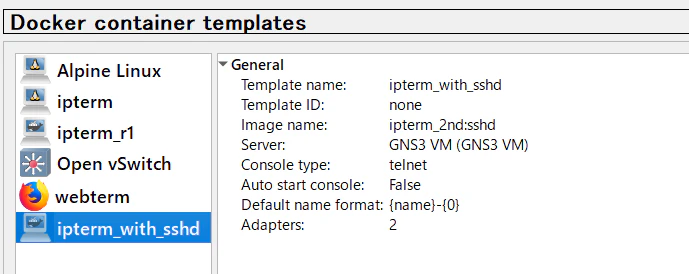
登録され、下記のように見える。
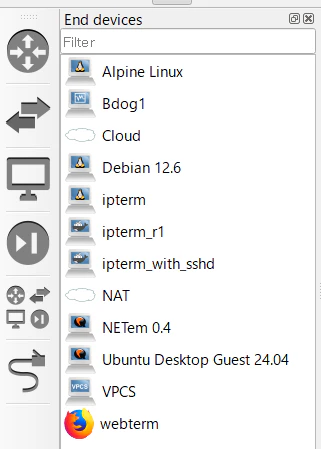
Device選択画面でも、入力した名称”ipeterm_with_sshd”が見える。
指定したイメージで起動
新規プロジェクトで”ipeterm_with_sshd”を指定して起動する。
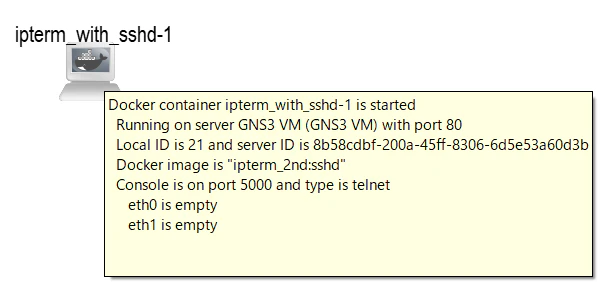
dockerイメージ名称"ipterm_2nd:sshd"が見える。ターミナル状況は下記。
root@ipterm_with_sshd-1:~# dpkg -l | grep openssh
ii  openssh-client                1:9.2p1-2+deb12u7              amd64        secure shell (SSH) client, for secure access to remote machines
ii  openssh-server                1:9.2p1-2+deb12u7              amd64        secure shell (SSH) server, for secure access from remote machines
ii  openssh-sftp-server           1:9.2p1-2+deb12u7              amd64        secure shell (SSH) sftp server module, for SFTP access from remote machines
当然のことながら、open-ssh-serverが見える。
EOF