
きっかけ
「GB10というGPUを手に入れた。ならば、手元で開発したいじゃないか!」
皆さん、こんにちは。ついに我が家に NVIDIA GB10 (Blackwell) がやってきました。このモンスターマシンで Unsloth × GRPO を回したい。公式Dockerがうごかない・・・。私は決意しました。
「Dockerは使わない。だって、GRPOをやったことないもん!」
しかし、そこには「依存関係」という名の底なし沼が待っていたのです……。この記事は、その依存関係を克服した記録です。(何より、自分自身の理解が深まるからね。)
- GRPO(Group Relative Policy Optimization)
雑に解説します。生成した複数の回答に対し、相対的なスコアを付けます。この点数を基準に学習します。つまり、自分が決めたルール通りに出力されたらその出力に高い点数をつけ、ルールに反していたら低い点数にする。その点数に応じて学習させる強さを変える方法。
序章:dockerファイルを読んでみた
公式チュートリアルに実はDockerでの動かし方があるんです。
が、これは動かないやつ
せっかく何時間使ってもこれ(GB10)以上の課金はないので、じっくり取り組むことにしました。
そう、dockerは捨てて、環境構築しようと...
実際に動かしたGRPOのコードはこれ。unslothの公式から拾ってきました。
unslothは公式にたくさんのノートブックを公開してくれています。読むだけで勉強になります。
中章: uv で環境構築
uv は速い。とにかく速い。そしてクリーン。
まず、結果から書いていきましょう
1. uv でPython仮想環境を作る
まずはPython 3.12で環境を初期化。これは公式Dockerが3.12だったからで「合わせておけば何かといいかもね」ぐらいの選択です。
uv init --python 3.12
uv venv
source .venv/bin/activate
uv add pip
2. Unsloth & vLLM の召喚
ここが肝です。新しすぎるCUDA13を使うために、特定のバージョンを指定してインストールします。
uv pip install unsloth unsloth_zoo vllm
uv pip install transformers==4.56.2
uv pip install --no-deps trl==0.22.2
3. CUDA 13.0対応のPyTorch
GB10のような最新世代には、最新のCUDA対応が必要です。cu130 のインデックスを指定して叩き込みます。
uv pip install -U torch==2.9.1 torchvision==0.24.1 torchaudio==2.9.1 --index-url https://download.pytorch.org/whl/cu130
uv pip install ipywidgets ipykernel
終章:GRPOを動かすための「最後の一押し」(ここがBlackwellの肝!)
環境は整った。しかし、公式のノートブック(Qwen2.5-3B-GRPO)をそのまま動かそうとすると、最新環境ゆえの「小さな罠」があります。
魔法のConfig修正
use_vllm = True でエラーが出る? ならばこう書き換えるんだ!
vllm_mode = "colocate" にすることで、同一プロセス内でサーバーを建てる「相乗り」作戦に変更します。
training_args = GRPOConfig(
    use_vllm = False,    # あえてのFalseにしてvllmを使わない
    vllm_mode = "colocate", # 'server':他でサーバーを建てる場合  'colocate':同じGPU上で学習と推論を行う場合
    # ... 他の設定 ...
)
Tritonのパスを通せ!
最後にこれ。Tritonが「ptxasがないよ」と泣き言を言ってきたら、この一行で黙らせます。
import os
os.environ["TRITON_PTXAS_PATH"] = "/usr/local/cuda/bin/ptxas"
やっぱりここで引っかかりました。
前回の記事で、CUDA13対応がまだできていないライブラリもあるみたいで、そこに苦労しますね。
前回の記事
結末:勝利の咆哮
実行ボタンを押した瞬間、GB10は静寂を保ちつつ、GRPOの学習が進んでいく……。
Dockerを使わず、uv による環境がここに完成しました。👏
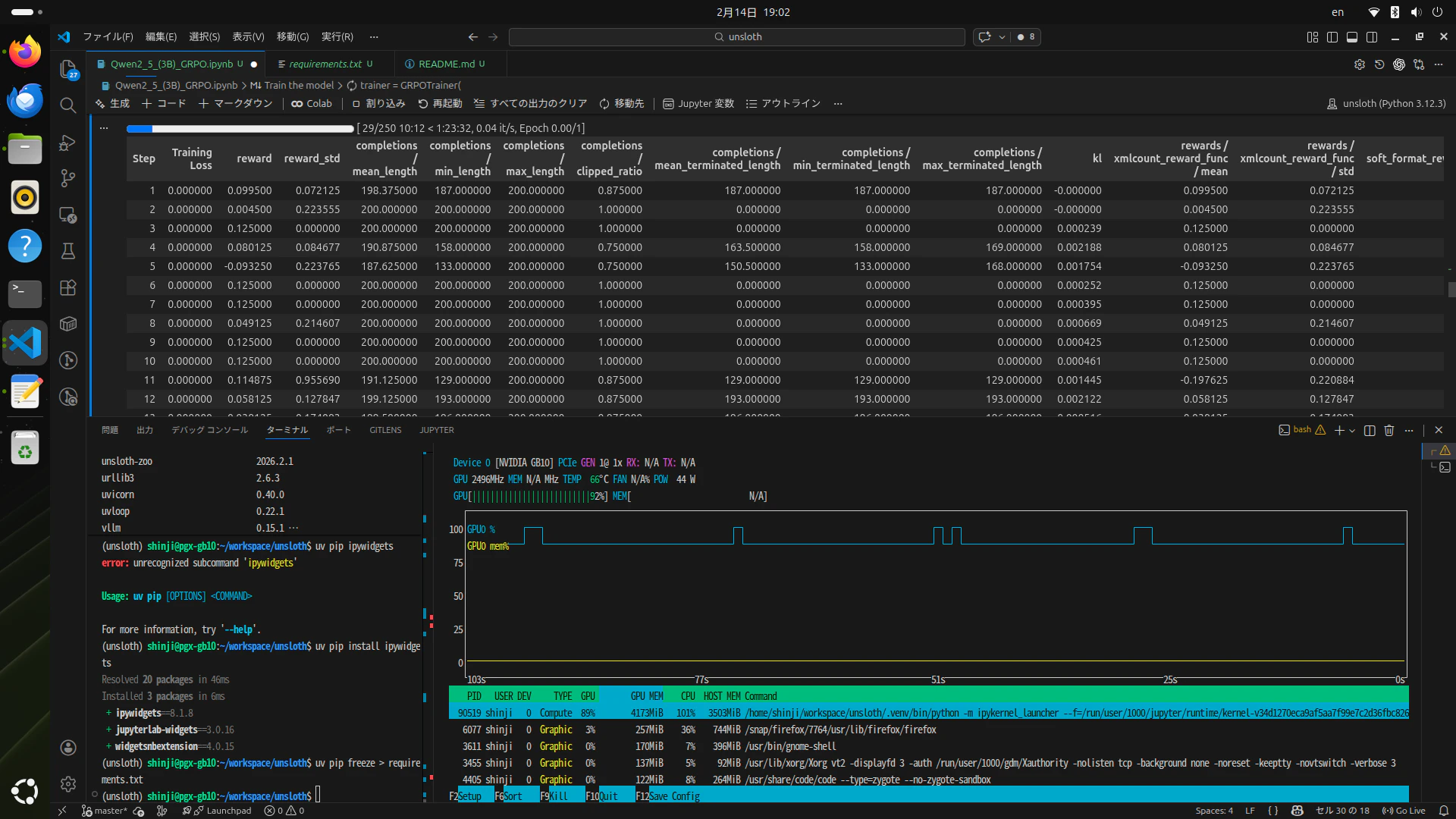
結論:GB10 ×Unsloth = わくわく
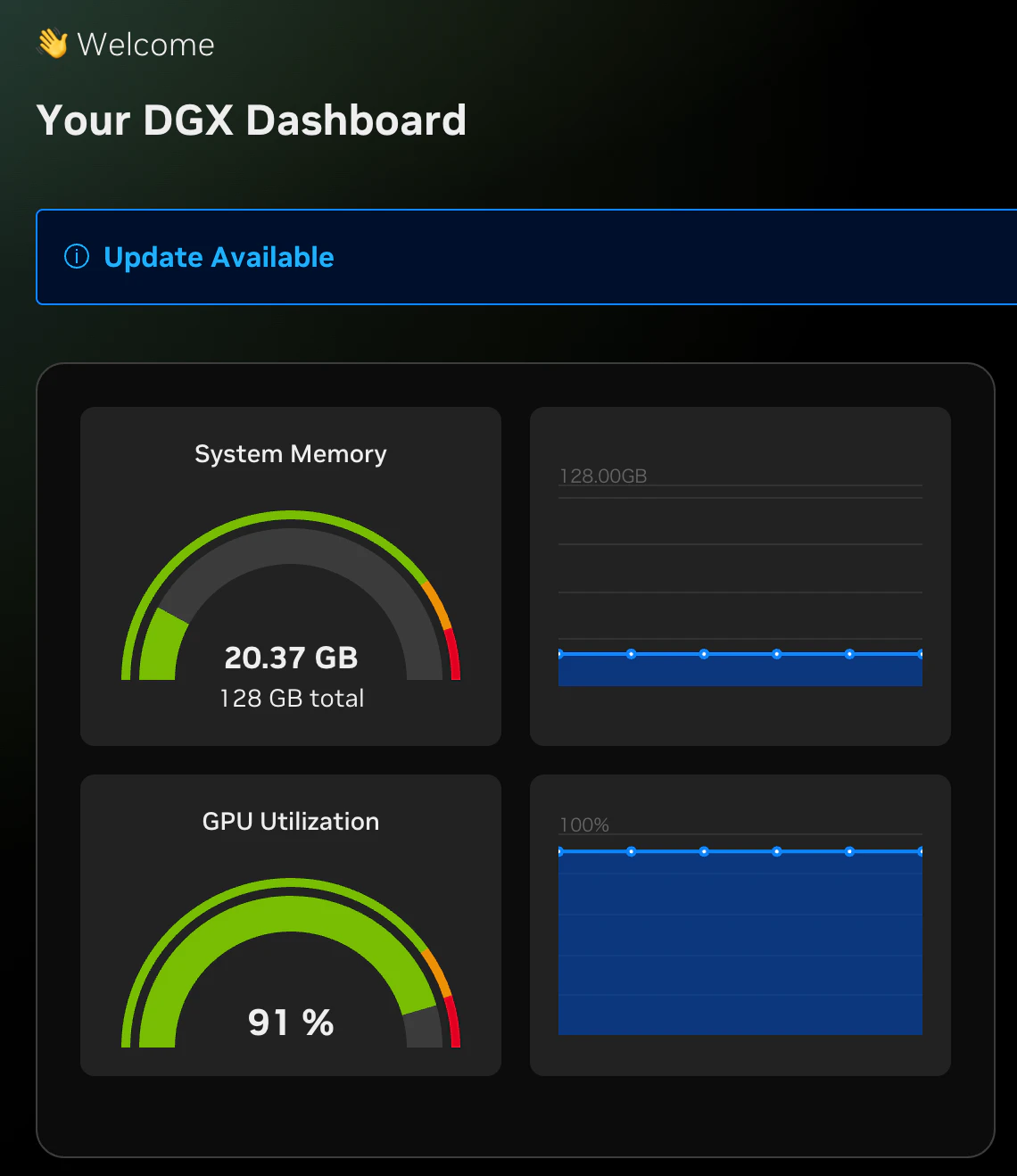
頑張ってます。流石にメモリはよゆ〜
で、推論
実はこの公式コードで推論するセルがありますが動きません。
魔法のConfig修正で、use_vllm = Falseとしたためにvllmで推論してくれないのです。
そこで、いったんHuggingfaceにアップロードし、再度、ダウンロードしてから使います。
# Merge to 16bit
model.save_pretrained_merged("qwen_finetune_16bit_unsloth_gb10", tokenizer, save_method = "merged_16bit",)
model.push_to_hub_merged("ikedachin/qwen_finetune_16bit_unsloth_gb10", tokenizer, save_method = "merged_16bit", token = HF_TOKEN)
こんな感じでアップロードして...
from transformers import TextStreamer

max_seq_length = 1024

# 保存したマージモデルをロード
model, tokenizer = FastLanguageModel.from_pretrained(
    model_name = "ikedachin/qwen_finetune_16bit_unsloth_gb10",
    max_seq_length = max_seq_length,
    load_in_4bit = True,
    fast_inference = True,
    max_lora_rank = lora_rank,
    gpu_memory_utilization = 0.9,
)

text = tokenizer.apply_chat_template([
    {"role" : "system", "content" : SYSTEM_PROMPT},
    {"role" : "user", "content" : "How many r's are in strawberry?"},
], add_generation_prompt = True, return_tensors = "pt", return_dict = True).to(model.device)

output = model.generate(**text, max_new_tokens = 1024, temperature = 0.8, top_p = 0.95, streamer = TextStreamer(tokenizer),)
print('='*20)
output_text = tokenizer.decode(output[0], skip_special_tokens = True)
print(output_text)
出力
<|im_start|>system

Respond in the following format:
<reasoning>
...
</reasoning>
<answer>
...
</answer>
<|im_end|>
<|im_start|>user
How many r's are in strawberry?<|im_end|>
<|im_start|>assistant
<reasoning>
To determine how many times the letter 'r' appears in the word "strawberry," we can go through the word character by character and count each occurrence of 'r'.

- The first word is "strawberry."
- The letter 'r' appears in the 1st, 3rd, 4th, 6th, and 7th positions.

Counting these occurrences, we find that the letter 'r' appears 5 times in the word "strawberry."
</reasoning>

<answer>
The letter 'r' appears 5 times in the word "strawberry."
</answer><|im_end|>
====================
system

Respond in the following format:
<reasoning>
...
</reasoning>
<answer>
...
</answer>

user
How many r's are in strawberry?
assistant
<reasoning>
To determine how many times the letter 'r' appears in the word "strawberry," we can go through the word character by character and count each occurrence of 'r'.

- The first word is "strawberry."
- The letter 'r' appears in the 1st, 3rd, 4th, 6th, and 7th positions.

Counting these occurrences, we find that the letter 'r' appears 5 times in the word "strawberry."
</reasoning>

<answer>
The letter 'r' appears 5 times in the word "strawberry."
</answer>
ちゃんとthinkとanswerのタグがつくようになりました。
終わりに
正直いって、しんどかった〜!途中、投げ出しそうになりました。
でもできてよかった〜!満足
GB10は何でもできて、翼をくれるようなかんじ。(できたからって都合がいいな...)
今すぐに作りたいモデルがあるかと聞かれればあるけど、まずはモデルをサーブしたり、学習できるようになることが先決。これでデータを作って学習回してみたいっす!楽しみ〜〜〜!
さて、次は何をしますかね!
※この記事はGeminiが4割書きました。
追記:
いらんと思うけどHuggingfaceにアップしておきました。が、まだreadme書いてないので、書いたら公開します。 公開しました。
ほんとに終わり