
0. はじめに
この記事は Houdini Advent Calendar 2025 の 22 日目の記事です
0-1. 動作環境
Houdini: 21.0.559 (Production Build)
0-2. 概要
POP Solver の Drag の挙動について
1. Drag の挙動
1-0. 初期状態
まず,初期状態として以下のような平面上の直線運動を考えます.
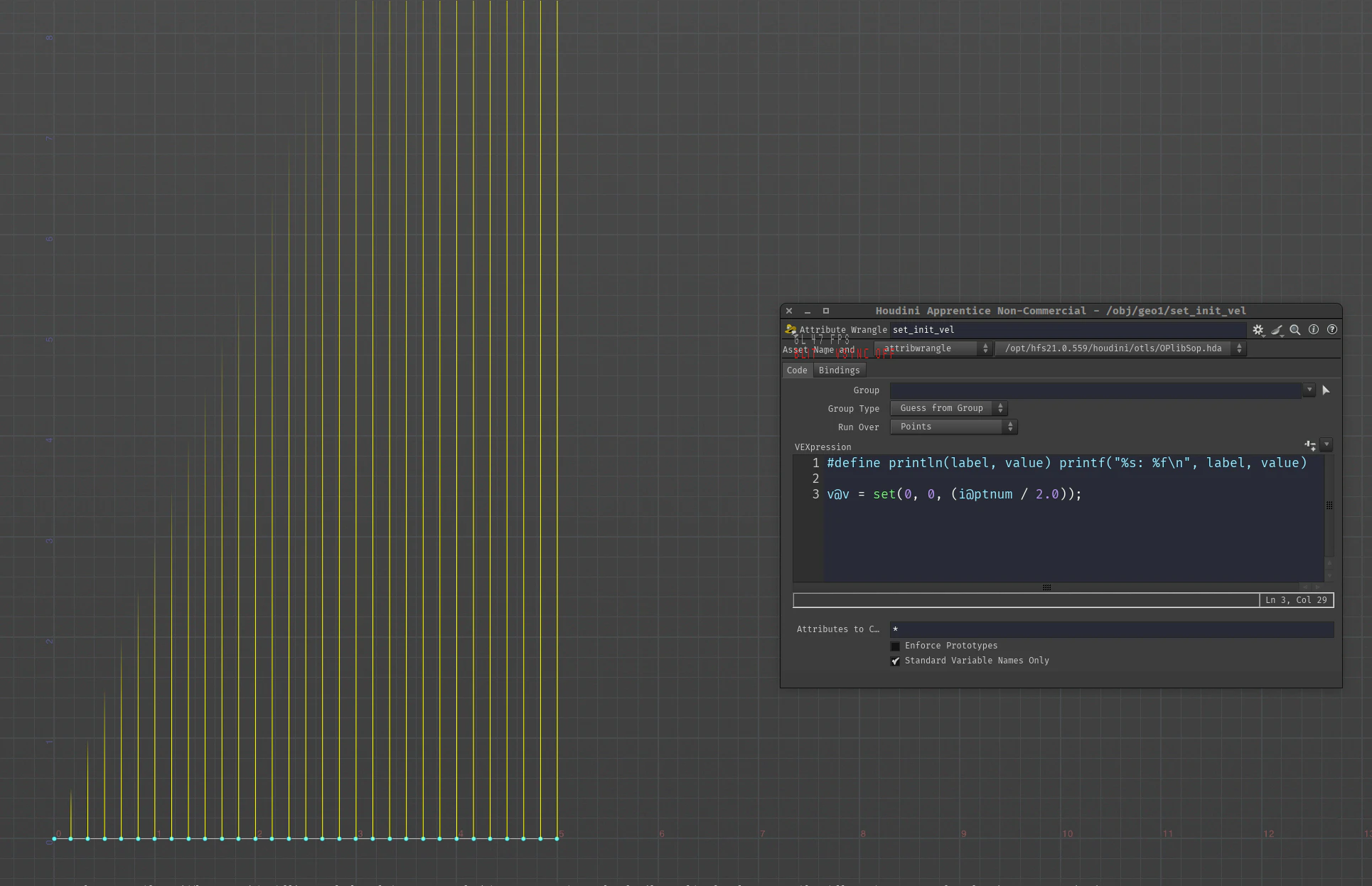
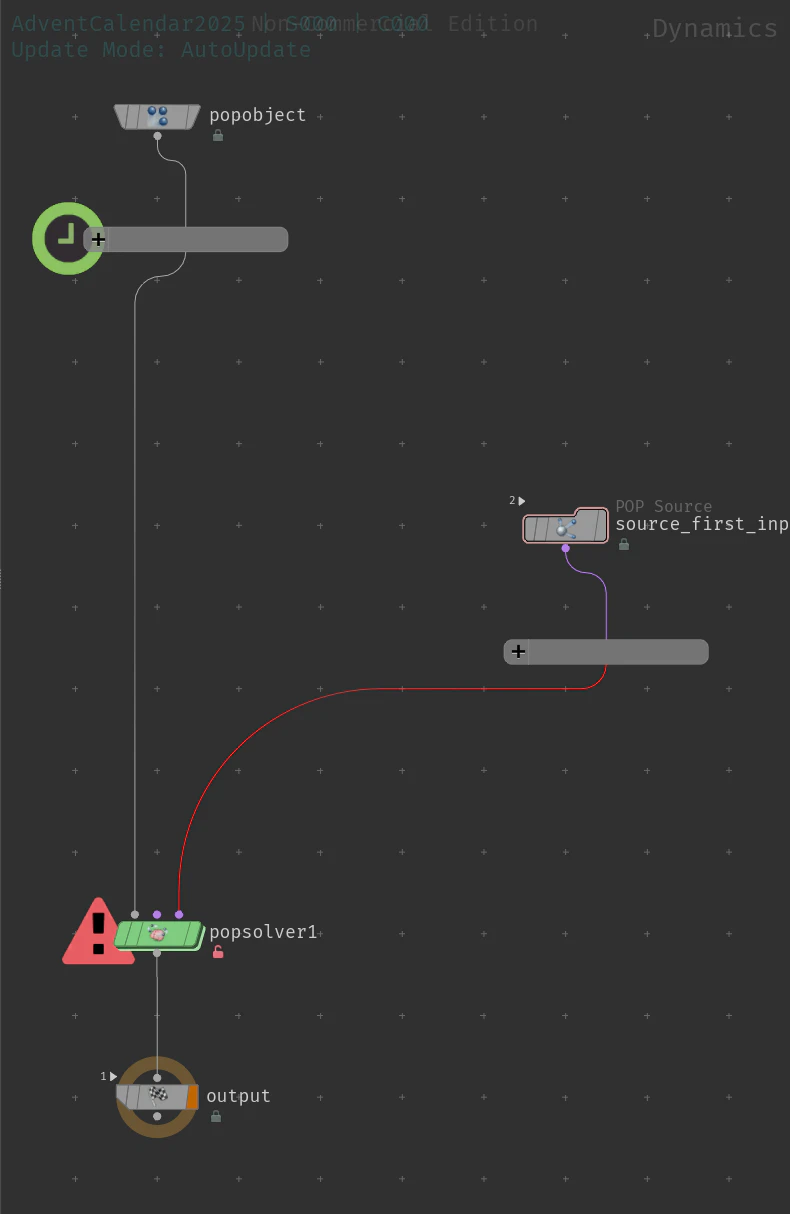
普通のPOP Networkのセットアップをします.
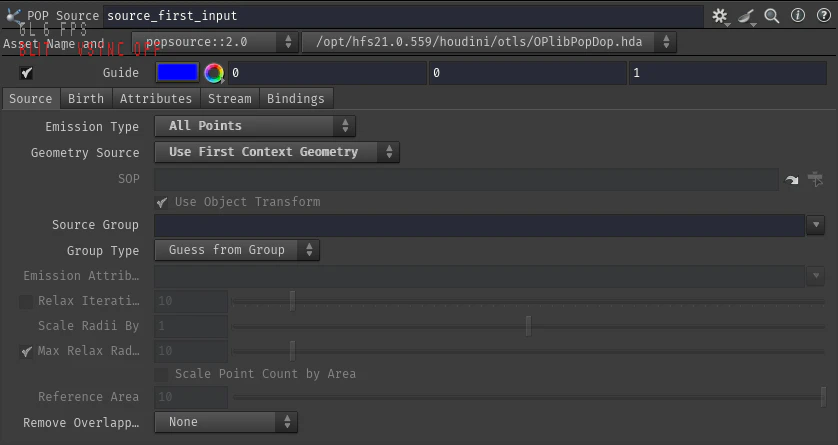
POP Source DOP の Emission Type パラメータを All Points に,Geometry Source パラメータを Use First Context Geometry に
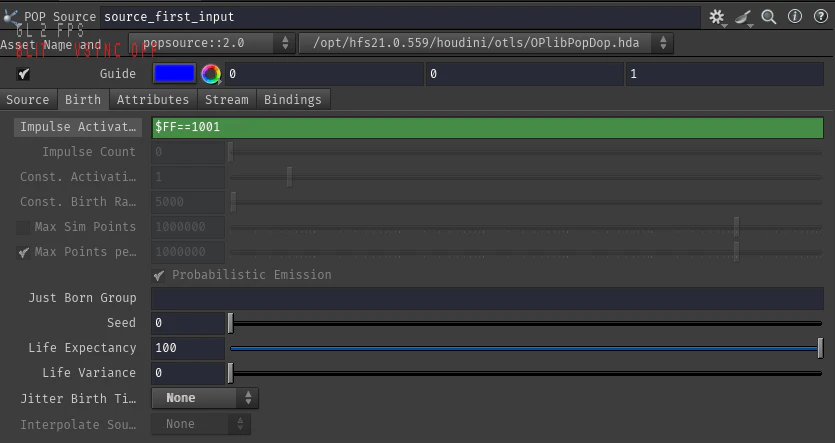
Impulse Activation パラメータに $FF==1001 というエクスプレッションでスタートフレームのみエミットするようにし,Jitter Birth Time パラメータは None にしておきます.

ここに POP Drag DOP を使うと空気抵抗の挙動を再現することができます.

また POP Drag DOP は内部的に v@targetv アトリビュートと f@airresist アトリビュートを修正しているので以下と等価です.
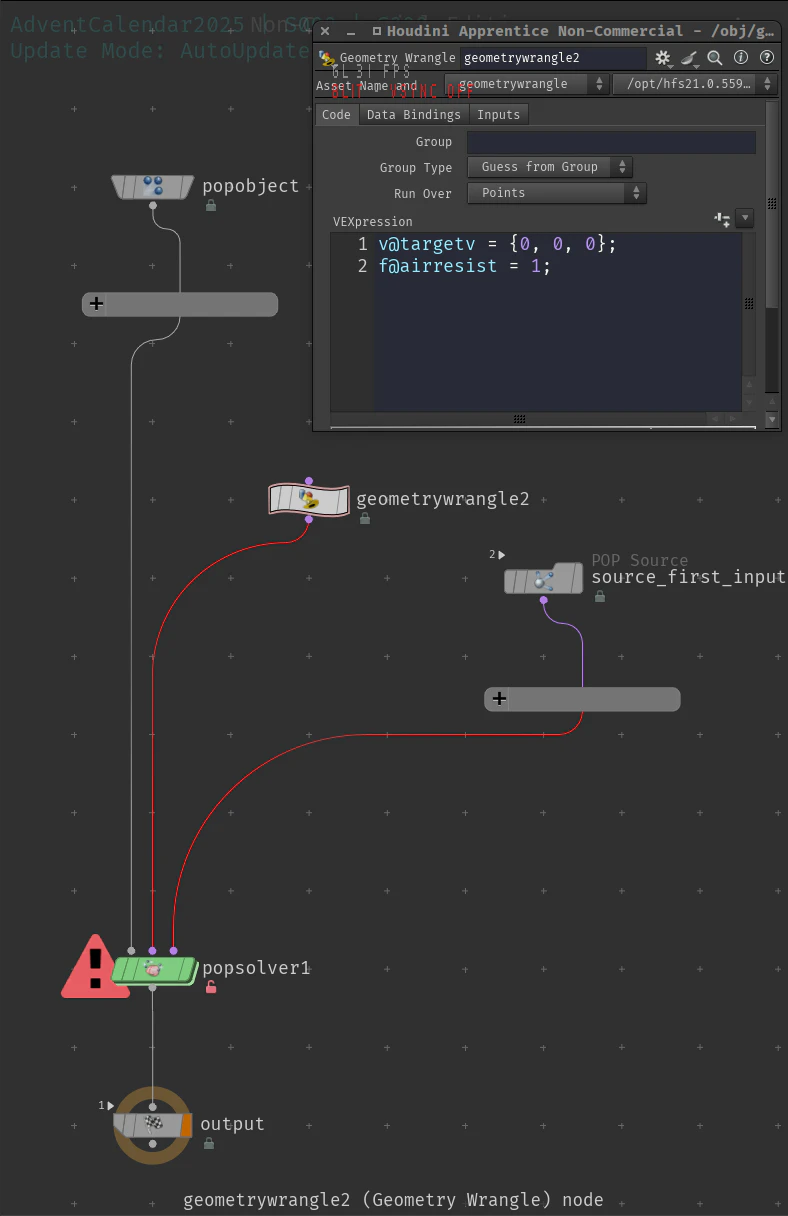

f@airresist が大きいほど,より早く v@v が v@targetv に近づくという挙動をします.
では具体的にどのように v@v を加工しているのでしょうか?
1-1. integrate force
この処理は POP Solver DOP 内の integrate forces という VOP の中で行われています.
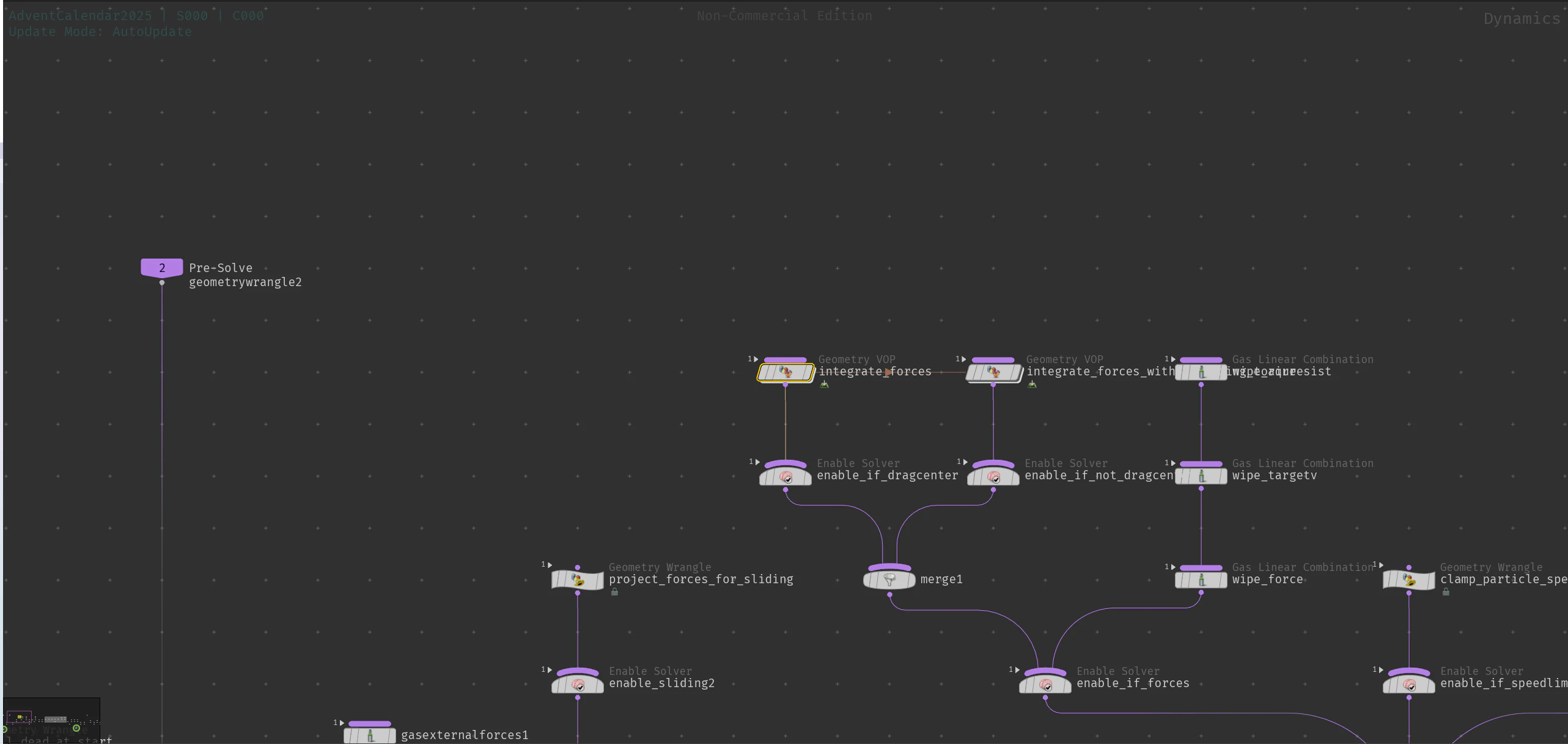
以下が整理したものです.
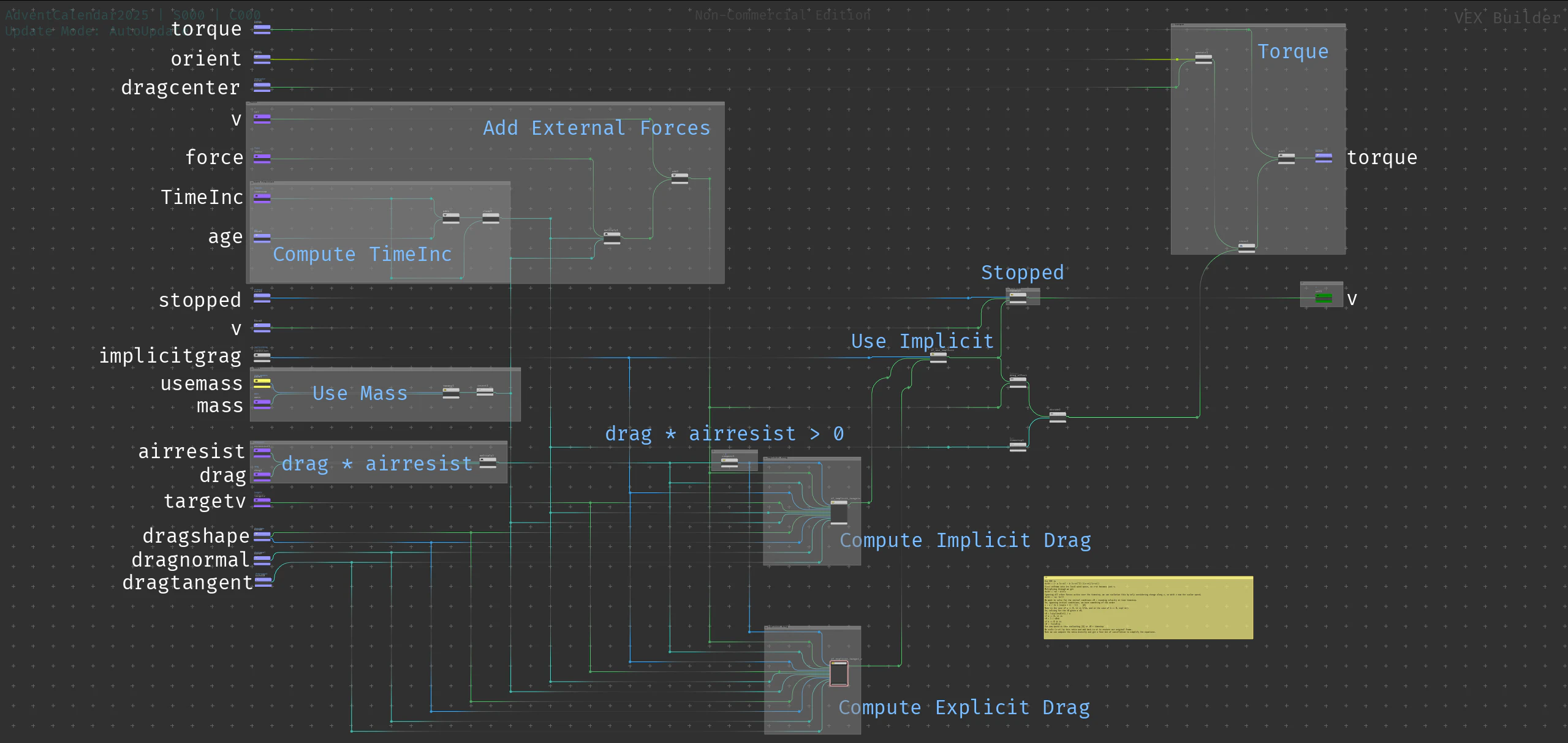
1-1-0. TimeInc
TimeInc の計算
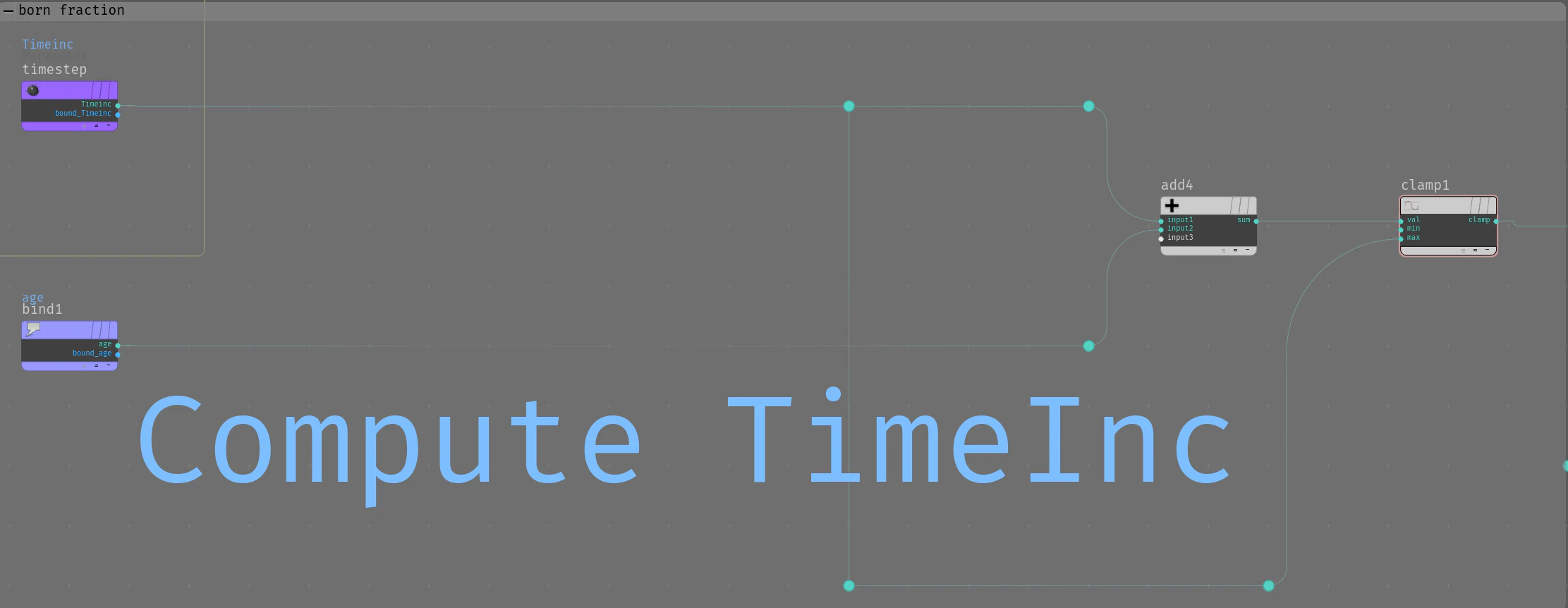
VEX で書くと
timeinc = clamp(TimeInc + age, 0, TimeInc);
です.
この処理により TimeStep の間に エミット できるようになり連続的なエミッションができるようになったり,この記事でやってるような source の age を細工して jitter させるみたいなことができるようになります.
これからの計算ではこの値を TimeInc として使うことになります.
1-1-1. Mass
Mass の計算

VEX で書くと
invmass = 1 / (usemass == 1 ? mass : 1);
です.
1-1-2. Force
force を足します
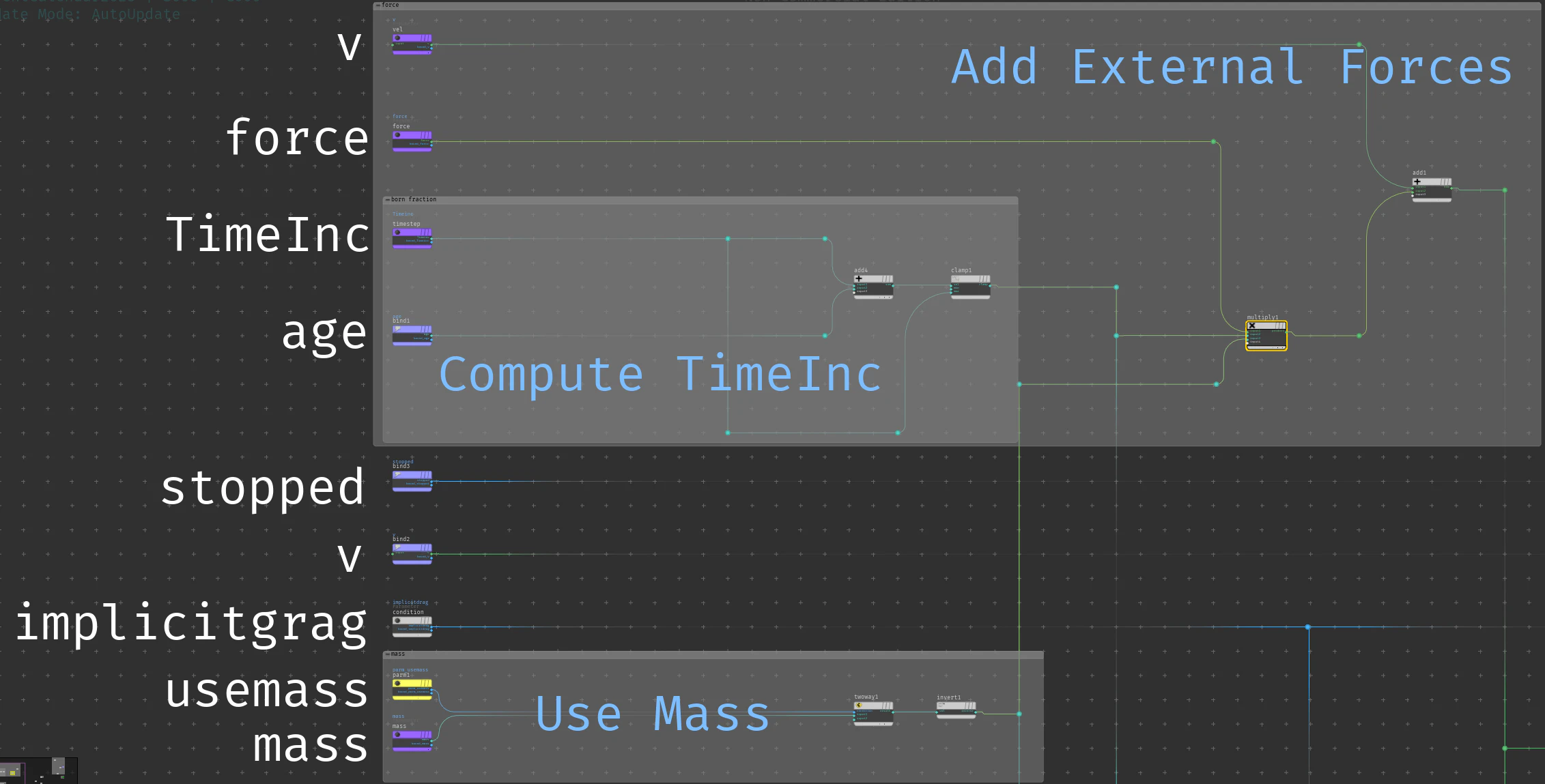
VEX で書くと
v += force * invmass * timeinc;
です.
\frac{dx(t)}{dt} = \int \frac {F}{m} dt
なのでそのまんまですね.
1-1-3. Air Resist
Drag と airresist を掛けてますね.

1-1-4. Implicit Drag
Implicit Drag の計算
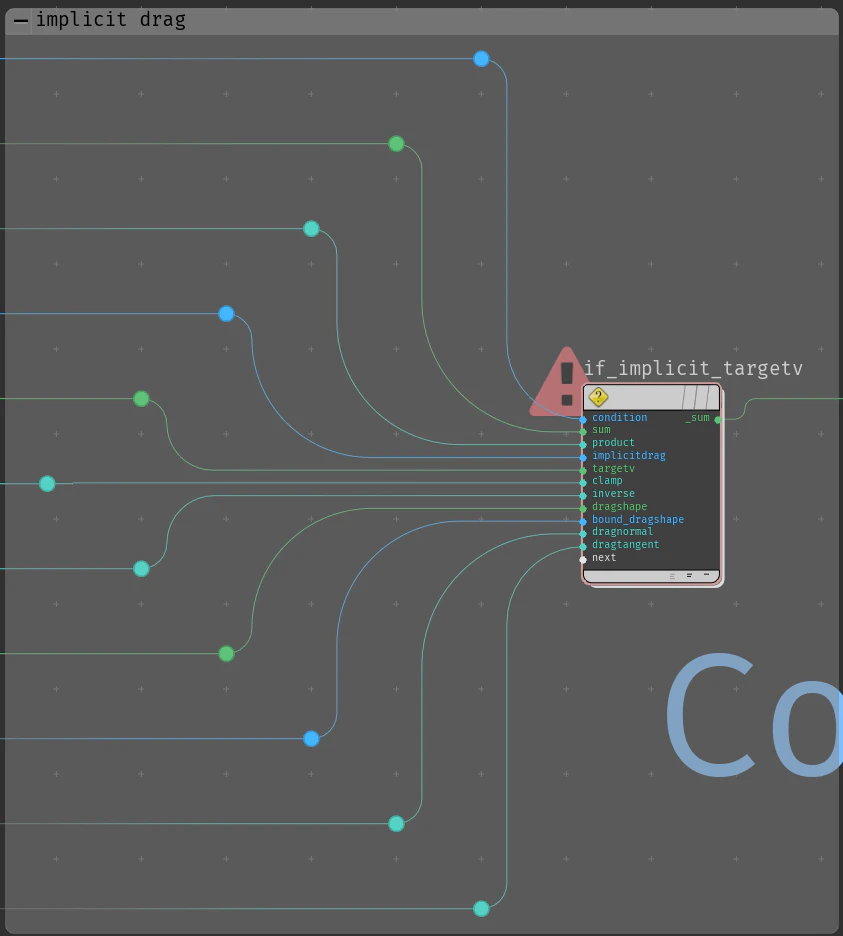
// implicit drag じゃなければ抜ける
if (!implicitdrag){
    return;
}


// v と targetv の相対速度をとる
v -= targetv;

// 空気抵抗に質量の影響を加える
airresist *= invmass;

// airresist が 0 なら抜ける
if (airresist == 0){
    return;
}

// パーティクルのローカルの姿勢
vector4 lcl_orient;

// dragshape がいるなら使う
if (hasdragshape){
    lcl_orient = p@orient;

// dragshape がいないが,dragnormal, dragtangent が 1 でないなら,近傍の向いてる方向からPCAを使って dragshape の姿勢を推定する
// メッシュならサーフェスの法線方向が dragnormal, サーフェスの接線方向が dragtangent になるように
// ポリラインならカーブ方向が  dragtangent に, それ以外の方向がdragnormal になるようになる
// neighbours を使ってるので接続のないポイントに対しては失敗する
}else if (dragnormal != 1 || dragtangent != 1){
    // dragshape を有効にする
    hasdragshape = 1;

    // 近隣からローカルの方向を計算する
    int npts[] = neighbours(0, @ptnum);

    matrix3 g = 0;

    foreach (int npt; npts){
        vector pos = point(0, 'P', npt);
        pos -= @P;
        pos = normalize(pos);
        g += outerproduct(pos, pos);
    }
    g /= len(npts);

    vector diag;
    matrix3 rot = diagonalizesymmetric(g, diag);
    lcl_orient = quaternion(rot);
    dragshape =  fit(diag, 0, 0.5, dragnormal, dragtangent);
}

// dragshape を使うとき
// drag の異方性を考慮して,抵抗を軸ごとに別々に計算する
if (hasdragshape){
    vector4 back = lcl_orient;
    back = qinvert(back);
    v = qrotate(back, v);
    if (dragexp == 2){
        // 2次のときのみ
        vector scale = airresist * timeinc * abs(v) * dragshape;
        scale += 1;
        scale = 1 / scale;
        v *= scale;
    }else if (dragexp == 1){
        // 1次のときのみ
        vector scale = timeinc * airresist * dragshape;
        scale = exp(-scale);
        v *= scale;
    }else{
        vector a = 2 - dragexp;
        vector b = dragexp - 1;
        vector v0 = abs(v);

        a *= airresist * dragshape;
        b *= airresist * dragshape;

        vector t0 = log( a / (b * v0) + 1) / a;
        vector vnew = a / (b * (exp(a*(t0 + timeinc)) - 1));
        vector scale = vnew / v0;
        v *= scale;
    }
    v = qrotate(lcl_orient, v);
}else{
    if (dragexp == 2){
        // 2次のときのみ
        float scale = airresist * timeinc * length(v);
        scale += 1;
        scale = 1 / scale;
        v *= scale;
    }else if (dragexp == 1){
        // 1次のときのみ
        float scale = timeinc * airresist;
        scale = exp(-scale);
        v *= scale;
    }else{
        float a = 2 - dragexp;
        float b = dragexp - 1;
        float v0 = length(v);

        a *= airresist;
        b *= airresist;

        float t0 = log( a / (b * v0) + 1) / a;
        float vnew = a / (b * (exp(a*(t0 + timeinc)) - 1));
        float scale = vnew / v0;
        v *= scale;
    }
}

// 最初に引いたのを戻す
v += targetv;
1-1-4-0. Drag Shape
この中で drag shape を計算してるところを詳しくみます.
// 近隣からローカルの方向を計算する
int npts[] = neighbours(0, @ptnum);

matrix3 g = 0;

foreach (int npt; npts){
    vector pos = point(0, 'P', npt);
    pos -= @P;
    // pos は接続されてる先を向く正規化されたベクトル
    pos = normalize(pos);

    // pos の外積
    g += outerproduct(pos, pos);
}
// 外積の平均
g /= len(npts);

// 外積の平均の行列を対角化して,固有値と固有ベクトルを得る
vector diag;
matrix3 rot = diagonalizesymmetric(g, diag);


lcl_orient = quaternion(rot);
dragshape =  fit(diag, 0, 0.5, dragnormal, dragtangent);
外積といえば2つのベクトルと直交するベクトルを計算する cross() が馴染み深いですが,ここで使われている outerproduct() 少し別で
outerproduct(pos, pos) = pos \, pos^{T}
です.
ここで $pos^{T}$ は $pos$ の transpose で , $pos$ は
pos =
\begin{pmatrix}
v_{i_x} \\
v_{i_y} \\
v_{i_z}
\end{pmatrix}
なので,外積の平均 g /= len(npts) は
\begin{align}

g &= \frac{1}{npts}\sum_{i=1}^{npts} outerproduct(pos_{i}, pos_{i}) \\
&= \frac{1}{npts}\sum_{i=1}^{npts}

pos_{i} \, pos_{i}^{T}\\

&= \frac{1}{npts}\sum_{i=1}^{npts}
\begin{pmatrix}
v_{i_x}^{2} & v_{i_x}v_{i_y} & v_{i_x}v_{i_z}\\
v_{i_y}v_{i_x} & v_{i_y}^{2} & v_{i_y}v_{i_z}\\
v_{i_z}v_{i_x} & v_{i_z}v_{i_y} & v_{i_z}^{2}
\end{pmatrix}

\end{align}
となり,対角行列となり対角化できるので,matrix3 rot = diagonalizesymmetric(g, diag); で対角化して,固有ベクトルと固有値の組を計算しています.
対角化とは雑に言うと,ある正方行列 $A$ があって,$rot^{-1} A rot$ の非対角成分が0になるような回転行列$rot$を計算して,基底を貼り直すことで元の行列に相似な行列を固有空間の固有値倍として簡単にかけるようにすることです.
\begin{align}

rot^{-1} \, g \, rot =
\begin{pmatrix}
\lambda_{1} & 0 & 0\\
0 & \lambda_{2} & 0\\
0 & 0 & \lambda_{3}
\end{pmatrix}

\end{align}
ここで回転行列$rot$はパーティクルのローカルの姿勢を表現するのでlcl_orient = quaternion(rot);でクォータニオンに変換してlcl_orientに設定し,固有値$diag$は固有空間の各基底に対する寄与度を表現するので,dragに対する異方性としてdragshape = fit(diag, 0, 0.5, dragnormal, dragtangent);で値域をリマップしてdragshapeに 設定されています.
1-1-4-1. 異方性ありのDrag
異方性ありの Drag の処理を詳しくみます.
ここで v は targetv との相対速度 v -= targetv であることに注意
基本的に v をローカル姿勢の各軸成分でばらして計算する戦略をとってます.
// v をローカルの姿勢で回す
// drag の異方性の減衰の係数である dragshape は姿勢の各軸方向で量をもってるので,v にそれをかけるために v もローカルの姿勢に適合するように回す
vector4 back = lcl_orient;
back = qinvert(back);
v = qrotate(back, v);


if (dragexp == 2){
    // 2次のときのみ
    // abs(v) で各軸方向の大きさをとってる
    vector scale = airresist * timeinc * abs(v) * dragshape;
    scale += 1;
    scale = 1 / scale;
    v *= scale;

}else if (dragexp == 1){
    // 1次のときのみ
    vector scale = timeinc * airresist * dragshape;
    scale = exp(-scale);
    v *= scale;

}else{
    // 両方を混合
    vector a = 2 - dragexp;
    vector b = dragexp - 1;
    vector v0 = abs(v);

    a *= airresist * dragshape;
    b *= airresist * dragshape;

    vector t0 = log( a / (b * v0) + 1) / a;
    vector vnew = a / (b * (exp(a*(t0 + timeinc)) - 1));
    vector scale = vnew / v0;
    v *= scale;
}

// v をローカルの姿勢に回したので戻す
v = qrotate(lcl_orient, v);
コードの解説の前に Houdini の POP Solver が扱ってる ODE(Ordinary Differential Equation) の話をします.
VOP 内の Sticky Note ではこう言ってます.
Our ODE is
dv/dt = (- a |v-vt| - b |v-vt|^2) ((v-vt)/|v-vt|)
First reframe into the local wind speed, so v-vt becomes just v.
Multiplying through we get
dv/dt = -av - b|v|v
Ignoring all other forces active over the timestep, we can scalarize this by only considering change along v, so with v now the scalar speed,
dv/dt = -av -bv^2
We want to solve for the initial condtions v0 = incoming velocity at time timestep.
So, ignoring initial conditions, we have something of the order
v = a / (b * (exp(a * t) - 1)) [A]
Note in the case of a == 0, it is 1/tb, and in the case of b == 0, exp(-at).
So, solving for the t0 given a v0,
t0 = ln(a/(bv0)+1) / a
if a == 0, it is
t0 = 1 / v0b
if b == 0 it is
t0 = -ln(v0)/a
Our new speed is thus evaluating [A] at t0 + timestep
We scale (v-vt) by this ratio and add back in vt to restore our original frame.
Note we can compute the ratio directly and get a fair bit of cancellation to simplify the equations.
まず Houdini の POP Solver の ODE は
\frac{dv}{dt} = (-a |v - v_{t}| - b|v - v_{t}|^{2})(\frac{v - v_{t}}{|v - v_{t}|})
を使っています.
ここで $v - v_{t}$ は v@v - v@targetv つまり相対速度で,$\frac{v - v_{t}}{|v - v_{t}|}$ は相対速度の正規化されたベクトル,つまりnormalize(v@v - v@targetv)です.
抵抗,つまり速度を減らすので負の係数 $-a$, $-b$ がついていて,速度に線形な大きさ成分 $-a |v - v_{t}|$ と2乗に比例する大きさ成分 $- b|v - v_{t}|^{2}$ と方向成分 $\frac{v - v_{t}}{|v - v_{t}|}$ で構成されています.
簡単のために以下$v - v_{t}$ を $u$ と書きます.
整理して
\begin{align}

\frac{dv}{dt} &= -(a |u| + b|u|^{2})(\frac{u}{|u|}) \\
&= -au -b|u|u

\end{align}
となります.
ここで,抵抗は $v$ と同じ方向(ほんとは逆向き)で速度にスカラ倍することで実現できるので $u$ の長さ成分にだけ着目すると,speedを表す記号 $s = |u| \geq 0$ を使って
\begin{align}

\frac{ds}{dt} = -as - bs^{2}

\end{align}
というスカラODEに帰着できます.
VEX コード内でも抵抗は scale という v@v をスケールするスカラを計算してるだけです.(上のコードは異方性を考慮していて各軸分あるのでvectorです)
上の微分方程式を解いて
\begin{align}

s(t) &= - \frac{ae^{ac_{1}}}{be^{ac_{1}} - e^{at}} \\
     &= \frac{a}{b * (e^{at} - 1)}\\
\end{align}
ただし $a = 0$ で $\frac{1}{bt}$, $b = 0$ で $e^{-at}$ です.
たがって、$v_{0}$ が与えられた場合に $t_{0}$ を解くと、
v_{0} = \frac{a}{b (e^{at_{0}} - 1)}\\
\Leftrightarrow
t_{0} = \frac{1}{a} \ln(1 + \frac{a}{bv_{0}})
ただし, $a = 0$ で $\frac{1}{v_{0}b}$, $b = 0$ で $- \ln (v_{0})\frac{1}{a}$ です.
現在のフレームを $t_{0}$ として 上の方程式を $t_{0} + TimeInc$ で評価することで,次のフレームの速度を求めることができます.
v_{new} = \frac{a}{b(e^{a(t_{0} + \Delta t)} - 1)}
このように,ベクトルODEを扱うのではなく速度のスケールを扱うことにより $t_{0}$ を使わずに $\frac{v_{new}}{v_{0}}$ を直接書けるので簡単になります.
これを VEX で実装すると
wip
25日までに書きます