

はじめに
提供してるWeb アプリを「別システムの画面内(iframe)で表示したい」といった要件がありました。
検証している中で、Cognito Hosted UI を認証画面として使っている構成では、iframe 表示ができない仕様を確認しました。(2025/10/28 時点)。
この記事では、実際に遭遇した事象と、認証画面をカスタム UI に切り替えることで iframe 表示できたところまでをまとめます。
結論
- Cognito Hosted UI は iframe で利用不可
- 認証画面をカスタム UI(例:Amplify ライブラリ利用)に変更すると、アプリを iframe で表示できるようになった
アプリの簡単な構成
構成は以下のイメージです。
- CloudFront → Lambda@Edge → Cognito(Hosted UI)→ ECS(Web画面)
CloudFront / Lambda@Edge 側で未認証時に Hosted UI に誘導し、ログイン後にアプリ(ECS)へ戻す、というよくある流れでした。
発生した事象:Hosted UI で接続拒否
Cognito Hosted UI を用いたアプリを iframe で表示しようとすると、ブラウザ上で次のような状態になりました。
-
auth.ap-northeast-1.amazoncognito.comで 接続が拒否される
(例:「auth.ap-northeast-1.amazoncognito.comで接続が拒否されました。」)

埋め込みコードは以下
<!DOCTYPE html>
<html lang="ja">
<head>
    <meta charset="UTF-8">
    <meta name="viewport" content="width=device-width, initial-scale=1.0">
    <title>CloudFront Iframe 表示テスト</title>
    <style>
        body {
            font-family: Arial, sans-serif;
            margin: 20px;
        }
        iframe {
            border: 1px solid #ccc;
            margin: 20px 0;
        }
    </style>
</head>
<body>
    <h1>CloudFront コンテンツ表示テスト</h1>
    <p>以下のiframeで指定されたCloudFront URLのコンテンツを表示しています:</p>
    <iframe
        src="アプリURL"
        width="100%"
        height="600"
        frameborder="0"
        allowfullscreen>
    </iframe>
    <p>※コンテンツが正常に表示されない場合は、URLが正しいか確認してください。</p>
</body>
</html>
Hosted UI が iframe だと表示できない理由
iframe に埋め込めるかどうかは、主にレスポンスヘッダー(例:X-Frame-Options や CSP の frame-ancestors)によって制御されます。
AWS サポートへの問い合わせ結果も踏まえて整理したところ、Hosted UI によって事前設定されたヘッダーが「X-Frame-Options: DENY」ため、iframe では表示できないという結論になりました(2025/10/28 時点)。
解決策:認証画面をカスタム UI に変更する
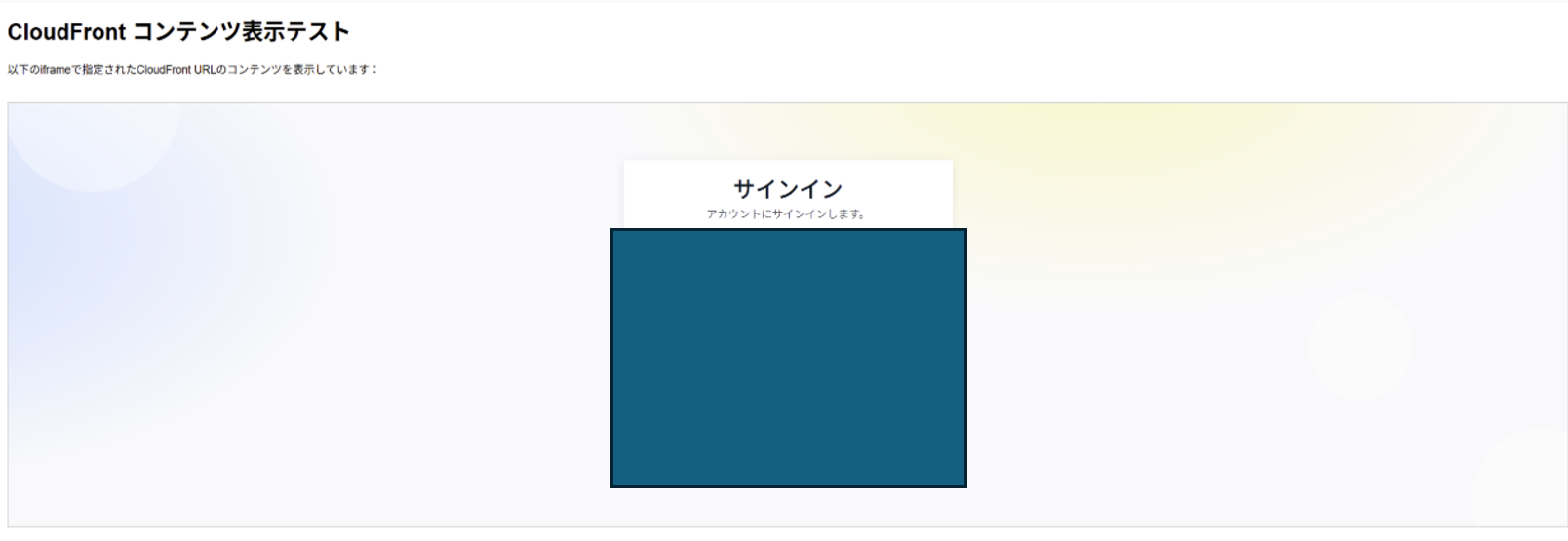
解決策として、**Hosted UI 依存をやめて認証画面を自前実装(カスタム UI)**に切り替えました。
- Amplify のライブラリを用いてサインイン画面を新規作成
- Amplify を用いてサインイン処理をアプリ側で実装
- 認証後はそのままアプリ内遷移
この方式に変えると、アプリ全体を iframe で表示できるようになりました。
(少なくとも「auth.ap-northeast-1.amazoncognito.com が iframe 内でブロックされる」経路を消せます)
まとめ
- Cognito Hosted UI を認証画面に使っているアプリは iframe 表示できない(少なくとも 2025/10/28 時点)
- 認証画面をカスタム UI(Amplify 等)に切り替えることで、要件(iframe 表示)を満たせた