
何をしたい?
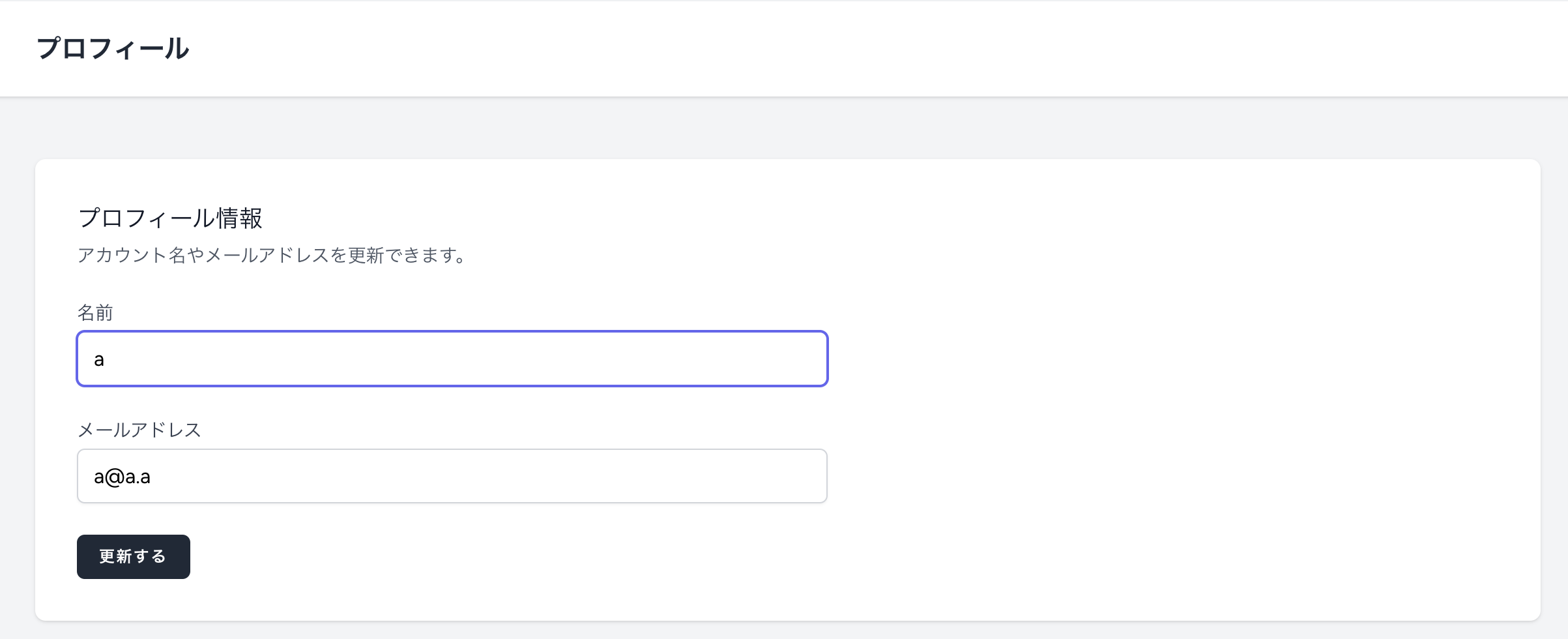
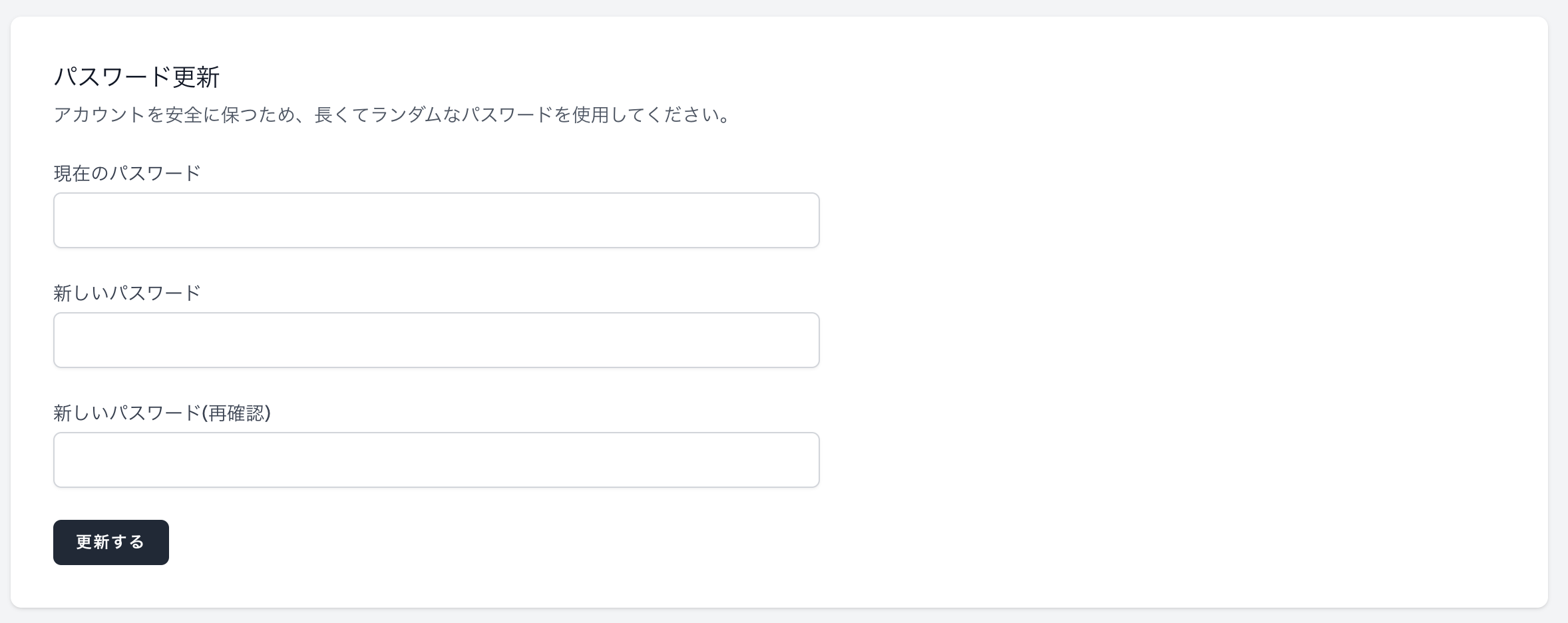
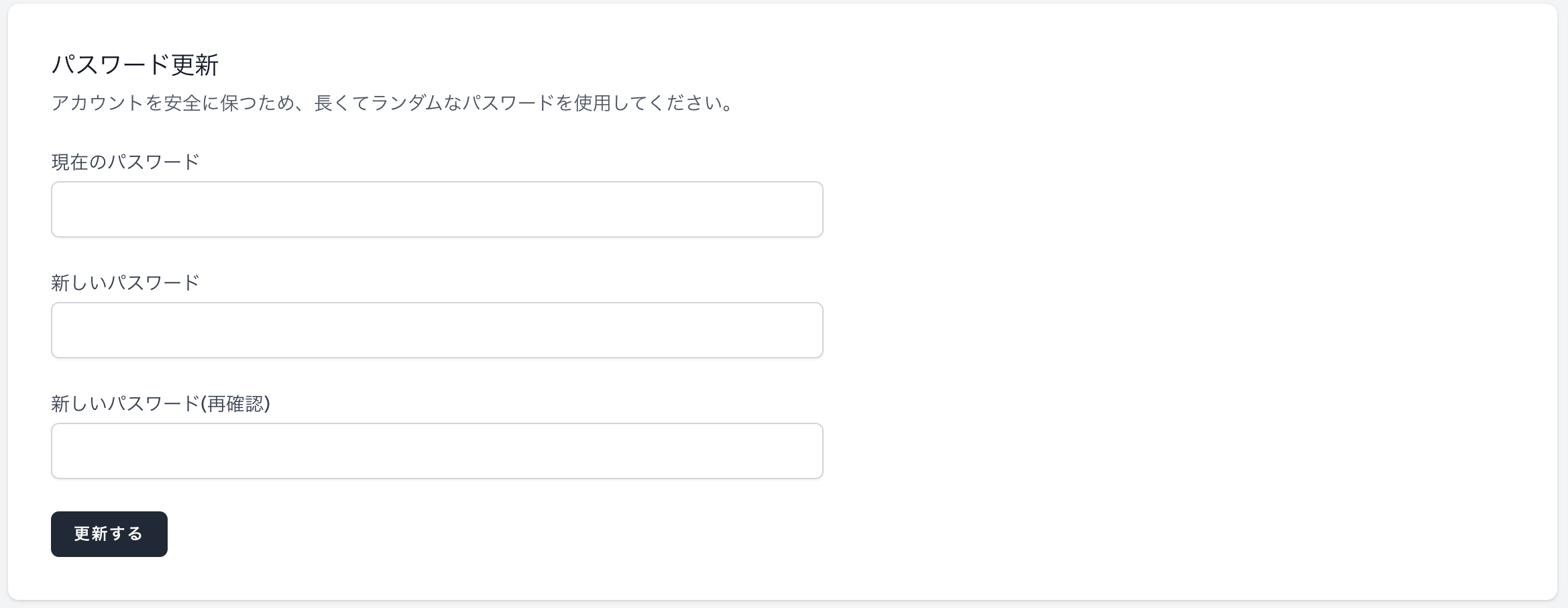
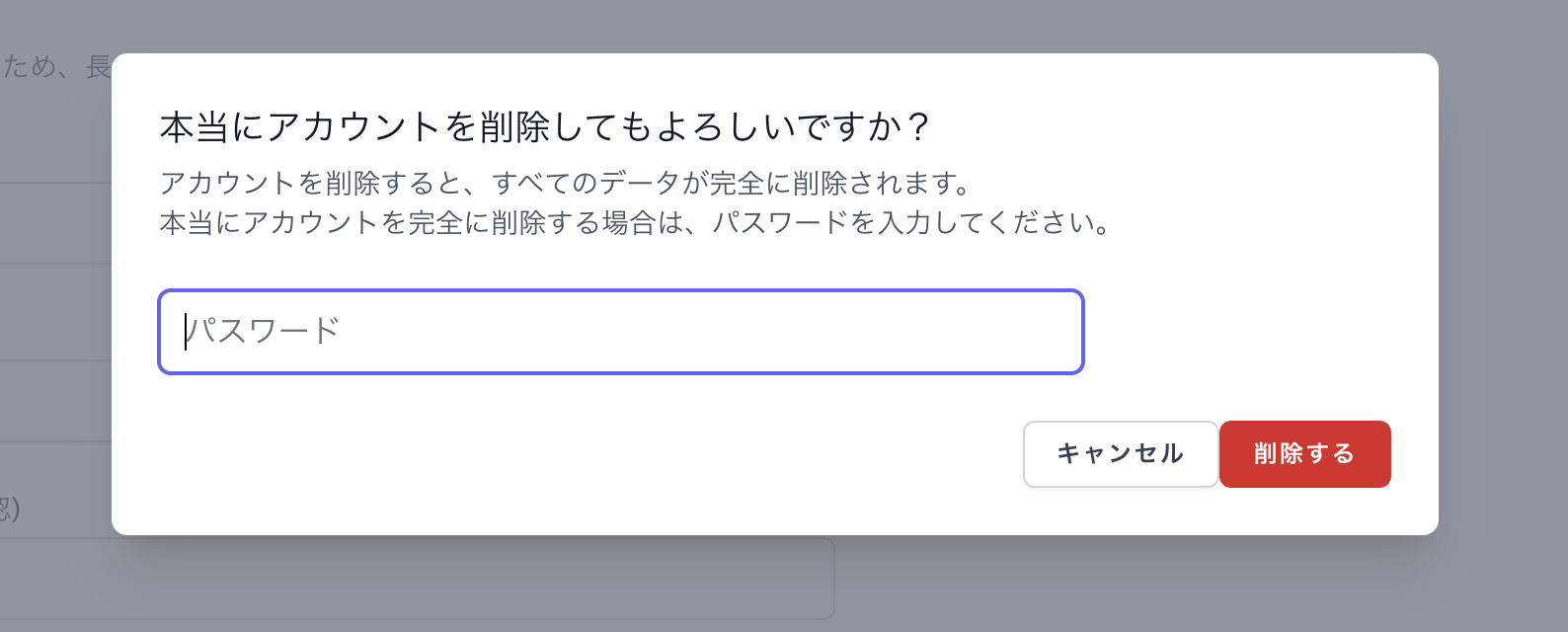
「/views/profile」フォルダ内のビューを日本語化したい。
↓ ゴール

手順
/views/profile/edit.blade.php から順に解説していきます。
✅ /views/profile/edit.blade.php の場合
Laravelの多言語ファイルを活用していきます。
① 言語のデフォルトを ja に変更
これを設定しておけば、翻訳ファイルの /lang/ja を自動的に読み込みます。
'locale' => 'ja',
② ファイル作成
「/lang/ja/profile.php」を作成(まだなかったら)。
touch lang/ja/profile.php
③ 翻訳作成
基本ルールとして、「lang/ja/profile.php」のkeyは 「小文字」と「_」で作成する。
<?php

return [

    // /views/profile/edit.blade.php
    'profile' => 'プロフィール',
];
④ edit.blade.php を編集
③で作成した翻訳のkeyを記載する。
そのkeyの前に翻訳が記載されているファイルであるauthをつける。
※ゲストログインの処理は、通常されていません。
# 編集前
<h2 class="font-semibold text-xl text-gray-800 leading-tight">
    {{ __('Profile') }} @if(Auth::user()->isGuest()) (GuestLoginの場合、編集不可) @endif
</h2>
# 編集後
<h2 class="font-semibold text-xl text-gray-800 leading-tight">
    {{ __('profile.profile') }} @if(Auth::user()->isGuest()) (GuestLoginの場合、編集不可) @endif
</h2>
↓ ゲストログイン処理について
結果

✅ /views/profile/partials/update-profile-information-form.blade.php の場合
Laravelの多言語ファイルを活用していきます。
① 言語のデフォルトを ja に変更
これを設定しておけば、翻訳ファイルの /lang/ja を自動的に読み込みます。
'locale' => 'ja',
② ファイル作成
「/lang/ja/profile.php」を作成(まだなかったら)。
touch lang/ja/profile.php
③ 翻訳作成
基本ルールとして、「lang/ja/profile.php」のkeyは 「小文字」と「_」で作成する。
<?php

return [

    // /views/profile/partials/update-profile-information-form.blade.php
    'profile_information' => 'プロフィール情報',
    "Update your account's profile information and email address." => 'アカウント名やメールアドレスを更新できます。',
    'name' => '名前',
    'email' => 'メールアドレス',
    'save' => '更新する',
    'saved.' => '更新しました。',
];
④ update-profile-information-form.blade.php を編集
③で作成した翻訳のkeyを記載する。
そのkeyの前に翻訳が記載されているファイルであるauthをつける。
# 編集前
<h2 class="text-lg font-medium text-gray-900">
    {{ __('Profile Information') }}
</h2>
# 編集後
<h2 class="text-lg font-medium text-gray-900">
    {{ __('profile.profile_information') }}
</h2>

# 編集前
<p class="mt-1 text-sm text-gray-600">
    {{ __("Update your account's profile information and email address.") }}
</p>
# 編集後
<p class="mt-1 text-sm text-gray-600">
    {{ __("profile.Update your account's profile information and email address.") }}
</p>

# 編集前
<x-input-label for="name" :value="__('Name')" />
# 編集後
<x-input-label for="name" :value="__('profile.name')" />

# 編集前
<x-input-label for="email" :value="__('Email')" />
# 編集後
<x-input-label for="email" :value="__('profile.email')" />

# 編集前
<x-primary-button>{{ __('Save') }}</x-primary-button>
# 編集後
<x-primary-button>{{ __('profile.save') }}</x-primary-button>

# 編集前
<p x-data="{ show: true }" x-show="show" x-transition x-init="setTimeout(() => show = false, 2000)"
    class="text-sm text-gray-600">{{ __('Saved.') }}</p>
# 編集後
<p
    x-data="{ show: true }"
    x-show="show"
    x-transition
    x-init="setTimeout(() => show = false, 2000)"
    class="text-sm text-gray-600"
>{{ __('profile.saved.') }}</p>
結果
✅ /views/profile/partials/update-password-form.blade.php の場合
Laravelの多言語ファイルを活用していきます。
① 言語のデフォルトを ja に変更
これを設定しておけば、翻訳ファイルの /lang/ja を自動的に読み込みます。
'locale' => 'ja',
② ファイル作成
「/lang/ja/profile.php」を作成(まだなかったら)。
touch lang/ja/profile.php
③ 翻訳作成
基本ルールとして、「lang/ja/profile.php」のkeyは 「小文字」と「_」で作成する。
<?php

return [

    // /views/profile/partials/update-password-form.blade.php
    'update_password' => 'パスワード更新',
    'Ensure your account is using a long, random password to stay secure.' => 'アカウントを安全に保つため、長くてランダムなパスワードを使用してください。',
    'current_password' => '現在のパスワード',
    'new_password' => '新しいパスワード',
    'confirm_password' => '新しいパスワード(再確認)',
];
④ update-password-form.blade.php を編集
③で作成した翻訳のkeyを記載する。
そのkeyの前に翻訳が記載されているファイルであるauthをつける。
# 編集前
<h2 class="text-lg font-medium text-gray-900">
    {{ __('Update Password') }}
</h2>
# 編集後
<h2 class="text-lg font-medium text-gray-900">
    {{ __('profile.update_password') }}
</h2>

# 編集前
<p class="mt-1 text-sm text-gray-600">
    {{ __('Ensure your account is using a long, random password to stay secure.') }}
</p>
# 編集後
<p class="mt-1 text-sm text-gray-600">
    {{ __('profile.Ensure your account is using a long, random password to stay secure.') }}
</p>

# 編集前
<x-input-label for="current_password" :value="__('Current Password')" />
# 編集後
<x-input-label for="current_password" :value="__('profile.current_password')" />

# 編集前
<x-input-label for="password" :value="__('New Password')" />
# 編集後
<x-input-label for="password" :value="__('profile.new_password')" />

# 編集前
<x-input-label for="password_confirmation" :value="__('Confirm Password')" />
# 編集後
<x-input-label for="password_confirmation" :value="__('profile.confirm_password')" />

# 編集前
<x-primary-button>{{ __('Save') }}</x-primary-button>
# 編集後
<x-primary-button>{{ __('profile.save') }}</x-primary-button>

# 編集前
<p x-data="{ show: true }" x-show="show" x-transition x-init="setTimeout(() => show = false, 2000)"
    class="text-sm text-gray-600">{{ __('Saved.') }}</p>
# 編集後
<p
    x-data="{ show: true }"
    x-show="show"
    x-transition
    x-init="setTimeout(() => show = false, 2000)"
    class="text-sm text-gray-600"
>{{ __('profile.saved.') }}</p>
結果
✅ /views/profile/partials/delete-user-form.blade.php の場合
Laravelの多言語ファイルを活用していきます。
① 言語のデフォルトを ja に変更
これを設定しておけば、翻訳ファイルの /lang/ja を自動的に読み込みます。
'locale' => 'ja',
② ファイル作成
「/lang/ja/profile.php」を作成(まだなかったら)。
touch lang/ja/profile.php
③ 翻訳作成
基本ルールとして、「lang/ja/profile.php」のkeyは 「小文字」と「_」で作成する。
<?php

return [

    // /views/profile/partials/delete-user-form.blade.php
    'delete_account' => 'アカウント削除',
    'Once your account is deleted, all of its resources and data will be permanently deleted. Before deleting your account, please download any data or information that you wish to retain.' => 'アカウントを削除すると、すべてのデータが完全に削除されます。',
    'delete_account.' => '削除する',
    'Are you sure you want to delete your account?' => '本当にアカウントを削除してもよろしいですか?',
    'Once your account is deleted, all of its resources and data will be permanently deleted. Please enter your password to confirm you would like to permanently delete your account.' => 'アカウントを削除すると、すべてのデータが完全に削除されます。<br>本当にアカウントを完全に削除する場合は、パスワードを入力してください。',
    'password' => 'パスワード',
    'cancel' => 'キャンセル',
];
④ delete-user-form.blade.php を編集
③で作成した翻訳のkeyを記載する。
そのkeyの前に翻訳が記載されているファイルであるauthをつける。
# 編集前
<h2 class="text-lg font-medium text-gray-900">
    {{ __('Delete Account') }}
</h2>
# 編集後
<h2 class="text-lg font-medium text-gray-900">
    {{ __('profile.delete_account') }}
</h2>

# 編集前
<p class="mt-1 text-sm text-gray-600">
    {{ __('Once your account is deleted, all of its resources and data will be permanently deleted. Before deleting your account, please download any data or information that you wish to retain.') }}
</p>
# 編集後
<p class="mt-1 text-sm text-gray-600">
    {{ __('profile.Once your account is deleted, all of its resources and data will be permanently deleted. Before deleting your account, please download any data or information that you wish to retain.') }}
</p>

# 編集前
<x-danger-button x-data=""
    x-on:click.prevent="$dispatch('open-modal', 'confirm-user-deletion')">{{ __('Delete Account') }}</x-danger-button>
# 編集後(x-data と x-on:click.prevent はゲストログイン時に使用)
<x-danger-button
    x-data=""
    x-on:click.prevent="$dispatch('open-modal', 'confirm-user-deletion')"
>
    {{ __('profile.delete_account.') }}
</x-danger-button>

# 編集前
<h2 class="text-lg font-medium text-gray-900">
    {{ __('Are you sure you want to delete your account?') }}
</h2>
# 編集後
<h2 class="text-lg font-medium text-gray-900">
    {{ __('profile.Are you sure you want to delete your account?') }}
</h2>

# 編集前
<p class="mt-1 text-sm text-gray-600">
    {{ __('Once your account is deleted, all of its resources and data will be permanently deleted. Please enter your password to confirm you would like to permanently delete your account.') }}
</p>
# 編集後
<p class="mt-1 text-sm text-gray-600">
    {!! __('profile.Once your account is deleted, all of its resources and data will be permanently deleted. Please enter your password to confirm you would like to permanently delete your account.') !!}
</p>

# 編集前
<x-input-label for="password" value="{{ __('Password') }}" class="sr-only" />
# 編集後
<x-input-label for="password" value="{{ __('profile.password') }}" class="sr-only" />

# 編集前
<x-text-input id="password" name="password" type="password" class="mt-1 block w-3/4"
    placeholder="{{ __('Password') }}" />
# 編集後
<x-text-input
    id="password"
    name="password"
    type="password"
    class="mt-1 block w-3/4"
    placeholder="{{ __('profile.password') }}"
/>

# 編集前
<x-secondary-button x-on:click="$dispatch('close')">
    {{ __('Cancel') }}
</x-secondary-button>
# 編集後
<x-secondary-button x-on:click="$dispatch('close')">
    {{ __('profile.cancel') }}
</x-secondary-button>

# 編集前
<x-danger-button class="ml-3">
    {{ __('Delete Account') }}
</x-danger-button>
# 編集後(type="submit" はゲストログイン時に使用)
<x-danger-button type="submit" class="ml-3">
    {{ __('profile.delete_account') }}
</x-danger-button>
↓ ゲストログインについてはこちら
結果
補足: auth認証の日本語化の手順