
はじめに
App Engineでのアプリケーションデプロイを試してみたので備忘録として記載します。
設定環境
導入する端末およびOSは以下の通りです。
- 端末:MacBook Air, Apple M2 2022
- OS:Mac OS Tahoe, バージョン26.2
- python 3.13.12
設定方法
1. App Engineのアプリケーション初期化
以下コマンドでApp Engineのアプリケーションを初期化します。
$ gcloud app create --project=[プロジェクトID] --region=asia-northeast1
2. サンプルアプリケーションの取得
Google Cloud公式のGitHubにてサンプルのアプリケーションが提供されているため、サンプルアプリ(Python)のリポジトリをクローンします。
$ mkdir -p [作業用ディレクトリ]
$ cd [作業用ディレクトリ]
$ git clone https://github.com/GoogleCloudPlatform/python-docs-samples
3. アプリケーションのデプロイ
以下コマンドでアプリケーションをデプロイします。
$ cd ./python-docs-samples/appengine/standard_python3/hello_world
$ gcloud app deploy --project=[プロジェクトID]
初回アプリケーションデプロイ時はApp Engineサービスアカウントの権限不足により以下のようなエラーが発生することがあります。
service account [プロジェクトID]@appspot.gserviceaccount.com does not have access to the bucket
この場合はサービスアカウントに必要な権限を追加してください。
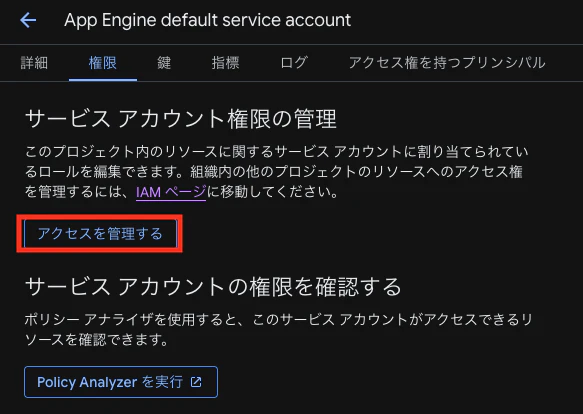
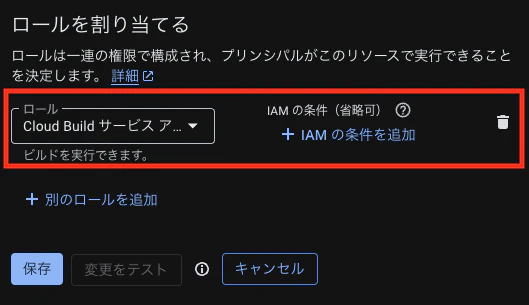
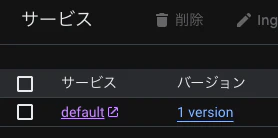
Google Cloudコンソールからサービスを確認すると、アプリケーションがデプロイされていることが確認できます。
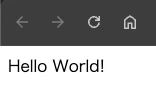
サービスを公開しているURLにアクセスするとサンプルアプリケーションとして、「Hello World!」が表示されることが確認できます。
4. アプリケーションの更新(再デプロイ)
サンプルアプリケーションのコードを修正(main.pyの32行目)して保存します。
$ vi main.py
main.py
 17 from flask import Flask
 18
 19
 20 # If `entrypoint` is not defined in app.yaml, App Engine will look for an ap    p
 21 # called `app` in `main.py`.
 22 app = Flask(__name__)
 23
 24
 25 @app.route("/")
 26 def hello():
 27     """Return a friendly HTTP greeting.
 28
 29     Returns:
 30         A string with the words 'Hello World!'.
 31     """
 32     return "Hello World! v2" # ← 返り値の文字列に「v2」を追加
 33
 34
 35 if __name__ == "__main__":
以下コマンドでアプリケーションを再度デプロイします。
$ cd ./python-docs-samples/appengine/standard_python3/hello_world
$ gcloud app deploy --project=[プロジェクトID] --version=[指定バージョン名]
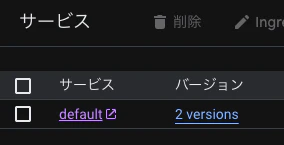
Google Cloudコンソールからサービスを確認すると、アプリケーションがバージョン2として、デプロイされていることが確認できます。
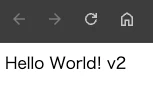
サービスを公開しているURLにアクセスすると「Hello World! v2」が表示され、アプリケーションが更新されていることが確認できます。