0
0

Delete article

Deleted articles cannot be recovered.

Draft of this article would be also deleted.

Are you sure you want to delete this article?

WindowでACR122U NFCリーダーを読む

0
Posted at

Pythonのインストール

Microsoft Storeから「Python Install Manager」でインストール
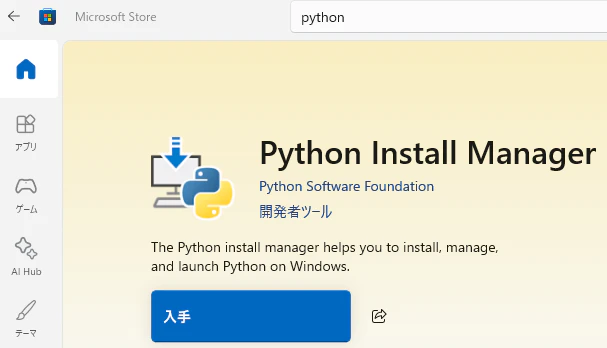
image.png

Build Tools for Visual Studioのインストール

  1. Build Tools for Visual StudioからBuild Tools for Visual Studioをダウンロード
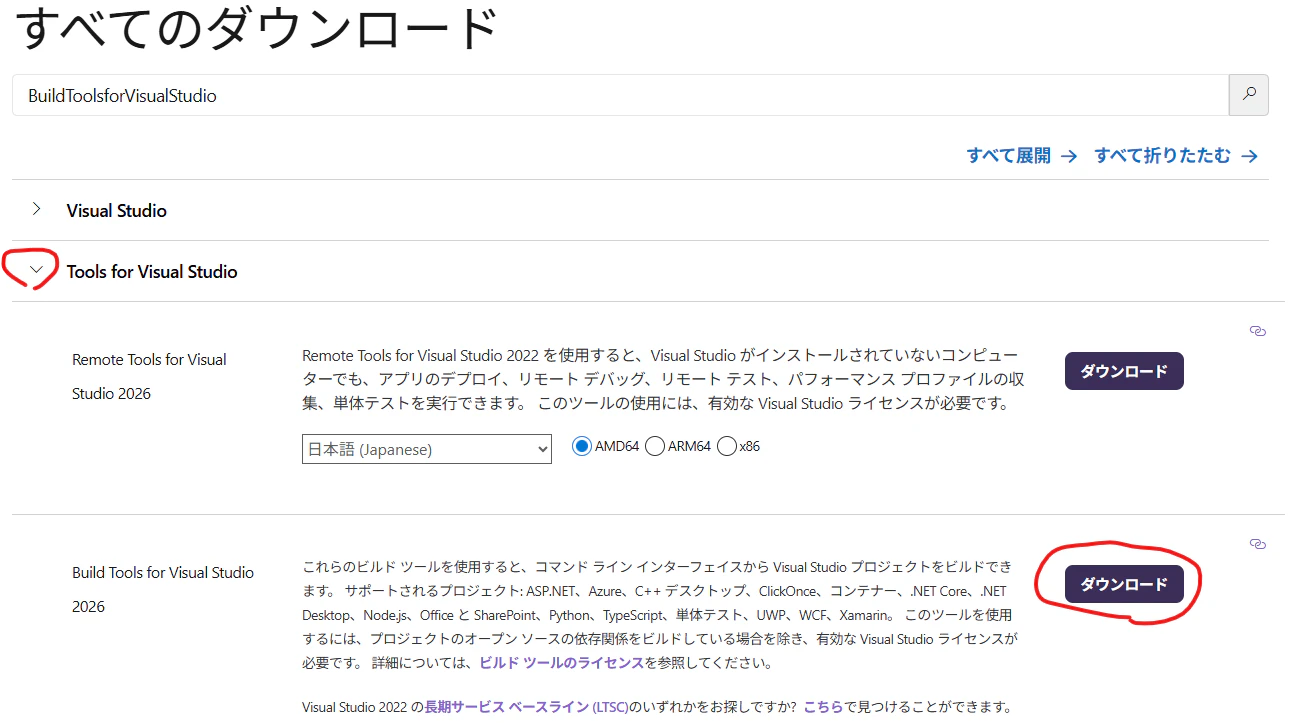
    image.png

  2. 「C++によるデスクトップ開発」と「MSVC v143 - VS 2022 C++」にチェックを入れてインストール
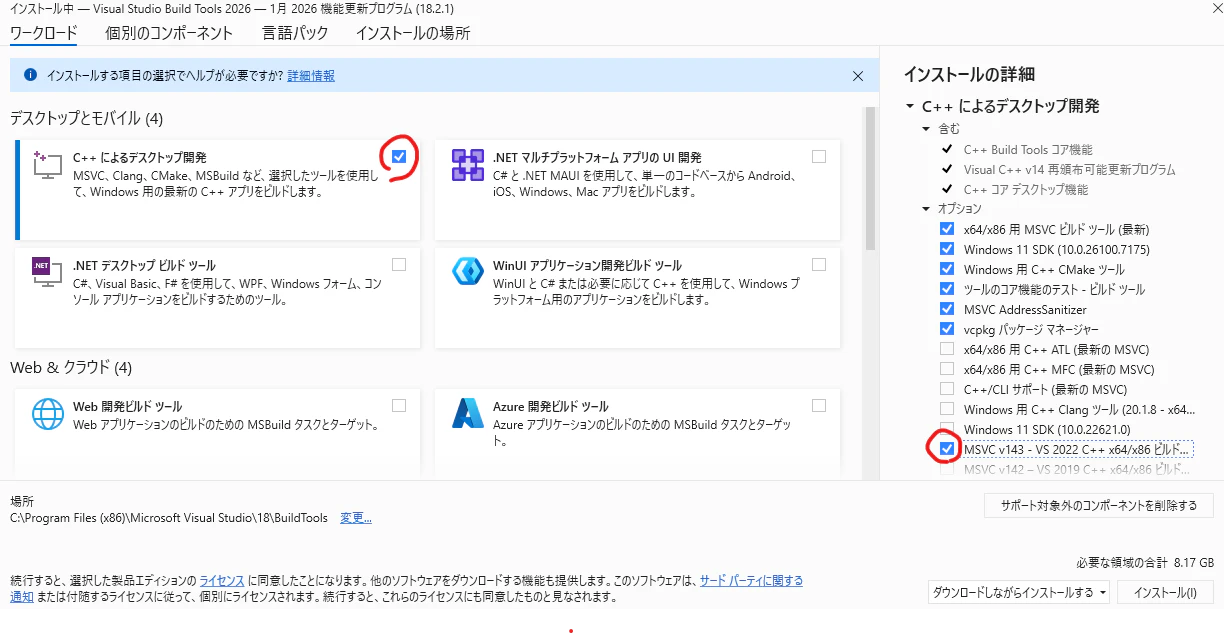
    image.png

Zadigのインストール

  1. Zadigをダウンロード
  2. NFCリーダーを接続
  3. ダウンロードしたzadig-2.9.exeを実行
  4. Options -> List All Devicesをクリック
    image.png
  5. ACR122Uを選択
    image.png
  6. Install Driverをクリック

libusbのインストール

  1. libusbをダウンロード (Downloads -> Latest Windows Binaries).
  2. libusb-1.0.29.7zを解凍
    7zipなど
  3. 下記ファイルをコピー
    • MS64\dll\libusb-1.0.dll → C:\Windows\System32
    • MS32\dll\libusb-1.0.dll → C:\Windows\SysWOW64
0
0
0

Register as a new user and use Qiita more conveniently

  1. You get articles that match your needs
  2. You can efficiently read back useful information
  3. You can use dark theme
What you can do with signing up
0
0

Delete article

Deleted articles cannot be recovered.

Draft of this article would be also deleted.

Are you sure you want to delete this article?