
はじめに
エージェントを業務へ組み込んでいくことが求められている中、マネージドサービスとしてエージェントを多角的に運用できるAWSAgentCoreが気になっていました。
まずは基本的なRuntimeへのエージェントデプロイを試してみます。
試してみる
1. 環境準備
ガイドに沿って進めます。
https://docs.aws.amazon.com/bedrock-agentcore/latest/devguide/runtime-get-started-toolkit.html#setup-project
必要なフォルダ作成やパッケージの導入
mkdir agentcore-runtime-quickstart
cd agentcore-runtime-quickstart
uv venv .venv
source .venv/bin/activate
python -m pip install --upgrade pip
uv pip install bedrock-agentcore strands-agents bedrock-agentcore-starter-toolkit
無事導入が完了しました!
agentcore --help

 Usage: agentcore [OPTIONS] COMMAND [ARGS]...

 BedrockAgentCore CLI ...
エージェントプロジェクトの作成
agentcoreは、プロジェクトという単位でエージェントを管理するようです。
agentcore createコマンドで、インタラクティブにプロジェクト設定を進めます。
ここでメモリを設定すると、エージェントデプロイ時にAgentCore Memoryも併せてデプロイされます。
> agentcore create

----------------------------------------------------------------------------------------------------
🤖 AgentCore activated. Let's build your agent.
----------------------------------------------------------------------------------------------------

Where should we create your new agent?
.

How would you like to start?
A basic starter project (recommended)

What agent framework should we use?
Strands Agents SDK

Which model provider will power your agent?
Amazon Bedrock

What kind of memory should your agent have?
Long-term and short-term memory

Initialize a new git repository?
Yes

Agent initializing...
    • Template copied.
    • Venv setup skipped because uv not found.
    • Git initialized.
✓ Agent initialized.

----------------------------------------------------------------------------------------------------
You're ready to go! Happy building 🚀
Enter your project directory using cd runtime101
Run agentcore dev to start the dev server
Log into AWS with aws login
Launch with agentcore deploy
----------------------------------------------------------------------------------------------------
指定した場所にファイルが作成されています。
(.venv) [root@ip-10-0-139-161 runtime101]# ll
total 8
-rw-r--r--. 1 root root 1444 Mar 31 12:18 README.md
-rw-r--r--. 1 root root  490 Mar 31 12:18 pyproject.toml
drwxr-xr-x. 4 root root   52 Mar 31 12:18 src
drwxr-xr-x. 2 root root   45 Mar 31 12:18 test
4. エージェントローカル実行
agentcore devコマンドを使用することで、AWSにデプロイする前にコードをローカルで試すことができます。
デフォルトで作成されたコードを試してみます。
まずエージェントを起動します
agentcore dev
warning: uv trampoline failed to assign child process to job object
  Caused by: failed to assign process to job object (os error -2147024891)
🚀 Starting development server with hot reloading
Agent: runtime101_Agent
Language: Python
Module: src.main:app
💡 Test your agent with: agentcore invoke --dev "Hello" in a new terminal window
ℹ️  This terminal window will be used to run the dev server
Press Ctrl+C to stop the server

Server will be available at:
  • Localhost: http://localhost:8080/invocations
  • 127.0.0.1: http://127.0.0.1:8080/invocations
  • Local network: http://192.168.68.102:8080/invocations

INFO:     Will watch for changes in these directories: ['C:\\xx\\testenv\\agentcore-runtime-quickstart\\runtime101']
INFO:     Uvicorn running on http://0.0.0.0:8080 (Press CTRL+C to quit)
INFO:     Started reloader process [60504] using StatReload
INFO:     Started server process [60060]
INFO:     Waiting for application startup.
INFO:     Application startup complete.
実行すると依存関係のインストールとビルドが走り、ローカルで実行されます。
プロンプトを入れてみます
agentcore invoke --dev "Hello"
✓ Response from dev server:
{"error": "An error occurred (AccessDeniedException) when calling the ConverseStream operation: Model access is denied due to IAM user or service role is not
authorized to perform the required AWS Marketplace actions (aws-marketplace:ViewSubscriptions, aws-marketplace:Subscribe) to enable access to this model. Refer to the
Amazon Bedrock documentation for further details. Your AWS Marketplace subscription for this model cannot be completed at this time. If you recently fixed this issue,
try again after 2 minutes.", "error_type": "AccessDeniedException", "message": "An error occurred during streaming"}
デフォルトでは環境の制約上使用できないモデルが設定されていたため、/src/model/load.pyに記載されているモデルを変更しました。
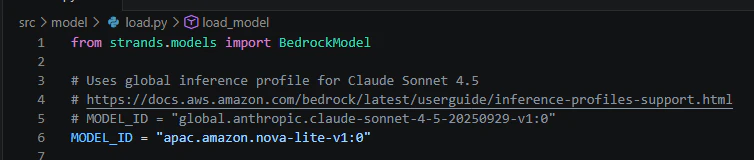
コード修正は自動的に取り込まれ、うまくいきました!
日本語ももちろんOKです!
(.venv) PS C:\xx\testenv\agentcore-runtime-quickstart\runtime101> agentcore invoke --dev "Hello"
✓ Response from dev server:
<thinking>The User simply greeted me. I can respond with a friendly greeting and offer to assist with any tasks or questions they have.</thinking>

Hi there! How can I assist you today? If you have any questions or need help with something specific, feel free to let me know.
(.venv) PS C:\xx\testenv\agentcore-runtime-quickstart\runtime101> agentcore invoke --dev "こんにちは!"
✓ Response from dev server:
<thinking>User has greeted with a Japanese phrase "こんにちは!" which means "Hello!". I should respond in the same language.</thinking>

こんにちは!いかがお過ごしですか?何かお手伝いできることはありますか?
5. Amazon Bedrock AgentCoreへのデプロイ
今度は実際にAWS環境にデプロイしてみます。
agentcore launch実行時にはzipが前提として必要であったためローカルWindowsPCではうまくいかず、Amazon Linxu2023を作成しなおして実施しました。
$ agentcore launch

🚀 Launching Bedrock AgentCore (cloud mode - RECOMMENDED)...
   • Deploy Python code directly to runtime
   • No Docker required (DEFAULT behavior)
   • Production-ready deployment

💡 Deployment options:
   • agentcore deploy                → Cloud (current)
   • agentcore deploy --local        → Local development

~~~~~略~~~~~

 Agent Details:                                                                                                                                                │
│ Agent Name: runtime101_Agent                                                                                                                                  │
│ Agent ARN: arn:aws:bedrock-agentcore:us-west-2:xxx:runtime/runtime101_Agent-cd5uQ36xQf                                                               │
│ Deployment Type: Direct Code Deploy                                                                                                                        │
│                                                                                                                                                               │
│ 📦 Code package deployed to Bedrock AgentCore                                                                                                                 │
│                                                                                                                                                               │
│ Next Steps:                                                                                                                                                   │
│    agentcore status                                                                                                                                           │
│    agentcore invoke '{"prompt": "Hello"}'                                                                                                                     │
│                                                                                                                                                               │
│ 📋 CloudWatch Logs:                                                                                                                                           │
│    /aws/bedrock-agentcore/runtimes/runtime101_Agent-cd5uQ36xQf-DEFAULT --log-stream-name-prefix "2026/03/31/[runtime-logs"                                    │
│    /aws/bedrock-agentcore/runtimes/runtime101_Agent-cd5uQ36xQf-DEFAULT --log-stream-names "otel-rt-logs"                                                      │
│                                                                                                                                                               │
│ 🔍 GenAI Observability Dashboard:                                                                                                                             │
│    https://console.aws.amazon.com/cloudwatch/home?region=us-west-2#gen-ai-observability/agent-core                                                            │
│                                                                                                                                                               │
│ ⏱️  Note: Observability data may take up to 10 minutes to appear after first launch                                                                           │
│                                                                                                                                                               │
│ 💡 Tail logs with:                                                                                                                                            │
│    aws logs tail /aws/bedrock-agentcore/runtimes/runtime101_Agent-cd5uQ36xQf-DEFAULT --log-stream-name-prefix "2026/03/31/[runtime-logs" --follow             │
│    aws logs tail /aws/bedrock-agentcore/runtimes/runtime101_Agent-cd5uQ36xQf-DEFAULT --log-stream-name-prefix "2026/03/31/[runtime-logs" --since 1h
デフォルトでは、AWS CLI / SDK のデフォルトリージョン(~/.aws/config の region 設定 or AWS_DEFAULT_REGION 環境変数)にデプロイされます。
指定が必要な場合は、.bedrock_agentcore.yamlで変更できます。
6. AWSコンソール確認
作成されたリソースを、AWSコンソールでも確認してみます。
Runtime
ランタイムが正常に作成されていることがコンソール上でも確認できます。
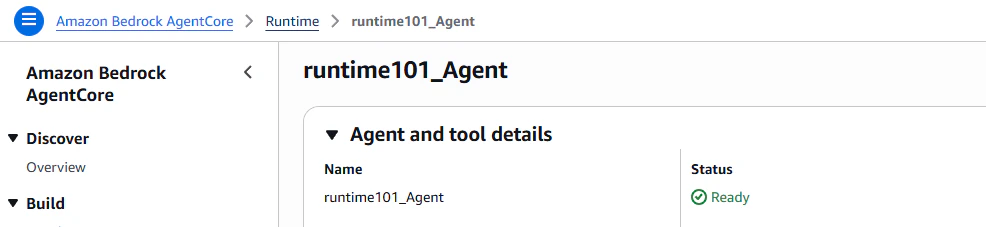
コンソールからエンドポイントのテストを実施することもできます。
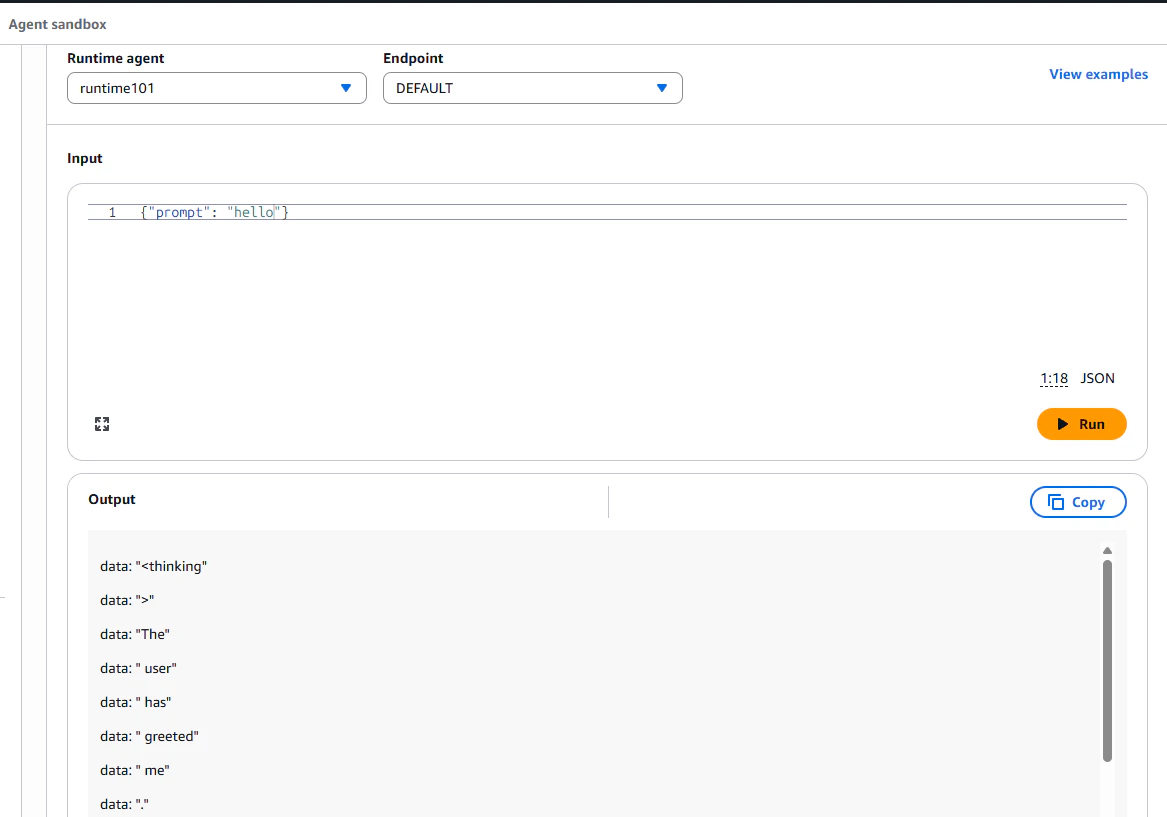
ストリーミングの受け取り方がおかしいようで表示が縦長になっていますが、内容はエージェントからのレスポンスになっています。
Memory
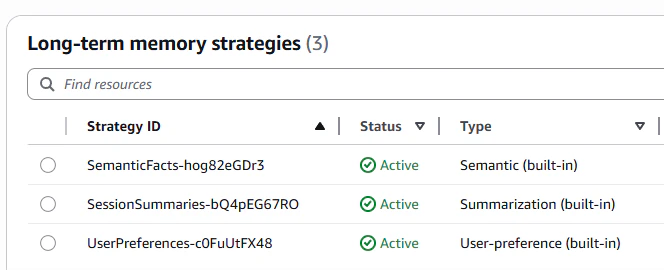
セットアップでメモリを選択したため、AgentCore Memoryが自動でデプロイされています。
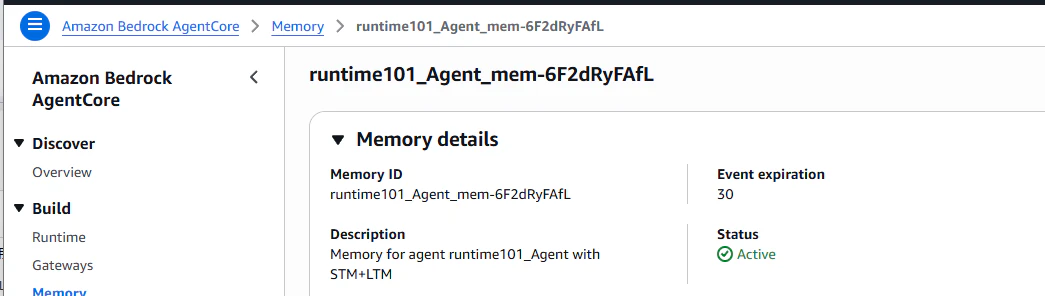
Longterm Memoryも設定されています。
まとめ
今回はAmazon Bedrock AgentCore Runtimeを使って、ローカルでのエージェント動作検証とAWSへのデプロイを試しました。
WindowsPCでの実施にはWSLの導入などがないと難しい側面はありそうでしたが、環境が問題なければAWSへのデプロイは非常にスムーズでした。特にAgentCoreはいくつかのサービスに分かれているため、それらをまとめて設計・デプロイできるのは魅力的だと感じました。
今後は、MemoryやObservability、他のツール連携などを含めた検証をしてみたいです。