
目的
AIの高額な従量課金が話題になる中で、課金不要なローカルPCで実行できるSLMがどんなものか気になり、試してみました。
環境前提
- OS: Windows11
- CPU: AMD Ryzen 5 PRO 230 with Radeon 760M Graphics(6コア/12スレッド)
- GPU: AMD Radeon 760M Graphics(内蔵GPU、専用VRAM表示 0.5 GB)
- メモリ:32GB
- Podmanデスクトップ導入済み
起動してみる
1. モデル格納用ボリューム作成
podman volume create llama-cache
2. pod実行
下記をパラメータにして指定し、Podを実行する。
- 先ほど作成したボリューム
- モデル:Qwen/Qwen3-1.7B-GGUF:Q8_0(AIによる説明:Qwen3-1.7BをGGUF形式に変換し、8ビット量子化したモデルです。約17億パラメータで、比較的高い品質を保ちながらCPUでも軽量に実行できます。)
podman run --rm `
  --name llama-server `
  -p 8080:8080 `
  -v llama-cache:/root/.cache `
  ghcr.io/ggml-org/llama.cpp:server `
  -hf Qwen/Qwen3-1.7B-GGUF:Q8_0 `
  --host 0.0.0.0 `
  --port 8080 `
  --ctx-size 4096 `
  --threads 4
以下は実行ログ:
Trying to pull ghcr.io/ggml-org/llama.cpp:server...
Getting image source signatures
Copying blob sha256:4f4fb700ef54461cfa02571ae0db9a0dc1e0cdb5577484a6d75e68dc38e8acc1
Copying blob sha256:966c395d29cb24a3faf7e04f32878fe5778819d4132daee4f47e2aaf7b9af924
Copying blob sha256:b5db1f23939bc65db3f4f4d9b7f7dd89fec5f1361482563bc0949fff479ffb4a
Copying blob sha256:b22a92f69b69954a7585a525b48788a5a09f7ed8aa6aa197f1be178fcaa2929d
Copying blob sha256:c75f7d613d9bbb7bd9e4e2260105af41651273433e78d00d4a4dae409864b74a
Copying config sha256:12dda0d863d1b7d465c3082f31993a8b6ace134c324091562f09f9ebccaf5df8
Writing manifest to image destination
warn: LLAMA_ARG_HOST environment variable is set, but will be overwritten by command line argument --host
0.03.814.895 I cmn  common_param: common_params_print_info: verbosity = 3 (adjust with the `-lv N` CLI arg)
0.03.815.397 W srv  llama_server: -----------------
0.03.815.427 W srv  llama_server: CORS is set to allow all origins ('*') and no API key is set
0.03.815.427 W srv  llama_server: this can be a security risk (cross-origin attacks)
0.03.815.428 W srv  llama_server: more info: https://github.com/ggml-org/llama.cpp/pull/25655
0.03.815.428 W srv  llama_server: -----------------
3.02.538.925 I srv    load_model: loading model 'Qwen/Qwen3-1.7B-GGUF:Q8_0'
3.03.105.599 W load: control-looking token: 128247 '</s>' was not control-type; this is probably a bug in the model. its type will be overridden
3.05.123.781 I srv    load_model: initializing, n_slots = 4, n_ctx_slot = 4096, kv_unified = 'true'
3.05.147.263 I srv  llama_server: model loaded
3.05.147.326 I srv  llama_server: listening on http://0.0.0.0:8080
3.05.147.327 W srv  llama_server: NOTICE: server default port will be changed to :9931 in a future release
3.05.147.327 W srv  llama_server:         ref: https://github.com/ggml-org/llama.cpp/pull/26508
3. UIへのアクセス
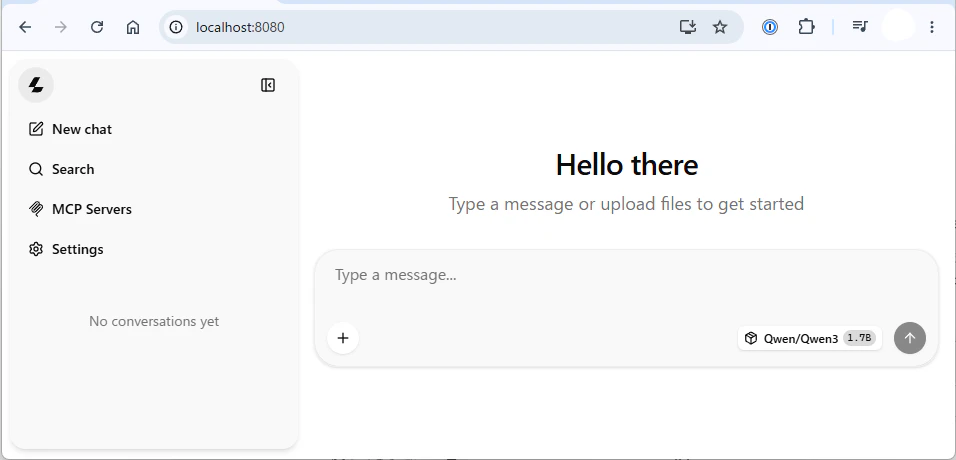
先ほど指定したポート(8080)にブラウザでアクセスします。
無事チャットUIが開きました!
触ってみる
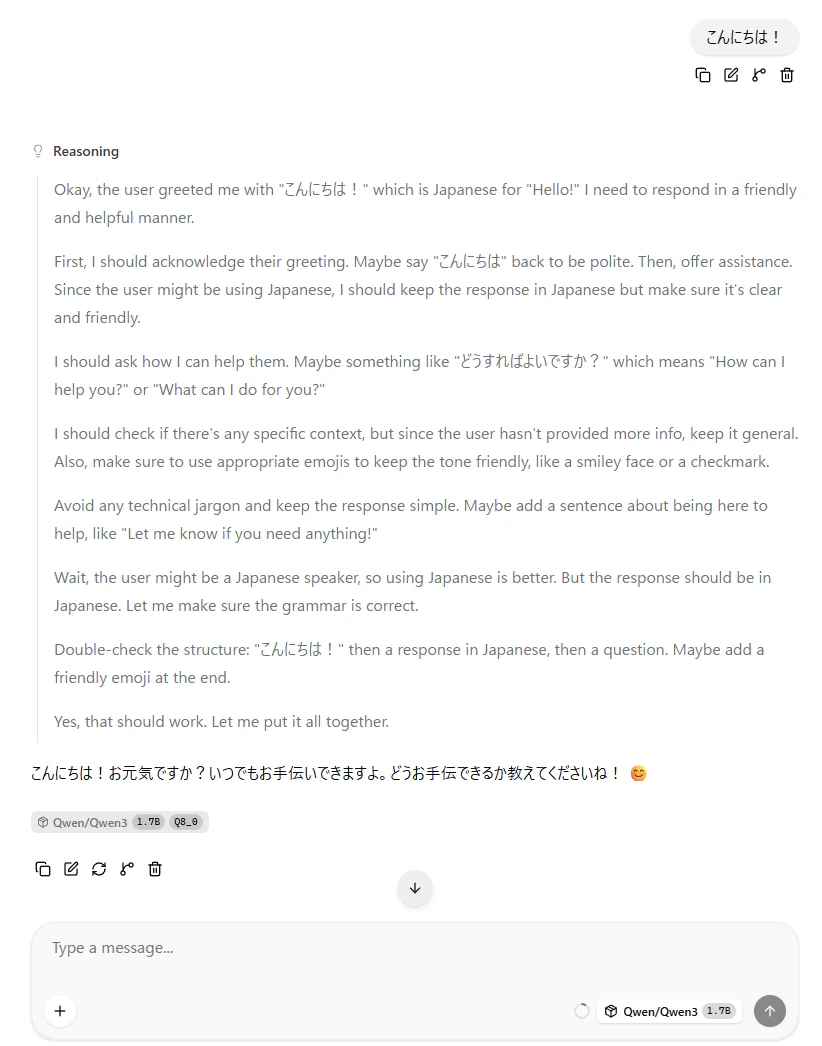
1. あいさつ
Reasoningの過程も見ることができます。
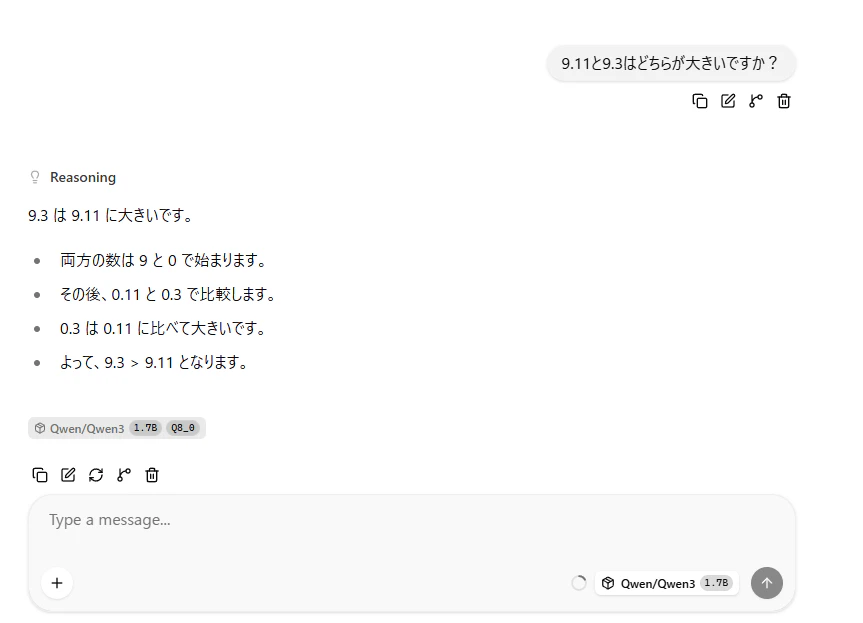
2. 小数比較
日本語が怪しいですが、正解しています。
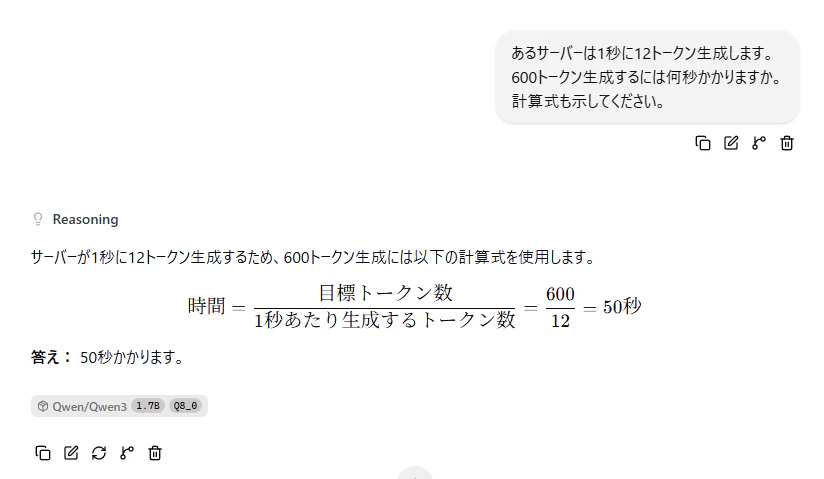
3. 単純な計算
問題なく正解。
まとめ
想像より簡単にSLMを動かすことができました。
他のモデルやどの程度のタスクに使えるかなど、色々試してみようと思います。