
やりたいこと&その理由
ワイ奥さん『いい加減にゴミの日を覚えろ』
ワイ『はい』
覚えられないので、BOTに頼ることにしました。
実装方法
1: 当日の日付を取得
2: ゴミ出しの曜日だった場合は、曜日に応じてテキストを設定
3: fetchを利用して、LineAPIを叩く
アルゴリズムを考える
ネット上でゴミの日を確認したところ、月曜日、火曜日、金曜日は簡単に実装できることがわかった。問題は水曜日。
不燃ごみの日とペットボトルの日が交互に来ていることがわかった。日付が偶数の時、っという条件処理をしようと思ったが、ほかの月を確認したところ、必ずしも偶数の日に不燃ごみがくるわけではなかった。
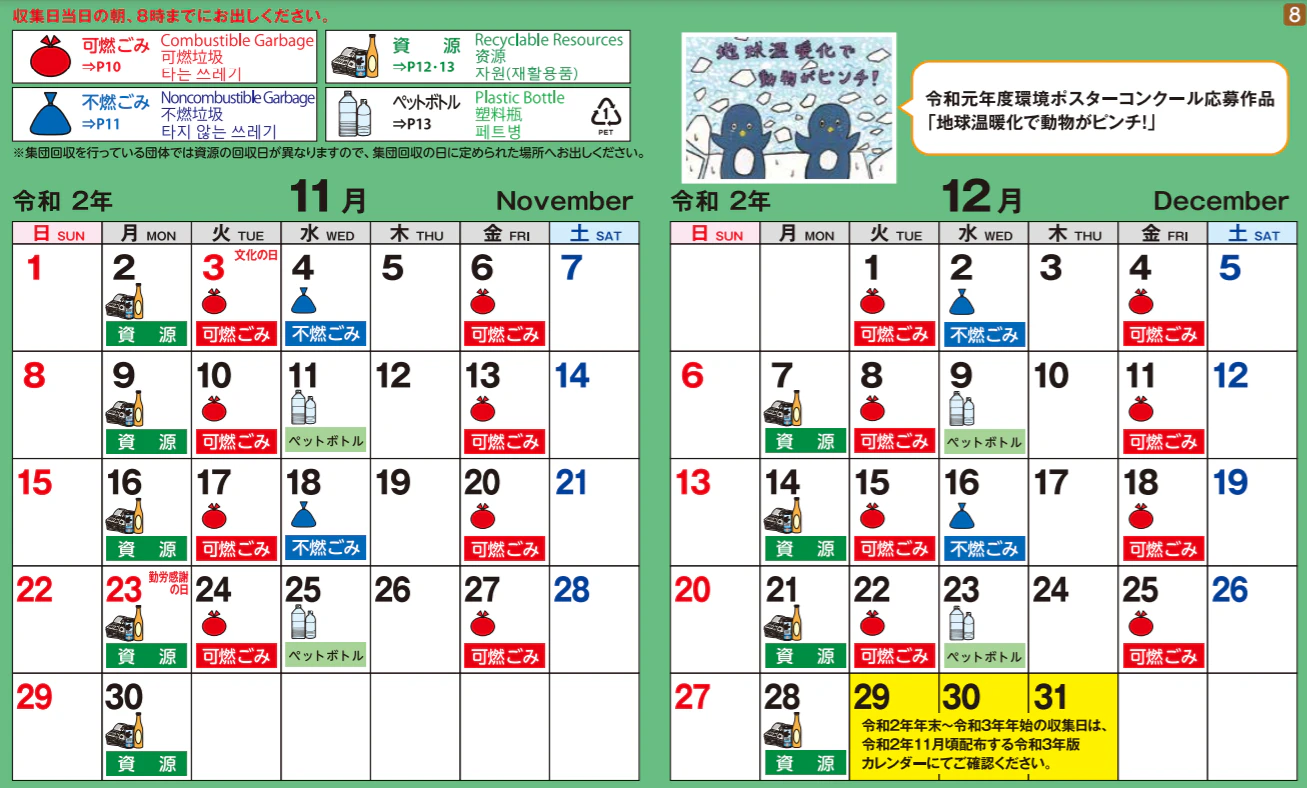
水曜日に関してはテキストメッセージが交互で切り替わればいいはずなので、
水曜日の日付 - 過去の水曜日の日付(ペットボトルの日) = 日付の差分
として、
日付の差分 - (n * 7) = 0
の時のnの値が偶数であれば、2週間後のペットボトルの日のはずだし、奇数であればそれ以外の不燃ごみの日である、っという判定ができると考えた。
完成系
日付に関してはmoment.jsを利用しています。
コード.js
function pushMessage() {
  var access_token = PropertiesService.getScriptProperties().getProperty("lineChanelToken");
  var group_id     = PropertiesService.getScriptProperties().getProperty("groupId");
  var url = "https://api.line.me/v2/bot/message/push";


  var petBottleDay = Moment.moment("2020/11/11");
  var today        = Moment.moment();
  var dif          = today.diff(petBottleDay,"days");
  var day          = today.day();


  if(day == 1){
    var text = "今日は月曜日です。資源ゴミの日です"
  }else if(day == 2){
    var text = "今日は火曜日です。燃えるゴミの日です"
    }else if(day == 3){
      var whatDay = checkIncombustibleOrPetBottle(dif);
      var text = "今日は水曜日です。" + whatDay;
      }else if(day == 5){
        var text = "今日は金曜日です。燃えないゴミの日です"
      }


  var headers = {
    "Content-Type" : "application/json",
    'Authorization': 'Bearer ' + access_token,
  };

  var postData = {
    "to" : group_id,
    "messages" : [
      {
        'type':'text',
        'text': text
      }
    ]
  };

  var options = {
    "method" : "post",
    "headers" : headers,
    "payload" : JSON.stringify(postData)
  };

  UrlFetchApp.fetch(url, options);

}

//燃えないゴミか、ペットボトルの日か判定
function checkIncombustibleOrPetBottle(dif){
  var minusNum = 7;
  var count    = 0;

  for(var i = 1; dif > 0; i++){
    dif -= minusNum;
    count += 1;
  }

  if(count % 2 == 0){
    return "ペットボトルの日です"
  }else{
    return "燃えないゴミの日です"
  }
}
アウトプット
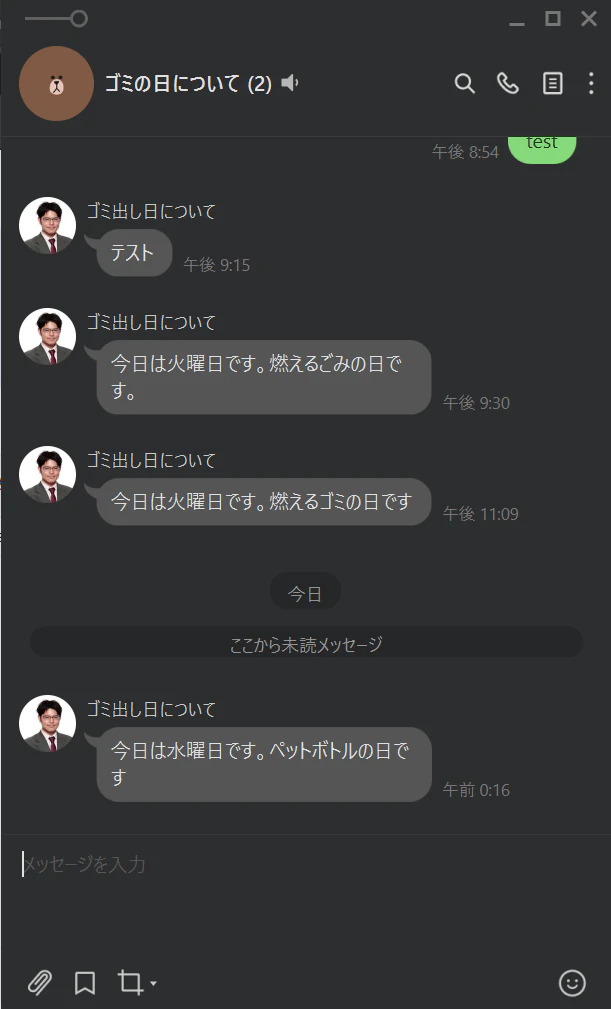
無事に動いており、期待通り。
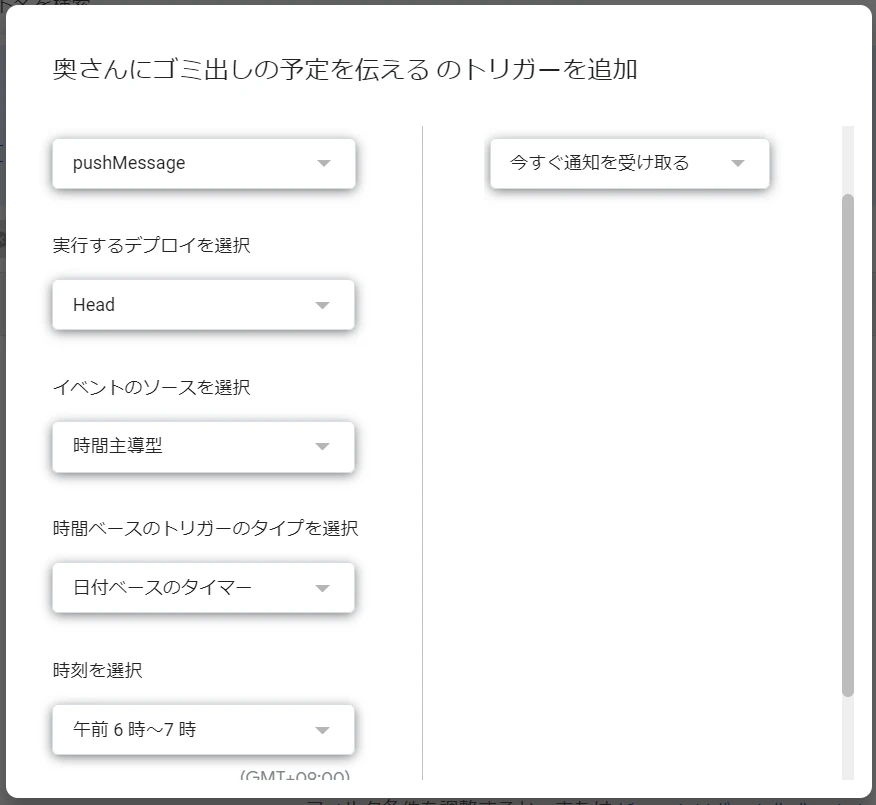
トリガーの設定
最後に以下のキャプチャのようにトリガーをすれば、終了。毎朝、トリガーがされるはず。
つまった箇所: LineのroomIdまたは、groupIdが分からない!
正直、一番躓いたかもしれません。
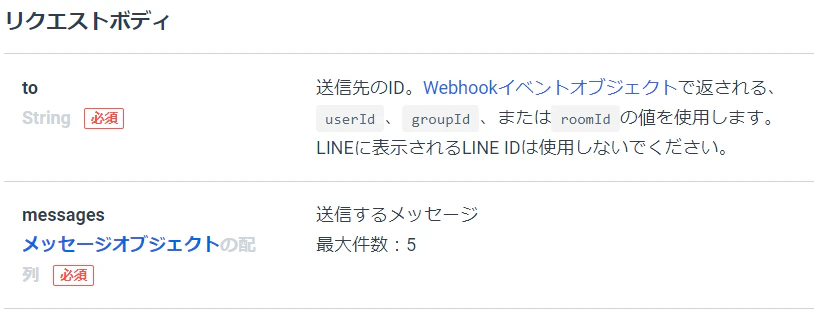
LineのMessagingAPIの仕様なのですが、pushのAPIをコールするときにuserId、groupId、またはroomIdが必要です。
しかし、なんとgroupIdとroomIdはwebhookのイベントオブジェクトに含まれており、画面から確認することができませんw
色々頑張ってwebhookを試していたのですがうまく行かず、最終的には以下の記事の通りに行って、groupIdが分かりました。