
Claude Code の承認待ちを Telegram でスマホに通知する
Claude Code を長時間タスクで回していると、途中でファイル書き込みやコマンド実行の承認を求められて止まることがある。ターミナルに張り付いていれば気づけるが、離席中は見逃す。
Telegram Bot API 経由でスマホに通知を飛ばす仕組みを作ったので、構成と手順を共有する。スマートウォッチに通知を転送すれば、PC から離れていても承認待ちに気づける。
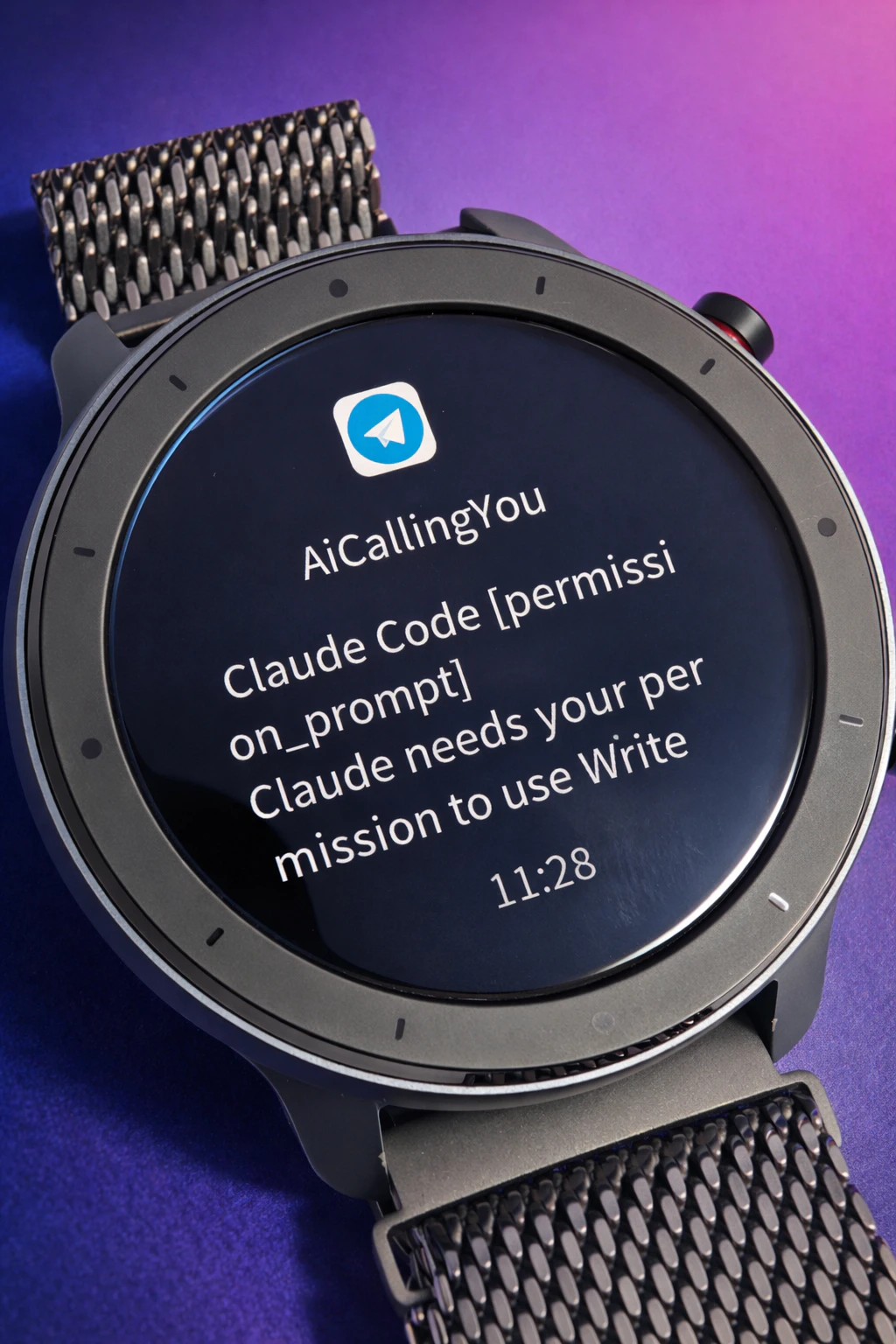
スマートウォッチに届いた通知の様子。承認待ちの内容がそのまま表示される。
全体構成
前提環境
- Claude Code が動作する Linux 環境(WSL2 でも可)
- Python 3、curl
構成ファイル
| ファイル | 役割 |
|---|---|
~/.claude/settings.json |
Claude Code の hooks 設定 |
~/.local/bin/notify_telegram |
Notification hook スクリプト(Python) |
~/.local/bin/send_telegram |
Telegram 送信スクリプト(bash) |
~/.config/telegram_notify/env |
BOT_TOKEN と CHAT_ID |
Step 1: Telegram Bot を作成する
- Telegram で @BotFather に
/newbotを送る - Bot 名と username を入力すると BOT_TOKEN が発行される
- 作成した Bot に何かメッセージを1つ送る(これをしないと次の手順で chat_id が取れない)
- ブラウザで以下の URL にアクセスし、
result[0].message.chat.idを控える
https://api.telegram.org/bot<BOT_TOKEN>/getUpdates
Step 2: 送信スクリプトを配置する
Telegram にメッセージを送るだけの汎用スクリプト。他のツールからも使い回せる。
env ファイル
mkdir -p ~/.config/telegram_notify

cat > ~/.config/telegram_notify/env << 'EOF'
TELEGRAM_BOT_TOKEN=<Step 1 で取得した BOT_TOKEN>
TELEGRAM_CHAT_ID=<Step 1 で取得した chat_id>
EOF

chmod 600 ~/.config/telegram_notify/env
~/.local/bin/send_telegram
#!/usr/bin/env bash
set -euo pipefail

ENV_FILE="${HOME}/.config/telegram_notify/env"
if [[ -f "$ENV_FILE" ]]; then
  # shellcheck disable=SC1090
  source "$ENV_FILE"
else
  echo "env file not found: $ENV_FILE" >&2
  exit 1
fi

MSG="${1:-⏳ Claude 承認待ち}"

curl -s -X POST "https://api.telegram.org/bot${TELEGRAM_BOT_TOKEN}/sendMessage" \
  -d "chat_id=${TELEGRAM_CHAT_ID}" \
  --data-urlencode "text=${MSG}" >/dev/null
chmod +x ~/.local/bin/send_telegram
この時点で単体テストができる。
~/.local/bin/send_telegram "テスト通知"
スマホの Telegram にメッセージが届けば OK。
Step 3: Hook スクリプトを配置する
Claude Code の Notification hook は、stdin に JSON を渡してスクリプトを呼び出す。渡される JSON の例は以下の通り。
{
  "hook_event_name": "Notification",
  "message": "Claude needs your permission to use Bash",
  "title": "Permission needed",
  "notification_type": "permission_prompt",
  "session_id": "abc123",
  "transcript_path": "/home/user/.claude/projects/.../xxxx.jsonl",
  "cwd": "/home/user/project",
  "permission_mode": "default"
}
この JSON からメッセージを抽出し、整形して送信スクリプトに渡す。
~/.local/bin/notify_telegram
#!/usr/bin/env python3
"""Claude Code Notification Hook → Telegram"""
import sys
import json
import subprocess

def main():
    try:
        raw = sys.stdin.read()
    except Exception:
        sys.exit(1)

    if not raw.strip():
        sys.exit(0)

    try:
        data = json.loads(raw)
    except json.JSONDecodeError:
        data = {"message": raw.strip()}

    message = data.get("message", "")
    ntype = data.get("notification_type", "")

    if not message:
        sys.exit(0)

    text = f"🤖 Claude Code [{ntype}]\n{message}"

    subprocess.run(
        ["/home/user/.local/bin/send_telegram", text],
        timeout=10,
    )

if __name__ == "__main__":
    main()
chmod +x ~/.local/bin/notify_telegram
注意:
subprocess.runのパスは自分の環境に合わせて変更すること。
単体テスト:
echo '{"message":"テスト通知","notification_type":"test"}' | ~/.local/bin/notify_telegram
Step 4: Claude Code の hooks を設定する
~/.claude/settings.json に以下を追記する。
{
  "hooks": {
    "Notification": [
      {
        "matcher": "",
        "hooks": [
          {
            "type": "command",
            "command": "/home/user/.local/bin/notify_telegram"
          }
        ]
      }
    ]
  }
}
-
matcher: ""は全ての通知タイプにマッチする - 承認待ちだけに絞りたい場合は
"matcher": "permission_prompt"を指定する
注意:
commandのパスは絶対パスで指定すること。
動作確認
Claude Code でタスクを実行し、承認待ちが発生したときにスマホに通知が届くことを確認する。
通知メッセージの例:
🤖 Claude Code [permission_prompt]
Claude needs your permission to use Bash
補足
なぜ 2 層構造か
JSON パースは Python が楽で、HTTP 送信は curl が簡単。送信スクリプトを分離しておくと、他のツールや cron からも Telegram 通知を飛ばせるので汎用性が上がる。
Notification の notification_type 一覧
| 値 | 意味 |
|---|---|
permission_prompt |
パーミッション許可が必要(承認待ち) |
idle_prompt |
アイドル状態 |
auth_success |
認証成功 |
elicitation_dialog |
その他のダイアログ |
hooks で使えるイベント一覧
今回は Notification を使ったが、Claude Code の hooks では他にも以下のイベントが使える。
| イベント名 | 説明 |
|---|---|
SessionStart |
セッション開始/再開時 |
UserPromptSubmit |
プロンプト送信時 |
PreToolUse |
ツール実行前 |
PermissionRequest |
パーミッションダイアログ表示時 |
PostToolUse |
ツール実行成功後 |
PostToolUseFailure |
ツール実行失敗後 |
Notification |
通知送信時(今回使用) |
SubagentStart |
サブエージェント起動時 |
SubagentStop |
サブエージェント終了時 |
Stop |
応答完了時 |
TaskCompleted |
タスク完了時 |
PreCompact |
コンテキスト圧縮前 |
SessionEnd |
セッション終了時 |
stdin JSON の全フィールド
| フィールド | 説明 |
|---|---|
message |
通知テキスト本文 |
title |
通知タイトル(オプション) |
notification_type |
通知タイプ(上表参照) |
hook_event_name |
常に "Notification"
|
session_id |
セッション ID |
transcript_path |
セッションログのパス |
cwd |
作業ディレクトリ |
permission_mode |
パーミッションモード |
Tags: Claude, ClaudeCode, Telegram, WSL2, 自動化