1
0

Delete article

Deleted articles cannot be recovered.

Draft of this article would be also deleted.

Are you sure you want to delete this article?

More than 5 years have passed since last update.

windows10のプロダクトキー確認

1
Last updated at Posted at 2018-11-15

windows10のプロダクトキー確認

コマンドプロンプトでの確認方法
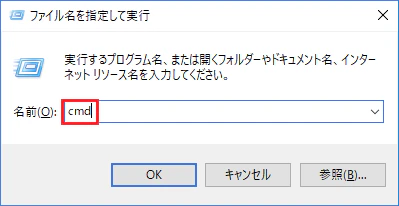
image1.png
[windowsキー + R]でファイル名を指定して実行を呼び出し、[cmd]と打つ
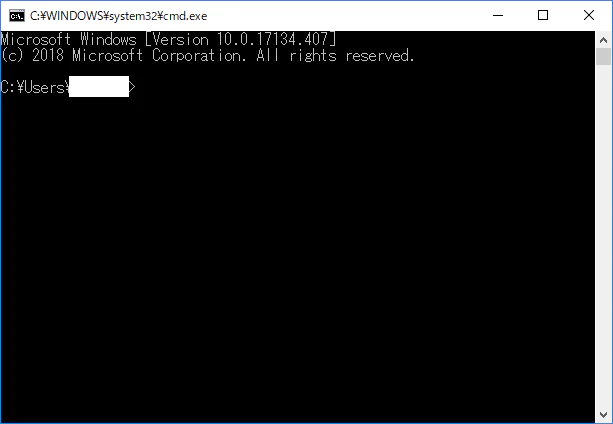
image3.png
するとコマンドプロンプトが開く
そこに

wmic path softwarelicensingservice get OA3xOriginalProductKey

と入力すると、
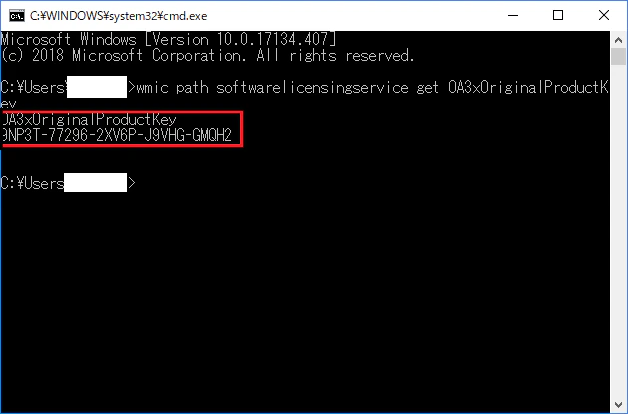
image2.png
このようにプロダクトキーが表示される

powershellでの確認方法

image4.png
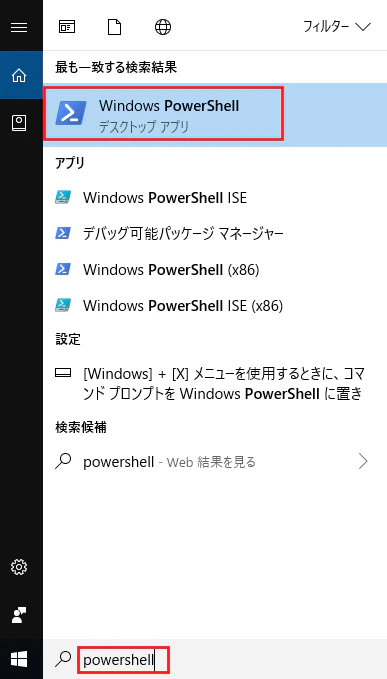
タスクバーのフォームに[powershell]と入力すると、windows powershellが表示されるのでクリック
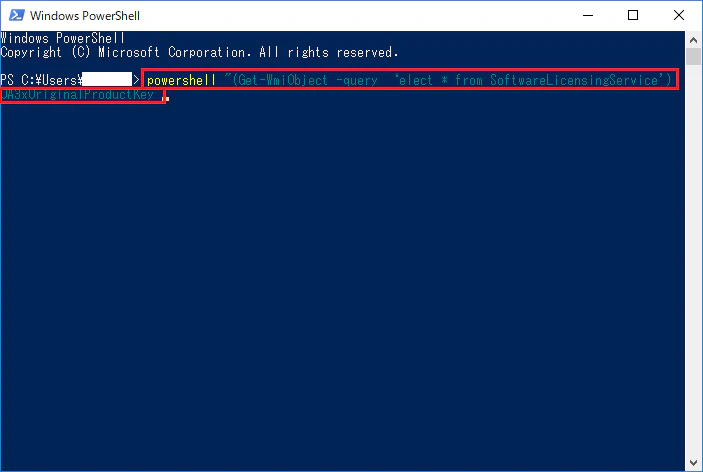
image5.png
このような画面が開く
そこに、

powershell "(Get-WmiObject -query ‘select * from SoftwareLicensingService’).OA3xOriginalProductKey"

と入力すると、
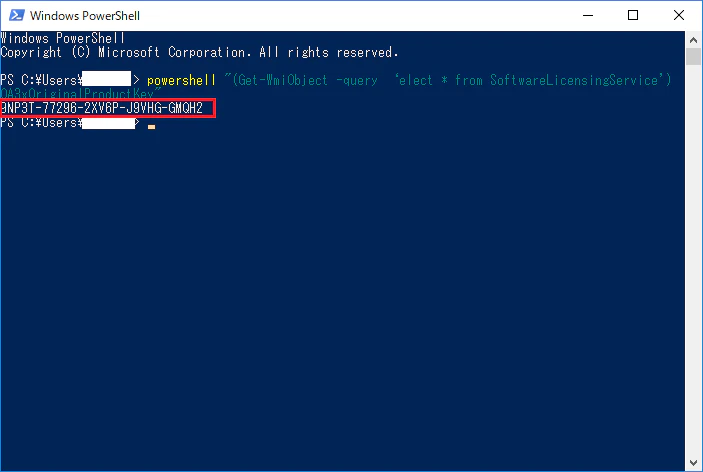
image6.png
プロダクトキーが表示される

1
0
1

Register as a new user and use Qiita more conveniently

  1. You get articles that match your needs
  2. You can efficiently read back useful information
  3. You can use dark theme
What you can do with signing up
1
0

Delete article

Deleted articles cannot be recovered.

Draft of this article would be also deleted.

Are you sure you want to delete this article?