
概要
今までAWSおよびGoogle Cloudをめちゃくちゃ使ってきたけど、令和7年になってCloudflareに手を出し始めた。めっちゃ楽。Google Cloud使い始めた時にも、これめっちゃ楽だな!って思ったけど、それ以上に楽。
何やってるかっていうと、Workersにブログをホストしている。自分好みのブログを作れるCMSがなくて自作した。
全然知らんかったのだが、普通にWorkersにのっけるだけだと、TLSまわりが全然弱い。こんだけマネージドで楽ちんにやれるサービスだと勝手に色々やってくれるのかな?と思っていたのだが案外そうでもなかった。
自前でどうにかせにゃならん!ということでやってみた。
チェッカー
Security Headers を使う。
結論
いきなりだが、Security Headersの中の人がこうすりゃ良い評価とれるぜっていう設定をブログで公開してくれている。本当に本当に超大感謝!
こちらを見てやればいいだけ。
やってみる
私はNext.jsで作っていたのでそれベースで説明。
昔、チュートリアルをやって以来、まともにはじめて作るNext.jsなので、ぶっちゃけ全然詳しくない。
next.config.mjs にこんな感じで突っ込む。場所としてここが良いのかどうか自信はない。
元ネタとして 上述の中の人のブログ を参考にしているのだが、 Strict-Transport-Security はちょっとチューニング。どうせただのブログだし...ってことで強めにpreloadをかけている。
next.config.mjs
const nextConfig = {
  async headers() {
    return [
      {
        source: "/:path*",
        headers: [
          {
            key: "Strict-Transport-Security",
            value: "max-age=63072000; includeSubDomains; preload",
          },
          {
            key: "X-XSS-Protection",
            value: "1; mode=block",
          },
          {
            key: "X-Frame-Options",
            value: "DENY",
          },
          {
            key: "X-Content-Type-Options",
            value: "nosniff",
          },
          {
            key: "Referrer-Policy",
            value: "strict-origin-when-cross-origin",
          },
          {
            key: "Content-Security-Policy",
            value: "upgrade-insecure-requests",
          },
          {
            key: "Permissions-Policy",
            value:
              "camera=(), microphone=(), geolocation=(), browsing-topics=()",
          },
        ],
      },
    ];
  },
};

export default nextConfig;
確認
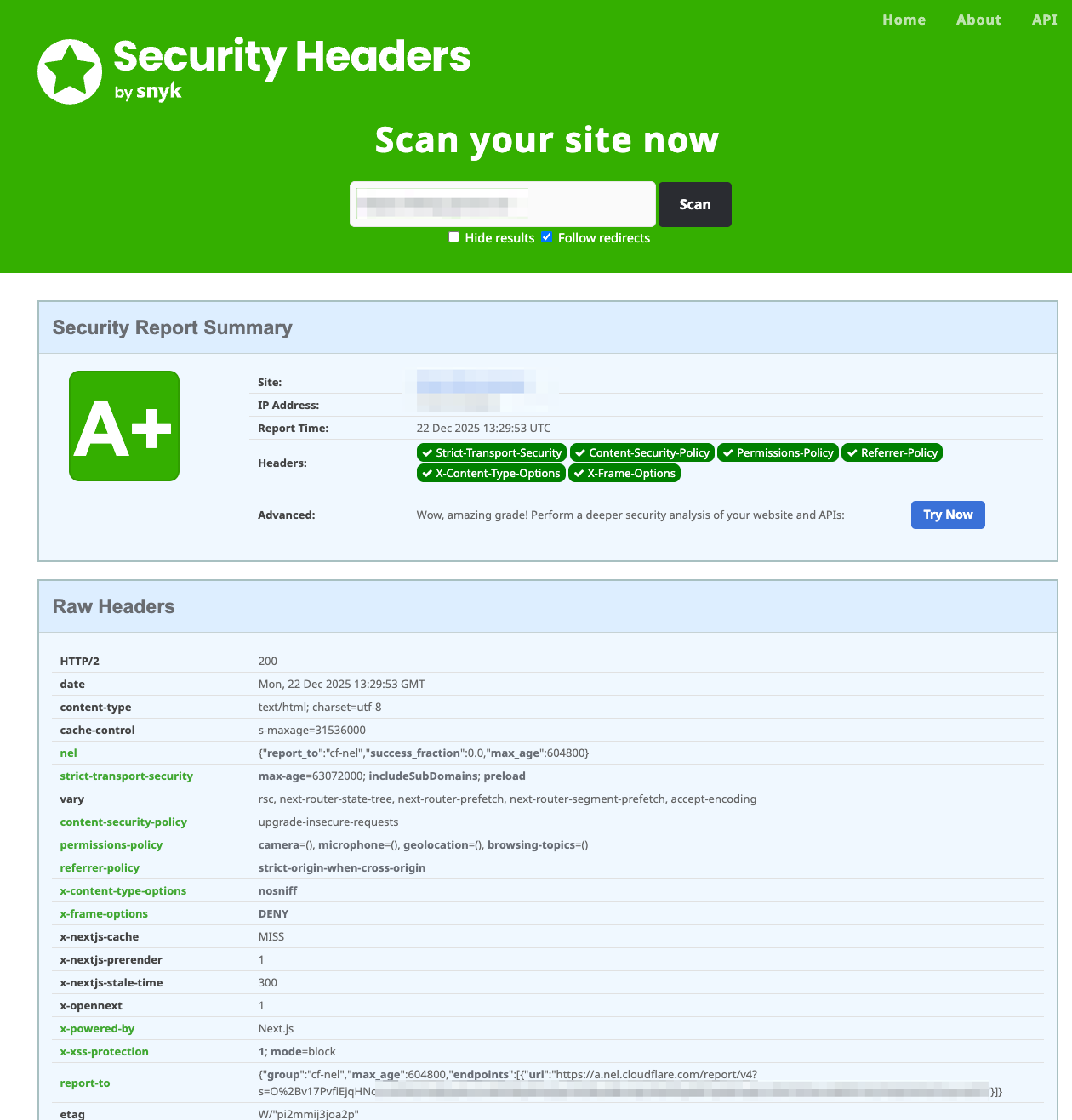
さくっと成功して A+ ゲット! マジで中の人ありがとう!超助かる!
ちなみに...
昔からお馴染みの X-XSS-Protection は最近だと無効化しておいたほうがむしろ良いっていう意見もあるらしい。そのうち変えるかも?