
やりたいこと
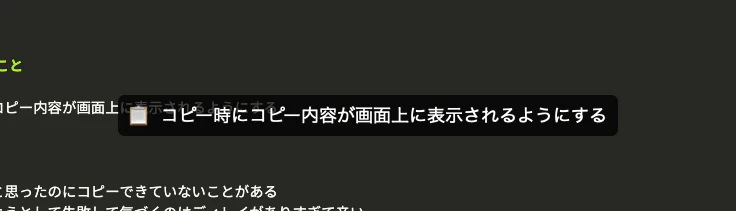
コピー時にコピー内容が画面上に表示されるようにする
こんな感じ
背景
コピーしたと思ったのにコピーできていないことがある
ペーストしようとして失敗して気づくのはディレイがありすぎて辛い...
そこでコピー時にコピー内容が画面上に表示されるようにできれば、作業体験がめっちゃよくなる
やりかた
Hammerspoonを使う
Hammerspoonのインストール
- 公式サイトからダウンロードしてインストールする
- MacOS設定の"セキュリティとプライバシー"にてHammerspoonにアクセシビリティを許可する
スクリプトを設定する
~/.hammerspoon/init.lua が設定ファイルになる
設定ファイルに以下のスクリプトをコピペする
-- カスタムアラートスタイル設定
hs.alert.defaultStyle.textFont = "Menlo"
hs.alert.defaultStyle.textSize = 18
hs.alert.defaultStyle.strokeColor = {
    white = 0,
    alpha = 0
} -- 枠色を透明に設定
hs.alert.defaultStyle.radius = 6 -- 枠の面取り

-- テキストを幅と行数で切り捨てる関数
local function truncateText(text, maxWidth, maxLines)
    maxWidth = maxWidth or 50
    maxLines = maxLines or 5
    local ellipsis = "..."

    local lines = {}
    for line in text:gmatch("[^\r\n]+") do
        if #line > maxWidth then
            line = line:sub(1, maxWidth - #ellipsis) .. ellipsis
        end
        table.insert(lines, line)
    end

    if #lines > maxLines then
        local truncated = {}
        for i = 1, maxLines do
            truncated[i] = lines[i]
        end
        local last = truncated[maxLines]
        truncated[maxLines] = last:sub(1, math.max(0, maxWidth - #ellipsis)) .. ellipsis
        lines = truncated
    end

    return table.concat(lines, "\n")
end

-- clipboard の監視と通知
clipboardWatcher = hs.pasteboard.watcher.new(function(contents)
    if contents then
        hs.alert.show("📋 " .. truncateText(contents, 100, 5), 1) -- 第2引数は表示秒
    end
end)
clipboardWatcher:start()
Hammerspoonを再起動すれば設定が機能する
参考
2026/04/23 追記
アプリとして自作してBrewでインストールできるようになったので、上記設定は不要になった
brew install somei-san/tap/cliip-show
brew services start cliip-show