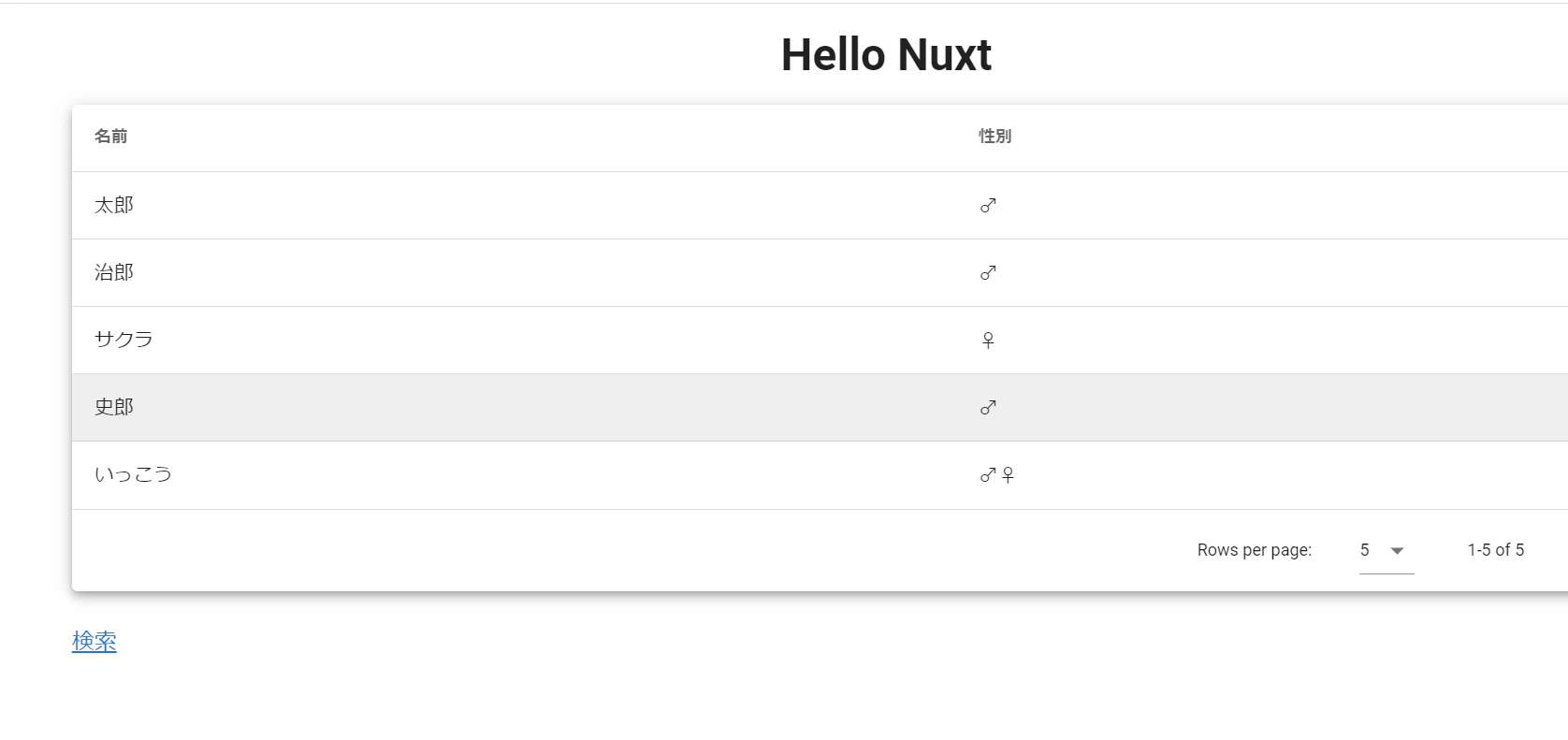
Vuetifyのv-data-table を使用して簡単に、
名前やら性別を表示できるようにしてみました。
data-tableへ挿入するデータを手打ちで入れていく場合は、
連想配列を使用する形になります。
下記に作成してみたものとなります。
Nuxt.js/Typescript
<template>
  <v-content>
    <v-row>
      <v-layout column justify-center align-center>
        <v-flex xs12 sm8 md6>
          <div class="text-xs-center">
            <h1>Hello Nuxt</h1>
          </div>
        </v-flex>
      </v-layout>
    </v-row>
    <v-row>
      <v-col cols="12">
        <v-data-table :headers="headers" :items="items" :items-per-page="5" class="elevation-5"></v-data-table>
      </v-col>
    </v-row>
    <v-row>
      <v-col cols="6">
        <a v-bind:href="google">検索</a>
      </v-col>
      <v-col cols="6">
        <v-btn></v-btn>
      </v-col>

    </v-row>
  </v-content>
</template>

<script lang="ts">
import { Component, Vue } from "nuxt-property-decorator";

@Component
export default class index extends Vue {
  public google:string='https://google.com';
  public headers =[
    {
      text:'名前',
      align:'start',
      sortable:'false',
      value:'name'
    },
    {text:'性別',value:'sex'}
  ]
  public items =[
    {name:'太郎',sex:'♂'},
    {name:'治郎',sex:'♂'},
    {name:'サクラ',sex:'♀'},
    {name:'史郎',sex:'♂'},
    {name:'いっこう',sex:'♂♀'}
  ]
}
</script>