
ニフクラ mobile backendは3月末で終了します。
ニフクラ mobile backendからの移行先として、お勧めしているのがParse Serverです。設計思想が近く、変更するコード量が少なく済むのではないかと思います。
そこでParse Serverへの移行をサポートできるスクリプトを作成中です。今回はファイルストアの移行スクリプトを紹介します。
TL;DR
今回、移行用のスクリプトを作りました。
使い方は、以下のような形です。
npx node dist/file.js
	-a YOUR_APP_ID \
  -m YOUR_MASTER_KEY \
  -u YOUR_PARSE_SERVER_URL\
  -j YOUR_JAVASCRIPT_KEY \
  /path/to/files.json
必要な情報を用意する
ニフクラ mobile backendのファイルストアをエクスポートする
ファイルストアのデータは、Chrome機能拡張で取得できます。全ファイルデータと、メタデータである files.json が必要です。
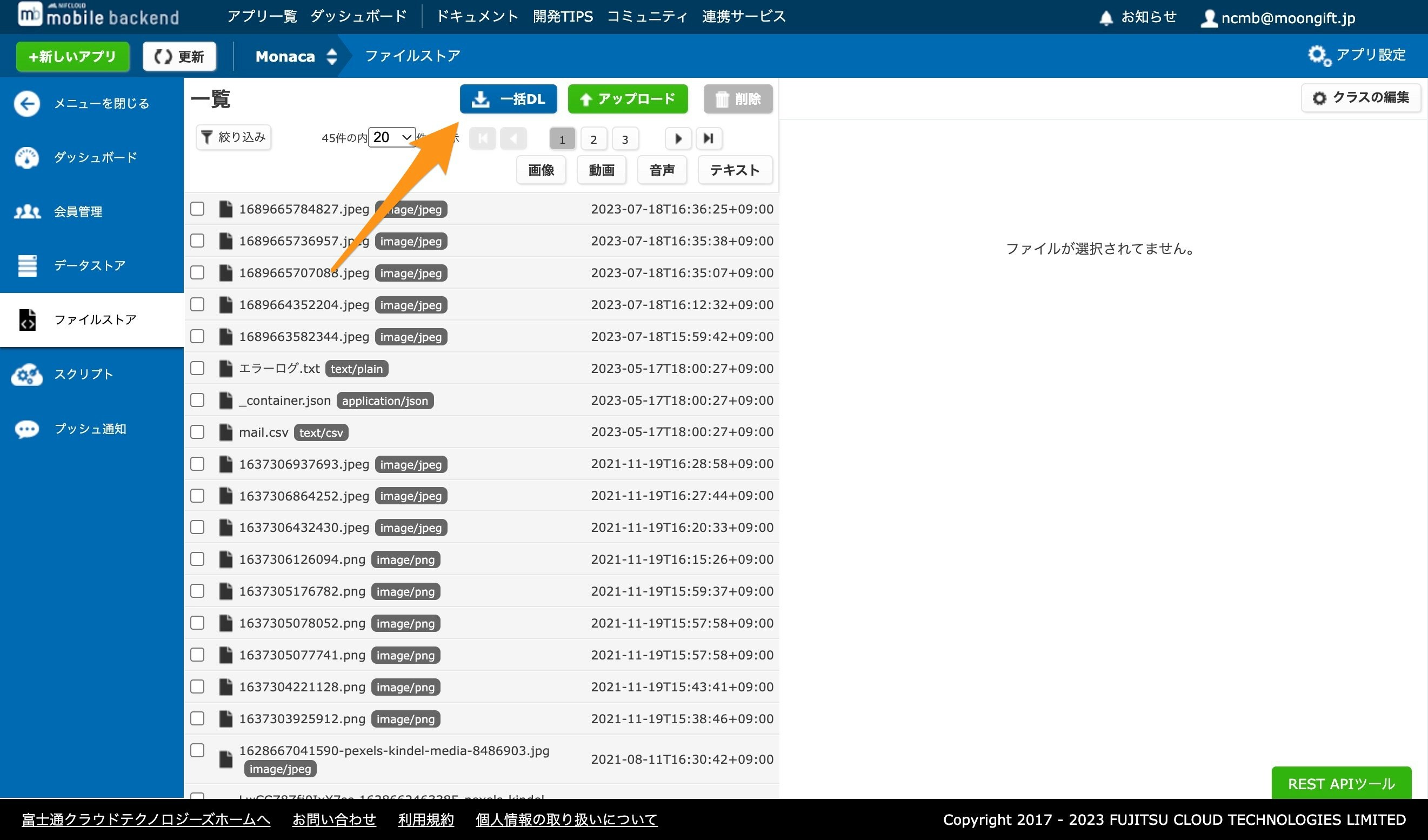
ファイルと files.json は同じディレクトリに置いてください。
NCMBのデータエクスポートに使えるGoogle Chrome機能拡張(ファイルストアの全ファイルダウンロード) #JavaScript - Qiita
Parse Serverの各種データを取得する
Parse Serverを起動する際の、下記データが必要です。
- アプリケーションID
- マスターキー
- Parse ServerのURL
- JavaScript APIキー
これらを控えておきます。
移行用スクリプトを用意する
移行用スクリプトは、Node.jsで動作します。Node.jsがインストールされていない場合は、インストールしてください。
git clone https://github.com/NCMBMania/ncmb2parse.git
cd ncmb2parse
npm install
移行用スクリプトを実行する
先ほど取得したParse Serverの情報、files.jsonのパスを指定して、スクリプトを実行します。
npx node dist/file.js
	-a YOUR_APP_ID \
  -m YOUR_MASTER_KEY \
  -u YOUR_PARSE_SERVER_URL\
  -j YOUR_JAVASCRIPT_KEY \
  /path/to/files.json
ヘルプは以下の通りです。
Usage: file [options] <filePath>

Arguments:
  filePath                              インポートするJSONファイルのパス

Options:
  -k, --key <REST API Key>              Parse ServerのREST APIキー (default: "")
  -u, --url <URL>                       Parse ServerのURL
  -a, --app <Application ID>            Parse ServerのApplication ID
  -n, --name <Name>                     クラス名、ロール名を指定 (default: "")
  -m, --masterKey <Master Key>          Parse ServerのMaster Key (default: "")
  -j, --javascriptKey <JavaScript Key>  Parse ServerのJavaScript Key (default: "")
  -h, --help                            display help for command
注意点
-
-nオプションはクラス名です。デフォルトは files クラスに保存されます。 - インポート対象になるファイルは
files.jsonと同じディレクトに配置してください。
まとめ
Parse ServerはデータやACLがニフクラ mobile backendと近いので、データ移行はさほど難しくありません。Parse Dashboardを使えば、Webブラウザからプッシュ通知の作成も可能です。自分でサーバーを立ち上げる必要はありますが、移行先として検討してみてください。