

CodeRabbitはAIコードレビューサービスです。GitHubやGitLab、BitBucketなどと連携し、PRに対してAIでコードレビューを実行します。
CodeRabbitは、対象リポジトリ内のコードだけでなく、別リポジトリのコードを参照するMulti-Repo Analysisという機能があります。たとえばフロントエンドとバックグラウンドのリポジトリで相互参照したり、共有ライブラリやドキュメントなどを対象にもできます。
このMulti-Repo Analysisは、明示的に参照するリポジトリを指定しなければならなかったのですが、Automatic Repository Linkingを使えば自動参照が可能になります。
Automatic Repository Linkingについて
Automatic Repository Linkingは、同じGitHub組織内の関連リポジトリを自動的に検出し、リンクしてくれる機能です。参照するリポジトリを手動管理する必要がなくなるので、随時増減するリポジトリに対して自動追従できます。
利用できるプランについて
Automatic Repository LinkingはPro+とエンタープライズプランで利用できます。なお、参照できるリポジトリの数には制限があります。以下は執筆時点(2026年06月)での制限です。
- Pro+:
10 - エンタープライズ:
20
設定について
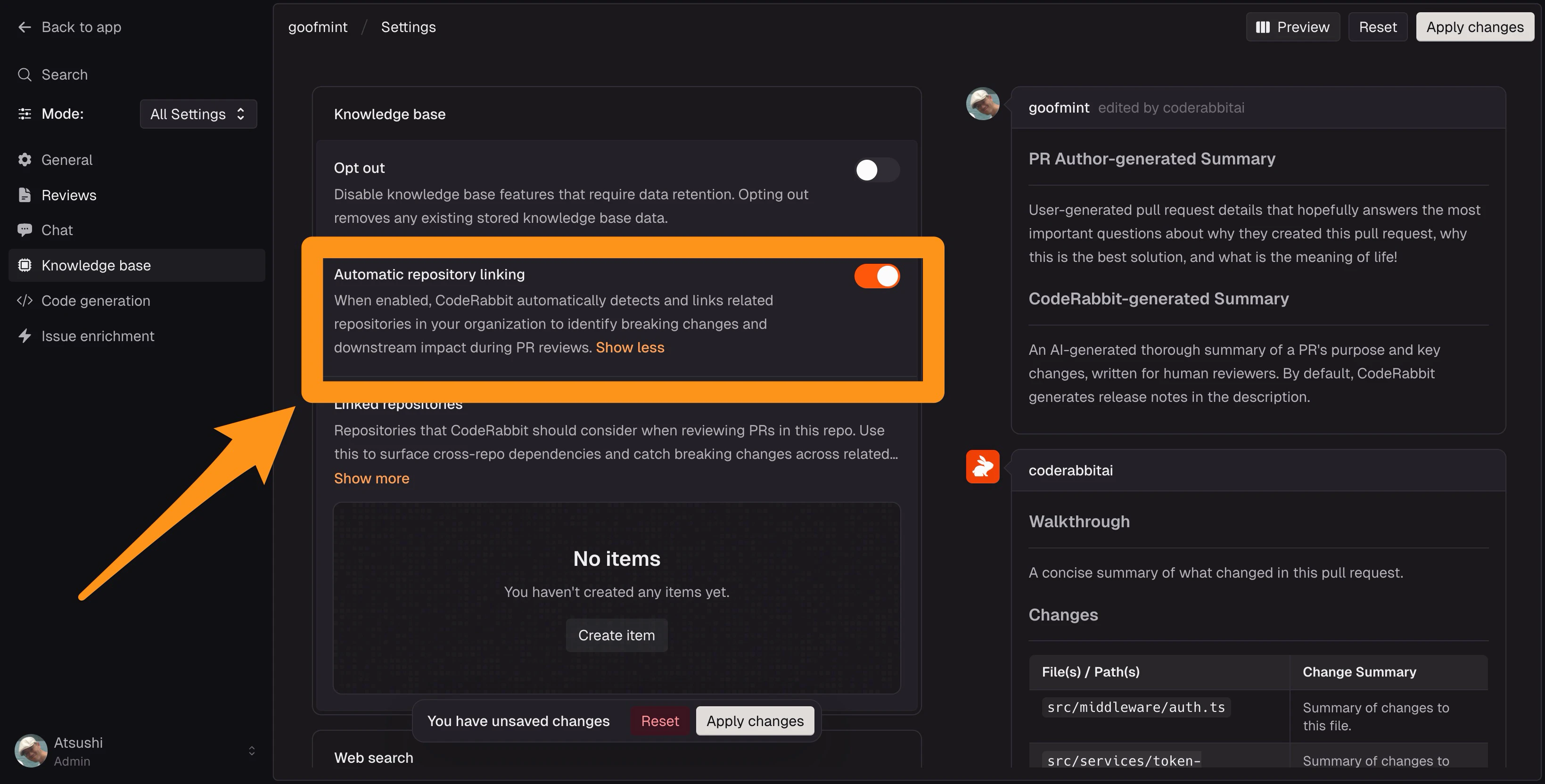
Automatic Repository Linkingの設定はダッシュボード、またはYAMLファイルで行います。
knowledge_base:
  automatic_repository_linking: true
ダッシュボードもKnowledge baseの中に設定があります。
注意点
Automatic Repository Linkingは手動設定を置き換えるものではありません。手動リンクが常に優先されます。そのため、すでに手動リンクが上限に達している場合にはAutomatic Repository Linkingは追加されません。
また、リポジトリにはCodeRabbitがアクセスできる必要があります。
利用されていることを確認
リンクされているリポジトリが利用されている場合には、レビューのウォークスルーに以下のメッセージが追加されます。
ℹ️ Review info
🔗 Linked repositories identified
Multi-Repo AnalysisとAutomatic Repository Linkingの違い
Multi-Repo AnalysisとAutomatic Repository Linkingは、以下の違いがあります。
| Multi-Repo Analysis | Automatic Repository Linking | |
|---|---|---|
| メンテナンス | リポジトリの追加削除は自分で行います | 関連するリポジトリを自動的に見つけてリンクします |
| YAMLの構成 | knowledge_base.linked_repositories | knowledge_base.automatic_repository_linking: true |
| 利用できるプラン | すべての有料プラン | Pro+ および エンタープライズ |
| お勧め | 依存関係が明確で、安定 | より大規模で、変化の速い依存関係 |
まとめ
Multi-Repo AnalysisとAutomatic Repository Linkingはカニバるわけでないので、両方有効にしておくこともできます。レビュー時により多くのコンテキストを与えられるので、ぜひ設定してください。
関連リポジトリを設定すれば、無理にモノレポ設定にする必要もなくなります。ぜひお試しください!