

データ連携に奮闘中の皆様、いかがお過ごしでしょうか。
皆様、APIのドキュメント読むのはお好きですか。
APIのドキュメントを読んで、必要な情報をGETしなくてはなりませぬ。
↓以下は、サンプルリクエスト。
curl --request POST \
     --url https://api.chatwork.com/v2/rooms/room_id/messages \
     --header 'accept: application/json' \
     --header 'content-type: application/x-www-form-urlencoded' \
     --data self_unread=0
順番に例を見ながら確認していきましょう。
・使うのは、「POST」
・urlのroom_idは、投稿したいチャットのルームID。
・bodyのところに通知メッセージを入れれば良さそうです。
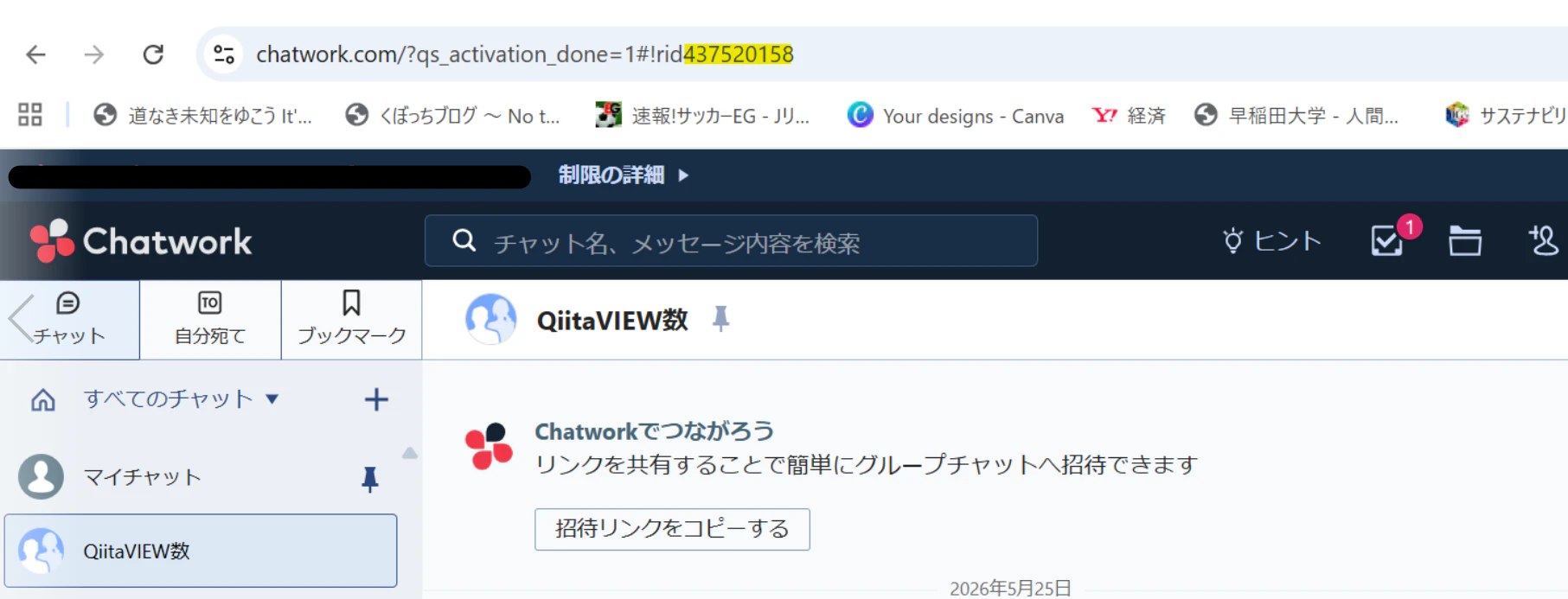
ルームIDは、該当チャットのURLの「rid」以降の文字
↓できあがりはこちら。
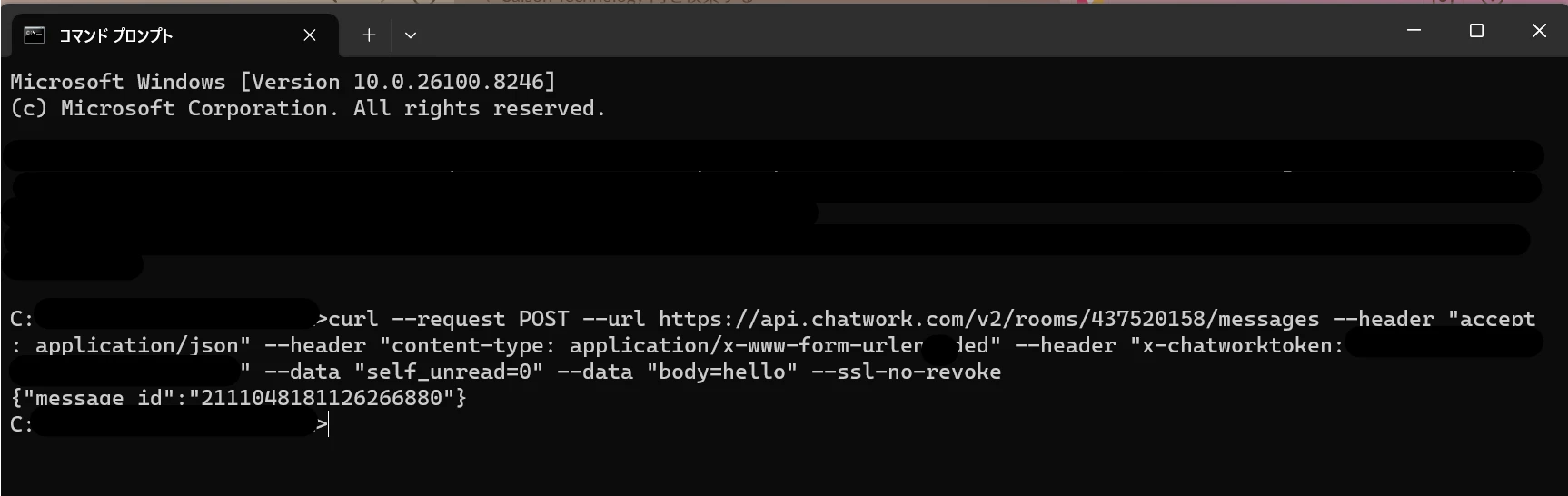
curl --request POST --url https://api.chatwork.com/v2/rooms/437520158/messages --header "accept: application/json" --header "content-type: application/x-www-form-urlencoded" --header "x-chatworktoken: <APIトークン>" --data "self_unread=0" --data "body=hello" --ssl-no-revoke
早速試してみたところ、「message id」が返却されました。
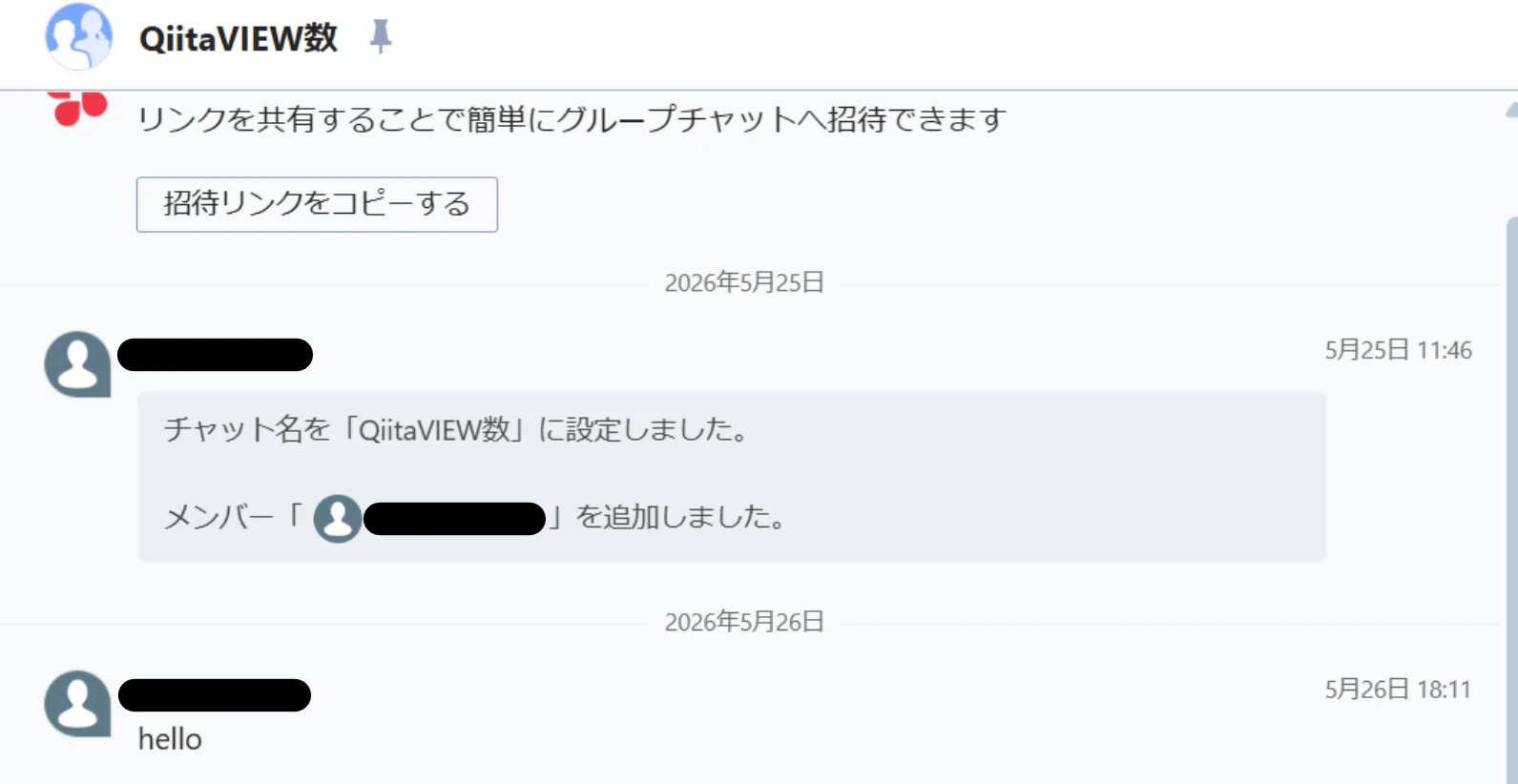
該当のChatworkのルームを確認すると、メッセージが投稿されています
これで同じように、HULFTSquareのRESTからPOSTすれば、Chatworkに通知できそうです。