

データ連携の奮闘中の皆様、いかがお過ごしでしょうか。
前回は、①Incoming WebhookのURLをGETしました。
従って、本丸のHULFT Squareに取り組む事前準備として、
例によってドキュメントを確認し、テストをしてみましょう。
下記がCurlのサンプルコードです。
curl -X POST https://webhook.worksmobile.com/message/xxxxxxxxxxxxxxxxx \
    -H 'Content-Type: application/json' \
    -d '{"title":"Inquiry form","body":{"text":"Hi <m userId=\"user@example.com\">, You have received a new inquiry."},"button":{"label":"URL","url":"https://example.com"}}'
PowerShell用に、以下に書き換えたので、試してみたいと思います。
URLとユーザの@以降のxの部分は自身のものに置き換えて下さい。
curl -X POST https://webhook.worksmobile.com/message/xxxxxxxxxxxxxxxxx \ -H 'Content-Type: application/json' \ -d '{"title":"Inquiry form","body":{"text":"Hi <m userId=\"fukanoshin@XXXXXX">, You have received a new inquiry."},"button":{"label":"URL","url":"https://example.com"}}'
できました!成功の「200」で返ってきています!
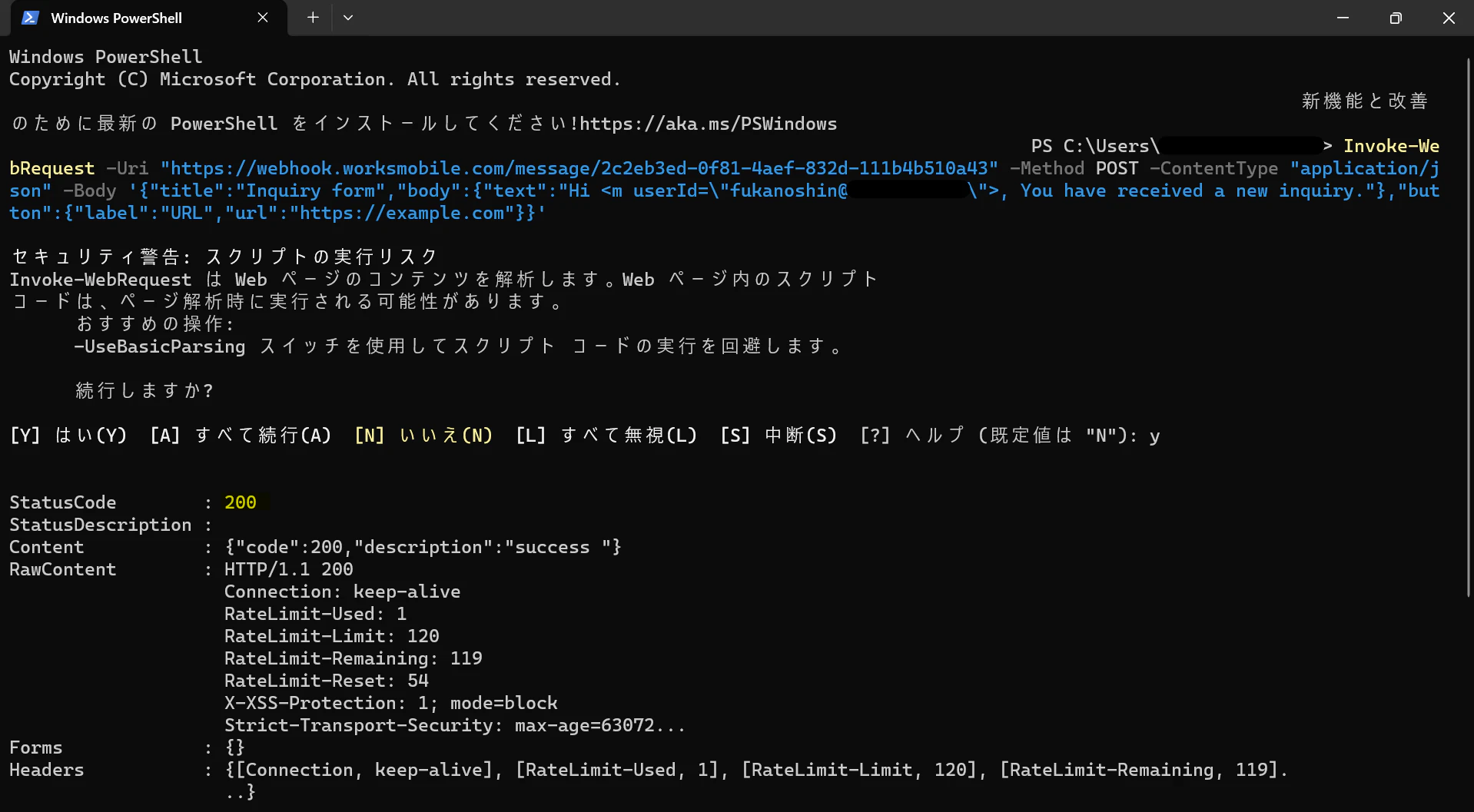
LINE WORKS側にも通知できています!
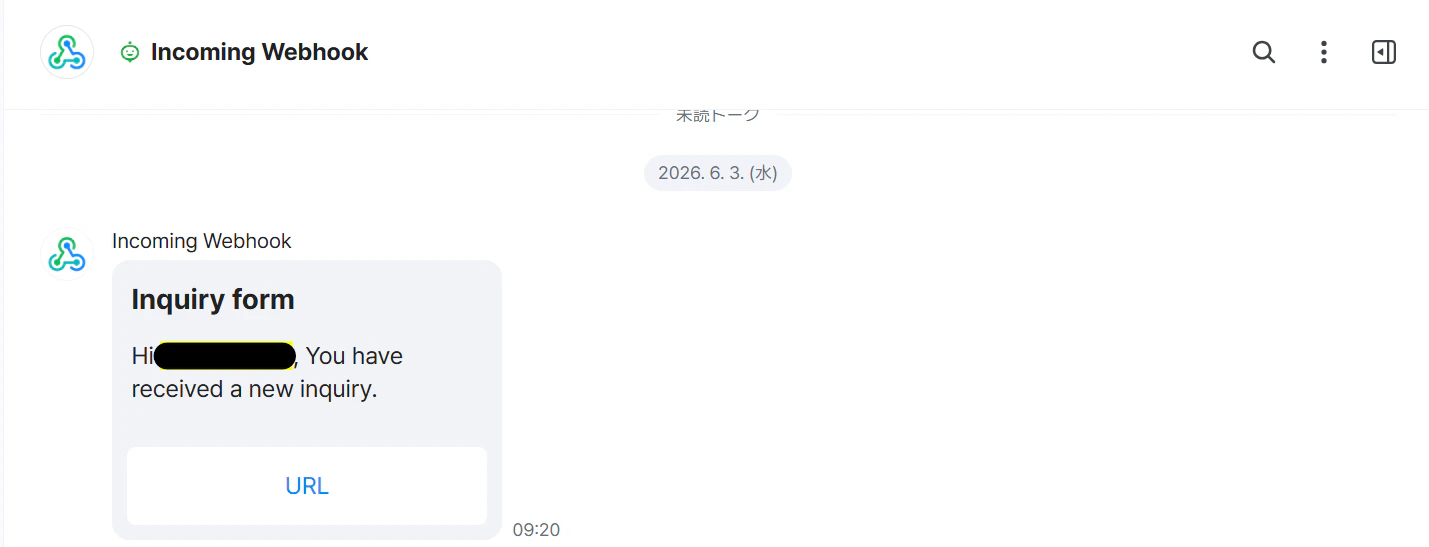
他のパターンと同じように、↑で作成したコマンドと同じようなことを
HULFT Squareに置き換えれば、実装できそうです。